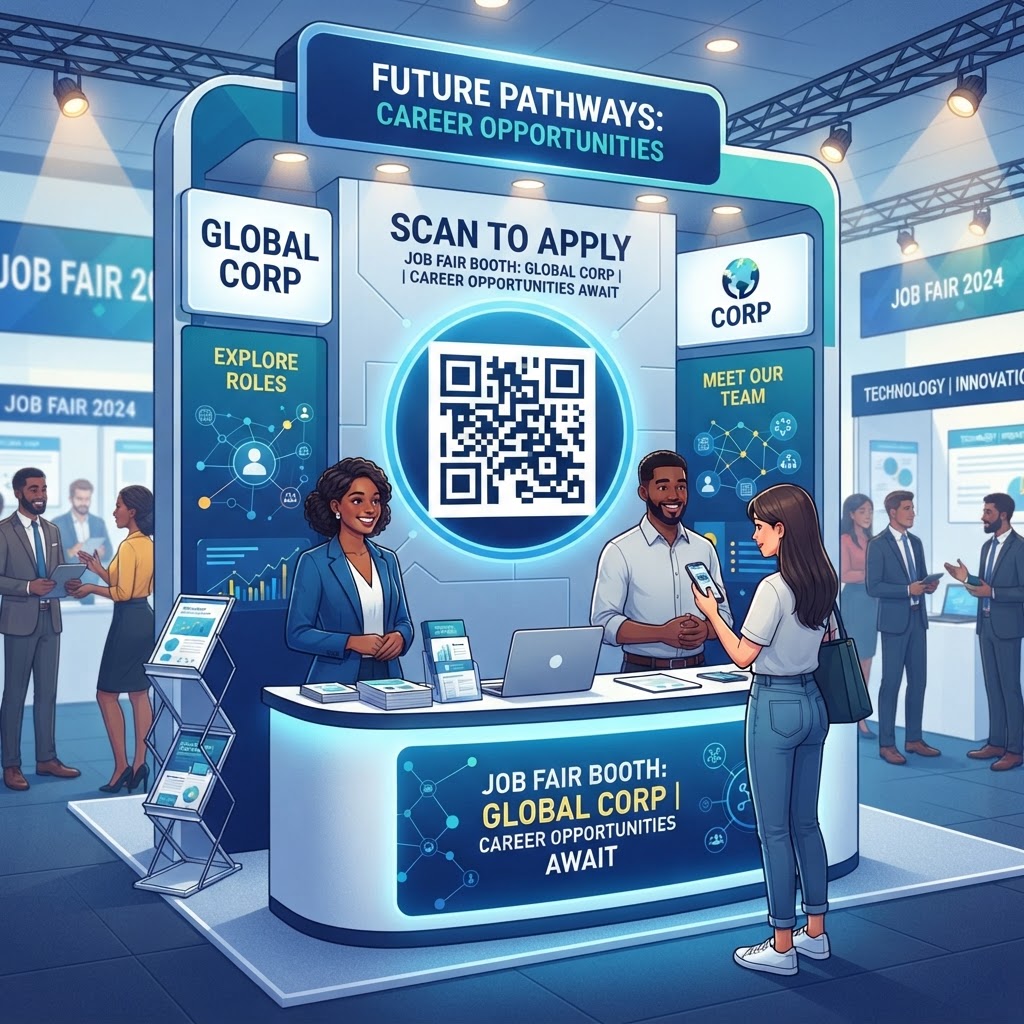
Why Using a QR Code for Your Job Fair Booth Matters in 2026
As we navigate 2026, the competitive nature of talent acquisition has shifted toward immediate accessibility. Job seekers attend career fairs with dozens of companies vying for their attention simultaneously, often while juggling multiple resumes and trying to process vast amounts of information in a short window.
If your recruitment process relies solely on paper handouts that are easily lost or ignored, you are missing an opportunity for conversion. A high-quality QR code lets candidates save your information directly to their smartphones, creating a lasting connection and reducing the manual entry errors and delays associated with paper resumes or handwritten email addresses.
The shift toward mobile-first recruiting means candidates prefer to interact with companies through their phones while on the go. A QR code acts as a call to action, drawing attention to your digital presence and inviting deeper interaction.
When you use a platform like blueqrcode.com, you can create a visually appealing, reliable code. In a high-traffic environment, a direct path to your talent pipeline helps demonstrate that your organization is tech-forward, organized, and prepared to handle interest efficiently.
Key Points
- A QR code helps candidates save recruitment information on their smartphones.
- Mobile-friendly access can reduce friction and support faster candidate engagement.
- A clear, reliable digital experience can reinforce a professional first impression.
The Technical Mechanics Behind QR Code Functionality
A QR code is a matrix barcode—a two-dimensional array of information—that encodes data horizontally and vertically. Unlike traditional 1D retail barcodes, QR codes have greater storage capacity and can host long URLs, vCard contact information, or instructional text.
When a candidate points a smartphone camera at the code, the device’s image processor identifies the matrix’s timing patterns and quiet zones. It decodes the pattern into actionable data, such as a website link or contact file, which the phone’s operating system can use to open a browser or import a contact profile.
Most smartphones manufactured in the last five years have QR scanners built into their native camera applications. QR codes also use error correction, which can help scanners reconstruct missing data if part of a code is obscured or printed at a slight angle.
When you generate a code via blueqrcode.com, you create a static or dynamic destination designed for rapid recognition. Choosing the right data type helps ensure your code serves its intended purpose, whether for lead capture or information sharing.
A Step-by-Step Guide to Creating Your Code with BlueQRCode.com
Creating an effective QR code for your job fair booth is straightforward when you use a professional tool like blueqrcode.com. Follow these steps to prepare a digital recruitment asset that fits your booth and hiring goals.
- Step 1: Determine the code’s objective. Decide whether you want to direct candidates to a general career portal or use a vCard QR code to add recruiters' contact details to a candidate’s phone.
- Step 2: Select the code type and enter the relevant information. If you are using a URL, make sure the link is optimized for mobile viewing.
- Step 3: Customize the design by adjusting the foreground and background colors to match your corporate scheme while maintaining enough contrast for scanning.
- Step 4: Add a logo in the center of the code if the tool allows it, then generate and download a high-resolution version.
- Step 5: Choose a vector format such as SVG or a high-quality PNG for large signage, and test the code with multiple devices to confirm that the destination loads correctly and quickly.
By following these steps on blueqrcode.com, you can make your QR code a polished part of your professional booth identity.
Best Practices for QR Code Deployment at Job Fairs
The placement and presentation of your QR code matter as much as the technology behind it. Its physical size and location can affect how many people interact with it, while clear instructions help candidates understand what to expect after scanning.
- Make it easy to scan: Print the code large enough to scan from at least three to five feet away.
- Place it at eye level: On a large booth banner, position the code roughly 5 to 6 feet off the ground so candidates can scan it comfortably.
- Add a call to action: Include a clear instruction such as "Scan to View Open Positions" or "Save Our Recruiter’s Contact Info."
- Check the lighting: Keep lighting bright and consistent, and avoid shadows or high-glare surfaces that can interfere with camera focus.
- Calibrate digital displays: Use a high-contrast mode and check the screen brightness, as light-emitting diodes can sometimes make a code harder to scan.
Common Mistakes to Avoid During Your Recruitment Drive
Even with the best intentions, common mistakes can make a QR code strategy ineffective. Check the destination, scanning experience, and role of the code before the event.
- Using a non-mobile-optimized landing page: Candidates may abandon a page that requires pinching and zooming to read. Make sure the destination is responsive and loads rapidly.
- Sharing a broken or outdated URL: Confirm that the link is active, the server does not block external traffic, and the page loads in under three seconds on a standard 4G or 5G connection.
- Sending candidates to a generic home page: A specific lead-capture form can let candidates share their email or LinkedIn profile, making it more useful than a general destination.
- Ignoring scan data: If you use a tool like blueqrcode.com, review which codes are scanned most often. Ignoring analytics can prevent you from refining your strategy for future events.
- Relying only on the QR code: Use it to enhance personal interaction, not replace it. Candidates attend job fairs to speak with people, so booth staff should be ready to explain the digital portal to anyone hesitant to use the technology.
Concrete Use Cases by Industry and Sector
Different industries can use QR codes to meet the needs of their candidates. The content should reflect the roles and information people are looking for at your booth.
- Technology: Link to a coding challenge or a repository of current projects. A software company might direct candidates to its GitHub open-source contributions to demonstrate its company culture and work standards.
- Healthcare: Share information about certifications, licensing requirements, and facility locations. A hospital system might link to a digital facility map or a checklist of required onboarding documents.
- Manufacturing and engineering: Link to a short video tour of the manufacturing floor to give candidates a behind-the-scenes look at the working environment.
- Retail and hospitality: Use a vCard QR code to save a hiring manager’s contact information to a candidate’s phone and help fast-track interview scheduling.
By tailoring the content delivered via blueqrcode.com to your industry’s expectations and needs, you can create a more targeted recruitment experience.
Summary and Next Steps for Your Recruitment Strategy
Integrating a QR code into your job fair booth is about creating a streamlined, modern experience for your future workforce. By supporting mobile engagement, preparing for reliable scanning, and avoiding issues such as unoptimized landing pages, you can reduce friction and encourage quality engagement.
Next Steps
- Step 1: Visit blueqrcode.com and identify the call to action that matches your hiring needs, such as capturing resumes, directing traffic to a specific portal, or sharing professional contact cards.
- Step 2: Generate your codes and test them under conditions that simulate the job fair environment.
- Step 3: Explain the process to your team so they can help candidates use the technology effectively.
- Step 4: Analyze engagement data after the event to understand what worked and what did not.
Treating your QR code strategy as an evolving, measurable part of your booth presence can help you attract talent with accessible tools.