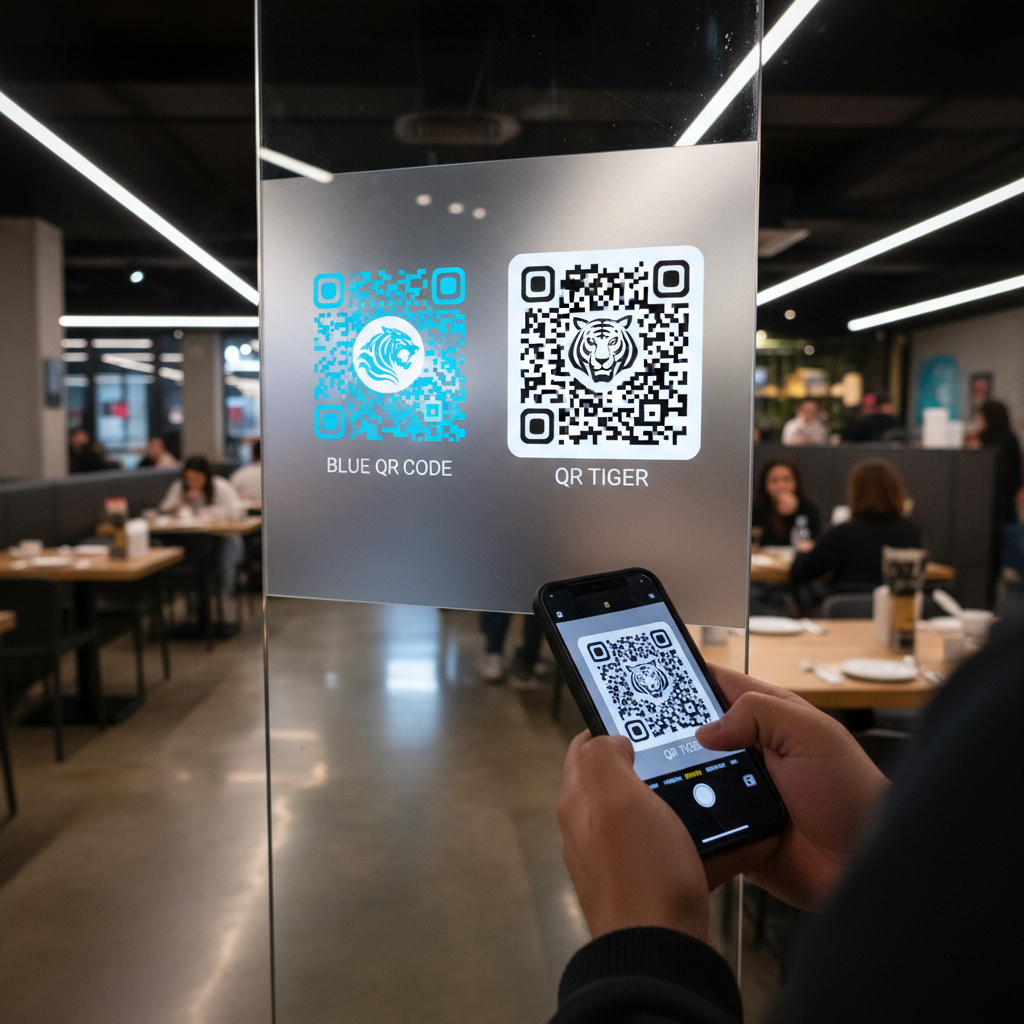
Why This Topic Matters
Comparing free QR code generators helps you pick the right tool for quick tasks versus long-running marketing campaigns.
This comparison focuses on blue qr code vs qr tiger to highlight differences in cost, features, and intended users.
Key Points
- Blue QR Code Generator is instant, fully free, and requires no account.
- QR Tiger offers dynamic codes, analytics, and bulk generation but most features are paid.
- Choose based on whether you need edit-after-print capability and scan-level analytics.
Step-by-Step Guide
Quick steps to decide between an instant free generator and a paid campaign platform.
- Step 1: Identify your need — one-off static codes or ongoing, editable campaigns.
- Step 2: Generate and test a static code for print or use a dynamic paid tool if you need updates and analytics.
- Step 3: Upgrade to a paid plan only when analytics and dynamic redirects clearly justify the cost.
Key Differences at a Glance
Here's a direct side-by-side breakdown of the most important factors for marketers and small business owners:
| Feature | Blue QR Code Generator | QR Tiger |
|---|---|---|
| Price | 100% free | Free tier + paid from ~$7/mo |
| Account Required | No signup needed | Account required for most features |
| QR Code Types | URL, WiFi, WhatsApp, vCard, Email, SMS, Text, Phone, and more | URL, vCard, social media, app stores, PDF, and more |
| Dynamic QR Codes | Static (fixed destination) | Yes (paid plans) |
| Scan Analytics | Not included | Yes (paid plans) |
| Barcode Generation | Yes (multiple formats) | No |
| Customization | Colors, logo, size | Colors, logo, patterns, frames (paid) |
| Watermark | None | Present on free tier |
| Scan Limits | Unlimited (static codes) | Varies by plan |
| Bulk Generation | No | Yes (higher-tier plans) |
The table tells a clear story: Blue QR Code Generator wins on accessibility and zero cost, while QR Tiger wins on advanced campaign management features — if you're prepared to pay for them.
Best Practices
Simple habits that ensure your QR codes work for their intended purpose and avoid wasted spend.
When to Choose Blue QR Code Generator
- One-off print materials: Use it for flyers or time-limited events where a static URL is sufficient.
- Restaurant menus and table tents: Generate WiFi or menu URLs quickly without creating an account.
- Business cards and vCards: Create contact QR codes and download high-resolution PNGs instantly.
- WhatsApp links for small businesses: Native WhatsApp QR support makes customer messaging simple on the free tool.
- Barcode generation: If you need EAN-13, UPC-A, Code 128, etc., Blue QR Code Generator covers those formats.
The bottom line: if your destination URL won't change after printing and you don't need scan-by-scan analytics, you lose nothing by using the Blue QR Code Generator over a paid platform.
If you want to try the tool first, you can also check our free QR Code Generator.
When to Choose QR Tiger
- Dynamic QR codes for long-running campaigns: Edit destinations after printing for large, persistent runs.
- Detailed scan analytics: Use QR Tiger if you need reports by location, time, or device type.
- Bulk code generation: Useful for retailers or franchises that need hundreds of unique codes.
- Branded short links: Paid plans support custom domains for redirects (e.g., go.yourbrand.com).
These features are high value but come at a price: QR Tiger's free tier includes a watermark, caps dynamic codes, and limits analytics.
Common Mistakes to Avoid
Two common missteps that lead to poor results or unnecessary spending.
- Assuming a free tier is sufficient for campaigns — QR Tiger's free tier includes a watermark and tight limits, so it often isn't suitable for professional materials.
- Paying for dynamic codes and analytics before confirming the ROI — start free and upgrade only when the data justifies the monthly cost.
Conclusion
For most marketers, small business owners, and independent creators, Blue QR Code Generator is the better starting point: instant, free, and watermark-free for static needs.
QR Tiger is worth evaluating only if you require dynamic redirects, bulk generation, and detailed analytics and are ready to pay for those capabilities.
Step-by-Step Guide: How to Create a blue qr code vs qr tiger on BlueQRCode
Whether you want a simple branded blue QR code for a flyer or you want to emulate a QR Tiger-style professional code, BlueQRCode makes it fast and free. Follow these five steps to produce two comparison-ready codes on BlueQRCode and see which fits your needs better.
Step 1 — Pick the QR type
Open BlueQRCode and choose the QR type that matches your goal (URL, vCard, Wi-Fi, PDF, etc.). If you're comparing "blue qr code vs qr tiger", create one QR with the content you intend to share and duplicate the process to make a second version for side-by-side comparison.
Step 2 — Enter your content
Paste the destination URL, contact details, text, or upload the file for each QR. For a fair comparison, use the same content for both codes. This ensures that any differences you see come from design choices and platform features rather than the underlying content.
Step 3 — Customize appearance
For the blue QR code: set the foreground color to your brand blue (use a hex like #2563eb or your exact brand color), keep the background white, and choose a clear, high-contrast eye style. For a QR Tiger-inspired look: mimic the clean, professional styling—use a darker blue or gradient, add a simple logo in the center, and increase error correction so the logo doesn't break the code.
Step 4 — Adjust size and error correction
Choose a download size appropriate for how you’ll use the code (print needs higher resolution). Increase error correction (up to 30%) if you add a logo or if the code may be partially obscured in real-world use. Note: BlueQRCode lets you set these basic parameters without sign-up, so you can experiment quickly when comparing "blue qr code vs qr tiger".
Step 5 — Test and download
Scan each code with multiple devices and apps to confirm they resolve correctly. Test at printed size and on-screen. Once satisfied, download your preferred format (PNG, SVG when available) and save copies for print and web. If you need analytics or the ability to edit the destination after printing, consider whether a dynamic-code provider like QR Tiger fits your long-term needs better, and use that as a point of comparison.
Best Practices for blue qr code vs qr tiger
- Ensure high contrast: a blue foreground must sit on a light (preferably white) background — minimum contrast helps most scanners read reliably.
- Keep a safe quiet zone: leave sufficient white margin around the QR so scanners can detect edges easily.
- Use strong error correction when adding a logo: increase error correction to 20–30% if placing a logo or icon in the center to preserve scannability.
- Optimize for the destination: point QR codes to mobile-friendly pages (fast loading, clear call-to-action) since most scans happen with smartphones.
- Test in context: print a sample at final size and scan in the actual environment (lighting, distance, and surface) before mass printing.
Common Mistakes to Avoid
- Low contrast color combinations — dark blue on dark backgrounds or blue on patterned backgrounds can make codes unreadable.
- Too small for practical scanning — tiny QR codes (under 2 x 2 cm for printed materials) are often unreliable, especially with lower-resolution cameras.
- Over-decorating the code — heavy styling, intricate patterns, or excessive rounding can remove critical data modules and break scanning, even if the code looks attractive.
- Expecting analytics from static codes — if you need scan tracking or to change the destination later, a static code won’t provide that; platforms like QR Tiger often require paid dynamic codes for those features.
Related guides
Real-World Use Cases
- Marketing & Print Collateral — A branded blue QR code on posters, postcards, and business cards directs users to special promotions or landing pages. Comparing "blue qr code vs qr tiger" helps marketers decide between a free immediate generator and a paid platform with analytics.
- Retail & Product Packaging — Place a QR that links to product pages, instructions, or video demos. Use a logo in the center to reinforce brand recognition; raise error correction to protect readability on curved packaging.
- Events & Ticketing — Use QR codes on tickets and badges for quick check-in. If you require real-time management or scan logs, consider QR Tiger-style dynamic solutions, but for single-use passes BlueQRCode provides instant, no-watermark codes.
- Hospitality & Menus — Restaurants can use a blue QR code on tables or windows to link to menus, reservations, or contactless pay pages. The quick setup on BlueQRCode is ideal for small businesses that need a simple, free solution without commitment.
Create Your Free blue qr code vs qr tiger
No sign-up. No watermark. Never expires.
Generate Free QR Code →