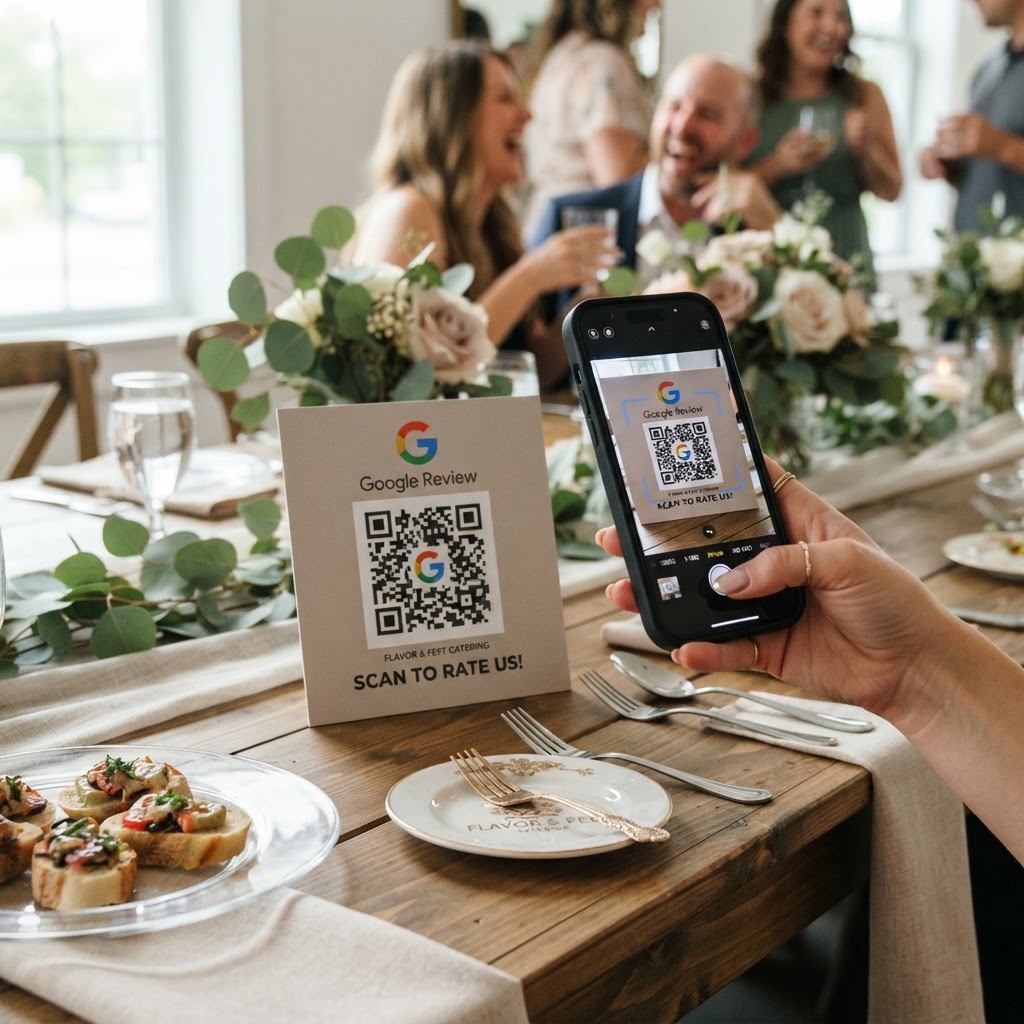
Why a Google review QR code for caterer success matters
In the high-pressure world of catering, reputation is your currency. When a client hosts a successful corporate gala or a beautiful wedding, they are often overwhelmed with logistics and quickly move on to the next task.
If you wait to send a follow-up email, you lose the window of opportunity. By placing a QR code on a dessert menu or a thank-you card, you allow guests to scan and leave feedback in under thirty seconds. Our free Google Review QR Code Generator simplifies this process, ensuring you never miss a chance to build your social proof.
What you need before you start
To begin, you will need access to your business account on Google Business Profile. If you have not claimed your business yet, do that first to ensure the reviews appear on your official listing.
You will also need a digital or printed asset to display the code. It is helpful to have your Google Place ID ready, which you can easily find through our free Google Review QR Code Generator to ensure the link points exactly to your review submission page.
How to create a Google review QR code for caterer profiles — step by step
- Find your Place ID: Visit your business profile on Google Maps and extract the unique identifier for your location.
- Visit the generator: Navigate to the Blue QR Code Generator to start your project.
- Input your link: Paste your custom review URL into the input field to create a direct path for your clients.
- Customize the design: Add your brand colors or a logo to make the code look professional and trustworthy.
- Generate the code: Click the button to create your custom graphic instantly.
- Save and download: Download the high-resolution file so it remains sharp when printed on small menu cards or large display signs.
How to test and deploy it
Before you print five hundred buffet cards, scan the code with your own smartphone. You want to ensure it redirects the user directly to the 'write a review' star-rating box rather than your main homepage.
Deployment is key to adoption. Try placing the code on the back of your business cards, on the bottom of disposable napkins, or on a small 'Feedback Appreciated' sign at the dessert station. When you generate yours in seconds, think about the guest experience and ensure the code is placed at eye level.
Common mistakes that ruin results
- Linking to the wrong page: Never link to your Google Search results; always link specifically to the review submission pop-up.
- Ignoring contrast: If you use a light-colored QR code on a light background, scanners will struggle to read it.
- Printing too small: Ensure your QR code is at least 1 inch by 1 inch so phones can scan it from a distance.
- Lack of call to action: Never just print a naked code; always include text like 'Scan to rate your meal' above the image.
Real examples
Consider a mobile taco bar service that places a QR code on the napkin dispenser at every event. Because the guests are already interacting with the napkins while eating, the conversion rate for reviews significantly increases compared to email follow-ups.
Another example is a high-end wedding caterer who includes a QR code on a small, elegant card tucked into the favor bag. This personal touch encourages guests to share their experience of the meal, helping the caterer win future bookings. Using Blue QR Code Generator tools, you can ensure these codes look premium and match your brand aesthetic, whether you are a budget-friendly food truck or a luxury event company.
If you are ready to start collecting, use Blue QR Code Generator's Google review QR codes tool to get started right now.