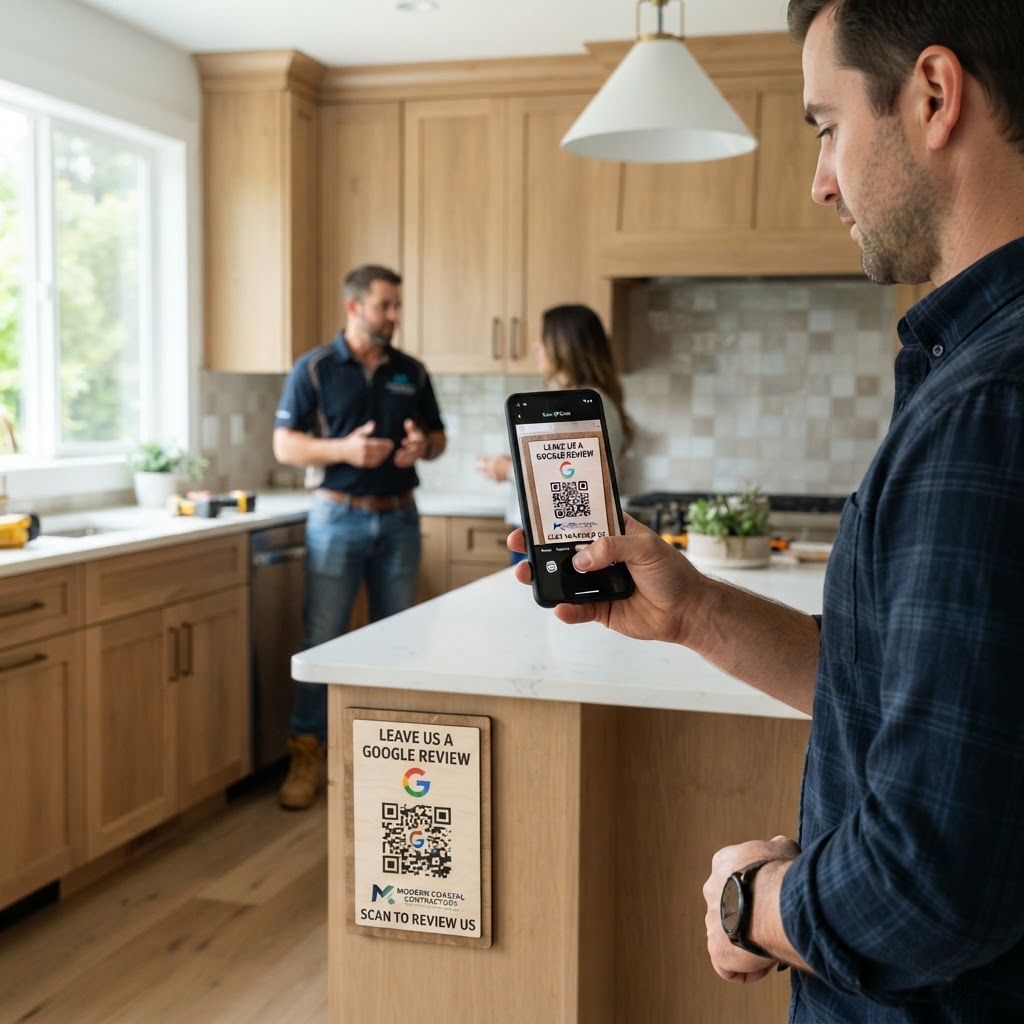
Why a Google review QR code for contractor success matters
In the construction industry, trust is your most valuable asset. A potential client is far more likely to hire you if they see thirty five-star reviews on your Google Business Profile compared to a competitor with none.
Think of the last day on a job site. You are wrapping up, the client is happy, and they are standing right there. Instead of hoping they remember to search for your business later, you can offer an instant, frictionless path to leave feedback by using our free Google Review QR Code Generator to bridge that gap.
What you need before you start
Before you jump into the technical side, ensure you have your digital assets ready to go. You will need your Google Business Profile name to locate your specific review link.
Make sure you are logged into your primary business email account. Having your company logo file ready is also helpful if you want to brand your code through the Blue QR Code Generator interface.
How to create your custom QR code — step by step
Follow these simple steps to ensure your setup is perfect for site visitors and clients alike.
- Find your Review URL: Go to your Google Business Profile, click the 'Ask for reviews' button, and copy the unique link provided.
- Access the Tool: Navigate to our Google Review QR Code Generator to start your custom design.
- Paste the Link: Insert your copied review URL into the designated field on the page.
- Customize the Appearance: Choose your colors and frame style; the Blue QR Code Generator makes it easy to match your company branding.
- Download the Image: Once satisfied, click to generate and download the QR code in a high-resolution format like PNG or SVG.
- Test the Code: Scan the generated image with your phone to ensure it redirects the user directly to the review submission screen.
How to test and deploy it
Testing is non-negotiable before you print hundreds of business cards or flyers. Scan your code using both iPhone and Android devices to ensure the Google review page loads correctly in under two seconds.
For deployment, place the code on your "Thank You" invoices, site signage, or even a small sticker on your utility van. You can easily generate yours in seconds to start collecting feedback immediately.
Common mistakes that ruin results
- Linking to the general profile: Always link directly to the 'write a review' popup, not just your homepage.
- Printing too small: Ensure the QR code is at least 1.5 inches wide so smartphones can focus on it easily.
- Over-complicating the design: Too many colors or complex overlays can prevent the scanner from reading the pattern.
- Ignoring the CTA: A QR code by itself is mysterious; always add a short label like 'Scan to Review Us'.
Real examples
Consider a general contractor who prints the QR code on a high-quality yard sign left at a job site for a week. As neighbors walk by and see the progress, they scan the code to see what others have said about the work.
Another example is an electrician who puts the code on a service sticker inside the electrical panel. After a repair, the homeowner can simply scan the panel to leave a quick review. When you use Blue QR Code Generator's Google review QR codes tool, you turn standard maintenance tasks into high-value social proof.