Why your dry cleaning business needs more reviews
When potential customers search for "dry cleaning near me," they prioritize businesses with high ratings and recent feedback. A steady stream of reviews acts as social proof, showing new clients that you handle delicate fabrics with care and meet your deadlines consistently.
Consider a scenario where a customer picks up their suit for an important meeting. They are satisfied, but their mind is already on their work; by the time they reach their car, the impulse to review you has vanished. Our free Google Review QR Code Generator fixes this by offering a frictionless way to capture that positive sentiment at the point of sale.
What you need before you start
Before you begin, ensure your business is properly verified on Google Business Profile. Without an active profile, customers will have nowhere to land once they scan your code.
You will also need your direct review link, which can be found in your Google Business dashboard under the "Get more reviews" section. Finally, have your business logo ready if you want to customize your output using Blue QR Code Generator, as branding helps build trust with your clientele.
How to create a google review qr code for dry cleaner — step by step
- Find your link: Log into your Google Business Profile and copy your unique review URL so customers land directly on the rating screen.
- Access the tool: Navigate to the Blue QR Code Generator to begin the process.
- Paste the URL: Enter the link you copied from Google into the tool's designated field to link your code to your profile.
- Customize design: Select your preferred colors or add your dry cleaning business logo to make the QR code feel like a professional part of your store branding.
- Generate and download: Click the generate button to finalize your code and download it in a high-resolution format like PNG or SVG.
- Print and display: Print the code on small counter cards or receipts, which ensures you can generate yours in seconds without technical headaches.
How to test and deploy it
Before printing hundreds of flyers, scan the code with your own smartphone to ensure it opens the correct Google review form. You want to verify that it loads quickly even on a mobile connection, as customers will be using their own data plans in your shop.
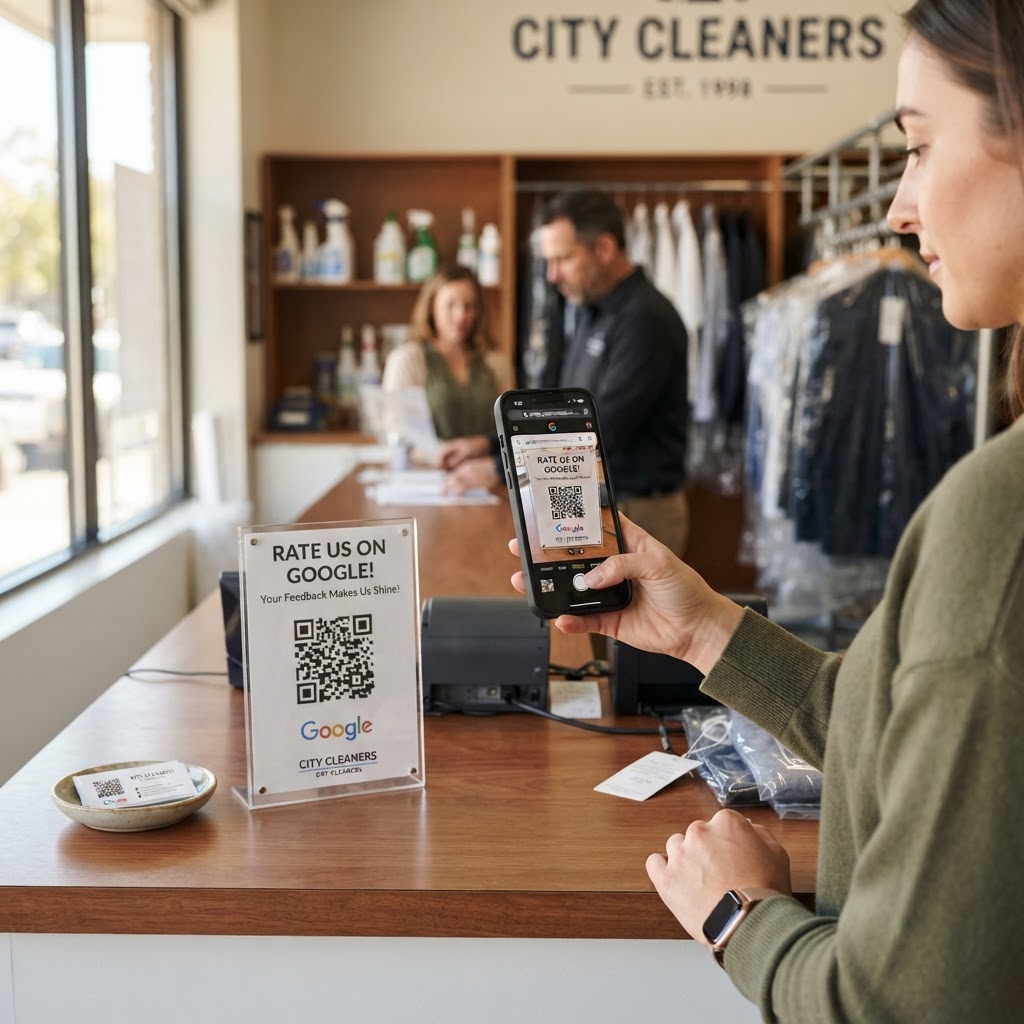
Place your signage where customers spend time waiting, such as near the payment terminal or by the clothing pickup rack. Utilizing Blue QR Code Generator ensures your code is clean and scannable, but clear placement at eye level is the real secret to high conversion rates.
Common mistakes that ruin results
- Poor placement: Hiding your QR code on a wall behind the counter where nobody can see it makes it impossible to scan.
- Too many distractions: Adding too much text around the code can confuse the customer and discourage them from taking action.
- Ignoring mobile loading times: If your signage is in a "dead zone" with no signal, the user experience will be poor and they will abandon the process.
- Failing to ask: Simply leaving the code on the counter is passive; staff should actively mention, "If you loved our service, please scan here to leave a quick review."
Real examples of success
Imagine a local boutique dry cleaner that places a small, branded acrylic stand next to their cash register. By asking clients, "How did your suit turn out?", they invite a conversation that flows naturally into an invitation to scan the code.
Another example involves printing the QR code directly onto the dry cleaning bag tag or receipt. Since every customer looks at their receipt to confirm pricing, they are reminded to leave a review right when they are happiest with the fresh, clean results. You can use Blue QR Code Generator's Google review QR codes tool to implement these strategies today and watch your rating climb.