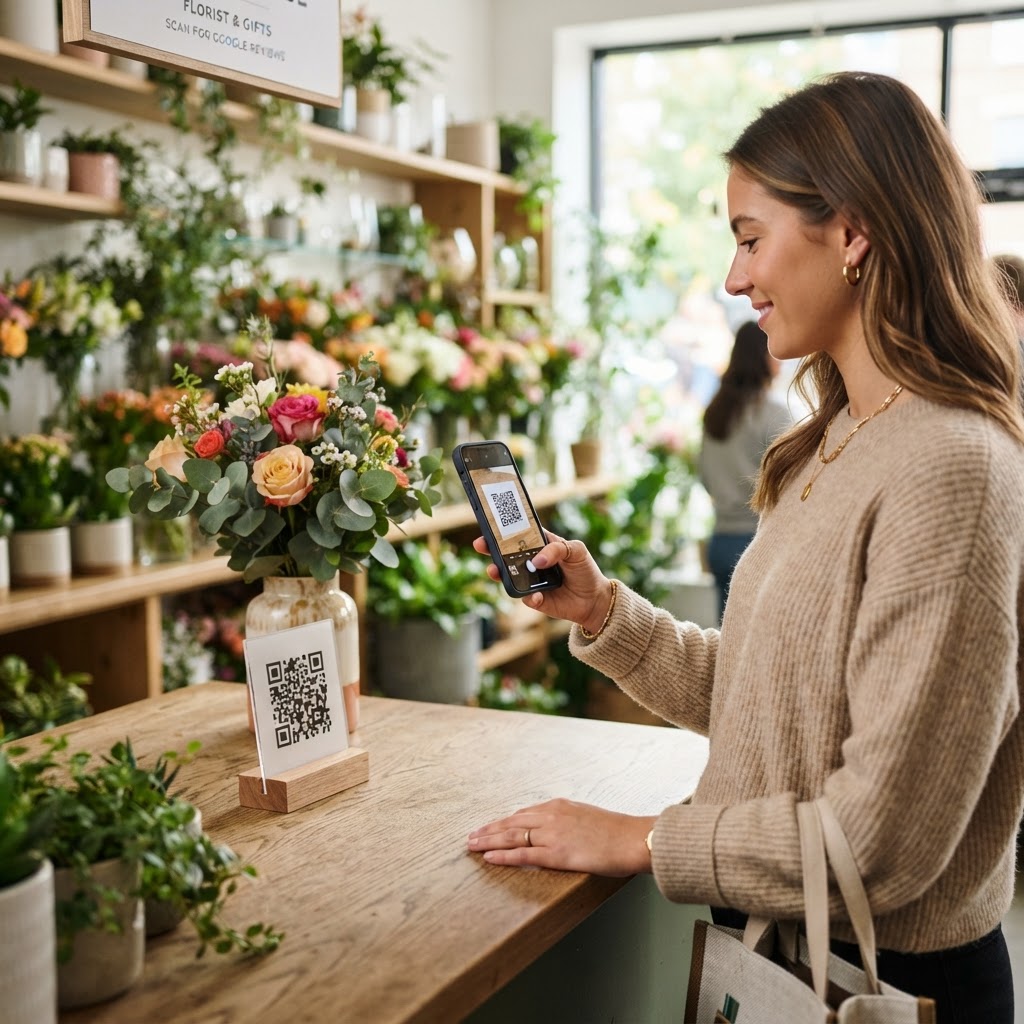
Why Google reviews matter for flower shops
Imagine a bride-to-be Googling "wedding florist near me" the week before Valentine's Day. She scrolls past three shops with 4.2 stars and 11 reviews, then clicks on yours — 4.9 stars across 87 reviews, with photos of real bouquets customers posted alongside their praise.
That click didn't happen because your flowers are objectively better. It happened because reviews signaled trust before she ever walked in. Florists live and die by repeat occasions — birthdays, anniversaries, sympathy, weddings — and each occasion is a chance to either earn a review or let it slip away.
A google review qr code for florist use puts the request in the customer's hand at peak emotional impact: the moment they receive the flowers. You can generate yours in seconds and start collecting reviews this week.
What you need before you start
Before generating your QR code, have these ready so the process is frictionless:
- A verified Google Business Profile: If you haven't claimed your shop yet, do that first — it's free and takes about 10 minutes.
- Your Place ID or short review link: The easiest method is opening your Google Business Profile, clicking "Ask for reviews," and copying that URL.
- A smartphone to test: You'll want to scan the finished code with at least one iPhone and one Android before printing.
- A design plan for the print: Decide where the code will live — receipt, sticker on the bouquet wrap, or counter card — so you know the size you need.
How to create a google review qr code for florist shops — step by step
- Grab your Google review link. Open your Google Business Profile dashboard, click "Read reviews," then "Get more reviews" — copy the URL that appears.
- Open the generator tool. Head to Blue QR Code Generator's Google review QR codes tool — no sign-up required.
- Paste your review link. Drop the full URL into the input field exactly as copied; don't shorten it yourself.
- Customize the visual style. Choose a color that complements your brand — soft rose, sage green, or navy all scan reliably. Avoid very light tints.
- Add a label under the code. Type something like "Review us on Google" so recipients know what to expect before scanning.
- Download as PNG or SVG. PNG works for small stickers and receipts; SVG is best for large counter cards and signage.
- Test-scan before printing in bulk. Scan with your own phone to confirm it opens your review form — not your business listing homepage.
How to test and deploy it
Print one test copy first and scan it from across the counter — the distance a real customer would stand. If it opens in under two seconds, you're good.
Deploy in three high-impact spots: a small sticker on every cellophane wrap, a card tucked into the bouquet, and a laminated standee at the POS. Each touchpoint matches a different emotional moment — delivery excitement, gift-card reading, and post-payment gratitude.
Train staff to point at the code verbally: "If you love the arrangement, scan this and tell Google — it helps us reach more couples like you." That 5-second script doubles scan rates versus a silent sticker.
Common mistakes that ruin results
- Using the homepage URL instead of the review link: Customers land on your business info page, get confused, and bounce without writing anything.
- Printing the QR code too small: Anything under 2cm x 2cm fails to scan on older phones, especially when printed on textured paper or wrapped around curved bouquet stems.
- Forgetting contrast: A pale pink code on cream paper looks pretty but won't scan in low light. Keep at least 60% contrast between code and background.
- Not refreshing the code after a rebrand: If you change your Google Business Profile name or URL, your old QR code may redirect to the wrong page — reprint immediately.
- Asking for reviews on Mother's Day only: That's your busiest day. Customers are stressed, not reflective. Add the QR code to everyday orders year-round instead.
Real examples from florists using QR codes
Example 1 — sympathy arrangements: A family-owned florist in Portland prints a discreet card reading "Did this arrangement bring comfort? Share your experience" with a QR code underneath. They've collected 40+ reviews in six months, many from out-of-town senders who otherwise would never have left feedback.
100% Free — No signup required
Create your Google Review Qr Code For Florist in seconds
Create Free QR Code →Example 2 — wedding consultations: A boutique florist hands couples a branded folder at the end of their design meeting with a QR code linking to their review form. Couples scan while still buzzing about their wedding vision — conversion rate is roughly 1 in 3.
Example 3 — delivery drivers: A same-day delivery florist in Austin prints the QR code on every delivery slip. Drivers mention it as they hand off the bouquet. The shop went from 12 to 58 reviews in a single quarter, lifting them from page 3 to page 1 for "flower delivery Austin."
Frequently asked questions
Can I put a QR code directly on the bouquet wrap?
Yes, but use a matte sticker — glossy cellophane reflects light and breaks scans. Keep the code flat, at least 3cm wide, and place it where the wrap is smoothest. Test with a real wrapped bouquet before ordering stickers in bulk.
Is it against Google's policy to ask for reviews via QR code?
No. Google explicitly encourages businesses to ask customers for reviews. What's prohibited is offering incentives (discounts, free flowers) in exchange for reviews or selectively soliciting only 5-star ratings. A neutral QR code that anyone can scan is fully compliant.
How many reviews do I need to rank higher on Google Maps?
There's no fixed number, but most florists see a noticeable Maps ranking lift once they pass 30–50 reviews with a 4.5+ average. Recency matters too — Google weighs reviews from the last 90 days more heavily, so continuous collection beats a one-time push. You can use Blue QR Code Generator's Google review QR codes tool to keep the stream going.
Should I use a dynamic QR code so I can change the link later?
For most florists, a static QR code is fine because your Google review URL rarely changes. If you plan to rebrand, move locations, or run review campaigns tied to seasonal events, a dynamic code lets you redirect without reprinting stickers.
What's the best time to ask a florist customer for a review?
The window is 24–72 hours after delivery, when the recipient has actually seen and enjoyed the flowers. For same-day pickup customers, ask at the counter while they're holding the bouquet. For deliveries, the card tucked inside the arrangement is your best bet — they're already in an emotional, appreciative state.
Ready to turn every bouquet into a review? Create your Google review QR code for florist use now — free, instant, no sign-up.
No watermark · No expiry · Works on all phones
Your QR code is ready in under 30 seconds.
Generate Free QR Code →