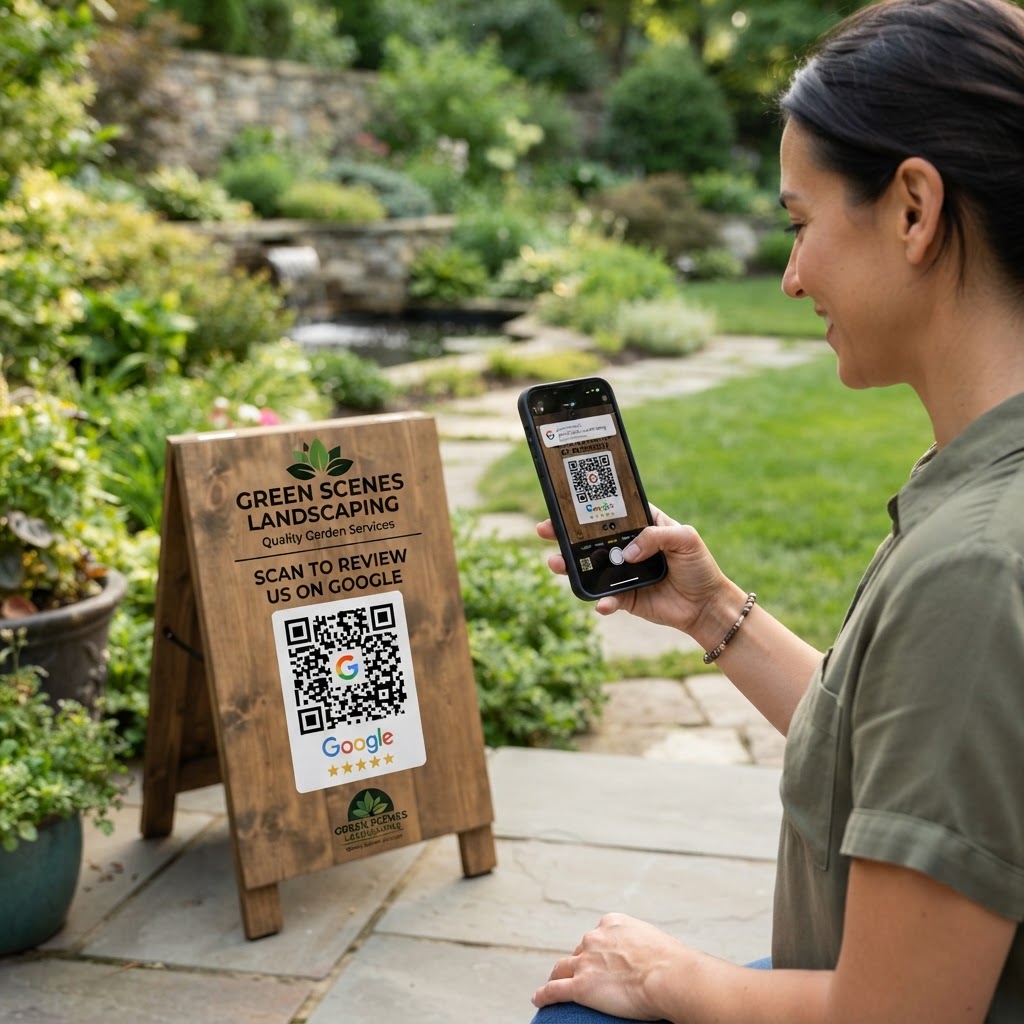
Why a google review qr code for landscaper matters
Local SEO for landscaping relies heavily on social proof. When a potential lead searches for lawn care services, they look for high star ratings and recent photos from neighbors.
A physical card or yard sign featuring a QR code eliminates the friction of searching for your business name on Google. By making the process instant, you drastically increase the likelihood of receiving a 5-star review, which helps you outrank competitors in your local service area.
What you need before you start
To begin, you will need access to your business’s Google Business Profile. Ensure you have the direct review link provided by Google, which you can find under the 'Get more reviews' section in your dashboard.
Additionally, have your company logo ready if you want to customize your QR code for a professional look. You can generate yours in seconds using our free Google Review QR Code Generator to ensure the link is both reliable and trackable.
How to create and deploy your code
Follow these steps to generate a professional QR code that drives results for your landscaping business.
- Get your review link: Sign in to your Google Business Profile and copy the specific URL that opens the 'Write a Review' window directly.
- Visit the tool: Head over to our free Google Review QR Code Generator to start your project.
- Paste your link: Enter your Google review URL into the input field provided by the generator to create the backend link.
- Customize the design: Use the Blue QR Code Generator to adjust colors or add your landscaping company logo to the center of the code.
- Download the file: Save your QR code as a high-resolution PNG or SVG file, ensuring it is clear enough for printing on signage.
- Verify the link: Scan the generated code with your smartphone before printing it to confirm it leads directly to your review page.
How to test and deploy it
Testing your code across different devices is vital. Print a draft on standard paper and see if it scans reliably in outdoor lighting conditions where landscaping work happens.
When deploying, place the code on your professional invoices or small yard signs left at the property. Many contractors also use Blue QR Code Generator's Google review QR codes tool to print stickers for their trucks, catching the attention of neighbors while on site.
Common mistakes that ruin results
- Printing too small: If the QR code is smaller than one inch, smartphones may struggle to focus and scan it, causing immediate abandonment.
- No call to action: Simply showing a code without a prompt like 'Scan to leave us a review' confuses customers and lowers scan rates.
- Low contrast: Using light-colored ink on a light background makes the code invisible to scanners; always use high-contrast combinations like black on white.
- Bad link destination: Forgetting to test the link can lead to a broken URL or the wrong landing page, wasting a perfect opportunity for feedback.
Real examples
A residential landscaper might print the QR code on a small thank-you card handed to the homeowner upon completion of a garden redesign. This card explicitly asks for feedback, making the customer feel valued while simplifying the process.
Another example involves maintenance crews. They attach a laminated flyer with a QR code to the entrance gate after a routine mowing service, allowing busy clients to submit a review while they are already outdoors on their phones.
Both scenarios show that consistent application is key to gathering steady reviews. Remember that you can generate yours in seconds to start implementing these strategies today.