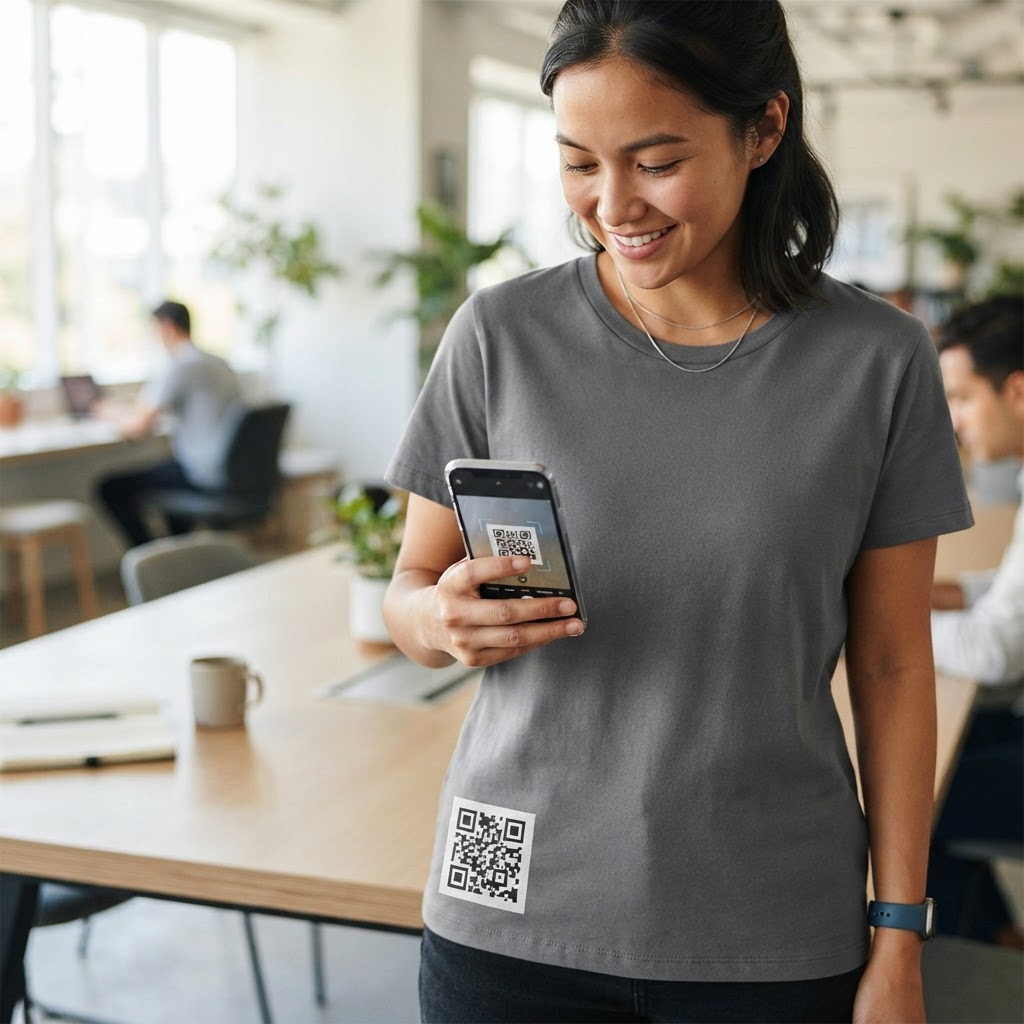
Why adding a QR code to apparel matters
Imagine your team is staffing a high-traffic trade show or a bustling local festival. People notice your branded shirts, but capturing that fleeting interest is difficult once they walk away from your booth. In the modern marketing landscape, the physical and digital worlds are increasingly converging, and apparel serves as the ultimate bridge between these two realms.
By placing a scannable link directly on your garment, you transform every person wearing your gear into a walking advertisement that leads directly to your latest sales page, portfolio, or event RSVP form. This creates an immediate, friction-free connection between your physical presence and your digital ecosystem, effectively turning passive observers into active participants. To get started, generate yours here and see how easy it is to bridge the gap between your physical merchandise and your online presence. Unlike a static logo or a traditional website URL printed on a shirt, which requires the user to memorize and manually type in a string of characters, a QR code leverages the power of instant action. It bypasses the "forgetting curve," ensuring that the curiosity piqued by a cool design results in an actual visit to your digital funnel.
Beyond lead generation, incorporating a QR code allows you to track real-world engagement metrics. When a person scans a shirt, they aren't just visiting a website; they are signaling a high-intent connection. You can measure which locations, events, or even specific shirt designs generate the most traffic, giving you granular data on the ROI of your company merchandise. Furthermore, this method provides a versatile way to handle information that changes. By using dynamic routing, you can change the content behind the scan—such as shifting from a "Buy Tickets" page to a "View Photos from the Event" gallery—without ever needing to produce new physical shirts.
What you need before you start
Before you commit to a printing method, you need to ensure the digital destination is optimized for mobile users. A T-shirt scan usually happens in a hurry, often in crowded environments or while the user is standing, so your landing page must load in under three seconds. If your destination page is heavy with large images or complex scripts, a potential customer will likely bounce before the page even renders. Utilize tools like Google PageSpeed Insights to test your URL and minify your code, compress images, and use a CDN to ensure sub-second load times.
You will need a high-resolution version of your generated code to prevent pixelation during the screen-printing or heat-transfer process. Most professional print shops will request an SVG or high-quality PNG file format to ensure the scanner can read the pattern from a distance. While a PNG file is acceptable for digital use, an SVG (Scalable Vector Graphic) is superior for apparel because it retains perfect edge definition regardless of the print size, preventing the "blurring" that occurs when low-quality JPEGs are stretched to fit a back panel.
Additionally, confirm you have access to the destination URL's analytics. You want to track exactly how many scans come specifically from your branded clothing line so you can measure the return on your investment accurately. This involves using UTM parameters appended to your link. For example, your URL should look like: `yoursite.com/page?utm_source=tshirt&utm_medium=apparel&utm_campaign=summer_event`. By building this structure into the URL before generating the code, you can filter your analytics dashboard later to see exactly how much traffic is generated by the shirts compared to your social media or email campaigns.
How to add a qr code to a t-shirt — step by step
Follow these steps to ensure your design is both functional and aesthetically pleasing for your audience. Preparation is key to avoiding costly re-prints or unusable merchandise.
- Prepare your URL: Choose the specific web page you want your audience to land on, such as a product video or a signup page, and ensure it is mobile-responsive. Use URL shorteners or custom UTM parameters to track the specific source.
- Generate your code: Head over to our free URL QR Code Generator to input your target link and create your code. Opt for a dynamic code if you anticipate needing to update the landing page link in the future.
- Customize the design: Select a high-contrast color scheme, such as black modules on a white background, to ensure maximum scannability on fabric. Avoid color combinations that lack contrast, such as yellow-on-white or dark-blue-on-black, as they often fail to trigger the smartphone camera sensor.
- Download the asset: Save your file in a high-resolution vector format like SVG or EPS so your printer has the best quality to work with. If you are using a professional print shop, request a "print-ready" PDF that includes trim marks if necessary.
- Choose your printing method: Decide between screen printing for bulk orders—which offers superior durability and wash-resistance—or heat transfer vinyl (HTV) for small custom runs or one-offs. Screen printing is ideal for large, flat codes, whereas HTV is better for intricate, multi-colored logos.
- Test on a sample: Always print a test version on a scrap piece of fabric to verify that your smartphone camera can pick up the code instantly. Do not skip this; fabric weave can sometimes interfere with the lines. Place the sample on a flat surface and ensure the code remains scannable even at a distance of three to five feet.
- Final Inspection: Check the "Quiet Zone," which is the white space surrounding the QR code. Ensure your print file has left at least 10% of the code’s total size as a buffer zone on all sides.
How to test and deploy it
Testing your code after it is printed is non-negotiable, as fabric texture can sometimes interfere with the alignment of the QR modules. You should test the design using at least three different smartphone models to confirm compatibility across both iOS and Android platforms, including devices with varying camera quality and screen resolutions.
When deploying your T-shirt, consider the placement carefully. Placing the code on the back of the shirt is popular for group events, while a smaller, subtle code on the sleeve can create a premium, mysterious aesthetic that invites curiosity. For staff, the chest area or the forearm are highly accessible locations for quick interaction. Avoid placing codes near seams, buttons, or folds in the fabric, as these physical interruptions will distort the shape of the QR code and render it unreadable by most scanners.
Always verify that the shirt is lying flat when scanned. If the fabric is stretched while being worn, the modules may distort and become unreadable, so advise your team on how to present the code for the best scanning success. If a staff member is wearing the shirt, they may need to pull the fabric slightly taut or stand still for the split second the user needs to focus their camera. You can use Blue QR Code Generator's URL QR codes tool to keep your destination links editable, allowing you to update the landing page later without needing to reprint the shirts. This "future-proofing" is vital; if you decide to change your event offer or update your portfolio, your shirts remain relevant for the entire season.
Lastly, establish a routine of "spot checks." Periodically scan your own merchandise throughout the event day to ensure the ink hasn't faded, cracked, or peeled due to moisture or movement. High-quality screen printing should last through dozens of washes, but heat transfers can sometimes show wear. Keep a small stack of spare shirts on hand for staff members whose prints might begin to degrade, ensuring your brand representation remains professional throughout the duration of your activation.
Common mistakes that ruin results
- Poor Color Contrast: Using light-colored ink on a dark shirt or vice versa often leads to scanning failures because the phone cannot distinguish the modules from the background. High contrast is the golden rule of QR accessibility.
- Ignoring Size Requirements: If the code is too small, your audience will have to get uncomfortably close to the person wearing it, which often leads to people ignoring the code entirely. Aim for a minimum size of 2x2 inches (approx 5x5 cm) for optimal long-distance scanning.
- Low Image Quality: Printing a low-resolution pixelated image results in fuzzy corners that confuse the scanning software. Always use vector files (SVG/EPS) to ensure that the edges of every square module are crisp and defined.
- Forgetting the Quiet Zone: Every code needs a clear border around it; if the design of the shirt crowds the code with patterns or graphics, it may fail to render. Keep the area around the code clear of busy artistic elements.
- Ignoring Fabric Stretch: Placing a QR code on highly elastic materials, like spandex-blend athletic wear, can distort the code when the person is in motion. Place the code on less-stretchy areas, like the upper back, to maintain the code's geometric integrity.
- Surface Texture Neglect: Printing on highly textured fabric, such as thick fleece or corduroy, can break up the lines of the code. Opt for smoother fabrics like cotton or polyester blends for the best results.
Real examples
A local brewery used a custom QR code on the back of their staff uniforms to link directly to a rotating "What’s on Tap" digital menu. Customers sitting at crowded tables could simply scan the server's back to see which limited-edition IPAs were available that evening without needing to ask the staff for the list. This resulted in a 25% decrease in time spent explaining menus and a measurable uptick in orders for premium, seasonal offerings.
An event organizer recently utilized Blue QR Code Generator to place codes on volunteer T-shirts during a major tech conference. By scanning the shirt, attendees were instantly taken to a real-time schedule of speaker sessions and room changes, saving the staff hours of repetitive questions throughout the weekend. This simple integration drastically reduced line congestion and improved the overall flow of the event, turning volunteers into "information kiosks" without needing any extra training or printed booklets.
Another successful application involves high-end streetwear brands. A boutique clothing line included a discreet QR code on the inside label or the outer sleeve of their shirts. When scanned, it led the user to a "behind the scenes" video about the inspiration for that particular design and the ethical sourcing of the garment's cotton. This builds a powerful narrative and deepens customer loyalty, transforming a simple shirt into an interactive story. Whether you are launching a new product or running a promotional event, knowing how to add a qr code to a t-shirt allows you to track engagement metrics that traditional print campaigns simply cannot touch. Start your journey by utilizing the tools at Blue QR Code Generator to make your apparel a part of your digital marketing strategy today. By moving beyond static designs, you invite your audience to engage with your brand on their own terms, at their own speed, and with a level of connectivity that sets your organization apart from the competition.