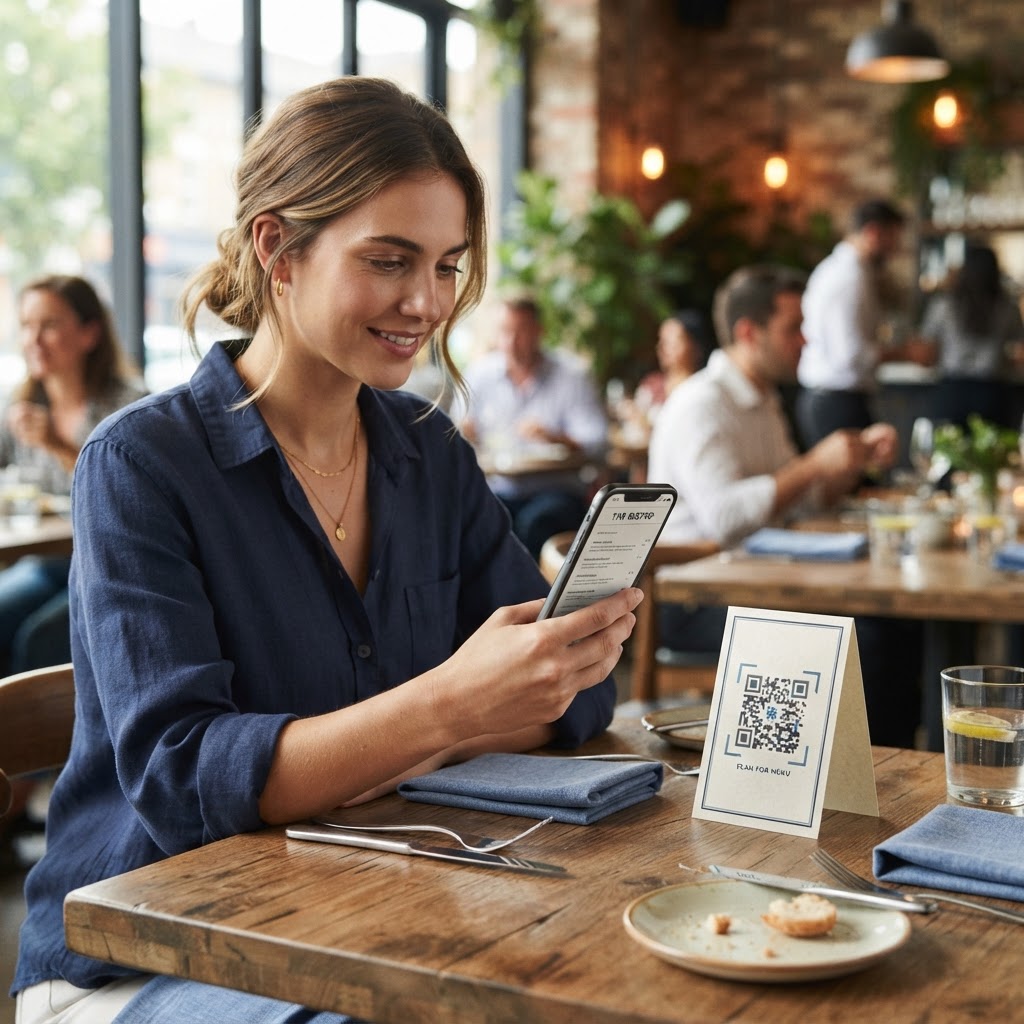
Why digitizing your dining experience matters
In a fast-paced hospitality environment, efficiency is everything. The modern restaurant landscape demands agility that static, physical menus simply cannot provide. Imagine a busy Friday night shift where your kitchen unexpectedly runs out of a daily special, or your professional printing company delays your new seasonal wine list arrival by three business days. Without a digital alternative, your waitstaff is forced to manually explain these absences or price changes to every single table, which inevitably slows down service, creates bottlenecks in the kitchen, and significantly diminishes the premium feel of the guest experience.
By transitioning to a mobile-friendly digital menu, you effectively remove the friction of physical paper and the logistical nightmare of manual inventory updates. A digital menu allows you to adjust prices in real-time, instantly hide out-of-stock items, or highlight new, high-margin seasonal dishes with a single click in your backend dashboard. Guests increasingly appreciate the convenience of viewing a menu on their own devices, allowing them to make choices at their own pace without feeling rushed by a server standing over them. Furthermore, the long-term financial impact is substantial; you can save thousands of dollars annually on graphic design retainers, professional photography reprints, and the recurring costs of high-quality paper and binding materials. You can easily generate yours here to make this transition seamless, professional, and entirely scalable for establishments ranging from independent cafes to large-scale hotel groups.
Beyond cost-cutting, digitization provides measurable data. When you use a digital platform, you gain insights into which menu items are being viewed most frequently. This data can inform your purchasing decisions, helping you identify which ingredients to stock more heavily or which dishes are underperforming and in need of a recipe refresh. Ultimately, this creates a data-driven feedback loop that empowers your front-of-house and back-of-house operations to work in harmony, maximizing table turnover rates and guest satisfaction simultaneously.
What you need before you start
Before you begin the technical process of digitizing your offerings, it is vital to have your digital assets organized and ready for deployment. Preparing these components in advance ensures that your setup process is smooth, free of broken links, and aesthetically consistent with your physical brand presence.
- A refined digital version of your menu: This should be a lightweight PDF, a mobile-optimized webpage, or a high-quality image file. If using a PDF, ensure the file size is under 2MB for fast loading on cellular data networks.
- A stable, public-facing link: Ensure the file you intend to link to is hosted on a reliable server and is accessible to the public without requiring a login, membership registration, or password protection.
- Your essential brand assets: Have your restaurant’s high-resolution logo, official color hex codes, and specific font style sheets ready if you plan to incorporate brand elements into the visual design of your QR code.
- A dedicated test mobile device: Always keep a smartphone handy—ideally one iOS and one Android device—to verify the scan quality and rendering speed once you generate your code.
- A URL Shortener Strategy: If your menu link is excessively long, consider using a URL shortener to ensure the QR code pattern remains simple, as shorter URLs translate into a cleaner, less "noisy" QR code that is easier for cameras to focus on.
How to create a QR code for a menu — step by step
Creating a scannable bridge between your physical tabletop and your digital content is a straightforward process when approached with attention to detail. Follow these precise steps to get your code ready for immediate integration into your restaurant workflow.
- Prepare and optimize your link: Upload your finalized menu PDF to your website or a secure cloud storage service. Copy the shareable, public URL to your clipboard. Pro tip: ensure your PDF is optimized for mobile by checking that the text is legible without zooming.
- Access the generation tool: Navigate to the Blue QR Code Generator website. This dashboard is built for reliability, ensuring your codes remain active and scannable throughout the duration of your menu’s lifecycle.
- Enter your destination: Paste the link to your menu into the input field within our free URL QR Code Generator dashboard. Double-check that there are no trailing spaces or extra characters in the URL string.
- Customize your design: Adjust the pattern, color, and central frame of your QR code. While customization is a great way to match your brand identity, prioritize high contrast (e.g., dark colors on a light background) to ensure the code remains functional under various lighting conditions.
- Generate and preview: Click the generate button to create your unique code. Before saving, use your phone’s native camera app to scan the preview on your computer screen. This confirms that the code directs to the correct URL and that the page loads quickly in a mobile environment.
- Download your file: Save the final QR code in a high-resolution format such as PNG or vector-based SVG. Vector files are preferred if you are printing the code on large signage, as they can be resized without losing image quality.
- Print and deploy: Incorporate the image into your final print layout using design software like Canva or Adobe InDesign. Ensure the final printed size is at least 3x3 centimeters, as this provides a clear target area for smartphone autofocus mechanisms.
How to test and deploy it
Deployment is just as critical as the generation phase. Many restaurant owners make the mistake of printing hundreds of copies without performing a "real-world" stress test. A code that is technically sound on a screen may fail in a restaurant due to environmental variables. For example, a code printed on highly reflective glass or metallic table inserts can suffer from glare, making it nearly impossible for a smartphone camera to resolve the image. Always perform a test of your final printed export in the actual lighting conditions of your restaurant, as dim, romantic "mood" lighting can sometimes make high-contrast requirements even more stringent.
Strategically place your code where it is most natural for the guest to find it. Popular and effective locations include the center of the tabletop in a clear acrylic holder, a small, elegantly designed card tucked neatly into a napkin holder, or a window cling located at the entrance for guests browsing the menu before seating. Because you can use Blue QR Code Generator's URL QR codes tool to link to specific digital assets, consider creating separate, unique codes for different menu segments. For example, a discreetly placed code on the bar top can lead to a curated cocktail and spirits list, while a different code on the dining tables leads to the main food menu. This level of granular control improves the user experience by reducing the number of clicks a guest needs to perform to find the information they are looking for.
Finally, monitor your deployment. Check the QR codes periodically during shifts to ensure they have not been covered by sticky spills or moved out of optimal reach. A clean, pristine code is an extension of your service quality.
Common mistakes that ruin results
Avoiding these common technical and design pitfalls will save your staff from the frustration of having to manually reprint your entire batch of menu materials mid-week or dealing with disgruntled guests.
- Insufficient size: Printing codes smaller than 1 inch (2.5 cm) creates a tiny target that is difficult for modern smartphones to focus on, especially for older guests or those with lower-end device cameras.
- Low contrast color schemes: Using light yellow, pastel green, or beige codes on a white background kills the contrast ratio. QR codes rely on binary black-and-white data structures; if the contrast is weak, the scanner software will struggle to interpret the data.
- Broken or dynamic URL links: Failing to verify the destination link before sending a file to the printer is a fatal error. Always click your link in an incognito or private browser window to ensure it is truly public and not restricted by cached login cookies.
- Over-crowded designs: Some users make the mistake of adding excessive logos, elaborate borders, or complex artistic overlays inside the QR code data zone. This interferes with the 'error correction' bits of the code and can lead to broken, unreadable patterns.
- Ignoring mobile optimization: Simply linking to a massive, multi-page desktop-only PDF is a major mistake. If a guest has to pinch, zoom, and scroll horizontally to read your menu, they will abandon the experience. Your digital menu must be responsive or designed specifically for a vertical mobile aspect ratio.
- Printing on poor surfaces: Avoid placing QR codes on surfaces that are easily scratched or prone to liquid damage. A scratched code often results in the scanner being unable to reconstruct the data blocks, rendering the entire print job useless.
Real examples of successful implementation
To understand the potential of this technology, consider a high-volume, award-winning gastro-pub that used a QR code to solve their "chalkboard" problem. Previously, the kitchen staff was spending 20 minutes a day manually erasing and rewriting the daily beer tap list, which was often illegible by the end of the shift due to humidity and smears. By creating a custom, branded QR code displayed on the bar top, they enabled guests to view a live-updating web page. Now, the bartender simply updates the tap list on their tablet, and the QR code remains static, providing a professional and accurate experience every time.
Another excellent example is a high-end, fine-dining establishment that successfully used a branded QR code on their reservation card to lead guests directly to an interactive wine pairing list. This digital menu allowed guests to click on bottle images to see the vineyard’s history and the sommelier’s tasting notes, which added a premium, story-driven dimension to the meal that a static paper menu simply could not convey. By providing this digital layer of information, the restaurant saw a 15% increase in premium wine sales, as guests felt more informed and confident in their choices.
Whether you use the Blue QR Code Generator for a simple, one-page PDF list or a complex, interactive database of menu items, the core secret to success is ensuring that the destination link is mobile-optimized, fast-loading, and incredibly easy to navigate for all types of guests. By removing the barriers between your physical products and your digital information, you create a modern, efficient, and sophisticated dining environment that encourages repeat visits and builds customer loyalty in an increasingly digital world. Start your implementation today to see how a small, scannable pixelated square can have a massive, positive impact on your restaurant's bottom line.