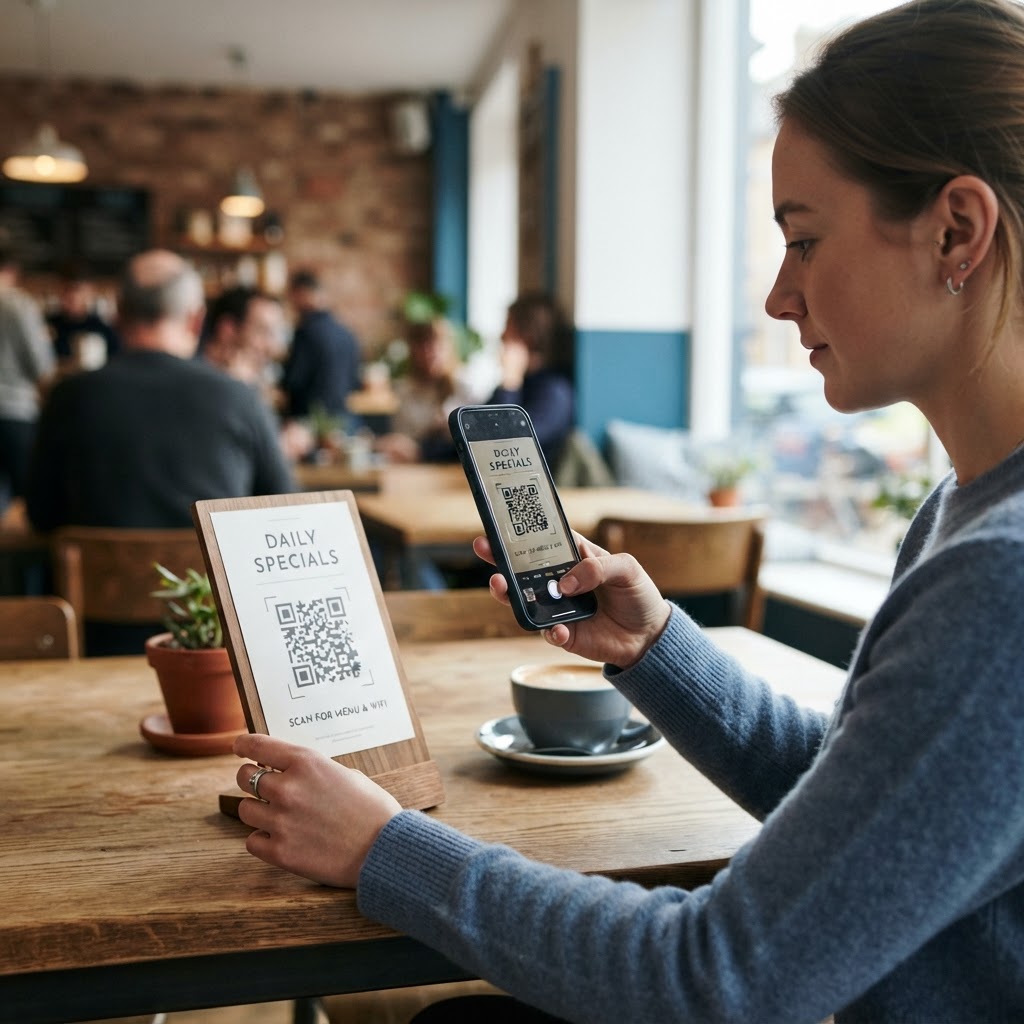
Why avoiding watermarks matters for your branding
Imagine you have spent hours designing a high-end physical advertisement, such as a luxury real estate brochure or a sophisticated cafe menu. When you place a branded, watermarked QR code on that surface, you are effectively introducing someone else's logo onto your premium material. This can create a visual clash and distract potential customers from the primary message you want to convey. In the world of high-conversion marketing, every element on your page—whether digital or printed—is a representative of your company’s authority and professionalism.
Using a clean, unbranded code maintains the integrity of your visual identity. It signals to your audience that your digital infrastructure is proprietary and intentional. Many businesses find that when they search for how to generate a free QR code without watermark, they are actually seeking a professional aesthetic that doesn't compromise their own brand visuals. A clean design is not just a preference; it is a conversion strategy that builds trust by keeping your marketing materials focused entirely on your business. When a user scans a code, they should feel like they are interacting with your brand's own interface, not being shuttled through a third-party platform that plasters its logo over your call-to-action.
Furthermore, watermarked codes often imply that the service used to create them is a "freemium" product with limitations. This can subconsciously suggest to high-net-worth clients or B2B partners that your marketing tools might be budget-restricted or temporary. By eliminating extraneous branding, you project a sense of stability and ownership. This "white-label" approach is a hallmark of professional marketing campaigns, ensuring that the QR code acts as a seamless bridge between the physical and digital worlds, rather than a jarring transition to a third-party application.
What you need before you start
Before you begin the process of creating your custom codes, ensure you have the following assets ready to streamline your workflow. Having these prepared saves time and prevents unnecessary back-and-forth between browser tabs, allowing you to focus on the technical precision of your QR deployment.
- Target Destination URL: Ensure your website link, social media profile, or landing page is fully functional and mobile-optimized. Verify the SSL certificate (https) is valid to prevent browser warning screens for your users.
- Brand Guidelines: Have your hex color codes ready if you intend to customize the module colors to match your theme. High-contrast pairings, such as dark brand colors against a white background, are vital for scanability.
- Clear Space: If printing, designate a clean area on your graphic design file that is at least 1 inch by 1 inch. This "quiet zone" ensures that the scanner can distinguish the QR data pattern from the surrounding design elements.
- Tested Device: Keep a smartphone handy to scan the final output to verify that the redirect is lightning fast and accurate. It is best to test on both iOS and Android devices, as rendering engines may interpret the contrast slightly differently.
- High-Resolution Assets: If you plan to scale your QR code for large-format print (like a banner), ensure you have access to a vector format export to prevent pixelation at larger sizes.
Once you have these items finalized, you are ready to visit our free QR Code Generator to start your project.
How to generate a free QR code without watermark — step by step
Follow these precise steps to create your custom, clean QR code. This process is designed for maximum efficiency and ensures a high-quality result every time. By following this methodical approach, you eliminate the risk of broken links and poorly formatted images.
- Select your QR type: Go to the dashboard and choose the category that fits your needs. While most users choose standard URLs, you may also consider WiFi access codes for visitors or contact (vCard) files for networking cards.
- Input your data: Paste the target URL carefully into the text field. Take a moment to check for hidden spaces at the beginning or end of the string, which can cause 404 errors during scanning.
- Design your code: Use the tool settings to select colors or shapes that align with your brand. Adjust the foreground and background colors; always ensure the foreground is significantly darker than the background to meet ISO standards for QR readability. Avoid selecting any options that force a third-party logo or watermark into the central "eye" or matrix of the code.
- Review the preview: Look at the live preview window to confirm that the QR code looks clean and professional. Check the "density" of the code; if the pattern looks overly complex, consider using a shorter URL or a URL shortener to keep the data points manageable.
- Generate and test: Click the generation button. Use your smartphone camera to perform a quick scan. Do not skip this: move the camera closer and further away to ensure it triggers the redirect at various distances.
- Download your asset: Select your preferred format, such as PNG for general web use or SVG for professional graphic design software like Adobe Illustrator or Canva. Saving as a vector file (SVG) allows you to resize the code indefinitely without losing the crisp edges required for the scanner to function.
By choosing a reliable platform, you can generate yours in seconds without hidden fees or forced attribution. This workflow keeps your digital marketing assets clean and ready for immediate deployment on social media, email newsletters, or print campaigns.
How to test and deploy it
Deployment is just as important as creation. After you generate a free QR code without watermark, you must conduct a multi-device test to ensure compatibility across different operating systems. Test with both an iPhone and an Android device to confirm that the default camera app recognizes the code immediately. You should also try scanning from different distances to account for varying print sizes, especially if you are creating a code for a poster that people might view from several feet away.
When you are ready to print, avoid placing your code on surfaces that are highly reflective, such as glossy metallic finishes or behind thick, glare-heavy plexiglass. This causes light refraction that confuses the smartphone's image sensor, making it impossible for the scanner to interpret the patterns. Always keep the code flat and unobstructed. If you are placing it on a flyer or direct mail piece, ensure there is enough "quiet zone" or white space around the perimeter of the code. This border is mandatory for the camera to lock onto the finder patterns (the three large squares in the corners) of the QR code.
Finally, consider the environment. If you are deploying codes for outdoor use, ensure the print material is weather-resistant. Sunlight and humidity can warp paper, causing the lines of the QR code to become distorted. A distorted code is a broken code; if the geometry of the QR grid changes, the underlying data becomes unreadable. For high-stakes events, always conduct a "field test" by printing a proof and scanning it exactly where the final code will be mounted.
Common mistakes that ruin results
Even with the best intentions, small errors can render your QR code useless. Avoid these common traps to ensure your campaigns are successful. Many of these issues stem from aesthetic decisions that prioritize "coolness" over technical functionality.
- Insufficient Contrast: Creating a code with light yellow, grey, or pastel colors against a white or light background is a fatal error. The smartphone camera needs high luminance contrast to differentiate between the data modules and the background. Always use black, navy, or deep charcoal for the modules against a pure white or very light grey background.
- Overloading Data: Cramming a massive, long-form URL with hundreds of tracking parameters into a static QR code leads to a very dense pattern. A dense pattern has tiny, fragile modules that require a high-end camera to focus properly. If you have a long URL, use a link shortener first to keep the QR code's visual complexity low.
- Ignoring Size Requirements: Printing a code smaller than 0.8 inches (approximately 2 cm) for a standard distance is risky. If the physical size is too small, the scanner cannot resolve the individual pixels. If the scanner cannot differentiate a "black" pixel from a "white" pixel, the code will fail to load.
- Failing to Test Links: Never assume a link works. Always manually open the URL in an incognito browser window before generating the final code. This ensures the landing page isn't blocked by your own internal network settings or cookies.
- Poor Positioning: Placing a QR code near a fold in a brochure or on a curved surface like a water bottle is a mistake. The distortion caused by the curve or the crease will break the alignment of the code, resulting in an unreadable image.
Using the Blue QR Code Generator helps mitigate these issues by providing high-resolution exports that maintain sharpness even when resized, ensuring your QR codes remain functional under various real-world conditions.
Real examples of clean QR integration
In a retail environment, a clothing boutique might use a clean, white-background QR code attached to a price tag. By using an unbranded, high-contrast code, the boutique allows the code to blend in with the minimalist tag design. When a customer scans it, they are taken directly to an Instagram post showing how to style the item or a video of the fabric's durability. Because the code has no watermark, it feels like a native, elevated part of the store's branding rather than a third-party advertisement. This builds a consistent brand narrative that carries the customer from the physical store to the digital shop floor.
Another example is a local gym that uses QR codes for class schedules. By printing a custom-colored, unbranded QR code on their reception desk sign, they provide immediate value to visitors. They can color-match the QR code to their gym's specific brand palette (e.g., a deep energy blue or a vibrant orange), ensuring it looks like a high-end, custom-made feature of the front desk area, rather than a generic utility. This increases engagement, as users are more likely to trust and scan a code that matches the professional aesthetic of the environment they are in.
For professional event organizers, placing clean QR codes on name tags or networking badges is another masterclass in integration. Instead of having a large, ugly logo from a QR generator, the clean code allows for a professional look that fits neatly into the badge layout. It invites users to connect on LinkedIn or download a digital portfolio without the "clutter" of external advertisements. You can easily achieve these results when you use Blue QR Code Generator's QR codes tool to keep your materials looking top-tier, professional, and entirely focused on your business goals.
By removing the friction of external branding and prioritizing a clean, high-resolution output, you transform the QR code from a mere utility into an asset that reinforces your brand identity. Whether you are scaling a national campaign or setting up a simple menu for your café, the effort to strip away watermarks pays dividends in trust, professionalism, and user engagement. Remember, every time a user pulls out their phone to scan your code, you are being given an opportunity to present your brand's best face—don't let an unnecessary watermark get in the way of that first impression.