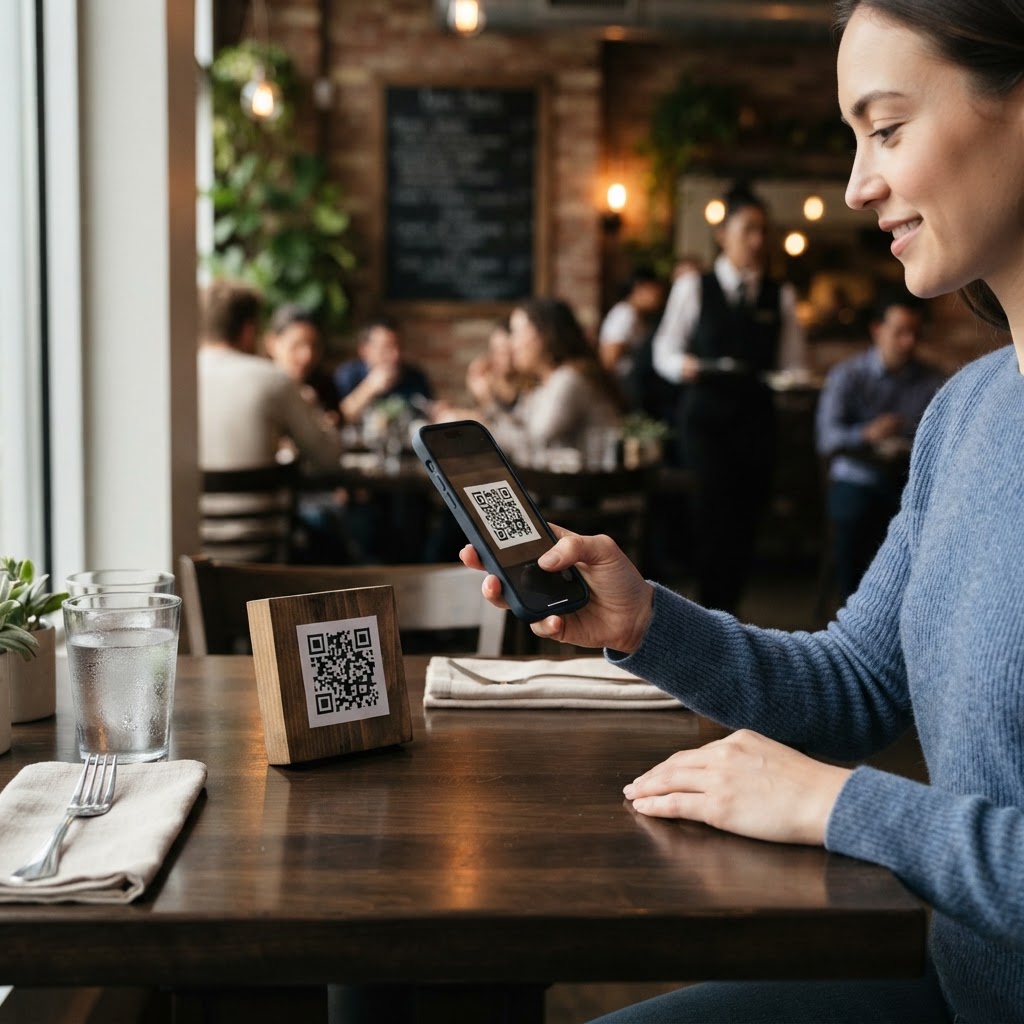
Why digitizing your menu matters
Imagine your restaurant is slammed on a Friday night, and you run out of a signature dish. With a traditional paper menu, you are forced to manually strike through items or explain the shortage to every single table, creating bottlenecks and friction in the service flow. In the fast-paced world of modern hospitality, the ability to adapt instantly is not just a luxury; it is a necessity for maintaining operational efficiency and guest satisfaction.
By transitioning to a digital experience, you can reflect real-time inventory levels, highlight daily specials, or adjust prices due to supply chain fluctuations without printing a single piece of paper. This agility saves hundreds of dollars in printing costs annually and ensures that every guest sees an accurate, up-to-date offering regardless of when they visit. When you eliminate the costs associated with graphic design, industrial printing, and distribution, your business gains more capital to reinvest in ingredients or staff training.
Furthermore, digital menus allow for richer storytelling that physical paper cannot match. You can link to high-definition photos of your dishes, provide detailed allergen information, or integrate direct links to your online reservation system. Using our free URL QR Code Generator provides a clean, professional bridge between your physical tabletop and your digital brand, ensuring a seamless user experience that feels modern, thoughtful, and accessible to the tech-savvy diner of today.
What you need before you start
Before you dive into the technical setup, ensure your digital assets are optimized for mobile consumption. Most guests will view your menu on a smartphone, so accessibility is paramount. A poorly formatted menu on a mobile screen is the equivalent of a dirty tablecloth; it reflects poorly on your establishment's attention to detail.
- A digital version of your menu: This should be a fast-loading PDF or a dedicated landing page on your website. Avoid massive file sizes—anything over 2MB can be sluggish on poor cellular signals. Optimize your images using web-compression tools to ensure they look sharp but load instantly.
- A reliable hosting URL: You need a permanent link where your menu file lives. If you are using Google Drive, Dropbox, or a specific website page, ensure the permissions are set to "public" or "anyone with the link" so customers aren't hit with a sign-in wall that frustrates them and leads to abandoned orders.
- Blue QR Code Generator: Our tool makes it simple to generate yours in seconds, ensuring your print materials are ready for high-resolution displays. Our generator produces clean, scan-ready matrixes that are optimized for both laser printers and commercial vinyl signage.
- Branding elements: Have your restaurant’s primary hex color code or a logo file ready if you want to customize your QR code's appearance to match your interior design. Consistency in your brand color palette across your QR code and your menus reinforces brand identity and builds trust with your clientele.
Beyond these technical requirements, it is vital to check your menu’s legibility. Ensure the font size is at least 16 pixels for body text so that guests do not have to pinch and zoom to read your ingredients. Use high-contrast color schemes, such as dark grey or black text on a crisp, off-white background, to ensure readability even in the dim, atmospheric lighting typical of upscale dining rooms.
How to generate a qr code for a restaurant menu — step by step
Following this process ensures your code is functional, aesthetic, and reliable for your patrons. Here is the straightforward path to creating your digital gateway, designed for anyone from a tech-savvy manager to a busy business owner.
- Finalize your digital menu file: Upload your finished menu as a PDF or publish it to a clean URL on your website. Ensure all text is legible on a small mobile screen without requiring significant zooming. Proofread the file multiple times; unlike paper, a digital error is easy to fix, but you want to avoid initial impressions of unprofessionalism.
- Copy the destination link: Highlight and copy the URL from your browser address bar where the menu is currently hosted. Test this link in an "incognito" or "private" browser window to verify that it is fully accessible to the public without requiring an account login.
- Access our platform: Navigate to the Blue QR Code Generator URL link to begin the creation process. Our dashboard is designed for speed, allowing you to move from landing page to download in under two minutes.
- Paste your link: Insert your URL into the provided field on our interface to link your dynamic menu content to the QR code. Make sure there are no trailing spaces at the end of the URL, as this can break the link.
- Customize your design: Use the available settings to adjust the foreground color, add a logo, or change the pattern style to align with your restaurant’s specific visual branding. If your restaurant uses a specific accent color, match the QR code foreground to it. Adding a central logo helps guests instantly recognize the code as legitimate, protecting them from potential security concerns.
- Generate the code: Click the button to render your unique code, then download it in high-resolution formats like PNG or SVG. SVG is particularly useful if you are printing the code on large posters or window displays, as it will remain perfectly crisp regardless of how much you scale it up.
Once you have the file, consider the naming convention. Store it as "Summer_Menu_QR_Final.png" on your computer so you can easily identify and manage multiple codes if you have separate menus for brunch, dinner, and seasonal events. Keeping a master folder of these assets will save you time in the future when you need to re-print materials.
How to test and deploy it
Never send a file to the printer until you have physically scanned the QR code with at least three different mobile devices. One phone might have a specific browser cache issue, so testing on both iOS and Android platforms is critical to avoid embarrassing errors in your dining room. Perform your tests in the exact lighting conditions of your restaurant, as high-gloss table surfaces can sometimes create glare that disrupts the scanner’s focus.
Once verified, consider the placement of your QR code. Printing it on a small, glossy table tent card works best because it catches the eye as soon as a guest sits down. Avoid placing the code near sunlight reflection points or in overly dark corners where the camera might struggle to focus. If you are placing codes on menus themselves, put them in a dedicated "Scan for Today's Specials" corner rather than burying them in the middle of text blocks.
If you use Blue QR Code Generator's URL QR codes tool, you gain the benefit of a stable, long-term link that works reliably across all modern devices. If you ever change your menu PDF—perhaps adding a new cocktail or updating a seasonal side dish—simply replace the file at the existing URL without having to reprint your table tents. This convenience is the hallmark of a modern, efficient restaurant operation. You essentially decouple your marketing materials from your menu content, allowing you to iterate on your menu every single day if needed without increasing your overhead.
For added reliability, consider providing a backup. While digital is the standard, keeping a few printed paper menus behind the host stand for guests who are uncomfortable with technology or whose phones have died is a hallmark of excellent service. By blending the efficiency of digital with the hospitality of analog, you create a fail-safe environment that respects every customer's preferences.
Common mistakes that ruin results
- Over-complicating the design: Adding too many colors or complex frames can interfere with the scanner's ability to read the matrix. Keep the contrast high between the foreground and background. A dark code on a white background is the industry standard for a reason; it works instantly.
- Using a non-mobile-friendly file: Creating a massive 20MB menu file that requires the user to pinch and zoom constantly will cause guests to abandon their search before ordering. Use tools to compress your PDF files. Aim for a file size under 1MB; most customers will have this loaded before they even put their phone down on the table.
- Linking to a dead URL: Always check your links once a week. There is nothing worse than a guest scanning a code only to receive a "404 Page Not Found" error during a dinner rush. Bookmark your landing page on your staff's tablets so they can quickly verify it's working during shift change meetings.
- Failing to include a CTA: Simply placing a square box on a table isn't enough; include a small line of text like "Scan for our seasonal menu" to guide your guests. This provides clear instruction and sets expectations, making the process feel intentional rather than an accidental graphic on the table.
- Poor physical condition of the print: Scratched or crumpled table tents are difficult to scan. If you notice a QR code looking worn, replace it immediately. High-quality lamination can protect your codes from spills and repeated handling, extending the life of your printed collateral significantly.
Real examples
Consider a high-end bistro that rotates its wine list daily based on distributor availability. By using our tool to generate a link to their "Today's Pours" web page, they ensure that sommeliers can swap out unavailable bottles in the backend without asking the front-of-house staff to manually update hundreds of paper menus. This saves the staff hours of administrative work and ensures that customers are never disappointed by ordering an out-of-stock vintage, which is a major pain point in fine dining.
Another example is a busy food truck festival participant who needs to handle high volumes of customers. They print a large, high-resolution QR code on the side of their truck. This allows customers standing in a long line to scan and review the entire menu and pricing before they even reach the service window. By the time they arrive at the counter, they already know exactly what they want to order, which drastically reduces the time spent per customer at the point of sale. This simple shift has been shown to increase throughput at peak times by up to 30%, directly impacting the truck's daily revenue.
These strategies empower business owners to focus on food quality rather than print production logistics. When you generate yours here, you are choosing a professional-grade solution to handle the digital side of your customer engagement while you manage the rest of your business. Whether you are running a single-location cafe or a growing franchise, these digital tools allow you to operate with the precision and speed required to thrive in today’s competitive culinary landscape.
Finally, consider using your QR code analytics. Many restaurant owners find that by tracking the time of day scans occur, they can optimize their staffing levels. If you see a surge in menu scans at 5:30 PM, you know exactly when to bring your additional front-of-house support into the floor. This data-driven approach, enabled by the simple act of digitizing your menu, is what separates successful, scaling restaurants from those that struggle to keep up with modern demands.