Why digitizing your bulletin content matters
Print space is expensive and limited. A typical church bulletin often suffers from tiny font sizes and crowded layouts because organizers try to squeeze in event schedules, volunteer sign-ups, and sermon notes. By learning how to make a qr code for a church bulletin, you enable your congregation to access deep-dive information instantly on their smartphones, effectively turning a single page of paper into a gateway for unlimited digital resources.
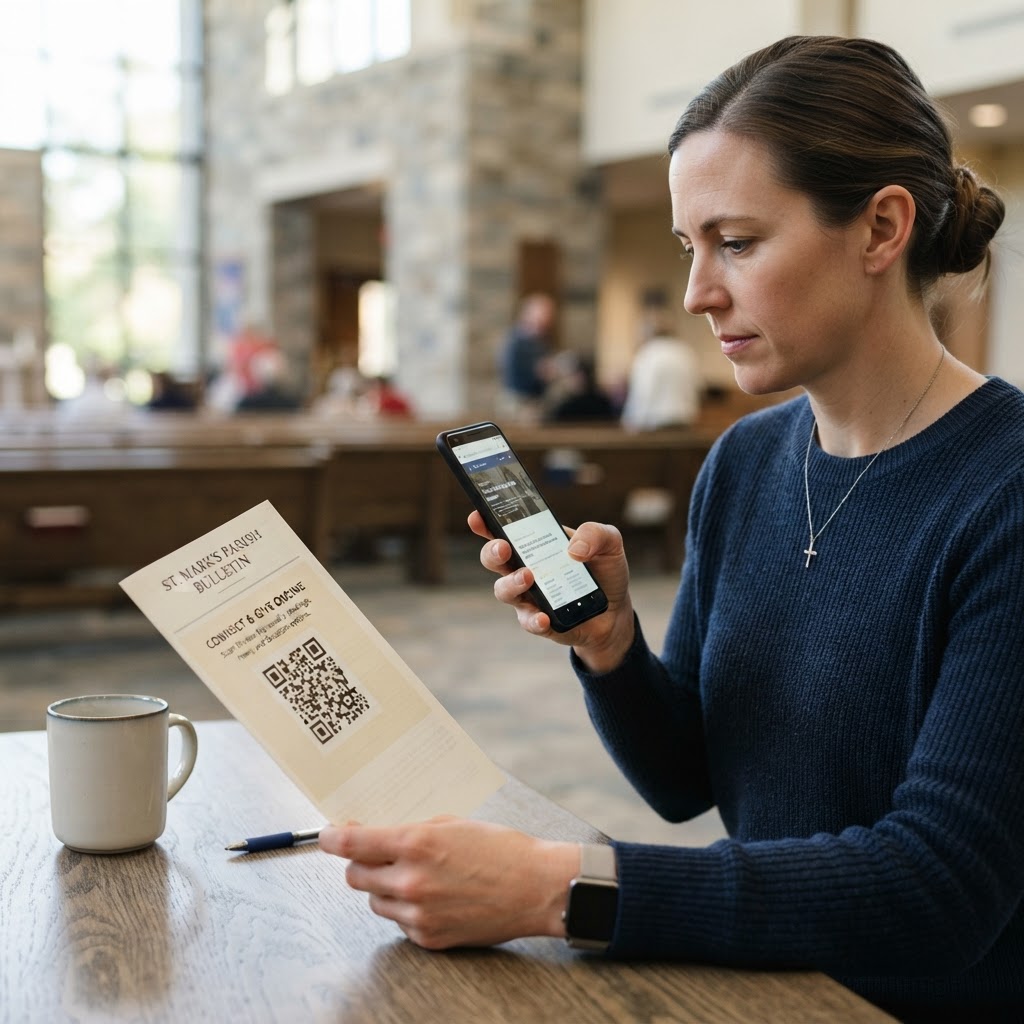
Imagine a scenario where a family arrives for Sunday service and wants to know more about the upcoming youth retreat. Instead of printing a massive, ink-heavy flyer, you simply place a small, professional QR code in the corner of your bulletin. When they scan it, they are instantly redirected to a beautiful, mobile-friendly landing page with photos, registration forms, and a calendar sync button. This approach saves your church significant printing costs and reduces paper waste while providing a cleaner, more readable document for your elderly parishioners who still prefer physical copies. When the bulletin is less cluttered, the most important service information—like service times, pastor contact details, and the order of worship—remains prominent and easy to read for everyone.
Furthermore, digitizing content allows your administrative staff to update information in real-time. If a guest speaker cancels or a meeting room changes at the last minute, you can update the destination URL behind the QR code without needing to reprint hundreds of bulletins. This level of agility is impossible with traditional print media, making QR codes an essential tool for modern church communication strategy. It creates a seamless bridge between the physical sanctuary experience and the digital life of the church community throughout the week.
What you need before you start
To successfully integrate this technology, you need a few fundamental items prepared in advance. First, ensure you have the destination URL for your content. This should be a direct link to a mobile-optimized resource, such as a Google Form for RSVPs, a dedicated landing page on your main church website, or a specific YouTube link for a weekly video update. Avoid linking to PDF documents if possible, as they often scale poorly on mobile screens and can be difficult for parishioners to navigate.
You will also need a reliable generation tool. Blue QR Code Generator provides a user-friendly interface that ensures your codes are high-resolution and scannable under various lighting conditions. Having a consistent, high-quality logo or church brand element ready to embed in the design is also recommended for a professional look. This branding builds trust; when parishioners see the church logo inside the code, they know the link is safe to click.
Finally, verify that your target content is already published and accessible on a mobile browser so you can test it immediately after generation. Before creating the code, open the destination page on your own smartphone to check that text is legible, buttons are large enough to tap with a thumb, and the page loads without intrusive pop-ups. If the destination page requires a login, ensure the process is simple and intuitive, as an overly complex authentication wall will frustrate users and result in a abandoned scan.
How to make a qr code for a church bulletin — step by step
- Prepare your URL: Copy the exact web address of the content you want to link, such as your upcoming events page or donation portal. Use a URL shortener if the original link is excessively long, as this keeps the QR code pattern cleaner and easier for camera sensors to interpret.
- Access the tool: Navigate to our free URL QR Code Generator to begin your project without needing a complex account setup.
- Paste the destination: Insert your copied URL into the primary input box on the tool page, ensuring there are no extra spaces at the beginning or end. Check the URL for "https://" protocol, as modern browsers may block links that are not secure.
- Customize for visibility: Use the design settings to adjust the colors so they contrast well with your paper stock, ensuring the code remains easily scannable even with low ambient light found in some sanctuaries.
- Embed branding (Optional): If the tool allows, upload a small, square version of your church logo to the center of the code. This adds a level of professionalism and reinforces brand identity, though ensure the logo does not overlap too much with the QR data blocks, which could impede scanning.
- Generate the code: Click the generation button to create your unique graphic; you can instantly verify it works using the built-in preview and your own phone's camera.
- Download and save: Export the file in a high-resolution format like PNG or SVG, which is critical for maintaining sharpness when printing on church bulletin paper. Avoid low-resolution JPEGs that become blurry when enlarged.
- Place it strategically: Embed the image file into your design software (like Canva, Adobe InDesign, or Microsoft Word) near the related announcement to maximize the likelihood of a scan.
How to test and deploy it
Deploying a broken QR code is a common frustration that can make digital adoption difficult for older demographics. Before you print 500 copies of your Sunday bulletin, perform a rigorous quality assurance check. Test your code using at least three different smartphone models—specifically an iPhone, a modern Android device, and perhaps an older model to check for general compatibility. Use Blue QR Code Generator's URL QR codes tool to ensure your landing page loads in under three seconds, as slow page speeds often lead to high bounce rates where users give up before seeing the content.
Placement is just as important as the technology itself. Place the code near the bottom or side of the bulletin where the thumb naturally rests during reading, and include a clear call-to-action like "Scan to Register" or "View Full Sermon Notes Here." Avoid placing codes near the fold of the paper, as the curve and distorted paper will prevent the camera from reading the pattern correctly. It is also wise to avoid placing the code on the back page if that page is often used for heavy black-and-white text, as accidental overlap can interfere with scanability.
Once printed, verify the scan distance by standing at a normal reading distance and ensuring your phone's camera recognizes the code immediately. If you have to move the phone closer than six inches or further than two feet, the code size may need adjustment. Furthermore, consider printing a "proof" copy on the same paper stock you intend to use for the full run. Standard printer paper may be slightly translucent; if there is heavy text printed on the opposite side of the sheet, it could bleed through the QR code and create "noise" that confuses a camera lens.
Common mistakes that ruin results
- Low Contrast Designs: Using colors like light gray, yellow, or soft pastels on white paper makes it impossible for scanners to detect the pattern. Stick to high-contrast combinations like black and white or dark blue and white.
- Excessive Size Reduction: Shrinking the code too small makes it unreadable for phone cameras, especially those with fixed-focus lenses. Keep your printed code at least 0.8 inches by 0.8 inches for optimal results in all lighting conditions.
- Missing Call-to-Action: Simply putting a code on a page without telling people what it is for will lead to very low scan rates. People are often hesitant to scan "mystery" codes; always provide context, such as "Scan this to view our weekly prayer request list."
- Ignoring Mobile View: Sending users to a non-responsive desktop-optimized website from their phone is a major deterrent. Ensure your destination URL is fully responsive, meaning the text resizes and the menu collapses for a mobile screen.
- Printing on Glossy Paper: If you use high-gloss cardstock for your bulletins, the light will reflect off the surface when someone tries to scan the code. This "glare" creates a white-out effect that makes the code invisible to the scanner. Opt for a matte finish or a "satin" finish if possible.
- Over-crowding the Code: Do not place the QR code too close to other graphic elements or borders. A "quiet zone" of white space around the QR code is required for the camera to isolate the graphic from the rest of the page layout.
Real examples
A church in the Pacific Northwest recently replaced their lengthy paper insert for weekly volunteer sign-ups with a single, clear QR code. By using Blue QR Code Generator, they saved over $300 in printing costs per quarter. The code led to a simple, mobile-friendly table that automatically synced with their internal management software, drastically reducing manual data entry for the administrative staff who previously spent hours transcribing handwriting from paper sign-up sheets.
Another congregation used a QR code on their Christmas Eve bulletin to share a beautiful, high-quality audio recording of their choir. Instead of printing pages of lyrics or biographies, they simply provided the link, allowing guests to listen to the music on their own devices after the service ended. This creative use case turned a standard print piece into an interactive experience that stayed with the attendees long after they left the building. The data showed that over 60% of attendees scanned the code, proving that when the content is valuable, the congregation will eagerly engage with digital tools.
Finally, consider using QR codes for guest connection cards. A church in the Midwest replaced their physical "Connect Card" pens and paper with a small QR code sticker on the back of every pew. By the end of the first month, they saw a 40% increase in visitor follow-up information collection. Because the digital form was easier to fill out than a physical paper card, they were able to send welcome emails within 24 hours of the service. Ready to simplify your print communications? Try our free URL QR Code Generator now to create your first code and start building a more connected church community today.