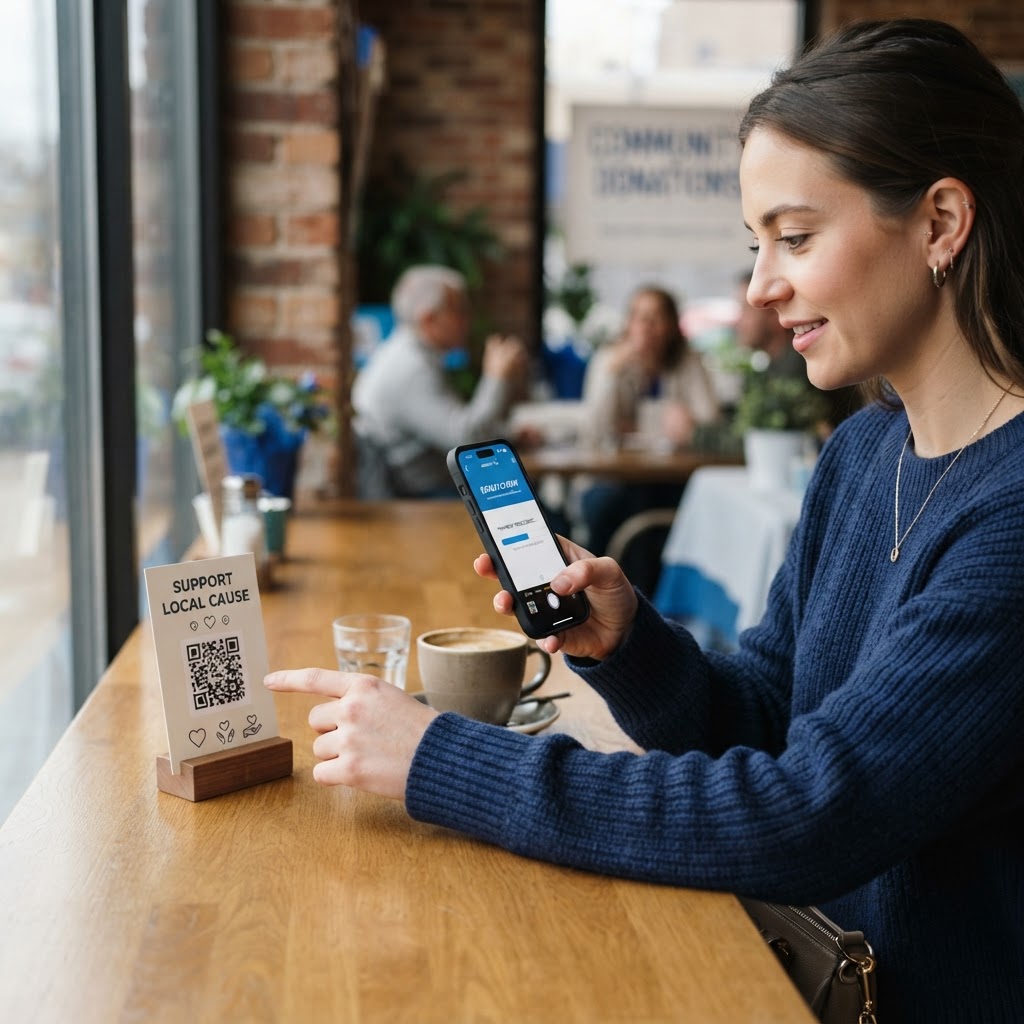
Why your fundraising campaign needs QR technology
Modern donors are rarely carrying physical cash, yet they are constantly surrounded by QR-enabled smartphones. If you are hosting a gala, a charity fun run, or a community outreach event, you cannot afford to force attendees to manually type a long, complex URL into their browsers. The friction introduced by manual entry is the primary reason why prospective donors abandon their intent to give before they even reach your payment gateway. Every additional step a donor must take—from looking up an address to typing it out on a tiny keyboard—increases the probability of distraction or error.
By placing a scannable code on a physical event flyer, a program, or a direct mail piece, you reduce the friction of the donation process by 90%. Consider a local animal shelter fundraiser where organizers placed codes on every water bowl station and volunteer identification badge at a charity dog walk. Because the code was integrated into the donor’s immediate environment, they saw a 40% increase in mobile-led donations compared to previous years where they relied solely on manual web entry or physical donation boxes. Using our free URL QR Code Generator ensures your link is optimized for immediate action rather than abandonment, allowing you to bridge the gap between physical engagement and digital contribution instantly.
Furthermore, QR technology provides a measurable bridge for multi-channel fundraising. By generating a unique tracking link, you can gather analytics on exactly where your donors are interacting with your materials. You can determine if a flyer placed on a community bulletin board outperforms a program insert, allowing you to iterate on your fundraising strategy for future events. In an era where attention spans are measured in seconds, the QR code acts as a direct shortcut to your impact, ensuring that your mission stays at the forefront of your supporters' minds.
What you need before you start
Before you begin the process of generating your codes, ensure you have a robust digital foundation in place. It is not enough to simply have a website; you need a mobile-optimized donation landing page that is specifically designed for speed and ease of use. Your page should accept major payment methods like Apple Pay, Google Pay, and digital wallets, as these payment options allow users to donate in seconds without having to retrieve their physical credit cards or type in billing addresses.
The technical checklist for your donation page includes:
- Ensure the page loads in under two seconds on 4G networks.
- Simplify your donation form to require only essential information (Name, Email, Payment details).
- Include pre-set donation amounts (e.g., $10, $25, $50) to remove the cognitive burden of choosing a value.
- Test your mobile responsiveness by viewing the page on both iOS and Android devices.
Once your page is optimized, have your donation page URL copied to your clipboard to avoid manual entry errors. Furthermore, consider the physical design requirements of your campaign. You need a clear, high-resolution graphic space where the QR code will be placed, free from clutter or intricate background patterns that might obscure the scanner's ability to interpret the data modules. Whether you are designing a business card, a large-scale banner, or a direct mail postcard, the code requires "breathing room" to function effectively. You can easily generate your high-fidelity asset in seconds once these digital and physical components are verified and ready for deployment.
How to make a qr code for a donation page — step by step
- Copy your donation link: Ensure your specific donation page URL is correct, including the "https://" prefix. Test the link in an incognito browser window to ensure there are no redirect loops or login requirements that would block a donor.
- Access the generator: Navigate to our free URL QR Code Generator to begin the creation process. This tool is designed to produce codes that are compatible with every modern smartphone camera.
- Paste your URL: Insert your link into the designated field. Double-check for trailing spaces, as these can invalidate the URL and lead to a "404 Page Not Found" error.
- Customize the design: Adjust the colors or add a central logo. A branded QR code builds trust—donors are less likely to scan a generic, black-and-white pixelated block if they aren't sure where it leads. Incorporating your nonprofit's primary color or logo creates a professional aesthetic that increases conversion rates by validating that the code belongs to your organization.
- Test the code: Before finalizing, scan the preview with both an iPhone and an Android device. Ensure it triggers the correct landing page instantly, even when the connection is weak.
- Download your asset: Save the file in a high-quality format. Use PNG for digital assets like social media graphics, and use SVG (a vector format) for physical printing. SVG files can be scaled to any size—from a small sticker to a massive wall banner—without losing resolution or becoming blurry, ensuring the code remains perfectly scannable.
How to test and deploy it
Testing is the most overlooked phase of digital fundraising. It is not enough to scan your code while sitting at your desk. You must simulate the actual experience of your donor. Print a test version of your code on a standard piece of paper and walk through the venue or environment where it will be placed. Test the scan from different distances—for example, if the code is on a table tent, scan it from a standing position. If it is on a poster, try scanning it from five feet away to ensure the resolution holds up.
Lighting is another crucial variable. In dim event halls or evening galas, high-contrast black-on-white codes are essential. If you are deploying for a high-traffic event, place the code at eye level—typically between 4 to 5 feet off the ground—where users do not have to strain, crouch, or crowd each other to scan. Use Blue QR Code Generator's URL QR codes tool to ensure the resolution remains perfect even on large-scale signage like vinyl banners. A well-placed code, combined with a short, punchy call-to-action (CTA) phrase like "Scan to provide a meal" or "Tap to support our cause," will almost always outperform a standalone graphic. The CTA is your psychological hook; it tells the donor exactly what the reward for their effort will be, converting a passive passerby into an active participant.
Common mistakes that ruin results
- Low contrast colors: Using light yellow, pastel green, or thin gray patterns for the code against a light background prevents scanners from reading the data pattern. Always maintain a high-contrast ratio—black, dark navy, or deep maroon on white or light gray backgrounds works best.
- Missing calls to action: A QR code is an abstract object to many users. Never print a code by itself; always include text that tells the user exactly what will happen when they scan it. "Scan to donate" or "Scan for instant giving" removes the guesswork.
- Redirecting to a non-mobile page: If your donation site isn't mobile-friendly, users will bounce immediately upon loading. Ensure your landing page uses a responsive grid that requires no horizontal scrolling.
- Removing the margins: The "quiet zone" is the white space buffer around the QR pattern. It is necessary for the scanner to isolate the pattern from the surrounding text or graphics. Never crop this border too tightly, or your code will fail to register.
- Using dynamic codes without verification: If you use a dynamic URL that allows you to change the destination, ensure the current target is active. A broken redirect is the fastest way to lose a donor's confidence and their potential contribution.
Real examples of donation page QR usage
A church might use a QR code on the back of their Sunday pews, providing a quick, unobtrusive way for congregants to contribute during service without needing to fumble for cash or checks. This setup is highly effective because it meets the donor exactly where they are during the moment of inspiration—often during a sermon or a specific appeal. By enabling digital giving via a QR code, the church can track donations in real-time and provide immediate digital tax receipts, significantly reducing the administrative burden on volunteers.
Another powerful example is an art gallery hosting a charity auction or a local exhibition. By placing a custom, branded QR code on the identification plaque next to each piece of art, organizers allow patrons to donate directly via their phones while viewing the exhibition. This creates a "moment-of-impact" donation, where the donor is emotionally connected to the work in front of them and can act on that connection instantly. It is a seamless way to incorporate technology into the physical experience, increasing the likelihood of a donation conversion by removing the need to visit a front desk or fill out paper forms. Before your next campaign, utilize the Blue QR Code Generator to prepare your assets efficiently, and watch as your donation rates grow through the power of frictionless mobile technology.
Finally, consider the use of QR codes on direct mail pieces. Instead of relying on a prospect to type a URL from a letter into their phone, a QR code allows the donor to move from reading about your mission to completing a gift in under ten seconds. By tracking these scans, you gain invaluable data on which segments of your mailing list are the most engaged, allowing you to optimize your printing budget for future direct mail efforts. Every scan is a signal of interest; by capturing that signal, you move your nonprofit from guessing what works to knowing exactly what drives your donors to support your cause.