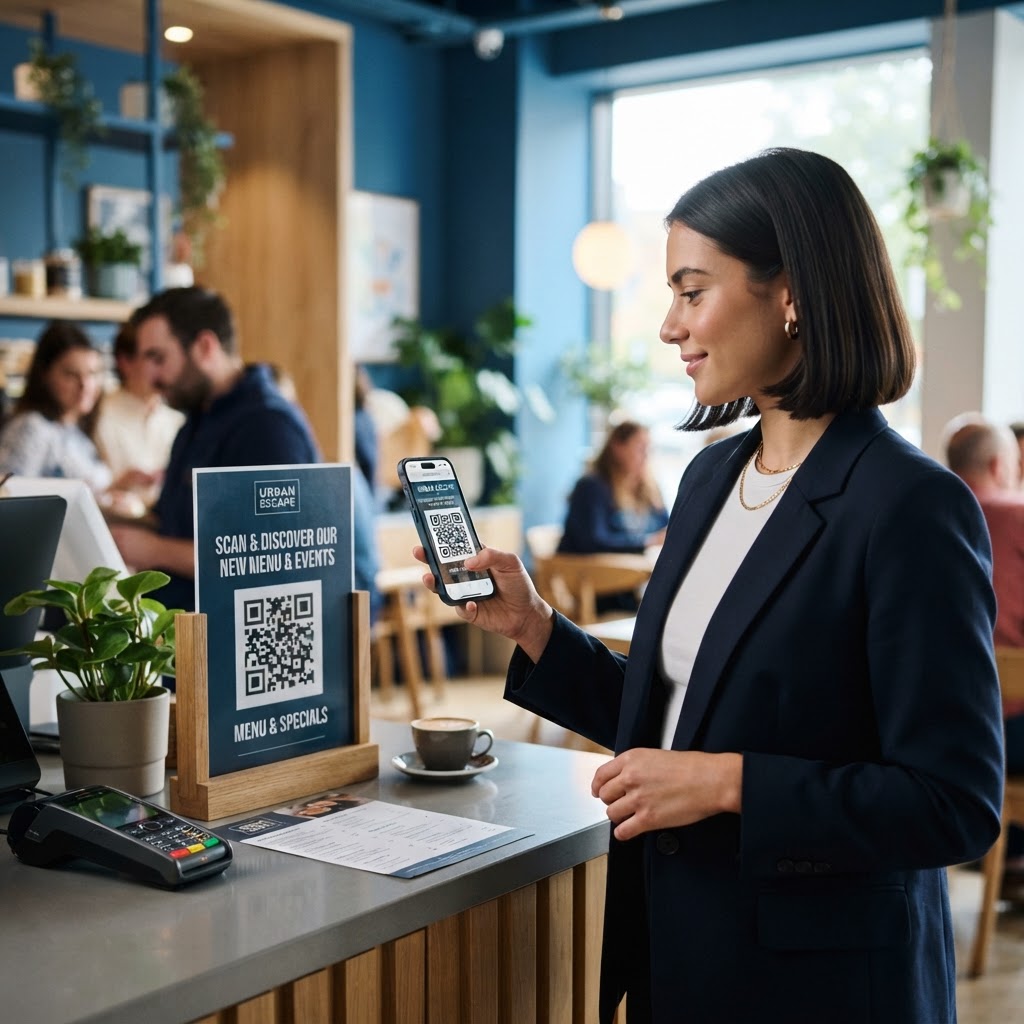
Why learning how to use QR code for marketing matters
Imagine a customer walks past your trade show booth. They are interested, but they are in a rush and do not have time to manually type a long URL into their browser. If you have a well-placed QR code on your display, they can capture that URL in a split second. This immediacy is the backbone of modern interactive marketing.
This creates a friction-free path from the physical world to your digital funnel. Without this bridge, you lose the opportunity to remarket to that person later. Every second a potential client spends looking for your website is a second where they might lose interest. Using a QR code ensures you capture that intent exactly when it is highest. Beyond trade shows, consider the retail environment: a shopper holding a product might be on the fence about a purchase. By placing a QR code on the packaging that leads to customer testimonials or a live inventory check, you provide the missing piece of information needed to convert a browser into a buyer.
Furthermore, QR codes provide trackable data that traditional physical media lacks. When you print a flyer, it is usually impossible to know how many people saw it versus how many acted on it. By using a URL with UTM parameters embedded in your QR code, you gain the ability to measure the exact performance of your offline campaigns within Google Analytics. This data-driven approach allows you to iterate on your marketing collateral, identifying which designs, slogans, or locations yield the highest engagement. Ultimately, learning how to use these codes transforms passive print advertisements into active, trackable digital touchpoints that grow your database and deepen customer relationships.
What you need before you start
Before jumping into the creation process, ensure you have these elements ready to keep your workflow efficient. You need a clear, mobile-optimized destination URL or digital asset, such as a PDF menu or a social media profile link. If your destination is a long, complex URL, you should use a URL shortener to reduce the density of the QR code, which makes it faster to scan and less prone to errors.
You will also need a high-quality, high-contrast logo or brand asset if you intend to personalize the code for brand recognition. When adding a logo, ensure it does not obscure the "eyes" (the three large squares in the corners) of the QR code, as these are essential for the scanner to detect the orientation and structure of the image. You should also prepare a brand style guide, including your primary hex codes, to maintain visual consistency across your print and digital presence.
Finally, you need access to a reliable, free tool to generate these codes quickly. Reliability is paramount because broken links lead to lost revenue. You can generate yours in seconds by preparing your link and your desired design ahead of time. Gather your digital assets into a single folder, confirm that all landing pages are currently live, and ensure your call-to-action text is finalized so that you aren't scrambling for content while configuring your marketing assets.
How to use QR code for marketing — step by step
- Identify your objective: Define exactly where you want the user to go after scanning the code. Are you building an email list, driving app downloads, or facilitating a contactless transaction? A single QR code should have a single, clear purpose.
- Prepare the digital asset: Ensure the destination URL is mobile-responsive and loads under three seconds. Use tools like Google PageSpeed Insights to verify performance. Slow sites drive users away before your content even renders.
- Select a generator: Visit the Blue QR Code Generator to start your project without any hidden fees or account sign-ups. Choose a tool that offers high-resolution export options like SVG, which allows for infinite scaling without pixelation.
- Input your link: Paste your URL into the generator field. If you are running multiple campaigns, use unique tracking parameters so you can distinguish between a scan from a magazine ad versus a scan from a business card.
- Customize the design: Adjust colors and add your logo to match your brand identity. Always use a dark foreground (the data modules) and a light background to maintain a high contrast ratio, which is the primary factor in scannability.
- Download and test: Save the file in a high-resolution format. Test the code immediately using different devices—an older Android phone and a newer iPhone—to ensure the module density doesn't cause issues for legacy cameras.
- Deploy on materials: Place your generated code on high-traffic areas. Consider the physical surface; matte finishes are better than glossy ones to prevent glare, which can bounce light away from a scanner and interrupt the capture process.
- Monitor and iterate: Once live, check your analytics. If you see high scan rates but low conversion on the landing page, the problem lies in your web content, not the QR code itself. Adjust the landing page accordingly to improve your conversion rate.
How to test and deploy it
After you generate your code using our free QR Code Generator, do not print it immediately. The most expensive mistake in marketing is mass-printing a flyer only to discover the QR code link leads to a 404 error. Always scan it with at least three different smartphones—ideally both iOS and Android—to verify it leads to the correct page in various lighting conditions. Try scanning from different distances, mimicking how a customer might hold their phone while walking by a poster.
Placement is equally vital. For a flyer, place the code in the center or a distinct corner where it will not be covered by staples, tape, or paper folds. The code needs "quiet zone" space; do not crowd it with surrounding graphics. When deploying on a large poster, ensure the code is at least 2x2 inches so it remains readable from a reasonable distance. If the code is placed on a sign in a store window, ensure it is at eye level, roughly 5 feet off the ground, to avoid forcing the user to crouch or reach awkwardly.
Always include a brief call to action (CTA), such as "Scan to save 10%," immediately adjacent to the graphic. Without a CTA, the QR code is just a mysterious pattern. Give the user a compelling reason to take out their phone. Furthermore, consider the physical environment: if you are placing codes outdoors, ensure the printing material is weather-resistant. Sunlight can fade colors over time, reducing the contrast and eventually making the code unreadable to scanners that rely on sharp black-and-white differentiation.
Common mistakes that ruin results
- Low color contrast: Using light-colored codes on a white background makes the scanner unable to read the data. Always prioritize a black-on-white or dark-navy-on-cream combination.
- Missing call to action: Simply putting a code on a page without telling the user why they should scan it leads to extremely low engagement rates. Provide a clear incentive, such as a discount or exclusive content.
- Broken destination links: Failing to verify the URL before mass printing is the most common way to waste an entire marketing budget. Check the link every time you change the destination or generate a new code.
- Over-customizing the design: Modifying the patterns or data eyes too much can interfere with the error-correction algorithms. While it is tempting to make a QR code artistic, keep the central pattern intact to ensure it remains functional.
- Inadequate size: If the code is too small, a camera cannot resolve the pixels correctly. If the code is too large but the viewing distance is too close, the user may struggle to frame the entire image in their camera screen.
- Ignoring load times: A perfect QR code that leads to a slow, non-responsive mobile site results in an immediate bounce. Your landing page must load as quickly as the scan itself.
Real examples
A local coffee shop can use Blue QR Code Generator's QR codes tool on their loyalty cards. Customers scan the code at the counter to instantly open a web-based punch card, removing the need for physical paper cards that are easily lost or forgotten. This transition also allows the shop to capture the customer's contact information, turning a one-time visitor into a member of their email marketing list who receives coupons for their birthday or special store events.
For a product-based business, including a QR code on the back of your packaging that leads to a detailed "How-to-Use" video is highly effective. This builds trust, reduces customer service inquiries, and encourages repeat purchases by showcasing the value of your product in action. Imagine a customer buying a complex piece of home assembly furniture. Instead of forcing them to flip through a massive, confusing manual, a QR code that launches a 60-second assembly video creates a "wow" moment that defines a positive brand experience.
In the real estate sector, agents are increasingly using QR codes on "For Sale" sign riders. Passersby can scan the code to instantly view a virtual tour of the property or see the current listing price, even after hours when the office is closed. This provides instant gratification for the potential buyer and gives the agent a record of interested leads. By combining these physical-to-digital strategies with thoughtful design and clear incentives, businesses can significantly amplify the reach of their traditional marketing efforts while gaining deeper insights into their customer base.