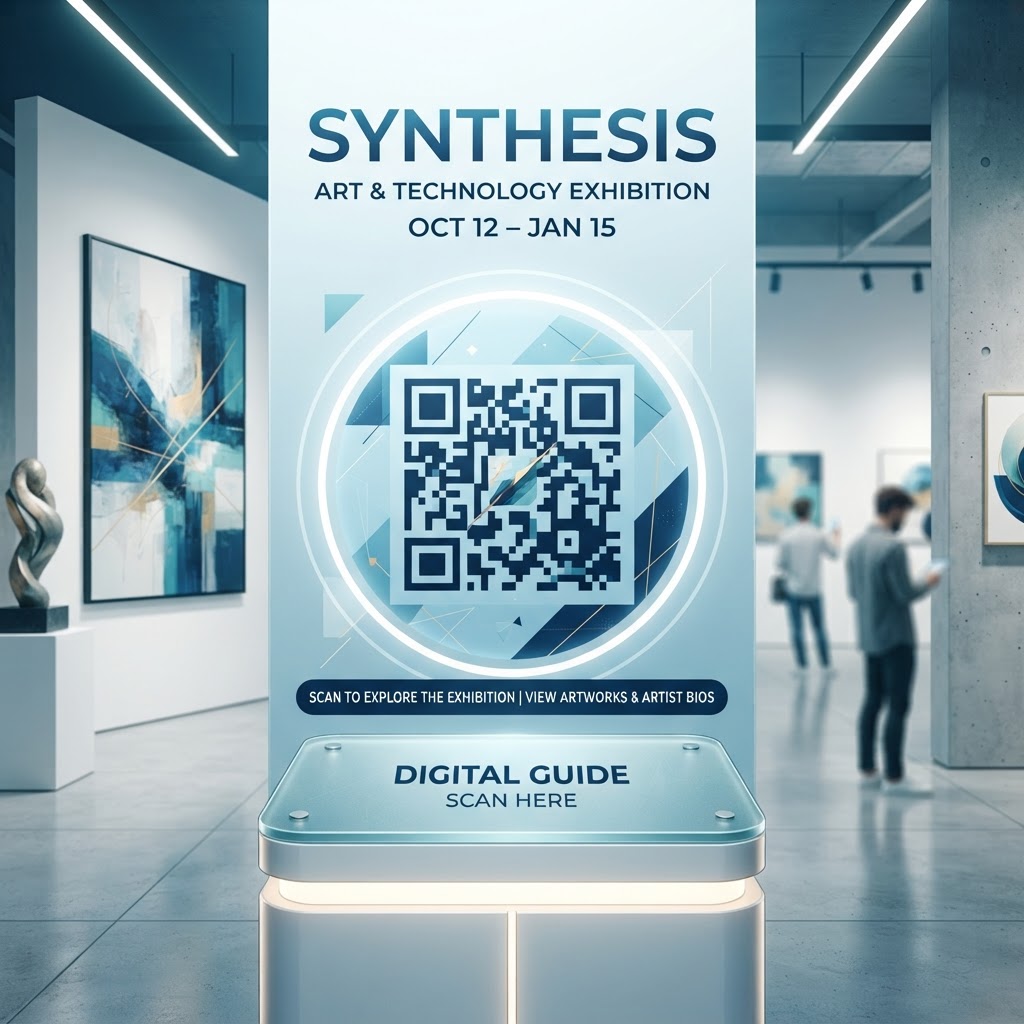
The Evolution of Interactive Art Curation in 2026
The landscape of art curation has shifted dramatically toward digitalization as we move deeper into 2026. Visitors today carry high-performance mobile devices, and they increasingly use these tools to augment their surroundings. When a gallery uses a QR code for an art exhibition, they are effectively providing a 'digital layer' to the artwork. This is essential because it allows galleries to provide a depth of information that would be impossible to print on a standard, limited-space wall label. For instance, while a physical label can display the title, artist, year, and medium, it cannot play a video of the artist’s creative process or offer a link to an audio-guided tour. By directing visitors to a curated landing page, curators ensure that the intellectual property and the historical context of the piece are fully articulated in a format that the audience is comfortable accessing.
Furthermore, the accessibility of art is bolstered by these tools. Many museums use QR codes to provide information in multiple languages, ensuring that international guests can enjoy the exhibition without feeling excluded by physical space constraints. When you deploy a digital gateway at an exhibition, you are respecting the visitor’s desire for self-paced learning. Some visitors prefer to move quickly through an exhibit, while others wish to spend twenty minutes reading about the history of a single oil painting. A well-placed code acts as a silent, efficient docent. By visiting blueqrcode.com, curators can easily generate these tools to keep the physical gallery clean and minimalist while keeping the educational content deep and accessible. This shift in curatorial philosophy acknowledges that the audience is a participant rather than a passive observer, which is the cornerstone of the 2026 exhibition standard.
Understanding the Technical Mechanics of QR Codes
At the most fundamental level, a QR code is a matrix barcode that encodes data in a two-dimensional format. Unlike the traditional one-dimensional barcodes seen on retail products, the QR code—which stands for Quick Response—contains information horizontally and vertically, allowing for much higher data density. When a visitor scans a code for an art exhibition, their smartphone camera acts as a scanner, interpreting the matrix and triggering the device’s web browser to load a specific URL. This URL leads to a pre-configured landing page, which could contain an artist’s biography, an audio recording, or a high-resolution photo gallery. The brilliance of this technology lies in its universality; most smartphones today have native scanning functionality integrated directly into their camera apps, requiring no additional software downloads.
Technically, the efficiency of the user experience depends on how the code is structured. When you generate a code using a tool like the url-qr feature at blueqrcode.com, the system encodes the destination URL directly into the pattern of black and white squares. It is crucial to understand that the density of this pattern—the number of little squares—is determined by the length of the URL. Longer, complex URLs create more complex, harder-to-read codes. This is why technical best practices suggest using URL shorteners. By using a clean, shortened link, you generate a simple, low-density QR code that is significantly easier for older or lower-resolution smartphone cameras to scan, even in low-light environments like galleries. This technical precision ensures that the technology remains invisible, allowing the visitor to interact effortlessly without frustration or delay, ensuring the art remains the focus of the experience.
Try it now: Generate a free Qr Code For Art Exhibition →
Step-by-Step Guide to Creating Exhibition Codes
Setting up your digital infrastructure for an exhibition is straightforward when you use a dedicated generator. First, navigate to blueqrcode.com and select the appropriate URL generation tool. Before you generate, ensure your destination content is finalized. Whether it is a Google Doc, a dedicated exhibition page on your website, or a private video, ensure it is mobile-optimized. The biggest mistake curators make is sending visitors to a page that is poorly formatted for a small screen. Once your destination link is ready, copy it precisely to avoid any broken pathways or 404 errors during the opening night of your show. Paste this URL into the blueqrcode.com interface, which will provide you with a high-resolution image file that is suitable for printing on wall labels, brochures, or even pedestal placards.
After entering your URL, the platform will allow you to customize your code to match your exhibition's aesthetic. While standard black-and-white codes are classic and universally recognizable, many creators now choose to customize the look. You can often adjust the color schemes or integrate subtle branding elements, provided you maintain a high contrast between the foreground and background. High contrast is non-negotiable for scanner recognition. After finalizing the design, download your QR code as a vector file or a high-resolution PNG. We recommend vector files for large-scale printing, such as floor decals or large banners, as they maintain perfect clarity at any size. Before printing hundreds of physical labels, always perform a test scan with multiple devices—including both iOS and Android—in the actual gallery space. Check the lighting conditions, as high-gloss labels can sometimes reflect too much light, making the scan difficult for cameras. By following these systematic steps, you guarantee a professional, glitch-free experience for your visitors.
Best Practices for Physical Deployment and Placement
Deployment is just as important as creation. Placing a code in an awkward spot, such as too low on the wall or hidden behind a sculpture, will result in low engagement. The ideal placement for a QR code in an art exhibition is at eye level, right next to or slightly below the artist's identification placard. This allows the visitor to read the essential information (Title, Artist, Date) and then immediately reach for the digital extension if they are intrigued. The code should be at least 2 inches by 2 inches in size to ensure it can be scanned from a distance of several feet, which prevents crowding in front of the artwork. If you have multiple pieces of art, ensure each code is placed in a consistent location relative to the piece so that visitors learn the 'pattern' of your exhibition quickly.
Material choice is another factor in successful deployment. For a premium gallery atmosphere, consider using matte-finish stickers or direct printing on signage boards to avoid glare. Glossy surfaces are common in printing, but they are the enemy of QR code functionality. If your exhibition involves high-end photography or light-sensitive installations, ensure your lighting design accounts for the code. If a spotlight is positioned directly over the label, the glare may prevent the user's phone from locking onto the pattern. Additionally, consider the visitor flow. If your exhibition is expected to be busy, ensure the codes are placed in a way that allows a visitor to scan them without blocking the path of others. By prioritizing the user’s physical movement and the technological constraints of their devices, you create a seamless, elegant atmosphere that enhances rather than distracts from the art itself.
100% Free — No signup required
Create your Qr Code For Art Exhibition in seconds
Create Free QR Code →Avoiding Common Mistakes in Implementation
One of the most frequent mistakes curators make is providing an experience that lacks a 'clear call to action' (CTA) near the code. Simply sticking a code on the wall is often insufficient; many people are still habituated to thinking the QR code is for inventory purposes. You should add a small text prompt like 'Scan to watch an interview with the artist' or 'Scan to hear an audio tour' next to the code. This manages expectations and provides a clear reason for the visitor to take their phone out. Without a CTA, the conversion rate for these codes drops significantly. Another error is failing to test the destination page on a mobile network. Galleries often have thick walls that block Wi-Fi; if your link requires a massive amount of data, it may load too slowly, leading to user abandonment. Always ensure your landing pages are lightweight and mobile-optimized.
Furthermore, many curators forget to update their links. If an exhibition is ongoing, but the content changes or a link expires, you are left with 'dead' codes throughout your gallery. This is why using a dynamic QR code service through platforms like blueqrcode.com is vital. Dynamic codes allow you to change the destination URL at any time without needing to reprint the physical QR code on your wall labels. If you find that a video file is not loading correctly or you want to swap an artist’s bio for a new review, you can update the redirect link in the back end of the platform instantly. Avoid 'printing and hoping'—always use systems that allow for modularity and error correction. By anticipating these technical pitfalls, you keep the focus on the exhibition rather than troubleshooting broken tech during your event.
Concrete Use Cases by Sector and Industry
The application of QR codes extends well beyond traditional painting galleries. In the museum sector, QR codes are currently being used to bring archaeological exhibits to life. By scanning a code near a historical artifact, a visitor can see a 3D-rendered, interactive model of how that object would have looked in its original, undamaged state. This adds significant value to historical storytelling. In the commercial art market, galleries are using codes to streamline sales. A potential buyer can scan a code next to a gallery piece to instantly see the price, provenance, and availability status, or even reach out to a sales representative via a pre-filled email or WhatsApp link. This reduces the friction of asking about prices, which can be a barrier for some prospective collectors.
Another excellent application is in university art shows. Students can use these codes to link to their personal digital portfolios or social media pages, helping them build a network of potential employers or collaborators while their work is on display. For outdoor public art installations, where physical placards might be vandalized or destroyed by the elements, smaller, durable QR codes can be placed discreetly. These allow the public to learn about the significance of public murals or sculptures without requiring large, permanent, and often unsightly metal plaques. In each of these sectors, the common theme is the removal of friction. Whether it is a student, a high-end collector, or a casual museum-goer, the digital layer provided by the QR code caters to the specific intent of the user, making the art more accessible and the exhibition more informative, regardless of the setting or the target audience involved.
Summary and Strategic Next Steps
Implementing a QR code for an art exhibition is a low-effort, high-impact strategy that serves the dual purpose of decluttering the gallery space and enriching the visitor’s experience. By 2026, the expectation for digital interactivity is at an all-time high, and galleries that ignore this reality risk appearing stagnant or outdated. The process we have discussed—from choosing a reliable generator like blueqrcode.com to carefully planning the placement and content—is a manageable task that pays dividends in terms of engagement and education. The ability to track how many people are scanning your codes also provides valuable data, allowing you to see which pieces are garnering the most attention and tailoring your future exhibitions accordingly.
To take the next step, start by cataloging all the pieces in your current or upcoming show. Identify which items would benefit most from 'extra' context—perhaps an audio story, a video of the creation process, or a detailed artist manifesto. Build a simple, mobile-responsive landing page for each, then use the url-qr tool on blueqrcode.com to create your codes. Remember to perform your physical tests under real-world conditions, including lighting and crowd flow, before your grand opening. By embracing this digital enhancement, you are positioning your exhibition to meet the demands of the modern art lover, ensuring that the dialogue between the creator and the viewer remains open, informed, and truly modern. Now is the time to modernize your gallery space with the simple, effective power of QR technology.
No watermark · No expiry · Works on all phones
Your QR code is ready in under 30 seconds.
Generate Free QR Code →