1. Why Using a QR Code for Equipment Logs Matters in 2026
As we navigate the operational landscape of 2026, the reliance on paper-based logs is rapidly declining in favor of digital efficiency. Traditional methods of maintaining physical clipboards attached to machinery or manually entering data into disparate spreadsheets often lead to lost information, illegible handwriting, and outdated status reports.
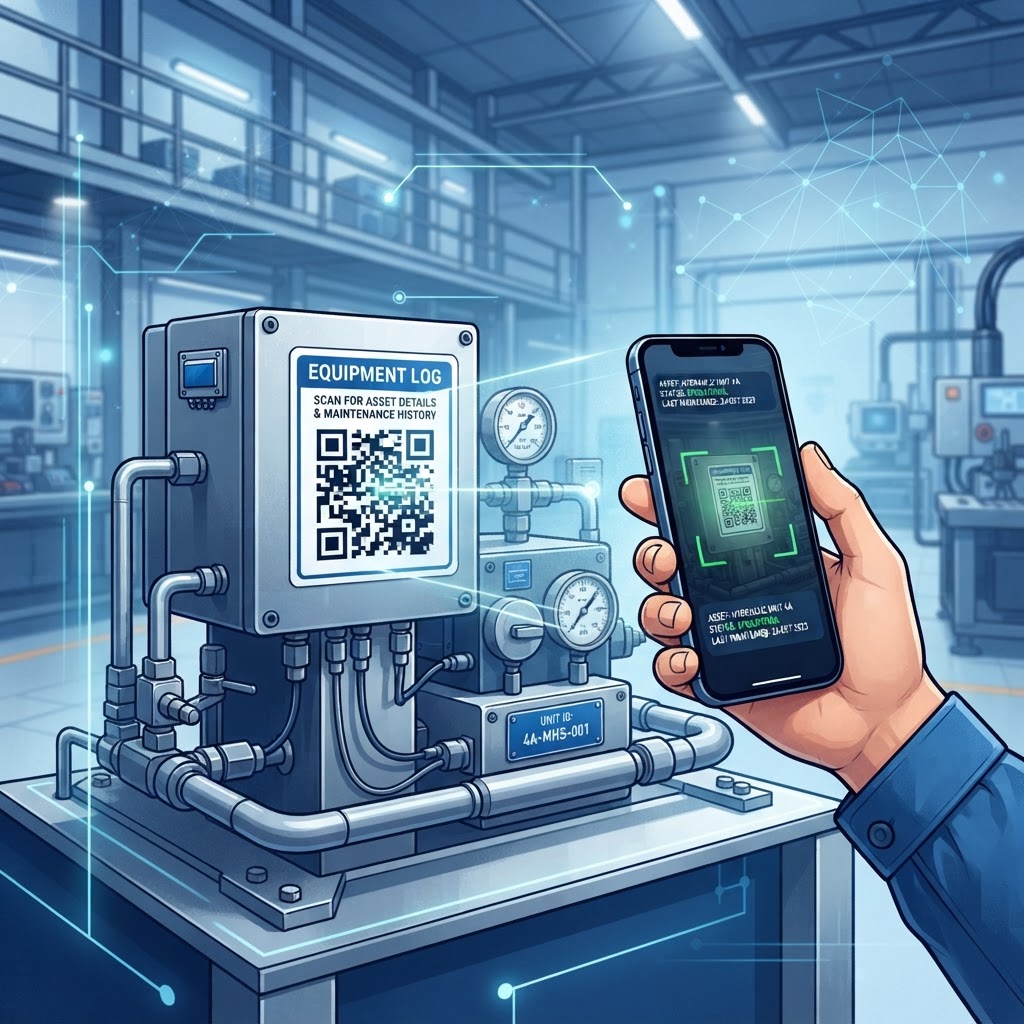
Implementing a qr code for equipment log tracking solves these systemic issues by providing a standardized, digital entry point that is accessible via most smartphones. When an employee scans a QR code, they are immediately redirected to a secure, centralized log that mirrors the exact status of the piece of equipment in real time, ensuring that maintenance teams and management are always on the same page.
In 2026, compliance audits demand precision; an incorrect or missing entry can result in significant legal or safety liabilities. By integrating QR codes, businesses gain a reliable audit trail: each scan is timestamped, and the subsequent log entry captures the specific identity of the individual performing the maintenance or usage check.
This level of traceability promotes a culture of accountability that paper logs simply cannot match. Cloud-based technology also makes data collected at a remote job site or in a basement server room instantly visible at the head office, facilitating proactive maintenance cycles and helping managers anticipate hardware failure rather than react to it.
By using the versatile infrastructure at blueqrcode.com, organizations can drive operational excellence and long-term cost reduction through better resource utilization and extended asset lifespans.
Key Points
- QR codes provide a standardized digital entry point for equipment logs.
- Timestamped entries and user identification support traceability and accountability.
- Cloud connectivity makes equipment status visible across locations and supports proactive maintenance.
2. How It Works Technically: The Mechanics of Digital Asset Tracking
The technical architecture of a qr code for equipment log system is elegantly simple yet highly effective. At its core, a QR code serves as a unique visual identifier and gateway to a specific digital resource, most commonly a web-based form or shared spreadsheet.
When you generate a QR code using a platform like blueqrcode.com, you embed a URL into a two-dimensional matrix of black and white squares. A worker scans the code with a smartphone, which interprets the optical data, identifies the encoded URL, and opens the corresponding link in the mobile browser.
The URL points to a digital destination, such as a Google Form, an Airtable database, a Microsoft PowerApp, or a dedicated equipment maintenance application. The equipment itself remains passive and does not need sensors, batteries, or specialized software; it only needs a durable label.
The cloud database receives the input, while the worker logs in, performs the inspection, submits the form, and the server parses, stores, and timestamps the data. This creates a permanent record that can be exported, analyzed, or shared with stakeholders.
Most smartphones come equipped with cameras that function as native QR scanners, so staff members do not need specialized scanning hardware. The resulting infrastructure can be integrated into larger ERP systems without complex or costly proprietary hardware installations.
Try it now: Generate a free Qr Code For Equipment Log →
3. Step-by-Step Guide to Creating Your Equipment Log System
Implementing a QR code system for equipment tracking is straightforward when you use the tools available at blueqrcode.com.
- Step 1: Define your digital destination. Set up a cloud-accessible form or spreadsheet where equipment log data will reside, such as Google Forms or a shared Airtable base.
- Step 2: Prepare the equipment-specific destination. For multiple assets, create a unique form for each piece of machinery or use URL parameters to filter a master form by asset ID.
- Step 3: Generate the QR code. Navigate to the QR code generator on blueqrcode.com, select the URL option, and paste the link to your equipment log page.
- Step 4: Customize and download the code. Adjust its size, color, and margin, then download the image; a high-resolution PNG or SVG is usually recommended for clear printing.
- Step 5: Print and apply the label. Use durable, weather-resistant adhesive labels, such as vinyl or laminated labels for equipment exposed to moisture, heat, or oil.
- Step 6: Test and train. Place the label on a clean, flat, accessible surface, test it with multiple mobile devices, and teach staff to scan the code, complete the required fields, and submit the form.
4. Best Practices for Deployment: Size, Placement, and Format
Successful deployment of a qr code for equipment log system depends as much on physical implementation as it does on software. Optimize the label and mobile form so the system remains convenient for your team and supports consistent reporting.
- Choose a readable size: Use a minimum physical size of at least 1.5 inches by 1.5 inches (roughly 4cm x 4cm) for general equipment labeling. Increase the size if the code must be scanned from a distance or placed on a slightly curved surface.
- Use high contrast: Print the code in a high-contrast format, such as black on a matte white background, to help avoid glare that can interfere with scanning.
- Position for accessibility: Place the code on a prominent, non-moving part of the equipment, clear of hazards and heavy grease buildup. Eye-level placement is ideal for accessibility and ergonomics.
- Protect the label: Use industrial-grade, UV-resistant, and chemically treated labels in outdoor or harsh manufacturing settings. If labels are frequently damaged, consider mounting them on an aluminum plate or behind clear protective acrylic.
- Optimize the landing page: Make the page mobile-friendly and keep the form simple. Use drop-down menus, radio buttons, and checkboxes rather than long text fields to minimize effort for users at the equipment.
Create your Qr Code For Equipment Log in seconds: Create Free QR Code →
5. Common Mistakes to Avoid When Tracking Equipment
Even with the best intentions, businesses can stumble when implementing QR code asset management. Avoid common workflow and deployment issues to help make your system sustainable.
- Over-complicating the form: Requiring users to fill out too many fields can discourage staff and lead them to skip logging. Aim for a minimalist entry that records the date, person responsible, equipment status, and comments.
- Skipping field testing: A code that works in an office may be difficult to scan in a dark, noisy, or vibrating environment. Test the workflow under actual working conditions before rolling it out across the workforce.
- Ignoring connectivity disruptions: Consider whether your chosen platform allows offline data caching, or keep a secondary manual paper-based fallback for extreme emergencies.
- Neglecting label maintenance: Labels can fade, scratch, or fall off over time. Check quarterly that every code is still scannable and replace labels that show signs of degradation.
- Creating data silos: Make the QR code a gateway to a dynamic system. Ensure captured data is pushed to your central inventory management software or sent to the maintenance team when equipment is marked as damaged or needing repair.
6. Concrete Use Cases by Industry and Sector
The versatility of a qr code for equipment log system allows it to support a range of industrial and professional sectors. In healthcare, hospitals can use these systems to track the usage and sanitation status of portable medical equipment, such as infusion pumps, ultrasound machines, and ventilators.
Staff can log when equipment was last cleaned or serviced, helping ensure that each patient encounter meets safety standards. This data flow supports infection control and helps teams confirm that critical devices are ready for use.
In construction and heavy machinery, QR codes can support field inspections and OSHA compliance. A foreman can scan a code on an excavator, crane, or concrete mixer, complete a digital safety checklist, and report defects to the fleet manager.
In corporate facilities, IT teams can use QR codes to manage office assets such as projectors, printers, and smart conference room hardware. Staff can scan a code on a device to open a help-desk ticket associated with that specific hardware ID.
Across these sectors, QR code equipment logs reduce manual administrative overhead and improve the accuracy and speed of communication between front-line users and back-end support teams.
7. Summary and Next Steps: Starting Your Transformation
Using a qr code for equipment log tracking can help organizations modernize operational workflows in 2026. Pairing QR technology from blueqrcode.com with well-structured, mobile-optimized digital forms can improve how businesses track, maintain, and account for valuable assets.
Start by auditing your equipment list and identifying the assets most critical to your operations. Select one or two units for a pilot, generate the QR codes, and set up your digital log sheet before expanding the system across your facility.
Use the resources on blueqrcode.com to generate labels and refine your strategy as your team adopts the workflow. Generate Free QR Code →