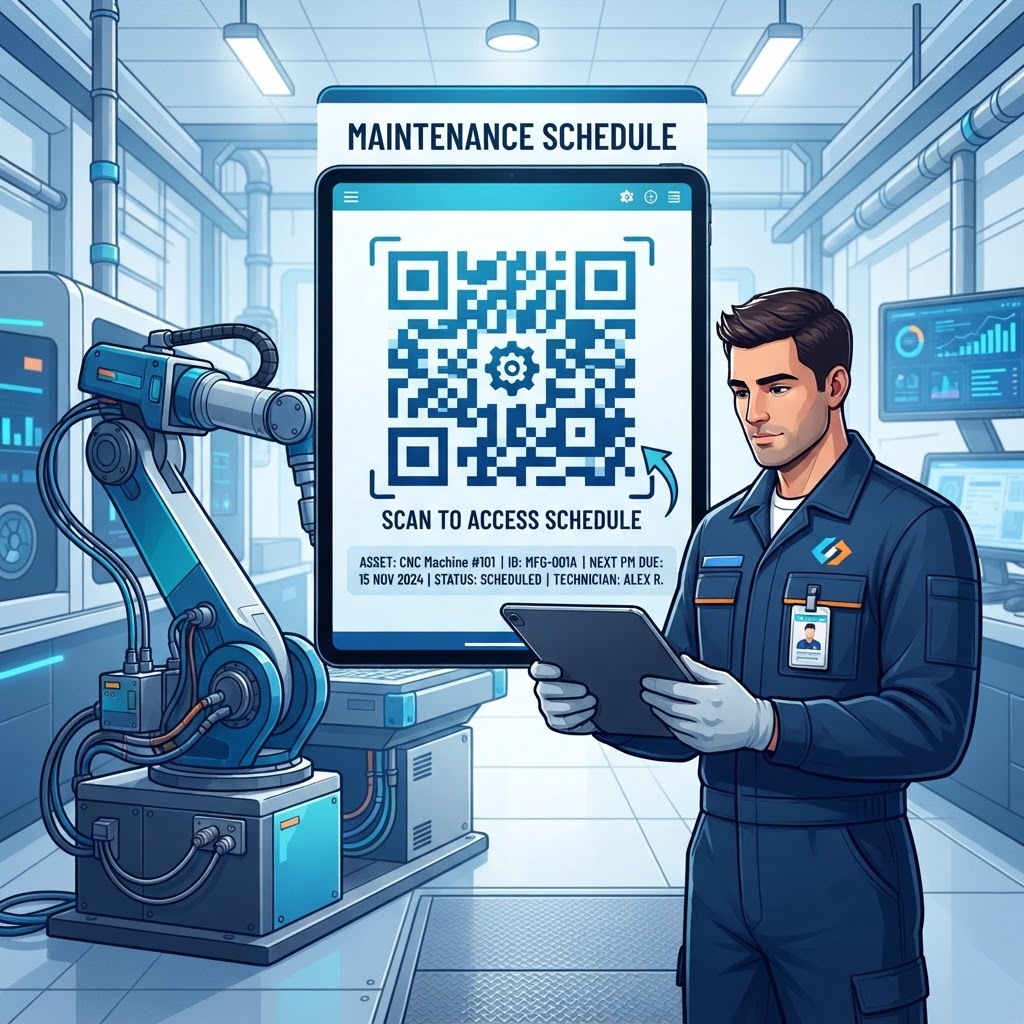
Why QR Codes for Maintenance Are Essential in 2026
As we advance deeper into 2026, the complexity of technical equipment in sectors ranging from HVAC systems to industrial automation requires a more sophisticated approach to maintenance management. Traditional methods, such as clipboards attached to machines or centralized spreadsheets stored in an office, are increasingly inadequate because they can cause information lag, paper-log degradation, and a lack of accountability.
When a technician stands in front of equipment, they need current, accurate, and actionable data. A qr code for maintenance schedule acts as a dynamic gateway, turning a static machine into a connected asset with a maintenance history. This connectivity can help reduce mean time to repair (MTTR) and ensure preventive maintenance (PM) follows manufacturer guidelines.
Modern workplaces also depend on cross-functional collaboration. Digitized maintenance logs accessible through a simple scan reduce communication friction between operators, specialized technicians, and managers. Most smartphones have native QR scanning capabilities, so many businesses can make the transition without specialized apps or scanners.
By reducing time spent searching for paper records, teams can focus on technical work. Digital maintenance history also remains available if manuals are lost, damaged, or outdated, creating a record that can support audits, equipment insurance claims, and handovers between team members or shifts.
Key Points
- QR codes connect physical assets to accessible digital maintenance information.
- Digital logs can improve collaboration and preserve maintenance history.
- Using a QR code for maintenance schedule can support more accountable maintenance workflows.
The Technical Mechanics of QR-Driven Maintenance Tracking
At a technical level, a QR code for maintenance schedule encodes a URL that directs a smartphone browser to a secure, cloud-hosted document or dashboard. Scanning the code initiates a web request to an information repository, such as a PDF, a maintenance webpage, or an interactive form.
Because the link is the primary component, the underlying document can be updated remotely without generating or physically replacing the QR code. This separates the physical access point from the digital content, allowing the linked information to be refreshed weekly, monthly, or annually while the asset remains in the same location.
The process relies on responsive web design and secure hosting. When a user scans the code, the server determines access permissions based on login credentials or public access settings. For organizations that require enhanced security, blueqrcode.com offers tools designed to support reliable, high-performing URLs.
The QR code’s matrix of squares encodes a URL that smartphones can process in milliseconds. Access events may also provide administrators with timestamps and interaction frequency, helping them review whether maintenance checks are happening at the requested intervals and whether technicians are accessing asset documentation.
A Step-by-Step Guide to Implementation on blueqrcode.com
Implementing a maintenance tracking system starts with digitizing your current records. Follow these steps to prepare and deploy a QR code for your assets.
- Step 1: Gather relevant asset information, such as service manuals, previous inspection dates, and upcoming task lists. Compile it into a format such as a PDF.
- Step 2: Visit blueqrcode.com, navigate to the generator tool, and select the option for a PDF-based QR code. Upload your document so it is hosted in an environment accessible through the generated code.
- Step 3: Customize the code’s appearance with a logo or color scheme that matches your branding or asset identification system.
- Step 4: Generate the code and download it in a high-resolution format such as SVG or PNG for printing.
- Step 5: Choose a durable label material, such as vinyl stickers or laser-engraved metal, and place the label on a clean, visible surface of the asset.
- Step 6: Test the code with different smartphone models to confirm the URL works and the PDF loads. Consider adding a feedback mechanism to capture a completion date or maintenance summary.
Update the linked document on the backend to keep the physical QR code relevant without reprinting or replacing the label.
100% Free — No signup required
Create your Qr Code For Maintenance Schedule in seconds
Create Free QR Code →Best Practices for Deployment: Size, Placement, and Format
For a qr code for maintenance schedule to be effective, its physical implementation must be as deliberate as its digital setup. The code should be large enough to scan comfortably without obstructing controls or maintenance access points.
- Use a code at least two inches by two inches for a standard scan distance of 1–2 feet, and scale it up for greater distances.
- Avoid areas that are frequently touched, covered in grease, or exposed to high-pressure cleaning.
- Consider scratch-resistant and UV-protected clear overlays to extend label life in harsh environments.
Placement should prioritize accessibility and safety. If possible, position the label at eye level and away from hazardous components such as hot pipes or moving belts. For complex assets, consider a hanging tag or a placard mounted nearby.
- Use high-contrast combinations, such as black modules on a white background, for readability.
- If using colored QR codes on blueqrcode.com, ensure the foreground and background have sufficient contrast.
- Avoid glossy finishes in brightly lit areas, where glare may interfere with scanning.
- Add a short instruction, such as “Scan to View Maintenance Log,” to guide users and contractors.
Common Mistakes to Avoid in Maintenance QR Management
A common failure is the “set it and forget it” approach, where linked information becomes outdated. A QR code for maintenance schedule is only as valuable as the information it provides; if technicians find stale records, they may lose trust in the system and return to informal notes.
- Leaving records outdated: Establish who is responsible for updating linked files and how often those updates should occur.
- Using an unreliable or expiring link: Confirm that the hosting platform supports sustained access, and test codes periodically rather than waiting for a breakdown.
- Overlooking access control: Protect proprietary information or sensitive procedures with suitable access restrictions, while avoiding login steps that make routine use too difficult.
- Choosing unsuitable labels: Paper stickers may not withstand outdoor or industrial conditions, so select durable, weather-resistant materials.
- Skipping staff training: Explain the benefits and workflow so employees understand how to use the digital system instead of relying on obsolete paper methods.
Use Cases by Industry: Practical Applications for Success
In healthcare, biomedical engineering teams can use QR codes to manage inspection schedules for critical equipment such as ventilators and imaging machines. A one-scan maintenance history can help demonstrate compliance during hospital audits and let engineers verify calibration dates, service providers, and replacement parts.
This traceability supports patient safety and helps minimize the risk of equipment failure during active use. In this setting, quick access to information is closely tied to the quality of patient care and hospital facility management.
Logistics and warehousing teams can use QR codes to manage material handling equipment, including forklifts and automated conveyor belts. Operators can report issues or check when fluid changes and bearing inspections are due, helping front-line staff contribute to asset health.
In manufacturing, technicians can scan codes to access digital manuals and wiring diagrams while standing at a machine. Across fleet management, facility maintenance, and heavy industrial processing, QR codes make maintenance information available to the people who need it during their daily workflows.
Summary and Next Steps: Transforming Your Maintenance Workflow
Using a qr code for maintenance schedule is a straightforward digital upgrade that can connect physical assets with their digital history. Retrieving, updating, and reviewing maintenance logs quickly can improve accountability and precision compared with siloed record-keeping.
Smartphone adoption and platforms like blueqrcode.com make deployment accessible to teams with different technical backgrounds. Potential benefits include preventing machine failure, reducing administrative overhead, and streamlining technicians’ access to information.
Start with a Pilot Program
Select a department or a small group of critical assets, such as equipment with frequent downtime or complex maintenance requirements. Generate a first set of QR codes, apply the durability and placement practices, and gather technician feedback over a 30-day period.
Review how the system affects speed, accuracy, and interaction with maintenance logs, then scale it across your inventory if the process is validated. A digital transformation can begin with a single, well-placed QR code.
No watermark · No expiry · Works on all phones
Your QR code is ready in under 30 seconds.
Generate Free QR Code →