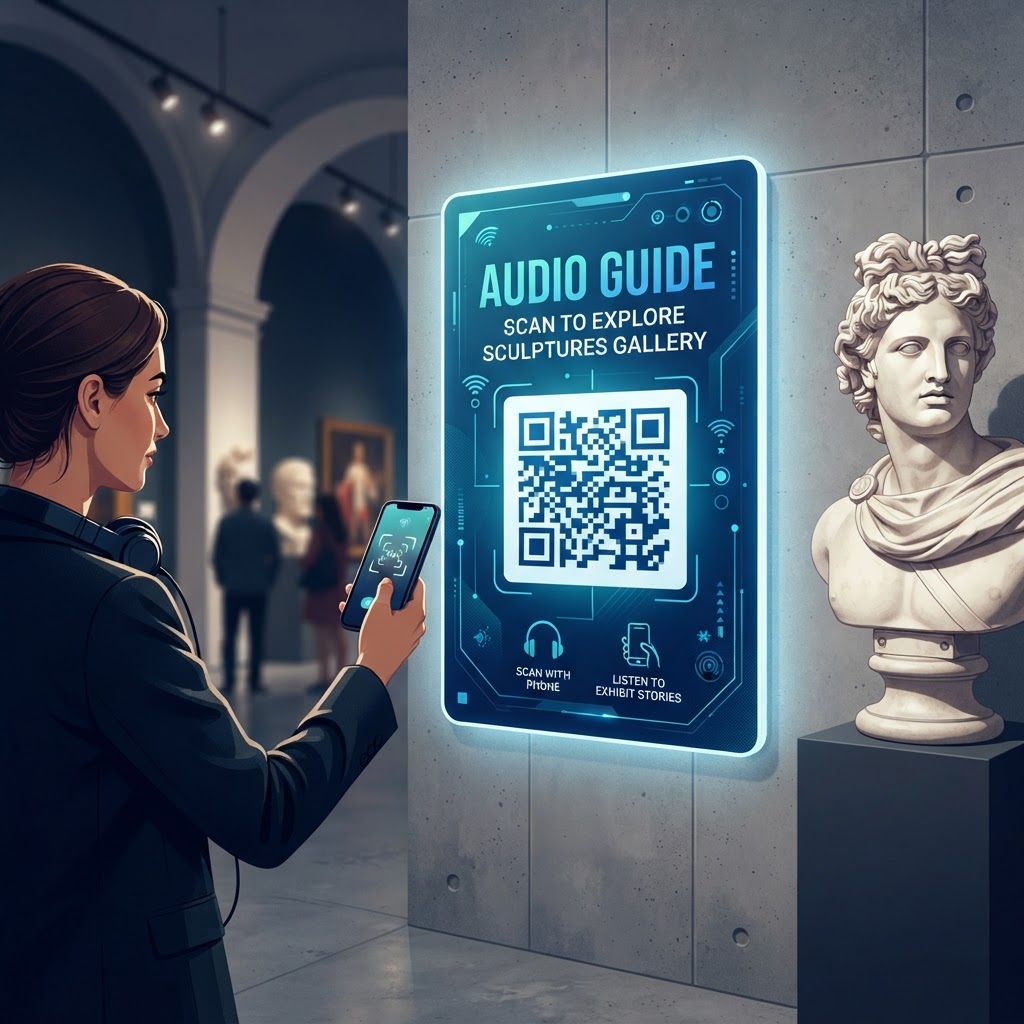
Why Integrating QR Codes for Museum Audio Guides Matters in 2026
As we navigate the mid-2020s, the landscape of cultural tourism has been irrevocably altered by the demand for self-directed, contact-free, and personalized educational journeys. A QR code for museum audio guides serves as the critical bridge between physical artifacts and the digital repository of knowledge that curators have labored to create. By utilizing [blueqrcode.com](https://blueqrcode.com), institutions can effortlessly deploy systems that eliminate the need for cumbersome, sanitization-heavy audio handsets, which were once the industry standard but are now increasingly viewed as obsolete. In 2026, visitors prioritize convenience, safety, and personal autonomy. They prefer to use their own devices—the ones they have already mastered and trust—rather than engaging with shared, rented equipment that may feel outdated or unhygienic. This shift not only reduces operational costs for museums, such as the maintenance and replacement of proprietary headsets, but also opens doors to unlimited storage and playback capabilities. Furthermore, the integration allows for real-time updates to content; if a recent historical discovery changes the context of an exhibit, a digital audio file can be swapped instantly without reprinting physical materials. This agility is essential in a fast-paced information age where accuracy and depth of narrative are paramount. Moreover, by removing the friction of downloading dedicated, resource-heavy apps, scan-to-listen QR strategies ensure that even the most casual visitor can engage with the deepest levels of storytelling. The digital transformation of the museum floor is not just about keeping up with trends; it is about democratizing access to information, ensuring that every visitor, regardless of their native language or visual accessibility needs, has an equal opportunity to experience the richness of the collection at their own pace and in their preferred format.
How It Works Technically: From Scan to Sound
At its core, a QR code acts as a visual gateway to a specific Uniform Resource Locator (URL). When a visitor uses their smartphone camera or a native QR scanner to focus on the code, the device interprets the pixel pattern into a web address, which then triggers the browser to open the associated digital resource. For an audio guide, this resource is typically a web-hosted audio file—either an MP3 or a dedicated mobile-responsive webpage containing an embedded audio player. Unlike traditional apps that require massive downloads, a web-based approach (often called a 'Progressive Web App' or simply a mobile landing page) allows for an instantaneous transition from scanning to playback. This technical architecture relies on low latency to ensure that the audio starts playing almost immediately, preventing the 'dead air' that causes frustration and abandonment. Most smartphones today have highly optimized web browsers capable of caching these audio streams, meaning that if a visitor moves between areas with spotty Wi-Fi, the playback often remains stable. Furthermore, using a service like [blueqrcode.com](https://blueqrcode.com) to generate these codes ensures that the data is structured efficiently, allowing for high-contrast, easy-to-read symbols that even older phone cameras can decipher quickly in low-light exhibition halls. The technical implementation also allows for deep analytics; museum managers can observe which artifacts receive the most attention, how long visitors listen, and where they tend to drop off, providing invaluable insights into exhibit flow and interest levels. This data-driven approach to visitor engagement, powered by simple, machine-readable imagery, represents the pinnacle of modern museum management, transforming every corner of a gallery into an interactive, measurable, and highly responsive storytelling station that respects both the visitor’s time and the institution’s resource constraints.
Try it now: Generate a free Qr Code For Museum Audio Guide →
Step-by-Step Guide Using BlueQRCode.com
Getting started with your digital audio initiative is a straightforward process when utilizing the tools provided by [blueqrcode.com](https://blueqrcode.com). First, you must prepare your audio content. Ensure your files are compressed into a web-friendly format like MP3, and host them on a reliable server or cloud storage platform that provides a direct, publicly accessible URL. Once your content is ready, navigate to the [blueqrcode.com](https://blueqrcode.com) dashboard. Select the option to create a new QR code using the URL type, as this allows you to direct users specifically to your audio file or landing page. Input your prepared URL into the designated field. You will then have the opportunity to customize the appearance of the QR code to ensure it matches your museum’s branding; you can adjust the foreground and background colors, and in some cases, add a central logo. After customizing, generate a high-resolution preview to test the scanability using multiple smartphone models. It is critical to perform these tests in the actual lighting conditions of your museum to ensure the code works reliably against different types of wall materials or placard substrates. Once satisfied, download the code in a vector format, such as SVG or high-quality PNG, which ensures that it remains crisp even when printed on large vinyl banners or small, discrete brass-colored plaques. Finally, ensure your print material clearly explains what the visitor should expect when they scan the code, such as 'Scan to hear the story of this artifact.' Place the printed QR codes at eye level near each relevant item. This process is repeatable and scalable, allowing you to add new exhibits or update old ones by simply logging back into the platform to update the target URL if you are using a dynamic code format, ensuring that your museum’s digital footprint stays as current as the information inside the gallery.
Best Practices for Deployment: Size, Placement, and Format
Strategic placement and visual design are the difference between a successful digital engagement tool and an ignored placard. When deploying a QR code for a museum audio guide, size matters significantly. A common mistake is printing the code too small, which forces the visitor to move uncomfortably close to the object, potentially crowding other patrons. As a general rule, the QR code should be large enough to be scanned from a distance of at least one to two feet, typically around 3 to 5 centimeters in diameter for smaller labels. Placement should also be consistent; try to keep the code in the same relative position on every exhibit card throughout the museum to build a visual habit for the visitor. If a visitor knows that every object’s audio link is located in the bottom-right corner of the placard, they will scan much more intuitively. Additionally, consider the materials used for the physical label. Avoid high-gloss finishes that create distracting glare under the intense, focused track lighting commonly used in galleries, as glare will prevent the smartphone camera from successfully focusing on the grid pattern. Matte finishes are preferred for readability. Furthermore, provide a brief, clear call-to-action (CTA) next to the code. A simple icon of a pair of headphones or a 'Play' button can communicate the purpose of the code even if the visitor does not read the surrounding text. For international museums, consider using universal icons rather than text-heavy instructions to ensure that the code is accessible to all guests regardless of their native language. Finally, always include a fallback link—perhaps a short URL printed in tiny, unobtrusive text beneath the code—for those few visitors who might have issues with their QR scanner, ensuring that no one is left without access to your curated narrative.
100% Free — No signup required
Create your Qr Code For Museum Audio Guide in seconds
Create Free QR Code →Common Mistakes to Avoid During Implementation
Even with the best intentions, museums often stumble into pitfalls that degrade the user experience and reduce adoption rates. The most prevalent error is linking to a file that is not mobile-optimized. For instance, linking directly to a massive, uncompressed audio file that takes twenty seconds to load will lead to immediate abandonment; visitors expect instant gratification, and any delay will result in them walking away to the next exhibit. Similarly, avoiding a dedicated landing page in favor of a raw file link can lead to a 'dead end' experience where the user does not know how to return to the museum's homepage or find other guides. Another major mistake is failing to test for physical obstruction. If a QR code is placed behind protective glass or on a curved surface, the distortion caused by the curve or the reflection from the glass can make the code impossible to scan. Always test these environmental factors. Furthermore, many institutions neglect to provide a 'help' or 'support' link near the code. If a visitor’s phone does not support the audio format, or if they are in a dead zone for cellular data, there should be a simple way to troubleshoot or connect to guest Wi-Fi. Speaking of connectivity, relying solely on mobile data is risky; museums are often housed in thick, stone-walled buildings that act as Faraday cages. Providing high-speed guest Wi-Fi specifically for the purpose of downloading or streaming audio guides is essential. Finally, do not overlook the importance of visual context. Do not just slap a QR code on a wall; integrate it into the exhibit design so it feels like a part of the museum experience rather than an afterthought sticker. Professionalism in presentation builds trust, encouraging more visitors to engage with your digital content.
Concrete Use Cases by Industry and Sector
The versatility of the QR code for audio guides extends far beyond the traditional art museum. In historical house museums, for example, the QR code can be placed on furniture or room entryways to trigger a narrative from the perspective of the house’s original inhabitants, adding a human layer to the physical space that static text cannot convey. Similarly, in botanical gardens or outdoor sculpture parks, waterproof and UV-resistant QR codes can be attached to durable stakes near plants or monuments, allowing visitors to learn about the history, biological traits, or artistic intent of the piece while enjoying the fresh air. This is particularly effective for large-scale outdoor installations where traditional placards would require massive, eyesore structures. In the realm of science and technology museums, QR codes can be used to provide 'behind-the-scenes' audio commentary from engineers or scientists, explaining the mechanics of a complex machine or the logic behind an experiment. This adds an educational depth that is highly appreciated by student groups and tech enthusiasts. Even in specialized industry centers—such as corporate archives or trade museums—QR codes serve as a sophisticated way to manage information flow. Instead of requiring a human tour guide to be present at every hour of the day, a QR-based system allows for a 24/7 self-guided tour experience. By catering to the diverse needs of these different sectors, the use of QR codes turns static environments into highly educational, interactive hubs that can provide custom experiences tailored to the specific curiosity level of each visitor, thereby increasing the overall value proposition of the institution.
Summary and Next Steps for Your Institution
The journey toward implementing an effective QR code-based audio guide system is a strategic investment in the future of visitor engagement. By following the best practices outlined in this guide—prioritizing mobile-first design, ensuring reliable connectivity, and maintaining a consistent, professional aesthetic—you create an environment that invites deep exploration and learning. The technical simplicity offered by platforms like [blueqrcode.com](https://blueqrcode.com) ensures that your team can focus on the quality of the storytelling rather than the complexity of the delivery mechanism. As you move forward, start by auditing your current exhibits to identify where audio narration would add the most value, then draft a pilot project focusing on a single gallery or section of your facility. Gather feedback from early users, monitor your analytics for engagement patterns, and refine your approach accordingly. The data you collect will be your most powerful tool in determining which stories resonate most with your audience and where future investments should be placed. Remember that this is an iterative process; as technology and visitor preferences evolve, so too should your digital offerings. By committing to this path now, you are ensuring that your institution remains relevant, accessible, and deeply connected to the communities you serve. The tools are available, the expectation is set, and the potential for a deeper, more immersive visitor experience is limited only by the creativity of your curators. Begin by visiting [blueqrcode.com](https://blueqrcode.com) to generate your first set of codes and take the first step toward a fully realized, modern museum experience that will captivate your audience for years to come.
No watermark · No expiry · Works on all phones
Your QR code is ready in under 30 seconds.
Generate Free QR Code →