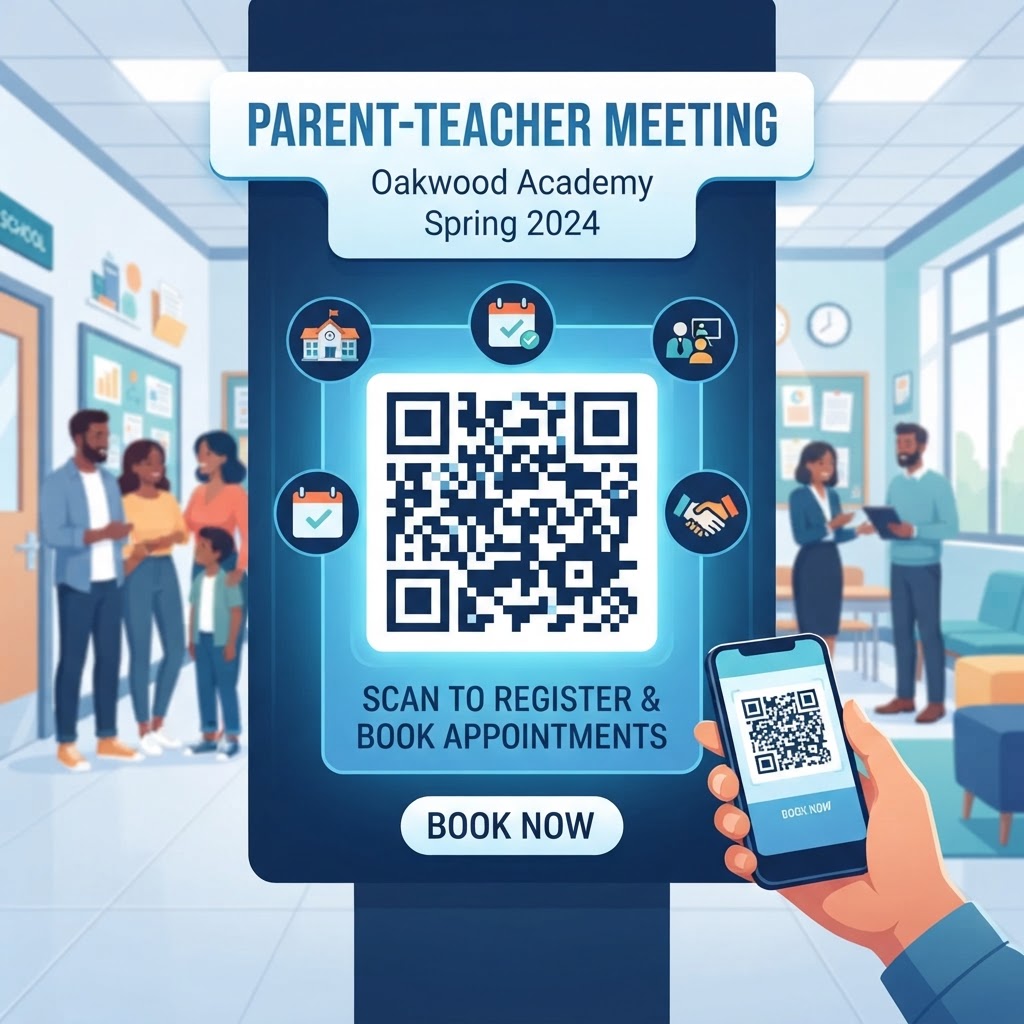
Why Integrating QR Codes for Parent Teacher Meetings Matters in 2026
As we navigate the academic challenges of 2026, the speed and accuracy of information dissemination have become paramount for successful school management. Traditional methods of coordinating parent-teacher meetings, such as sending paper flyers home in backpacks or relying on chain emails, are increasingly viewed as inefficient and prone to human error. A QR code for parent teacher meeting addresses these systemic issues by providing an immediate, reliable conduit between the classroom and the home. By utilizing a simple scan, parents can gain instant access to digital sign-up sheets, classroom portfolios, or meeting agendas without the risk of lost paperwork or misdirected messages. This digital shift respects the time of both teachers and parents, reducing the administrative burden that often plagues the start of the school year. Furthermore, the ubiquity of smartphones among the general population ensures that nearly every guardian possesses the necessary tool to interact with these codes immediately upon receiving them.
Beyond convenience, the professionalization of parent communication reflects positively on the institution as a whole. When a school demonstrates high technical proficiency, it builds trust with the parent community, showing that the faculty values clarity and efficiency. The use of a QR code facilitates real-time updates; if a schedule changes, the linked resource can be modified instantly without the need to distribute new physical documents. This agility is vital in the fast-paced environment of 2026, where circumstances can shift with little notice. From a sustainability perspective, moving toward digital-first communication via QR codes drastically reduces paper waste, aligning school practices with broader environmental goals. Ultimately, implementing this technology is not merely a modern convenience but a strategic upgrade that fosters stronger, more responsive educational partnerships. By simplifying the logistics of meeting coordination, teachers can spend less time on bureaucratic overhead and more time focusing on the core mission: the academic and social growth of their students. When information is organized, accessible, and easily retrieved, the quality of engagement during the actual parent-teacher meeting is significantly improved, as participants arrive well-informed and prepared for productive discussions.
How QR Codes Work Technically for School Logistics
Understanding the technical foundation of a QR code is essential for educators looking to implement these tools effectively. At its core, a QR code is a machine-readable optical label that contains information about the item to which it is attached. When a user scans a QR code with their mobile device, the built-in camera acts as a decoder, translating the pixelated pattern of the matrix into data that the phone can interpret—most commonly a URL. For the specific application of a parent teacher meeting, a teacher generates a unique QR code via a platform like blueqrcode.com that points directly to a designated digital destination, such as a scheduling portal, a digital document, or a contact form. Most modern smartphones have native QR scanning capabilities embedded within their camera software, eliminating the need for third-party application downloads. This frictionless user experience is critical for ensuring high participation rates among busy parents.
Technically speaking, the reliability of the QR code relies on its error correction capabilities. These codes are designed with built-in redundancy, meaning that even if the physical print is slightly damaged, smudged, or partially obscured, the information remains readable. This robustness is particularly important in a school environment where papers might get crumpled inside a backpack or stored in less-than-ideal conditions. Furthermore, the use of dynamic versus static QR codes offers different technical advantages. While static codes are fixed, dynamic codes—often generated through services like blueqrcode.com—allow the destination URL to be updated at any time without changing the physical QR code itself. This is a massive technical advantage for educators who might need to change a meeting location, reschedule a slot, or update an attached document mid-cycle. By understanding that a QR code is essentially a digital bridge or shortcut, teachers can more confidently deploy them for various school functions, secure in the knowledge that the underlying technology is both resilient and adaptable to the fluid nature of modern classroom management.
Step-by-Step Guide Using BlueQRCode.com
Creating a professional QR code for a parent teacher meeting is a straightforward process when utilizing the resources available at blueqrcode.com. To begin, first identify the specific resource you wish to share with parents. This could be a Google Form for scheduling slots, a PDF document outlining the evening's expectations, or a direct link to your school’s private parent portal. Once you have your target URL, navigate to the blueqrcode.com homepage. The interface is designed to be user-friendly, catering to busy educators who may not have extensive technical backgrounds. Select the 'URL' option from the generator menu to begin the process of creating your link-based code. Copy and paste your target link into the provided field. It is critical to ensure that the link is correct and accessible to the public or the intended audience, as a broken link would render the printed QR code useless.
After entering your URL, you have the opportunity to customize the appearance of the QR code. While the standard black-and-white design is perfectly functional, blueqrcode.com often provides options to adjust the design or frame. When creating a code for a school event, keeping the design clean and high-contrast is key to ensuring that it scans easily on all types of devices. Once you are satisfied with the appearance, generate the code and download it in a high-resolution format, such as PNG or SVG. These formats ensure that your QR code remains sharp when printed on flyers, school newsletters, or signs posted at the classroom door. Test the code immediately with your own device to confirm it leads to the correct landing page. Once verified, you can incorporate the image into your communications. By using a platform like blueqrcode.com, you are ensuring that your digital assets are generated with industry-standard reliability, providing a stable and professional point of entry for parents who will rely on these links to manage their engagement with your classroom throughout the year.
Best Practices for Deployment: Size, Placement, and Format
The effectiveness of a QR code for a parent teacher meeting is heavily dependent on how it is deployed within the physical or digital school environment. The most common pitfall is printing a QR code that is too small for a phone camera to resolve clearly. As a general rule of thumb, the code should be at least two inches by two inches in size to ensure it can be scanned from a reasonable distance, such as across a room or while walking past a bulletin board. If you are placing the code on a flyer that parents are intended to hold, ensure the print quality is sharp and that there is sufficient 'quiet zone'—a buffer of white space—around the edges of the code to prevent interference from adjacent text or images. Inconsistent lighting can also be a factor; avoid placing these codes on highly reflective or glossy surfaces that might cause glare, preventing the camera lens from focusing on the pattern.
Strategic placement is equally vital for ensuring that your message reaches the intended audience. If the goal is to drive sign-ups, place the QR code on physical objects that parents encounter most often, such as the back of the student's take-home folder, the cover of a progress report, or a prominent sign attached to the classroom door. When emailing invitations, place the QR code in a clear, central position within the message, rather than burying it at the very bottom. It is also helpful to provide a brief, clear call to action next to the code, such as 'Scan to Schedule Your Meeting' or 'Scan to Access the Agenda.' This informs parents exactly what they will gain by interacting with the code. Furthermore, always provide an alternative method of access, such as a shortened text-based URL, for parents who may have older devices that cannot handle QR codes. By combining clear physical placement with thoughtful instructional text, you create an environment where the transition to digital coordination is smooth, inclusive, and professional, ensuring that no parent is left feeling overwhelmed by the change in communication processes.
100% Free — No signup required
Create your Qr Code For Parent Teacher Meeting in seconds
Create Free QR Code →Common Mistakes to Avoid in School Communications
One of the most frequent errors teachers make when implementing a QR code for parent teacher meeting is failing to test the code across multiple devices. Different smartphone operating systems handle camera inputs differently, and what might look perfectly clear on a high-end device might struggle to resolve on older or lower-resolution phones. Always verify the code using at least two different brands of mobile devices before wide-scale distribution. Another critical mistake is using a broken or private URL. If you link to a Google Doc, ensure that the sharing permissions are set to 'Anyone with the link can view' rather than 'Restricted.' If a parent scans the code only to be met with an 'Access Denied' screen, their frustration will inevitably lead to a decreased likelihood of them using digital tools in the future. This error is easily avoided by testing the link in an 'Incognito' or private browser window before finalizing the QR code generation process.
Additionally, avoid cluttering the area around the QR code with competing visuals. While it is tempting to use bright colors or intricate designs to make the flyer look engaging, these can confuse the QR code scanner if they are too close to the pattern. Stick to the classic black-on-white or dark-on-light color scheme to maximize the contrast that scanning software requires. Furthermore, never assume that all parents are tech-savvy. Always provide a fallback, such as a simple link printed underneath the code or a contact email for those experiencing technical difficulties. Over-reliance on the technology without a human support element can alienate parents who are uncomfortable with digital tools. Finally, ensure that the content linked to the code is current. Leaving an old sign-up sheet active long after the parent-teacher meeting has concluded creates confusion and demonstrates a lack of organization. Regularly update your links or deactivate them when the specific event has finished, as this keeps your digital presence clean, current, and reliable for all stakeholders involved in the school ecosystem.
Concrete Use Cases by Industry and Sector
While the QR code for parent teacher meeting is primarily utilized in K-12 settings, the underlying logic is applicable across many sectors that rely on appointment-based engagement. In the healthcare sector, pediatric clinics use similar systems to allow parents to fill out intake forms or register for specialized development screenings before meeting with a doctor. By placing a QR code in the waiting room or on appointment reminder cards, clinics reduce the time spent on manual data entry and minimize the physical contact required to exchange paper forms. This is particularly valuable for protecting staff and patients in environments where hygiene is a priority. Similarly, in the extracurricular sector—such as dance academies, sports leagues, or tutoring centers—instructors use these codes to link parents to performance schedules, payment portals, or emergency contact updates. The common thread here is the need for a highly efficient, paperless way to transfer information while keeping parent engagement high.
Another sector benefiting from this technology is the community center or local library, which often hosts educational workshops for parents. By deploying a QR code at the entrance, organizers can immediately lead participants to a digital sign-in sheet that captures essential information, such as attendance records or feedback surveys. This removes the need for clipboards and pens, which are notoriously difficult to sanitize and organize. In higher education, university departments use QR codes for student-advisor meetings, allowing students to check in and verify their degree progress in real-time. By providing a standardized, digital approach to scheduling, these institutions maintain a record of engagement that is easy to track and analyze. Whether in a classroom or a professional office setting, the core function remains the same: using technology to simplify logistics and foster better communication. When teachers see how these methods are effectively adopted in other professional domains, it reinforces the value of adopting a similar, tech-forward mindset for their own classroom management strategies.
Summary and Next Steps for Educators
The implementation of a QR code for parent teacher meeting represents a significant step toward modernizing the parent-teacher relationship. By leveraging digital tools to facilitate scheduling, information sharing, and communication, schools can create a more efficient and professional experience for all parties involved. We have explored the technical requirements, the step-by-step process of using a tool like blueqrcode.com, and the best practices for ensuring these codes are accessible and effective. It is clear that the shift toward QR-driven logistics is not merely a temporary trend but a long-term improvement in school administration. The ability to update information instantly, reduce paper waste, and provide a frictionless experience for parents positions educators to focus more heavily on student achievement and classroom engagement. As we look toward the remainder of 2026, the adoption of these tools will continue to separate schools that operate with agility from those that remain tethered to outdated methods.
For those ready to move forward, the next step is to audit your current communication flow. Identify one area where paper-based or manual processes are creating bottlenecks—such as conference scheduling—and commit to replacing them with a QR-based solution. Visit blueqrcode.com to experiment with different types of codes, and remember to test your deployment strategy thoroughly before rolling it out to the entire parent body. Once you see the time saved and the increased participation rate, you will likely find that this technology naturally integrates into other aspects of your teaching practice, from linking to homework portals to sharing class photos. Embrace the transition not just as a way to save time, but as an opportunity to build a more connected and tech-empowered school community. Your commitment to these small, technological upgrades will yield significant dividends in communication quality, resulting in a more collaborative and informed parent body that is deeply invested in the success of the classroom.
No watermark · No expiry · Works on all phones
Your QR code is ready in under 30 seconds.
Generate Free QR Code →