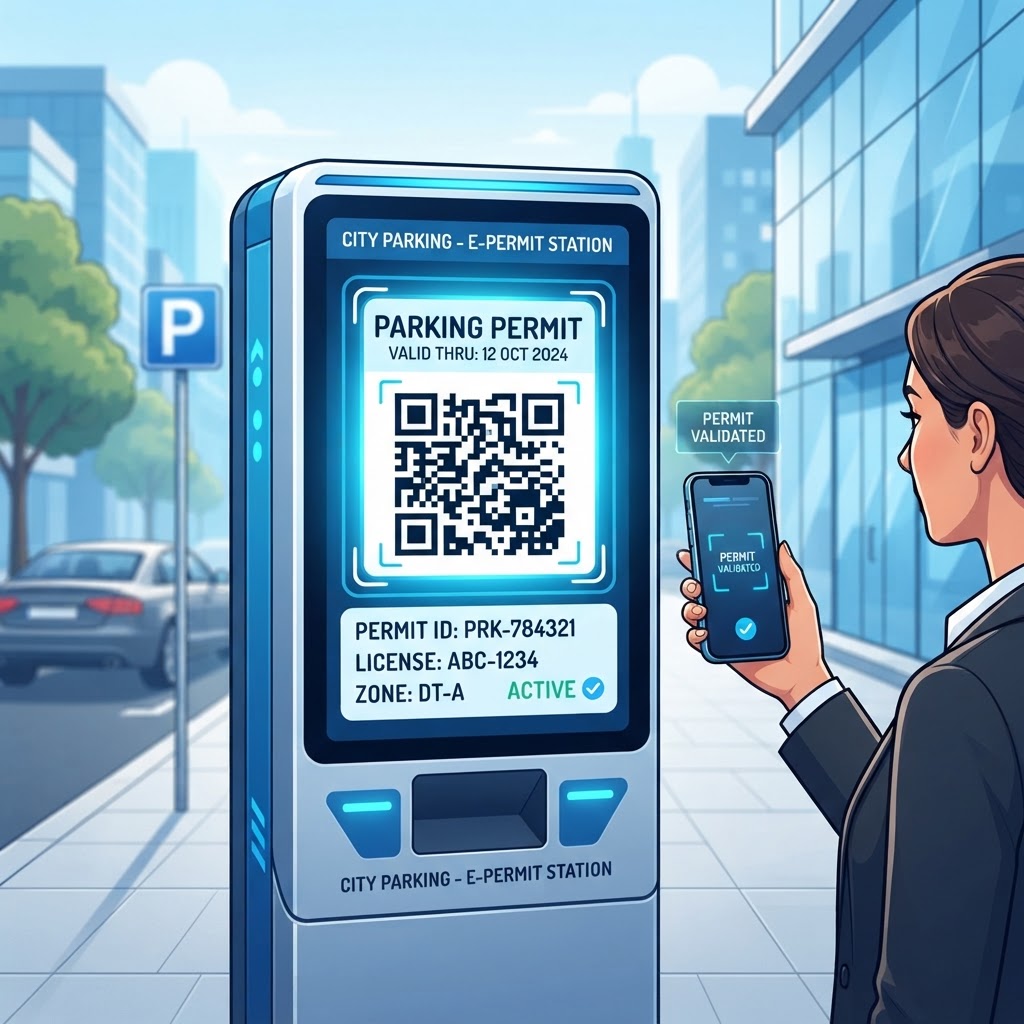
1. Why the Shift to QR Codes for Parking Permits Matters in 2026
In 2026, the demand for efficiency in urban planning and private facility management has reached an all-time high. Traditional parking permits, often made of laminated cardstock or static plastic hang-tags, have become a liability rather than an asset.
They are susceptible to forgery, difficult to track in real time, and represent unnecessary overhead in production and distribution. A QR code for parking permit systems offers a sophisticated alternative that integrates directly into existing digital workflows.
Because most smartphones have native QR scanning capabilities, the barrier to entry for end users is virtually nonexistent. For facility managers, the shift means moving toward a centralized, cloud-accessible database where validity is verified in milliseconds rather than requiring a security guard to walk past every vehicle to inspect a sun-bleached tag.
Furthermore, the environmental impact of moving toward paperless permits cannot be overstated. By utilizing the URL-QR feature at blueqrcode.com, organizations can instantly generate unique, revocable links that serve as valid parking credentials.
This eliminates the carbon footprint associated with physical manufacturing and distribution. Digital permits also allow for temporary parking solutions, such as visitor passes or event-specific credentials, which can be issued, managed, and audited with a level of precision that traditional methods cannot match.
In an era where data-driven decision-making is the standard for operational excellence, QR-based systems allow operators to track peak usage times, duration of stay, and permit turnover. This digital transformation is a fundamental shift toward smarter, more sustainable infrastructure management that benefits both providers and users.
Key Points
- Digital permits help reduce the risks and administrative overhead associated with physical tags.
- QR-based systems can support real-time verification, revocation, and usage tracking.
- Temporary digital passes can simplify visitor and event parking management.
2. How the QR Code for Parking Permit Works Technically
Technically, a QR code for parking permit management is a high-capacity data bridge. When a user generates a URL-QR code, they encode a specific web address into a two-dimensional matrix.
Unlike older linear barcodes, QR codes offer superior error correction and data density, meaning they can remain readable even if partially damaged or obstructed by sunlight glare on a windshield. When a scanner captures the code, the software initiates an HTTPS request to the linked server.
The server verifies the token or ID contained in the URL against a real-time database to determine whether the permit is active, expired, or blacklisted. This verification happens instantaneously, allowing for real-time authentication.
Because these codes can link to dynamic web pages, the underlying status of a permit can change without replacing the physical code. For example, if a resident loses their phone or a temporary permit expires, the administrator can update the backend database.
The next time the QR code is scanned, the server reflects the updated status, effectively deactivating the permit remotely. Encryption and tokenization can also be implemented on the destination webpage to help ensure that only authorized personnel can view detailed user information.
By directing the QR code to a secure, password-protected portal, administrators can balance ease of access with data privacy and security. This technical architecture makes digital parking permits robust and scalable for organizations of all sizes.
Try it now: Generate a free Qr Code For Parking Permit →
3. Step-by-Step Guide to Creating Your System at blueqrcode.com
Creating a QR code for parking permit management with the tools at blueqrcode.com is a streamlined process designed to be accessible even without specialized IT knowledge. Follow these steps to create and distribute your digital permits.
- Establish the digital destination: Set up the page, custom landing page, or secure database entry that reflects the current status of the vehicle registration.
- Select the URL-QR feature: Navigate to blueqrcode.com and choose the URL-QR feature, which creates codes that point to web-based content.
- Enter your destination URL: Paste the destination URL into the generator.
- Customize the code: Adjust foreground and background colors to match your branding or provide high contrast for security personnel. Consider adding your organization’s logo or clear descriptive text near the code to distinguish official permits from generic advertisements or malicious links.
- Generate and download: Generate the code and download it in a suitable format, such as PNG, SVG, or PDF. For parking permits, high-vector formats like SVG can be scaled for printing on various materials without losing sharpness.
- Distribute the permits: Print the codes on weather-resistant decals or provide them digitally to users via email so they can display them on their mobile device screens.
Following these steps through blueqrcode.com helps ensure that each permit is consistent, professional, and functional for daily field use.
4. Best Practices for Deployment, Size, and Placement
Deployment of a QR code for parking permit systems requires attention to physical constraints, as outdoor and in-vehicle use presents unique challenges. Scannability is a primary concern: if a code is too small, a scanner may not pick it up from the necessary distance, especially in low light or through tinted windows.
Industry standards generally suggest that a QR code should be at least 2 inches by 2 inches for standard windshield mounting, though the size should be adjusted based on the scanning hardware used by security teams. Placement also matters: the permit should be clearly visible from the exterior, ideally on the bottom corner of the driver’s side windshield or on a designated dashboard placard.
Material durability is another pillar of successful deployment. While a printed paper permit might suffice for a one-day event, long-term permits should be printed on high-quality, fade-resistant, and UV-protected vinyl or laminated materials.
Consider surface reflectivity as well. If the permit is placed behind a windshield, a matte finish can reduce glare that might prevent the software from decoding the pattern.
- Use a plain-text alphanumeric serial number beneath the QR code as a fallback for manual entry if a scan fails.
- Prioritize readability, durability, and consistent placement protocols.
- Adjust code size to suit the distance and scanning hardware used by security teams.
These measures help create a reliable system for security staff in varying conditions and can reduce bottlenecks during busy entry periods.
100% Free — No signup required
Create your Qr Code For Parking Permit in seconds
Create Free QR Code →5. Common Mistakes to Avoid When Using Digital Permits
When adopting a QR code for parking permit systems, account for connectivity issues. Subterranean garages or remote lots may have limited cellular data coverage, so a system requiring a constant, high-speed internet connection for every scan can cause delays and frustration.
To mitigate this, ensure the scanning application has a robust offline verification cache, or use a system that allows the server to push periodic validity updates to scanning devices. Another common pitfall is failing to test the system in real-world lighting and weather conditions.
- Test with multiple smartphone models and professional scanning devices to identify issues with contrast or glare.
- Avoid static, public URLs that contain no authentication, as anyone who photographs a permit may gain unauthorized access to data.
- Ensure the destination URL leads to a secure, encrypted portal that handles information with appropriate privacy protocols.
- Establish an expiration policy and a dynamic revocation system to reduce the risk of permit theft and unauthorized use.
A parking permit without an expiration date or a way to track usage has limited value as a security tool. Addressing offline capability, testing, data security, and dynamic management helps keep the system professional, secure, and reliable.
6. Concrete Use Cases: Scaling Across Industries and Sectors
The utility of a QR code for parking permit management is demonstrated through applications across several sectors. In the academic sector, universities can use digital QR permits to differentiate between permit tiers, such as resident, commuter, and staff.
When students register their vehicles, they can receive unique QR codes by email. These codes can be revoked if a student graduates or is no longer enrolled, reducing the need for physical permit distribution desks and helping address manual parking violations.
In residential property management, QR codes can support visitor management. A resident can generate a one-time-use QR code for a guest that expires at a set time, helping ensure the parking space is available afterward.
Corporate campuses and industrial logistics centers can also use temporary digital passes for incoming delivery vehicles. A QR code can direct drivers to a specific loading dock and log their entry and exit times for auditing purposes.
This data-driven approach allows site managers to optimize traffic flow, reduce idling time, and ensure that only authorized vendors are present. The URL-QR tool at blueqrcode.com can support use cases involving security, visitor management, and operational efficiency.
7. Summary and Next Steps for Your Organization
Implementing a QR code for parking permit management is a strategic move toward modernizing your organization’s infrastructure. Digital permits can help address the logistical hurdles, security risks, and ongoing costs associated with physical permit systems while supporting a more transparent, trackable, and efficient parking environment.
To get started, take inventory of your current parking permit challenges. Identify whether you are struggling with forgery, high administrative costs, or a lack of data tracking, then use the URL-QR generator at blueqrcode.com to prototype your first digital permits.
Suggested Next Steps
- Start with a pilot: Test digital permits with a small group, such as staff or a specific building zone.
- Test verification: Run the verification process in real-world conditions and gather feedback from your security team.
- Plan for scale: Integrate QR codes with a backend database that supports dynamic updates so the system can remain secure and relevant.
By embracing digital QR technology, your organization can move toward a modern approach to facility management.
Conclusion
A QR code for parking permit management offers a flexible alternative to paper-based systems, with potential benefits for verification, administration, and tracking. With careful deployment, testing, and dynamic management, organizations can build a digital permit system suited to their needs.
No watermark · No expiry · Works on all phones
Your QR code is ready in under 30 seconds.
Generate Free QR Code →