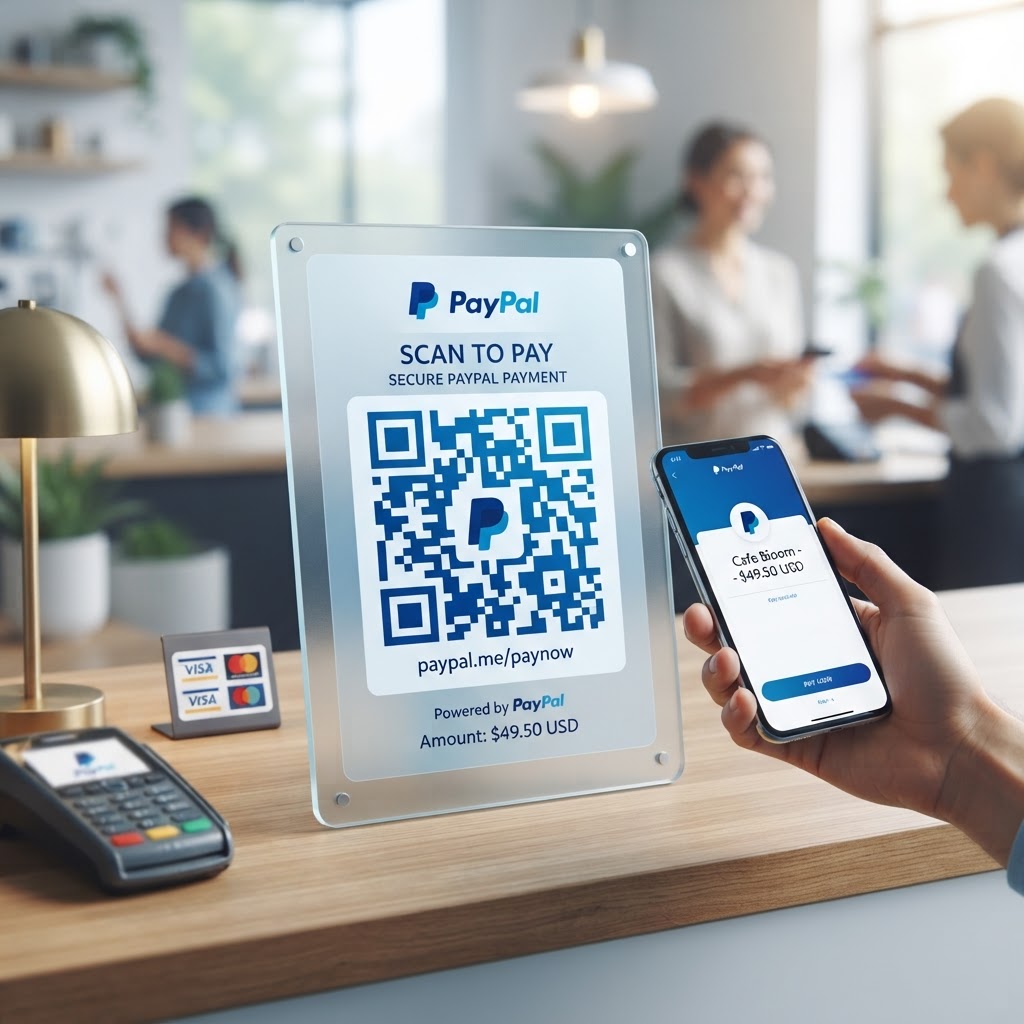
Why Integrating QR Codes for PayPal Payments Matters in 2026
By 2026, the global consumer base has fully embraced mobile-first purchasing habits, making the reliance on manual data entry for payments a significant deterrent to sales. When a customer stands at a checkout counter or looks at an invoice, they want an immediate method to finalize the payment without the friction of typing in a PayPal.me link or searching for your business account.
A qr code for paypal payment serves as the ultimate bridge between the physical interaction and the digital settlement, acting as a shortcut that eliminates human error. Many businesses have found that by placing a QR code on invoices, printed materials, or point-of-sale displays, they can reduce the time taken to receive payments by up to 40%. This efficiency is critical for maintaining healthy cash flow in an economy where speed is the primary driver of repeat business.
Furthermore, the psychological aspect of QR codes cannot be overlooked. In an era where digital security is a top concern, a QR code provides a clean, professional, and trustworthy method for customers to initiate a payment. Instead of manually handling paper receipts or shouting credit card details, the customer scans, confirms the amount on their screen, and completes the payment via their authenticated PayPal app.
This process minimizes the risk of chargebacks or incorrect payment routing, as the destination is hardcoded into the QR metadata. Most smartphones now have native camera support that instantly recognizes these codes, meaning your customers require zero extra software to engage with your business. By adopting this technology through platforms like https://blueqrcode.com, you are aligning your operations with contemporary user expectations, effectively removing the technical barriers that often stall the decision-making process at the point of sale.
This is not merely a convenience; it is a fundamental infrastructure requirement for any modern enterprise looking to stay relevant in an increasingly competitive, digital-heavy commerce environment.
Key Points
- QR codes let customers initiate PayPal payments without manually entering payment details.
- Customers can scan a code and complete payment through their authenticated PayPal app.
- Clear placement on invoices, printed materials, and point-of-sale displays can make payment more convenient.
How QR Codes for PayPal Payments Work Technically
Technically, a QR code for a PayPal payment is essentially a visual container for a Uniform Resource Locator (URL). When you generate a code via https://blueqrcode.com, you are encoding a specific PayPal.me link or a payment request URL into a matrix of black and white squares.
When a customer points their smartphone camera at this matrix, their device identifies the patterns—specifically the three large squares at the corners that act as anchor points—and reconstructs the digital data. The operating system then recognizes this data as a web address and prompts the user to open the link in their default browser or, if installed, the native PayPal mobile application. This seamless handoff is facilitated by universal protocols that ensure the data remains intact regardless of the screen size or the mobile device brand being used.
The underlying technical mechanism utilizes error correction, which is perhaps the most impressive feature of modern QR standards. Even if the printed code becomes slightly damaged, stained, or partially obscured, the redundant data stored within the matrix allows the scanning device to interpret the original URL with high accuracy. This is particularly vital for payments, as there is zero margin for error in a financial transaction.
When the link is triggered, it transmits the request to PayPal’s servers, which verify the account status and initiate the payment flow. The transition from scanning to the secure PayPal interface happens in milliseconds, provided the user has a stable internet connection. Because the link itself is secure, the connection remains encrypted end-to-end, protecting both the merchant and the payer.
Many businesses utilize URL shortening services or branded links within these codes to maintain a professional appearance while ensuring that the redirect path remains fast and reliable for all types of mobile network traffic encountered in 2026.
Try it now: Generate a free Qr Code For Paypal Payment →
Step-by-Step Guide to Generating Your QR Code via BlueQRCode
Creating a high-quality, reliable QR code for your PayPal account is a straightforward process when you utilize the specialized tools available at https://blueqrcode.com. Follow these steps to create and check your payment code.
- Step 1: Secure your specific PayPal payment link. Log in to your PayPal account and navigate to your PayPal.me profile, or use the 'Request Money' feature to generate a stable, shareable payment URL.
- Step 2: Copy your PayPal link and head over to the BlueQRCode interface. Select the 'URL' category in the generator tool to begin the customization process for your payment link.
- Step 3: Paste your PayPal URL into the designated field and tailor the code to suit your brand identity. BlueQRCode provides options to adjust the foreground and background colors, though it is critical to maintain high contrast for scanning reliability—always opt for dark patterns on a light background.
- Step 4: If desired, incorporate your business logo into the center of the QR code as a visual trust signal for customers.
- Step 5: Use the preview function to generate a sample of the QR code. Once you are satisfied with the design, download the file in a high-resolution format, such as PNG or SVG, which ensures that the code will look crisp even when printed on large signage or materials.
- Step 6: Perform a test scan using several different mobile devices to verify that the redirect to your PayPal payment page is instantaneous. This meticulous approach ensures that your customers have a perfect user experience every single time they interact with your digital payment assets.
Create your Qr Code For Paypal Payment in seconds. Create Free QR Code →
Best Practices for Deployment: Size, Placement, and Format
Strategic deployment is the difference between a high conversion rate and a QR code that goes unnoticed. When placing your PayPal QR code, the primary rule is visibility. For printed invoices or receipts, the QR code should be placed in a prominent area, typically near the total amount due, to signal to the customer that it is the direct way to settle the balance.
- For small documents, use a minimum size of 2cm by 2cm. For posters, window decals, or tabletop stands, make the code significantly larger to accommodate scanning from a distance.
- As a general heuristic, the scanning distance should be approximately ten times the width of the QR code; therefore, a 10cm square code allows for easy scanning from about one meter away, which is ideal for retail environments where customers might be waiting in a line.
- Avoid placing QR codes on highly reflective surfaces, such as glossy laminated flyers or metallic backgrounds, as the glare can cause scanning failure, particularly under direct overhead lighting. Matte finishes are far more effective for printed materials.
- Place the code at a 'natural scan height'—usually between 3 and 5 feet from the ground—so that users do not have to crouch or reach high to capture the code.
- If the code is being used in a digital format, such as on a website or an email signature, ensure there is plenty of 'quiet zone' or white space surrounding the code. This border acts as a buffer, preventing the smartphone camera from accidentally picking up adjacent graphical elements.
By adhering to these best practices, you ensure that your QR code is not just a decoration, but a highly effective, friction-free tool for collecting payments in any setting.
100% Free — No signup required. Create Free QR Code →
Common Mistakes to Avoid When Using Payment QR Codes
Even with the best intentions, many businesses fall into common traps that render their QR codes ineffective or, worse, risky. Avoid these mistakes to help ensure a reliable payment experience.
- Skipping testing: A QR code that scans perfectly on your desktop screen might fail on a low-end smartphone with a poor camera or in a dimly lit café. Always verify your code across multiple devices and lighting conditions before committing to high-volume print runs.
- Failing to update the link: If your PayPal account details or handle changes, the old QR code will point to a dead link, resulting in lost revenue and customer frustration. Maintain a log of where your physical QR codes are located so they can be replaced if the underlying destination URL is ever modified.
- Providing no context: Simply printing a QR code on a wall without any instructions will lead to low engagement. Add a prompt, such as 'Scan to Pay via PayPal,' directly above or below the code to remove ambiguity and encourage immediate action.
- Overcomplicating the design: Excessive color gradients or textures can cause the QR code to become unreadable to older scanners. Stick to clear, high-contrast designs, even when using BlueQRCode customization options.
- Using unstable redirects: Avoid using dynamic URLs that rely on unstable third-party tracking services, as these can introduce unnecessary latency or security warnings that might scare off a potential payer.
Simplicity, clarity, and consistency are the three pillars of a successful QR payment strategy.
Concrete Use Cases by Industry and Sector
In the service industry, such as local landscaping, cleaning, or tutoring, QR codes have become the standard for on-the-spot payment. A professional can present a laminated QR code to the homeowner upon completion of a task; the homeowner scans, pays through their phone, and the service provider receives an instant notification of success. This eliminates the need for chasing down invoices or processing checks.
In the retail sector, small boutique shops utilize table-top QR codes at the register, allowing customers to pay for goods without ever touching a physical payment terminal, which enhances hygiene and speed. This is particularly effective for pop-up shops or market stalls where traditional internet-connected POS systems might be unavailable or difficult to set up.
For the non-profit and charitable sector, QR codes serve as a powerful tool for fundraising. By placing a 'Donate via PayPal' QR code on event flyers, conference booths, or even direct mail brochures, organizations can make it effortless for supporters to contribute on the spot. Donors appreciate the ability to make a secure payment in seconds without needing to fill out complex forms.
Similarly, in the restaurant and hospitality industry, QR codes printed on the bottom of physical bills allow patrons to settle their tabs at their own pace, reducing the burden on waitstaff during peak hours. Each of these use cases leverages the speed of the PayPal network to solve a specific pain point—whether that is payment latency, physical infrastructure constraints, or the need for a touchless, high-trust environment.
By implementing these codes across these diverse sectors, businesses see a marked increase in the professionalism and speed of their entire accounting process.
Summary and Next Steps for Your Business
The transition to a QR-based payment system is one of the most effective ways to modernize your business operations in 2026. By choosing to use a reliable generator like https://blueqrcode.com, you are ensuring that your payment infrastructure is backed by clean, valid code that functions across all mobile ecosystems.
Throughout this article, we have explored the technical foundations of QR technology, the importance of strategic deployment, and the necessity of avoiding common pitfalls that hinder user adoption. The evidence is clear: when you reduce the friction between a customer and their desire to pay you, your conversion rates rise, your administrative burden falls, and your cash flow becomes more predictable.
This is a scalable solution that works just as well for a single-person consultancy as it does for a growing retail enterprise. Your next steps should be to audit your current payment workflow and identify the points of highest friction. Is there a moment where customers hesitate? Could a QR code bridge that gap?
Start by generating your unique PayPal QR code today using our professional tools. Print it out in a small, test-batch format, place it in a high-traffic area of your business, and monitor the results over the next week. Once you see the effectiveness firsthand, you can begin integrating these codes into your wider marketing materials, invoices, and digital assets.
Do not let manual payment processes slow down your growth in 2026. Embrace the simplicity of the QR code and empower your customers to pay you with ease and confidence. If you need further assistance or want to explore advanced QR features, our team at BlueQRCode is ready to support your business as it scales into the future of digital commerce.
No watermark · No expiry · Works on all phones. Generate Free QR Code →
Conclusion
A QR code for PayPal payment can make it easier for customers to complete transactions across in-person and digital settings. Create and test your code, then place it where customers can easily see and scan it.