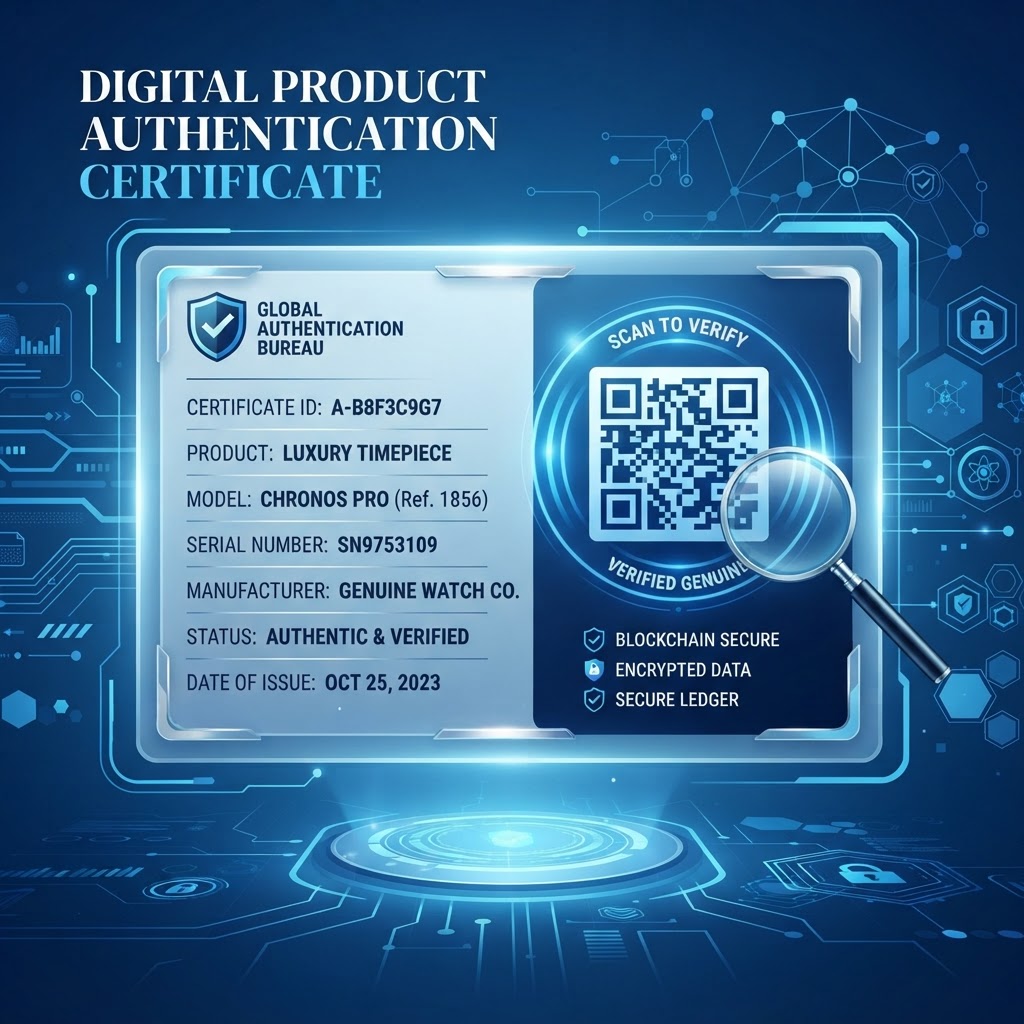
1. Why Product Authentication Matters in 2026
As we navigate through 2026, the proliferation of digital marketplaces has made it easier than ever for bad actors to circulate counterfeit products. The damage caused by these illicit items extends far beyond lost revenue; it erodes brand equity and, in sectors like medicine or luxury automotive parts, can result in severe physical harm or life-threatening situations for unsuspecting consumers.
The modern shopper is now highly skeptical and actively seeks verification tools before committing to high-value purchases. Consequently, a QR code for a product authentication certificate acts as a digital seal of authenticity that offers peace of mind.
Many businesses now realize that transparency is the new currency of brand loyalty. When a customer scans a QR code to retrieve a verified certificate, they are not just looking for a simple confirmation of origin; they are looking for a story of quality.
This authentication layer ensures that the product journey—from manufacturing to shelf—is documented and tamper-evident. Furthermore, the rise of sophisticated AI-driven tools used by counterfeiters means that traditional holographic stickers and complex serial number stamps are no longer sufficient on their own.
By integrating a cloud-based authentication system, companies can implement real-time tracking, allowing for the revocation of certificates if a batch is compromised or recalled. This dynamic capability is essential for modern compliance.
Beyond security, this strategy fosters a direct line of communication between the producer and the end-user, enabling brands to provide additional documentation, warranty details, and customer support directly through the scan interface. Ultimately, the integration of QR codes for authentication is a strategic defense mechanism that protects the bottom line while simultaneously enhancing the overall customer experience in an increasingly complex global economy.
Key Points
- Authentication QR codes help consumers verify product authenticity and access supporting information.
- Cloud-based systems can support real-time tracking and certificate revocation.
- Digital certificates can provide product details, warranty information, and customer support.
2. How It Works Technically
The technical architecture behind a QR code for product authentication involves a sophisticated blend of secure URL redirection and database validation. At its most basic level, a QR code acts as a gateway that links a physical object to a specific entry in a digital registry.
When a user utilizes a tool like those found at BlueQRCode to generate a unique identifier, the process begins by encoding a secure, unique URL into the matrix structure of the QR code. This URL contains parameters that correspond to specific metadata about the product, including its serial number, date of manufacture, batch code, and a unique cryptographic token that prevents simple replication.
When a smartphone captures the QR code, the device initiates a request to the manufacturer's authentication server. The backend system then performs a real-time check against the database.
If the parameters match the known-good entries, the system serves a digital certificate of authentication to the user’s browser. This certificate can be designed as a dynamic, anti-counterfeit landing page that displays the product’s specific details, a photograph of the item, and a confirmation stamp.
For enhanced security, many businesses implement a 'single-scan' or 'timed-scan' logic where the backend tracks the frequency of access attempts. If a specific QR code is scanned hundreds of times from different geographical locations, the system can flag the code as potentially compromised.
Furthermore, modern web standards allow these landing pages to display information in a secure, encrypted HTTPS environment, ensuring that the verification session itself cannot be intercepted or spoofed. By leveraging these technical workflows, companies create a robust 'digital twin' of their products, which provides a high level of assurance that the physical item is indeed genuine and authorized by the manufacturer.
Try it now: Generate a free Qr Code For Product Authentication Certificate →
3. Step-by-Step Guide Using BlueQRCode
Implementing a robust authentication strategy starts with creating the right digital assets. Using BlueQRCode, you can generate high-quality QR codes that are perfectly suited for product labels and certificates.
To begin, gather all necessary documentation that proves your product’s authenticity, such as manufacturing logs, unique serial IDs, and digital certificates in PDF format. Once your data is organized, visit the platform and select the URL-QR option. This is the most efficient choice because it allows you to link the QR code to a dynamic landing page, which is essential if you ever need to update the product details or certificate information later without changing the actual printed code.
Follow these steps to create and test your code:
- Step 1: Gather the product documentation, including manufacturing logs, unique serial IDs, and digital certificates in PDF format.
- Step 2: Select the URL-QR option and enter the destination URL for your dynamic landing page or secure certificate page.
- Step 3: Customize the QR code design to match your brand’s color scheme.
- Step 4: Download the code in a high-resolution format, such as vector-based SVG or high-quality PNG. SVG is recommended for printed packaging because it remains crisp at different sizes.
- Step 5: Test the code with various smartphone models and lighting conditions, including at a distance and at slight angles.
- Step 6: Ensure that your hosting server is optimized for fast load times so users can access the authentication page promptly.
By following these methodical steps on BlueQRCode, you build a reliable, professional, and scalable authentication infrastructure that aligns with your operational goals.
4. Best Practices for Deployment
Successful deployment of QR codes for product authentication requires meticulous attention to print quality, material selection, and physical placement. The QR code must be placed on an area of the product packaging that is easily accessible and free from clutter.
- Avoid placing codes on uneven surfaces, highly reflective metallic foils, or areas that are prone to scratching during shipping.
- Leave a clear quiet zone—a buffer of white space around the QR code—to help most smartphones distinguish the code from the surrounding packaging design.
- If the code is printed on a textured surface, consider using a matte finish to prevent glare from obstructing the scanner’s view.
- For most product labels, use a size of at least 1.5 cm by 1.5 cm. If the item is tiny, ensure that the print density is high enough to maintain detail.
- Prioritize high-contrast color combinations, such as black modules on a white background, to maximize readability.
- Add a short, clear call to action (CTA) next to the QR code, such as 'Scan to Verify Authenticity' or 'Check Product Certificate'.
- Choose durable packaging material to prevent the code from fading, peeling, or being damaged.
Careful placement and legible printing help consumers scan the code easily. A broken or unreadable code can make a genuine product look suspicious to a skeptical consumer.
100% Free — No signup required
Create your Qr Code For Product Authentication Certificate in seconds
5. Common Mistakes to Avoid
The most frequent error businesses encounter when rolling out QR codes for authentication is using static, non-editable links. If you link a QR code directly to a static image file and later discover a typo or need to update the certificate details, you would have to reprint all your packaging, resulting in significant wasted costs and operational delays.
- Using static links: Use dynamic URLs that allow you to change the destination content without replacing the printed code.
- Neglecting mobile responsiveness: A page that requires pinching and zooming to read certificate information is a poor user experience and diminishes the professional image of the brand.
- Overlooking URL security: If the URL is not secured with HTTPS, users may receive browser security warnings that can undermine trust.
- Relying on an unreliable server: Ensure the server hosting the authentication certificate is reliable, and protect the authentication portal with modern web security protocols.
- Providing no secondary verification method: If a user has poor internet connectivity, the QR code might fail to load the live certificate. Consider including a unique, human-readable serial number that the user can manually enter into your website if the scan fails.
By proactively addressing these pitfalls, you ensure your verification system is resilient and respected by your customer base.
6. Concrete Use Cases by Industry
In the luxury fashion industry, brands use QR codes to verify that a handbag or timepiece is genuine. Upon scanning, the customer is directed to a personalized page showing the item’s serial number, the artisan who crafted it, and the date of origin.
In the pharmaceutical sector, these codes are vital for patient safety. Each unit of medication is assigned a unique code that, when scanned, confirms that the batch is authorized for sale in that specific region and has not passed its expiration date. This prevents the distribution of tainted or expired medicine.
For the electronics industry, companies use QR codes to manage warranties and authentic replacements. By scanning the code on a component, technicians can verify if it is an original part or a third-party knock-off, which is critical for ensuring the safety and performance of the device.
In the agricultural and organic food sector, brands utilize these codes to provide 'farm-to-table' transparency. A consumer can scan a package to see a certificate of organic status, the farm location, and the harvest date. This level of granular detail validates the price premium associated with organic produce.
Across these sectors, the common theme is the utilization of the QR code as a bridge between the physical asset and a digital repository of truth. As these industries continue to adopt this technology, the expectation from the public is that every high-value item should come with an easily verifiable digital record.
7. Summary and Next Steps
Implementing a QR code for product authentication certificate is a sophisticated, low-cost investment that yields massive returns in terms of consumer trust and brand security. We have covered the technical necessity of this move in 2026, the mechanics of how these systems function via secure dynamic URLs, the operational ease of using platforms like BlueQRCode, and the critical importance of physical deployment best practices.
Avoiding the common pitfalls of static linking and non-responsive design is essential to maintaining your brand's integrity. By following the guidance provided, you position your organization as a leader in transparency and digital innovation.
The next steps are straightforward. Start by auditing your current product range to identify which items would benefit most from an authentication layer. Begin with a pilot program for your most valuable or most-counterfeited items to gather data on customer engagement.
Once the workflow is established, integrate the authentication process into your existing ERP or supply chain management system to automate the assignment of unique identifiers. Remember that your goal is to make the verification process as frictionless as possible for the end consumer.
A successful rollout should be invisible to the user but highly impactful to your security efforts. Visit BlueQRCode today to create your first batch of high-precision QR codes and take the first step toward a more secure, verifiable future for your products.
With consistent implementation and a commitment to digital excellence, you will protect your brand while fostering a stronger, more trusting relationship with your customers worldwide.
No watermark · No expiry · Works on all phones
Your QR code is ready in under 30 seconds.