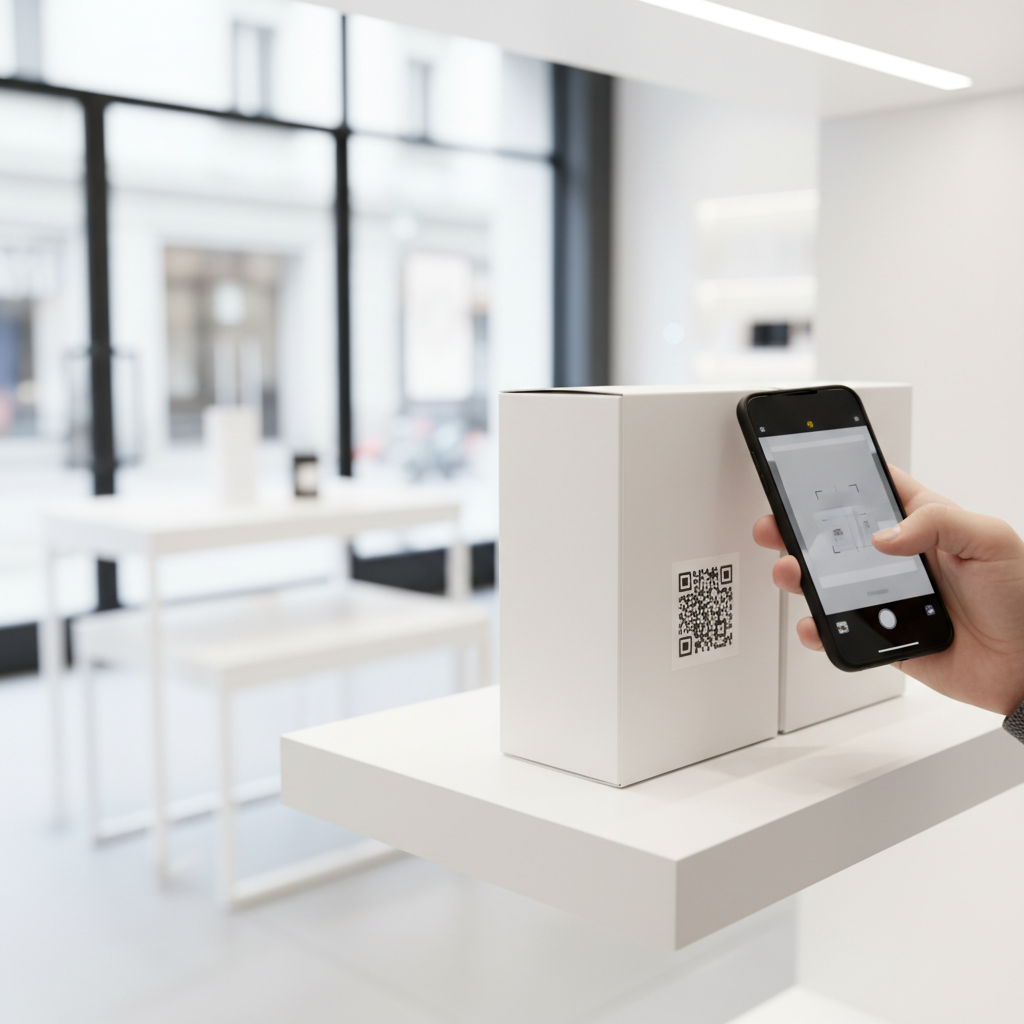
What Is QR Code For Product Packaging and Why It Matters in 2026
A QR code for product packaging is a two-dimensional matrix barcode printed on a label, box, wrapper, or container that lets consumers access digital information instantly by scanning with a smartphone camera. In 2026, QR codes have become an expected feature across many product categories, from food and beverage to electronics and cosmetics.
Well-placed QR codes bridge the physical product and the digital world, turning static packaging into an interactive touchpoint for ingredient details, tutorials, warranty registration, recycling instructions, and direct customer support.
Key Points
- QR codes extend packaging information beyond limited label space.
- They signal transparency and a tech-forward brand experience.
- blueqrcode.com offers 13 QR code types free, with no account required and no watermark.
How QR Code For Product Packaging Works — The Technical Foundation
A QR code encodes data as a matrix of dark and light modules that a smartphone camera decodes to perform an action, most commonly opening a URL. For packaging, URL QR codes are common, but PDF, vCard, Email, WhatsApp, and other types are also widely used.
Error correction is critical for packaging: codes generated on blueqrcode.com support up to Level H, keeping scans reliable even if up to 30% of the code is damaged or obscured. blueqrcode.com exports both PNG and SVG formats; SVG is preferred for print production for lossless scalability.
Step-by-Step: Create Your QR Code For Product Packaging on blueqrcode.com
Follow these steps to generate a production-ready QR code on blueqrcode.com.
- Step 1: Visit the generator at https://blueqrcode.com/qr-code-generator. No account, no email, and no credit card are required; the tool is free and leaves no watermark.
- Step 2: Choose your QR code type from the 13 available options to match your packaging goal (URL, PDF, vCard, WhatsApp, Google Review, etc.).
- Step 3: Enter the content for the selected type — paste a URL, upload a PDF, or complete vCard fields for contact details.
- Step 4: Generate and preview the code carefully. Static QR codes cannot be edited after generation, so verify all information before download.
- Step 5: Download the QR code in the appropriate format — SVG for vector print workflows or high-resolution PNG for raster workflows. Ensure a minimum print size of 2.5 cm × 2.5 cm for reliable scanning.
- Step 6: Test the code on multiple devices (iOS and Android) and under various conditions: angled, under glare, and partially obscured, before committing to a print run.
Deployment Best Practices for QR Code For Product Packaging
Technical accuracy alone won't guarantee engagement. Placement, size, contrast, and the destination experience determine consumer interaction rates.
Try it now: Generate a free Qr Code For Product Packaging →
- Size: Keep the QR code at or above the recommended minimum of 2.5 cm × 2.5 cm, especially on curved surfaces.
- Placement: Position the code where it is visible and natural to reach, such as a back panel or inside lid; avoid areas that get heavy wear.
- Contrast: Use high contrast (black on white is ideal); avoid metallic, textured, or dark backgrounds without a light block behind the code.
- Call-to-action: Add a short instruction like "Scan for full ingredients" or "Scan to register your warranty" to increase scans.
- Mobile optimization: Ensure the linked page, PDF, or content is mobile-friendly since scans occur on smartphones.
- Match QR type to goal: Use vCard, WhatsApp, PDF, or other specific types when they provide a better user experience than a generic URL.
Common Mistakes to Avoid With QR Code For Product Packaging
Avoid these frequent pitfalls to prevent poor scan rates, customer frustration, and costly reprints.
- Printing the code too small: Sizes below 2.5 cm × 2.5 cm often fail, particularly on curved or textured packaging.
- Poor color contrast: Light gray on white or dark brown on black is hard to scan; always ensure stark contrast.
- Pointing to a non-mobile-friendly destination: Landing on a broken or desktop-only page damages trust.
- Using the wrong QR type: Choose the appropriate QR type (vCard, PDF, WhatsApp, etc.) rather than a generic URL when possible.
- Not testing across devices: Scan behavior varies between iOS and Android; always test on multiple recent devices before printing.
- Omitting a call-to-action: A bare QR code is often ignored; provide a brief reason to scan.
Real-World Use Cases: QR Code For Product Packaging Across Industries
QR codes are applied differently depending on industry needs and regulatory considerations.
100% Free — No signup required
Create your Qr Code For Product Packaging in seconds
Create Free QR Code →- Food and Beverage: URL or PDF codes provide full nutritional info, allergen disclosures, sourcing stories, or direct links for Google Reviews to build reputation.
- Cosmetics and Personal Care: PDF or URL codes share complete ingredient lists, dermatologist notes, and how-to videos for limited label space.
- Electronics and Appliances: Codes link to digital manuals, setup videos, and warranty registration; vCard codes provide storable manufacturer contact details.
- Health and Pharmaceuticals: PDF QR codes deliver safety data sheets, contraindication info, and batch traceability documents in regulated contexts.
- Retail and E-commerce: WhatsApp QR codes on packaging inserts open direct post-purchase support; App Download codes drive companion app installs or loyalty enrollment.
- Events and Seasonal Products: Event QR codes connect packaging to festival schedules, virtual events, or exclusive content tied to limited releases.
Across categories, QR codes convert a one-time purchase into an ongoing brand relationship by making additional information and service easy to access.
Frequently Asked Questions
Will the QR code on my packaging stop working after a certain period?
No. QR codes generated on blueqrcode.com are static codes, meaning the data is permanently encoded in the code itself and never expires. The code remains functional as long as the destination it points to (webpage or PDF) stays live.
What is the smallest size I can print a QR code on product packaging?
The minimum recommended print size is 2.5 cm × 2.5 cm (approximately 1 inch × 1 inch). Printing smaller can cause reliable scan failures, especially on curved or textured surfaces. When space is limited, consider encoding less data to reduce code density.
Which QR code type should I use if I want customers to contact me after buying my product?
Use a vCard QR code to let customers save full contact details to their phone. Use a WhatsApp QR code to open an immediate chat thread. For pre-composed email messages, use an Email QR code; for direct call prompts, use a Phone QR code. All 13 types are available on blueqrcode.com.
Can I use the QR code on packaging without creating an account on blueqrcode.com?
Yes. blueqrcode.com requires no account, no registration, and no email address to generate and download a QR code. The process is free and the downloaded code has no watermark, ready for professional packaging use.
What file format should I download for professional packaging printing?
Download the SVG (Scalable Vector Graphics) file for professional print production; SVG scales without quality loss. If your print workflow requires raster files, use a high-resolution PNG and confirm final output resolution with your print supplier.
Ready? Generate free at blueqrcode.com — no account, no watermark.
Conclusion
Adding a QR code for product packaging is a low-cost, high-impact way to enrich the customer experience and extend brand engagement beyond the physical label. With free, static QR options and export formats suitable for print, brands of all sizes can implement this strategy reliably and affordably.
No watermark · No expiry · Works on all phones
Your QR code is ready in under 30 seconds.
Generate Free QR Code →