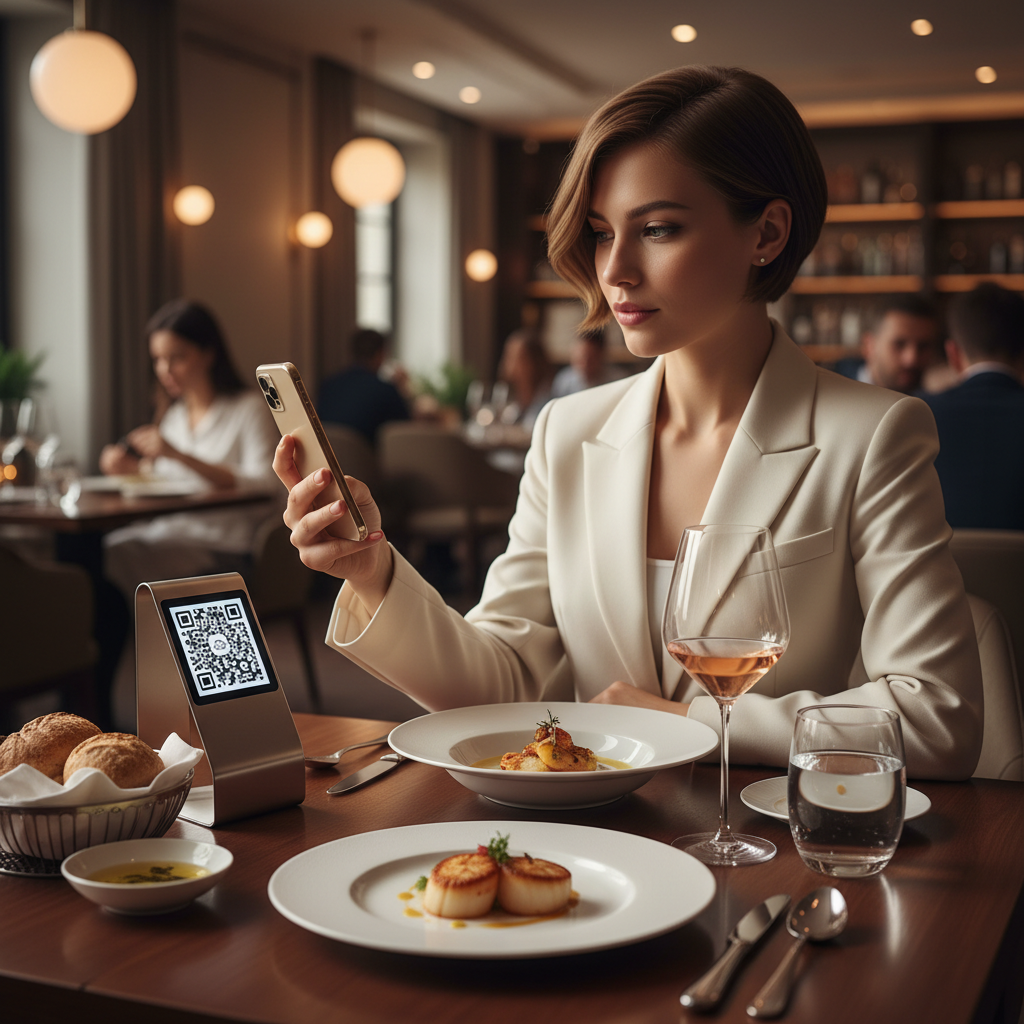
What Is QR Code For Restaurant Menu Digital and Why It Matters in 2026
A QR code for restaurant menu digital is a scannable, machine-readable square barcode that directs a diner's smartphone to a digital version of your menu — a hosted PDF, a webpage, or an online ordering platform.
Instead of handling laminated paper menus that accumulate fingerprints and outdated pricing, guests point their phone at a small code on the table or door and your full menu appears within seconds. To make this process seamless, consider using our free QR Code Generator to create your own codes effortlessly.
Key Points
- Guests increasingly expect convenient, mobile-accessible menus.
- Digital menus linked by QR codes eliminate reprinting and simplify updates.
- Tools like blueqrcode.com make generation fast, free, and permanent.
How QR Code For Restaurant Menu Digital Works — The Technical Foundation
At its core, a QR code for restaurant menu digital stores encoded data — typically a URL pointing to your digital menu.
When a diner opens their smartphone camera and aims it at the code, the device decodes the pattern and opens the embedded URL. On modern iOS and Android phones this works natively through the default camera app.
Technical Details
- Error correction: blueqrcode.com uses up to Level H error correction so codes remain readable even if partially obscured.
- URL behavior: The QR encodes a static URL; you update the menu at that URL rather than changing the QR code itself.
- File formats: PNG for standard printing and SVG for scalable, large-format printing.
For reliable physical scanning, the minimum recommended print size is 2.5 cm × 2.5 cm; larger sizes (5–8 cm) are common for table tents and signage.
Step-by-Step: Create Your QR Code For Restaurant Menu Digital on blueqrcode.com
Creating a professional QR code on blueqrcode.com is quick and requires no account or technical expertise.
- Step 1: Prepare your digital menu by hosting it at a live, mobile-accessible URL (website page, Google Drive/Dropbox link, or a menu platform).
- Step 2: Navigate to the QR code generator at blueqrcode.com/qr-code-generator.
- Step 3: Select the URL QR code type (the tool offers multiple types; choose URL for a digital menu).
- Step 4: Enter your full menu URL, including the https:// prefix, and verify it opens on mobile before proceeding.
- Step 5: Generate and preview the QR code on screen — no watermark will appear on the final file.
- Step 6: Download PNG for printing or SVG for web embedding and large-format printing.
- Step 7: Test the downloaded code with at least two different smartphones before sending to print.
The whole process typically takes under five minutes, and static QR codes from blueqrcode.com never expire.
Deployment Best Practices for QR Code For Restaurant Menu Digital
Thoughtful placement and presentation determine whether guests use your QR code seamlessly or ignore it.
Practical Suggestions
- Table placement is key: Print on a table tent, laminated card, or vinyl sticker and position it where guests see it immediately.
- Add a call to action: Include a short line like "Scan to view our menu" to reduce hesitation.
- Use correct print sizes: Aim for 5–8 cm for table tents; never print below the 2.5 cm minimum.
- Protect printed codes: Laminate or use moisture-resistant materials to extend lifespan.
- Place codes at entry points: Host stands and front doors let guests browse while waiting.
- Supplementary placements: Bar areas, takeaway counters, and other high-traffic spots provide extra value.
- Verify links periodically: Scan your own codes monthly to ensure they still resolve correctly.
Common Mistakes to Avoid With QR Code For Restaurant Menu Digital
Anticipating common pitfalls prevents frustrated guests and avoidable reprints.
- Linking to a non-mobile-optimized page — test on mid-range Android and other devices, not just the latest iPhone.
- Using a URL that requires login or permissions — ensure public access like "Anyone with the link" on cloud hosts.
- Printing the QR code too small — avoid sizes below 2.5 cm × 2.5 cm.
- Neglecting to update the linked menu content — update the URL's content when menu items or prices change.
- Forgetting instructions — pair the code with a simple instruction line and consider a smartphone icon.
- Not testing across multiple devices — confirm consistent behavior on different OS and camera apps.
- Using low-contrast printing — stick to dark modules on a light background for maximum readability.
Real-World Use Cases: QR Code For Restaurant Menu Digital Across Industries
The QR code for restaurant menu digital suits many hospitality contexts beyond traditional sit-down restaurants.
100% Free — No signup required
Create your Qr Code For Restaurant Menu Digital in seconds
Create Free QR Code →- Casual dining and family restaurants: Update menus frequently without reprinting and reduce staff inquiries about availability.
- Fine dining establishments: Use an elegant card insert with a QR code for an updatable wine list or tasting menu.
- Food trucks and pop-ups: Display a QR code on a chalkboard or window so guests decide while queuing.
- Hotel restaurants and room service: Replace printed binders across rooms with a single QR sticker linked to a central menu.
- Catering and event venues: Generate event-specific QR codes to avoid personalized printed menus for every event.
- Bars and breweries: Post codes for live tap lists and rotating cocktail menus to reflect current availability.
In each scenario, a blueqrcode.com QR code provides a fast, free bridge between physical locations and digital menus.
Frequently Asked Questions
Will my restaurant menu QR code expire or stop working over time?
No. QR codes generated on blueqrcode.com are static and never expire. The code will continue to function unless the URL it points to becomes inaccessible.
Do my guests need to download a special app to scan the menu QR code?
No additional app is required for the vast majority of guests. On iPhones (iOS 11+) and most Android phones (Android 9+), the native camera or integrated Google Lens reads QR codes natively.
What is the best file format to use when printing my restaurant menu QR code?
Use PNG for standard printing (table tents, stickers, posters) and SVG for very large or web-embedded uses where scalability is important.
Can I update my restaurant menu without generating a new QR code?
Yes. The QR code encodes the URL of your menu — not the menu content. Update the content at that URL and the existing code will show the latest version.
Is it safe to link my restaurant menu QR code to a PDF file?
Yes, provided the PDF is publicly accessible and optimized for mobile viewing. Large print-resolution PDFs can load slowly on mobile connections; consider a mobile-optimized PDF or a webpage for fastest load times.
Ready? Generate free at blueqrcode.com — no account, no watermark.
Conclusion
A QR code for restaurant menu digital is a low-cost, high-impact way to modernize guest experience and reduce print overhead.
With proper placement, clear instructions, and periodic link checks, it delivers convenience, hygiene, and operational flexibility.
```No watermark · No expiry · Works on all phones
Your QR code is ready in under 30 seconds.
Generate Free QR Code →