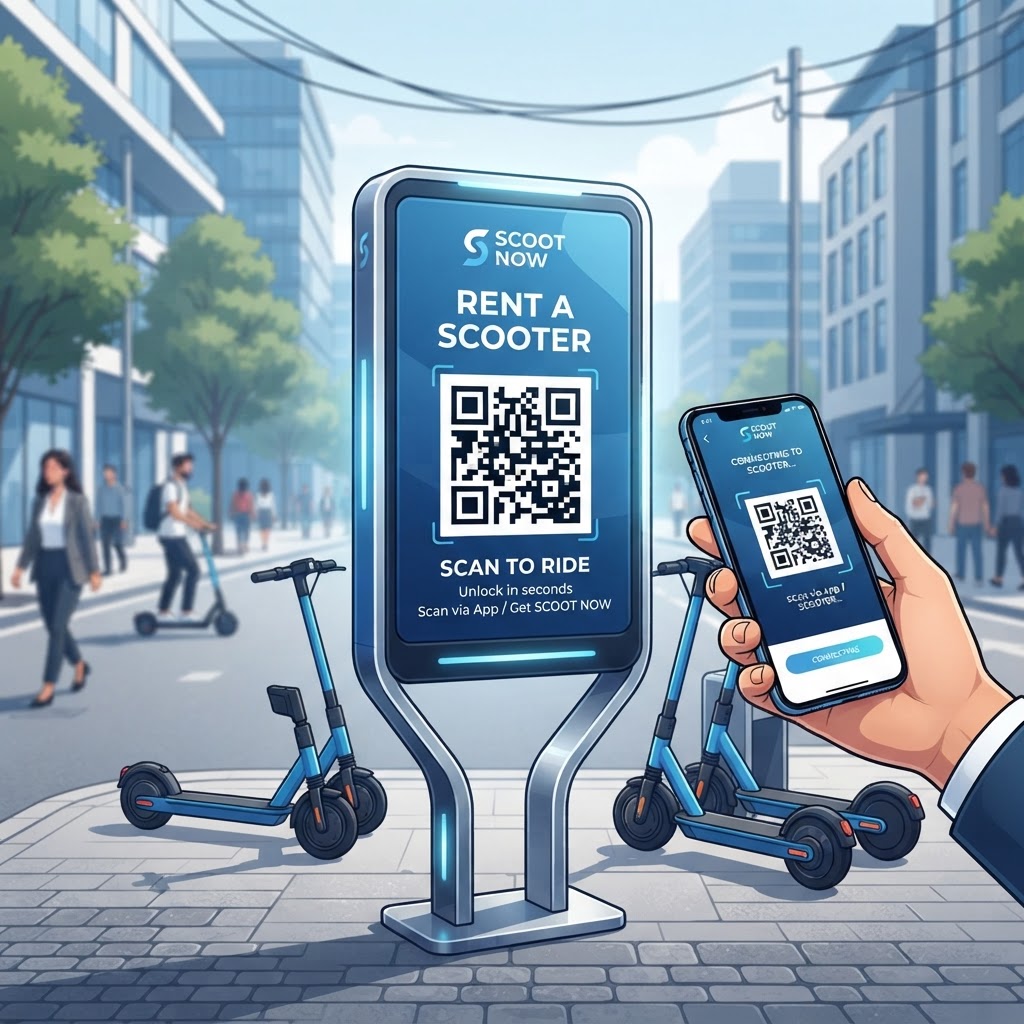
Why Integrating QR Codes for Scooter Rentals Matters in 2026
In the landscape of 2026, user experience is the defining factor that determines the success of a rental business. As most smartphones now feature native, built-in QR scanners, the friction once associated with downloading proprietary apps has largely vanished.
By placing a clearly visible QR code on the handlebar or frame, you provide an instant bridge to your booking interface. This eliminates the need for paper contracts, manual payment processing at a desk, or tedious sign-up forms that discourage impulsive rentals.
Key Points
- Smartphone scanning creates a faster path from rental discovery to riding.
- Dynamic QR codes can support fleet tracking, maintenance scheduling, and inventory management.
- A standardized rental entry point can improve trust, utilization rates, and repeat business.
How QR Code Technology Works Technically for Rental Fleets
At its core, a qr code for scooter rental is essentially a graphical representation of a URL that directs a user to a specific digital destination. When a user scans the code, their device decodes the matrix of squares into a web address, which then triggers a browser to open the landing page.
In the context of scooter rentals, this destination is usually a mobile-optimized web app or a progressive web app (PWA) that handles authentication, payment, and locking or unlocking protocols. The URL can contain unique parameters identifying the individual scooter ID, ensuring that the system knows exactly which scooter is being activated.
Dynamic Routing and Fleet Infrastructure
Because scooters are often stored outdoors, the QR code needs to be printed on durable materials, often integrated into metal decals or heavy-duty weatherproof vinyl. Using a platform like blueqrcode.com, you can generate a URL that acts as a gateway.
If you need to change your backend reservation software or update your terms of service, you do not need to replace the physical QR codes on every scooter. You simply update the destination URL associated with that QR code in your dashboard.
As the data payload is parsed, the server performs a lookup, validates the user's session, checks payment status, and then sends a signal to the scooter's internal IoT hardware to engage the release mechanism, finalizing the rental journey in a secure, encrypted loop.
Try it now: Generate a free Qr Code For Scooter Rental →
Step-by-Step Guide to Generating Codes with blueqrcode.com
Creating your fleet's access system is a straightforward process when using professional tools. Follow these steps to prepare, generate, and deploy your codes.
- Step 1: Navigate to blueqrcode.com and select the URL-based QR code generation option. Link each scooter to a specific booking page and ensure that the destination page is fully mobile-optimized.
- Step 2: Add necessary tracking parameters, often referred to as UTM codes, if you want to measure scans from your scooters against other marketing channels.
- Step 3: Use the customization tools provided by blueqrcode.com to match your brand identity. Adding your company logo or utilizing brand-aligned colors can increase user confidence.
- Step 4: Download the QR code in a high-resolution vector format like SVG or EPS so it remains crisp and scannable regardless of the printing size.
- Step 5: Print the codes on high-quality, weather-resistant adhesive stickers and apply them to your fleet.
- Step 6: Test each code using multiple mobile devices, including both iOS and Android platforms, and keep a digital record matching each QR code to its scooter ID.
Best Practices for Deployment: Size, Placement, and Format
The physical deployment of your QR codes is just as important as the digital backend. A QR code that is perfectly generated but poorly placed will result in zero rentals.
- Place the code on a flat, visible surface, ideally on the handlebar stem or near the throttle.
- Avoid curved surfaces or moving parts, as distortion can make the code unreadable.
- Use a QR code between 1.5 to 2 inches in diameter for visibility and accessibility.
- Print on durable materials that can withstand UV rays, moisture, and potential vandalism.
- Clean the surface with an alcohol-based solution before applying the sticker.
- Use high-contrast black-on-white or deep blue-on-white combinations.
- Keep the area around the code free of clutter, unrelated stickers, and dense warning labels.
Material and Weather Considerations
Using high-grade polycarbonate overlays or specialized weather-resistant laminates can extend the life of the decal by months or even years. Matte-finish laminates can also help prevent reflections that interfere with scanning in direct sunlight.
By following these physical deployment standards, you help ensure that your fleet remains accessible in different weather conditions while protecting your investment and maximizing uptime throughout the rental season.
100% Free — No signup required
Create your Qr Code For Scooter Rental in seconds
Common Mistakes to Avoid When Using QR Codes
Even with the best intentions, businesses often fall into common traps that derail their rental operations. Avoiding these issues can help protect the customer experience and reduce operational costs.
- Using static codes: Basic links cannot be changed after printing, which can force operators to replace every sticker when the rental platform or destination changes.
- Neglecting landing page speed: A slow-loading or bloated website can cause users to abandon the rental before they see the unlock button.
- Failing to provide clear signage: Instructions such as “Scan to Rent” or “No App Needed” help set expectations.
- Skipping varied lighting tests: A code that works in a dim warehouse may fail under direct sunlight because of glare.
- Overcrowding the display area: Excessive marketing messages can distract from the QR code and reduce user trust.
- Ignoring damaged labels: Defaced or damaged codes can severely degrade the rental experience and brand confidence.
3-4 Concrete Use Cases by Industry and Sector
The application of QR code-driven rentals extends beyond standard city-wide scooter programs. Different sectors can use the same access model to support transportation, convenience, and controlled fleet access.
- Hospitality: Luxury resorts can place a QR code on each scooter so guests can travel between villas, beaches, and dining halls without needing a dedicated shuttle driver. The backend system can charge the rental directly to the guest's room folio.
- Corporate campuses: Private scooter fleets can help employees or students move between buildings. The QR code can act as an identity validator linked to employee IDs or student credentials.
- Historic cities: Rental providers can place scooters at designated drop-off zones and connect scans with guided tour links that use geolocation to trigger audio snippets about nearby landmarks.
Summary and Next Steps for Your Business
The QR code is the backbone of the modern scooter rental economy. By providing a direct, fast, and reliable link between a physical asset and a digital management platform, these codes support seamless operations that meet the high standards of 2026 consumers.
Begin by auditing your current fleet, assessing label durability and landing page performance. If you are starting from scratch, map the user journey, integrate your payment gateway, use a dynamic trackable QR system, and test the physical labels in real-world conditions before a full-scale deployment.
No watermark · No expiry · Works on all phones
Your QR code is ready in under 30 seconds.