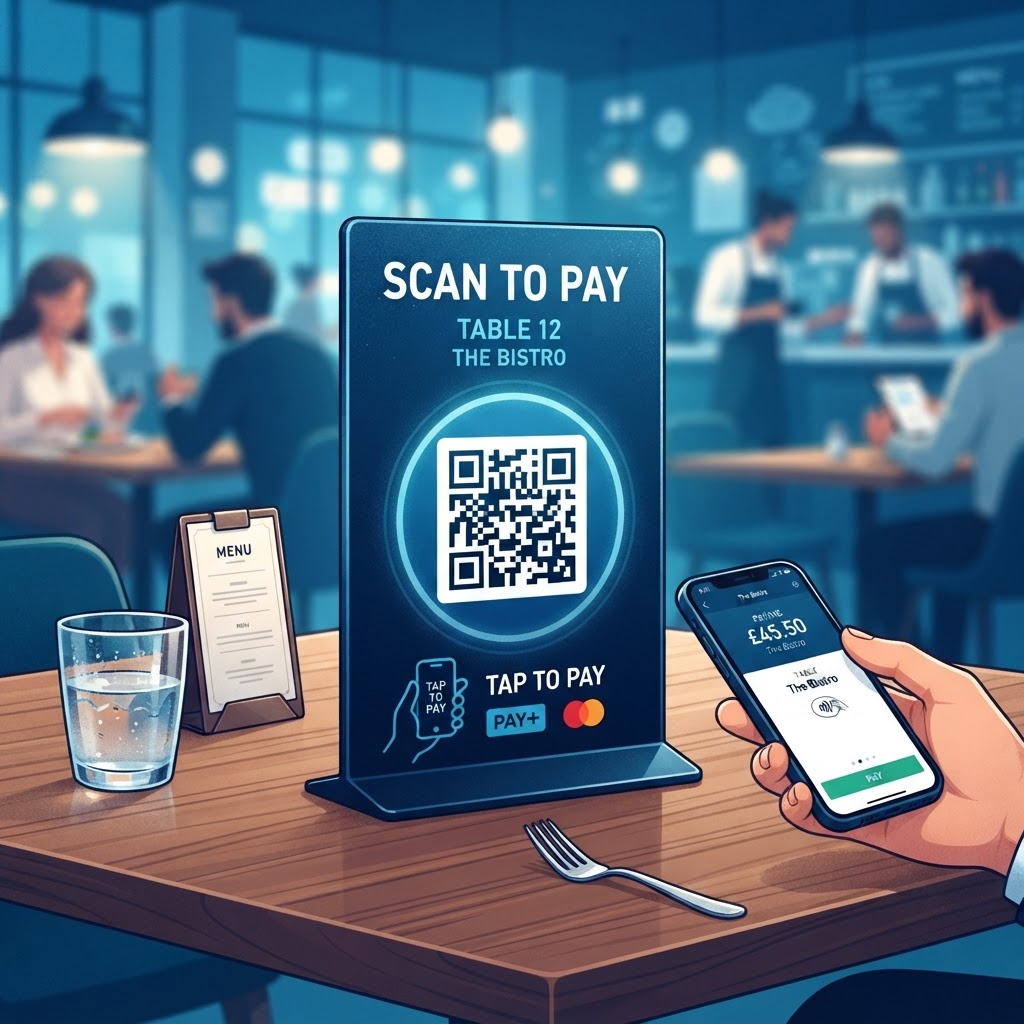
Why Integrating QR Code Payments Matters in 2026
In 2026, the consumer expectation for instant, digital gratification has reached an all-time high. A QR code for table payment is a critical component of modern service architecture.
For many businesses, the ability to facilitate a payment without requiring a server to bring a handheld terminal improves operational efficiency. When guests can view their bill and pay directly from their device, it reduces table dwell time and can increase table turnover during peak hours. This is especially vital for venues operating with limited staffing, as it allows front-of-house personnel to focus on hospitality and order accuracy rather than processing transactions.
Most smartphones come natively equipped with QR code scanners, and customers increasingly view the technology as a mark of a modern, efficient establishment. By offering this convenience, businesses reduce common pain points, such as waiting for the check or trying to split a bill manually.
A digital payment interface with clear itemized lists can also foster trust. Incorporating a QR code for table payment is a strategic move that aligns your business with mobile-first behavior and helps remove friction for contemporary diners.
Key Points
- Digital payment options can reduce table dwell time and ease pressure on staff.
- Itemized bills and direct payment can make the payment process clearer for guests.
- A QR code for table payment supports a convenient, mobile-first dining experience.
How It Works Technically: The Mechanics of Digital Transactions
A QR code for table payment acts as a bridge between the physical world and a digital payment gateway. When a guest scans the code, they are directed to a URL that displays an itemized invoice or payment prompt.
The QR code contains a URL that points to a payment processing service, while the table number is linked to an order through the backend system. Tools like those offered at blueqrcode.com can deliver the link to the user's browser without requiring an application download.
The system communicates with the Point of Sale (POS) or payment processor to identify the transaction. After the guest authorizes payment, the processor handles tokenization of their credit card or digital wallet data, and the payment information does not touch your local network.
A secure connection between your web server and the payment processor's API can update the order status to 'Paid' in real time after a successful transaction. As long as the guest has an internet connection, the mobile-browser-based system can support businesses of different sizes without proprietary hardware investments.
Try it now: Generate a free Qr Code For Table Payment →
Step-by-Step Guide Using BlueQRCode.com
Setting up your QR code for table payment using blueqrcode.com is a straightforward process. Follow these steps to prepare and test your code.
- Prepare your destination URL: Have the landing page ready where customers will input payment details or view their current order.
- Generate your QR code: Navigate to BlueQRCode, select the URL-based QR code option, and paste your destination link into the input field.
- Customize the design: Select colors, add a frame, or incorporate a logo to match your brand identity.
- Test the code: Scan it with both iOS and Android smartphones to check that the experience works smoothly.
- Download and print: Choose a high-resolution PNG or SVG file, then print it on an acrylic stand, table tent, or bill.
- Update the destination if needed: A dynamic QR code through the BlueQRCode platform can let you update the destination URL without printing new codes.
- Run a live transaction test: Confirm that the flow from scanning to payment confirmation works as intended before serving customers.
Best Practices for Deployment: Size, Placement, and Format
Effective deployment can help customers notice and use your QR code. Choose a size that is easy to scan from the table, and place it where it will not be obstructed by menus, condiments, or cutlery.
- Use a standard size of 2x2 inches for table-top stands.
- Choose high-contrast colors, such as a black code on a white background, for readability in different lighting conditions.
- Avoid over-designing the code in ways that could make it unreadable.
- Add a clear call-to-action, such as 'Scan to Pay' or 'Pay Your Bill Here.'
- Assign unique URLs to individual table codes if you need to identify which bill is being paid.
- Use high-quality, matte-finish materials to help avoid glare that could interfere with scanning.
For multiple tables, unique URLs can help staff identify which specific bill is being paid. A high-quality, matte-finish print can also reduce glare that may interfere with a phone camera.
100% Free — No signup required
Create your Qr Code For Table Payment in seconds
Common Mistakes to Avoid
Some implementation problems can make scanning or payment difficult. Check your code, payment page, and staff readiness before rolling out the system.
- Using a low-resolution or overly complex code: It may be difficult for some smartphones to scan. When generating a code via blueqrcode.com, opt for a vector format or a high-dpi raster image.
- Using a non-mobile-optimized landing page: A desktop-sized website that requires zooming and scrolling can lead customers to abandon the payment process. Make sure the page is responsive, loads rapidly, and has an obvious payment button.
- Making QR payment the only option: Some customers may prefer cash or traditional card swipes. Offer the code as a convenience option, not the exclusive one.
- Leaving security concerns unaddressed: Clearly identify your business on the landing page and consider displaying a 'Secure Payment' badge so customers can recognize the destination.
- Failing to train staff: Staff should be able to explain the process, troubleshoot minor connectivity issues, and answer basic questions about payment.
3-4 Concrete Use Cases by Industry and Sector
QR code payments can support different types of businesses by making it easier for customers to settle bills. The approach can be adapted to the venue and its service flow.
- Quick-service restaurants: Customers can pay at their own pace, helping the restaurant increase table turnover during high-volume periods such as the lunch rush.
- Bars and nightlife venues: Codes on bar tops or tables let customers settle tabs without waiting for a bartender, leaving staff more time to focus on service.
- Outdoor event venues and food halls: A unified QR code system can allow guests to pay for items from multiple vendors in one transaction through a shared digital platform.
- Hotels: Lobby cafes or room service can use QR code payment to let guests complete transactions without interacting with the front desk during busy check-out times.
Across these settings, the goal is to remove friction from the financial transaction and improve the customer experience.
Summary and Next Steps for Your Business
Implementing a QR code for table payment can help modernize customer service by reducing wait times, supporting self-service, and streamlining workflows. Success depends on careful planning, a usable design, and staff training.
Start by identifying where guests typically wait the longest, then pilot the system in a small section of your venue. Gather feedback from staff and customers, refine the experience, and expand the rollout while continuing to prioritize usability and transaction security.
No watermark · No expiry · Works on all phones
Your QR code is ready in under 30 seconds.