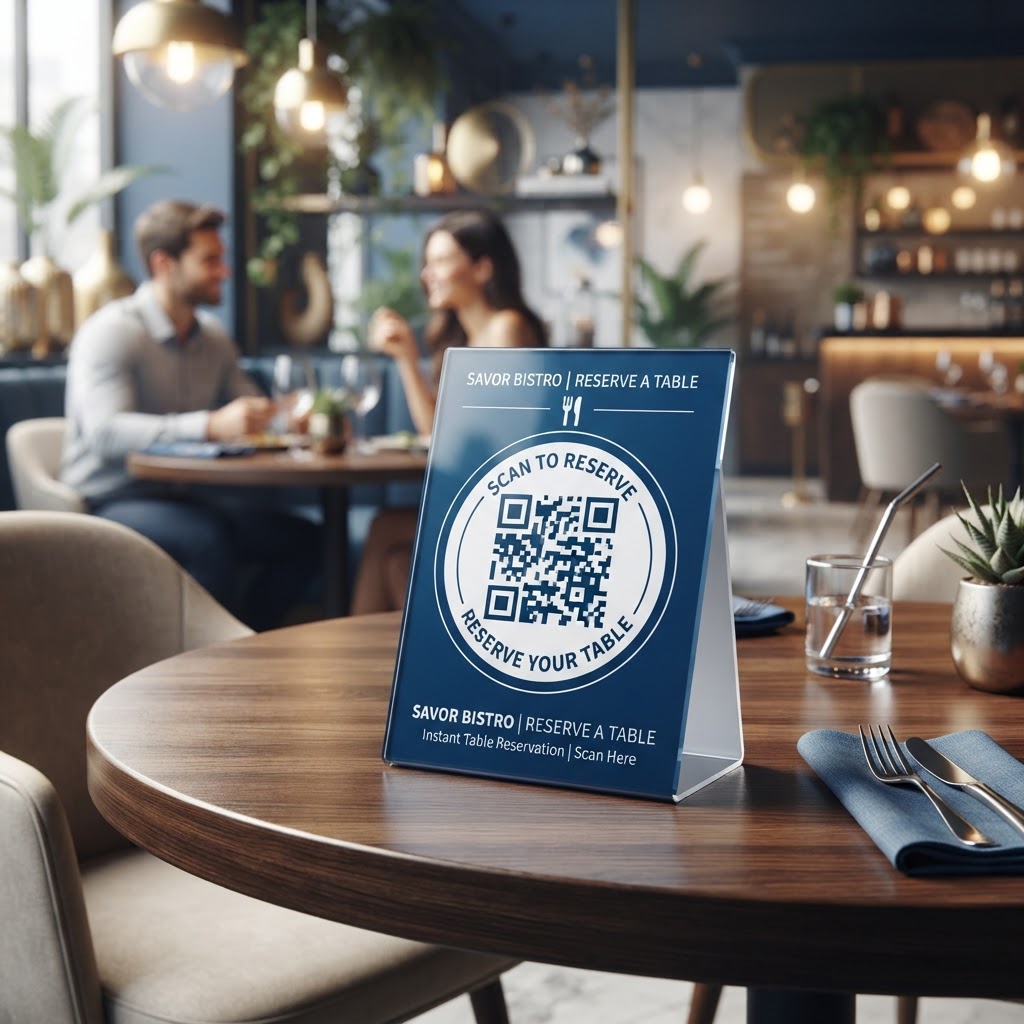
Why This Matters in 2026: The New Standard for Hospitality
By 2026, the global dining experience has evolved into a high-tech, low-friction environment. Customers who walk into a restaurant or café expect immediate answers about available seating, wait times, or special event bookings.
The traditional model of calling ahead or standing at a podium has been largely supplanted by instant digital self-service tools. A QR code for table reservation acts as the modern concierge, placing the power of booking directly into the guest’s hands the moment they arrive or engage with your marketing materials.
Key Benefits
- Customers can book tables quickly without calling or waiting for a host.
- Businesses can automate reservations, manage capacity, and reduce double bookings.
- Reservation data can support personalized marketing and repeat visits.
The operational benefit for businesses is equally significant. When your staff is busy managing the floor, handling payments, or delivering orders, they are not always available to answer the phone or greet walk-ins effectively.
Using a tool from blueqrcode.com allows you to automate the reservation flow. This technology captures guest information accurately, manages capacity in real-time, and provides guests with instant confirmation.
Furthermore, the data collection capabilities inherent in modern QR-driven reservation systems are invaluable for future marketing and personalized service. When a user scans your code and enters their details, you are building a database of loyal customers who value your service.
You can use this information to send targeted promotions, seasonal updates, or automated reminders. As we move further into 2026, the expectation for personalization will only grow.
How It Works Technically: Understanding the Digital Workflow
The technical architecture of a QR code for table reservation system is elegant in its simplicity, yet powerful in its execution. At its core, the process begins when you generate a URL-based QR code.
When a customer scans the code, their device’s camera acts as a browser trigger, instantly navigating them to a specific landing page or web-based reservation application. Most smartphones today have built-in QR readers that require no additional software installation.
The Reservation Flow
- The customer scans the QR code and opens the reservation portal.
- The customer enters the desired time, party size, and contact information.
- The booking system checks availability against the current live inventory.
- The system sends an immediate confirmation email or SMS when the slot is available.
The technical magic happens in the backend synchronization. When a guest completes the form via the link created by blueqrcode.com, the reservation management software updates the booking calendar in real-time.
This prevents multiple guests from booking the same table simultaneously. Because the entire system operates via the web, you do not need to install complex hardware or expensive POS systems to get started.
Try it now: Generate a free Qr Code For Table Reservation →
Security is also an inherent component of this technical flow. By using trusted, encrypted platforms for your reservations, you ensure that customer data, such as phone numbers or email addresses, is collected and stored in compliance with privacy regulations.
Step-by-Step Guide Using blueqrcode.com
Getting started with your own reservation system is straightforward when you follow a structured deployment process.
- Step 1: Prepare a dedicated landing page or integrated reservation form URL for guests to visit.
- Step 2: Visit blueqrcode.com, select the option to generate a URL-based QR code, and paste in your booking URL.
- Step 3: Customize the QR code with brand colors, a frame, a call-to-action, or a subtle logo.
- Step 4: Test the QR code with a smartphone to confirm that it opens the correct booking page and that the form works properly.
- Step 5: Download the QR code in a high-resolution format and distribute it across your physical touchpoints.
For print materials, vector formats like SVG or EPS are ideal because they can be resized without losing clarity. For digital screens, a high-quality PNG or JPEG is sufficient.
Best Practices for Deployment: Size, Placement, and Format
Deployment strategy is the difference between a QR code that receives hundreds of scans and one that goes unnoticed. When placing your QR code for table reservation, visibility is the primary concern.
- Place the code at eye level or in high-traffic areas such as host stands, entrances, and waiting areas.
- Avoid dark corners, reflective surfaces, and areas with inconsistent lighting.
- Keep the code at least 2 inches by 2 inches for close-range scanning.
- Scale the code up when it must be scanned from several feet away.
- Maintain strong contrast and keep the code square without distorting its aspect ratio.
100% Free — No signup required
Create your Qr Code For Table Reservation in seconds
Create Free QR Code →For outdoor signage, use weather-resistant materials or laminates that will not fade or crack under UV exposure. For table-side applications or menus, consider non-reflective finishes to prevent overhead lighting from washing out the code.
Adding a clear call-to-action next to the code is essential. Use language like “Book Your Table in Seconds” or “Scan to Join Our Waitlist” to encourage customers to interact with your reservation system.
Common Mistakes to Avoid
Many businesses fall into traps that can undermine the success of their digital reservation transition. Avoiding these mistakes helps ensure a reliable and user-friendly experience.
- Failing to optimize the landing page for mobile devices can cause customers to abandon the process.
- Using a broken or dead URL can make the QR code unusable.
- Printing static codes prevents you from changing the destination when the reservation portal changes.
- Providing too little context can make guests hesitant to scan the code.
- Asking for too much information during the initial booking phase can increase drop-off rates.
- Failing to train staff can prevent customers from adopting the new system.
If your reservation portal changes, remember that printed QR codes cannot be updated automatically unless you are using a dynamic QR code service like blueqrcode.com. Dynamic codes allow you to change the destination URL on the backend without reprinting physical marketing materials.
Collect only the essential information needed to secure the reservation, such as name, phone number, and party size. Staff should also be trained to guide walk-in guests toward the QR code when appropriate.
3-4 Concrete Use Cases by Industry/Sector
The application of a QR code for table reservation extends beyond standard sit-down restaurants. Different hospitality settings can use the same technology to improve convenience, capacity management, and customer engagement.
- Cafés: Place a code on an outdoor window so commuters can reserve a table or order a pickup slot before arriving.
- Hotels: Add codes to guest rooms, elevators, and lobbies so guests can reserve dining tables without calling the concierge or front desk.
- Event venues: Use codes on promotional posters and social media advertisements to direct guests to available time slots.
- Pop-up dining experiences: Manage limited-run reservations and adjust capacity as slots fill up.
For event venues and pop-up dining experiences, blueqrcode.com allows for dynamic updates so you can manage capacity in real-time. This is particularly useful for seasonal events where demand fluctuates.
Summary and Next Steps
Transitioning to a QR code-driven table reservation system aligns your business with the expectations of the 2026 consumer. Mobile-first accessibility, operational efficiency, and data-driven insights benefit both guests and business owners.
Begin by auditing your current reservation flow, then select a reliable generation tool such as blueqrcode.com to create dynamic QR codes. Prioritize professional design, strategic placement, mobile testing, and staff training so your restaurant can deliver a more efficient, data-rich, and customer-centric booking experience.
No watermark · No expiry · Works on all phones
Your QR code is ready in under 30 seconds.
Generate Free QR Code →