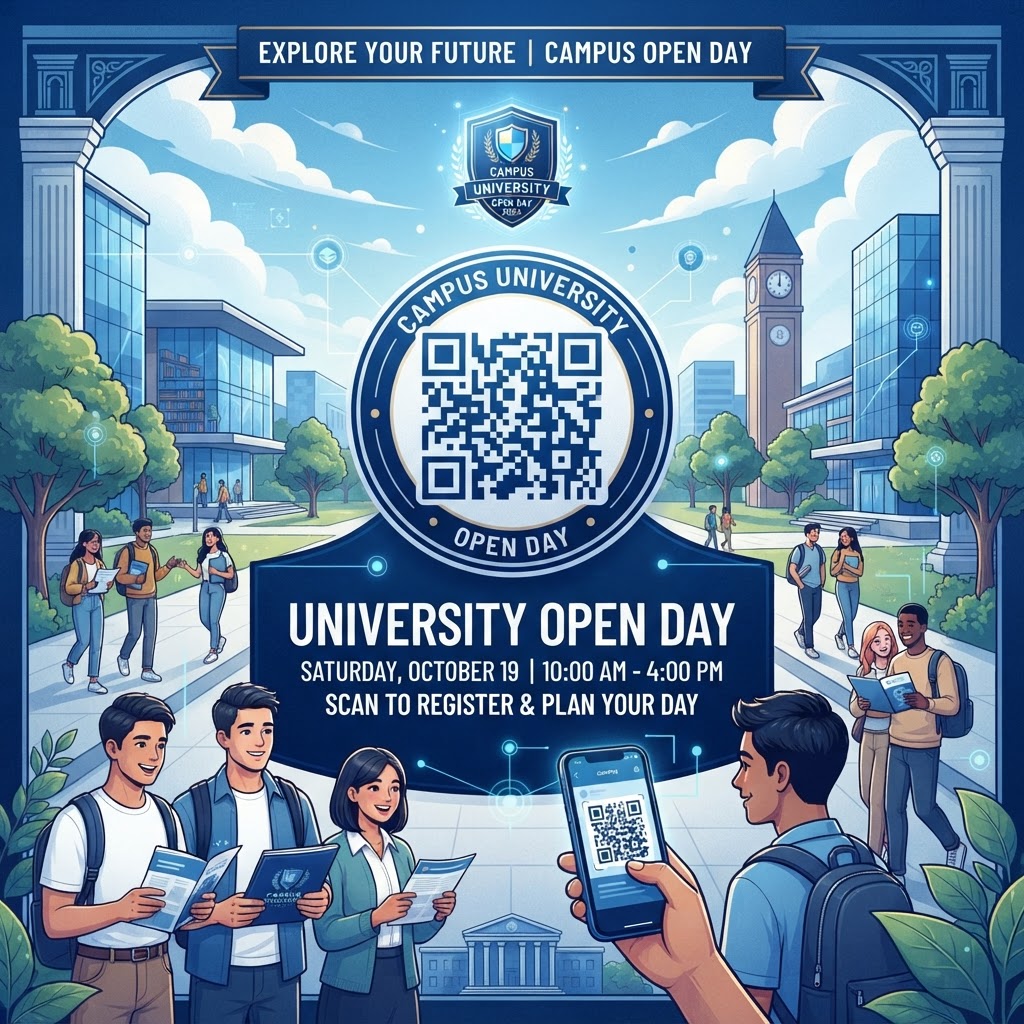
Why Integrating QR Codes Matters in 2026
In the academic landscape of 2026, the competition for top-tier student enrollment is fiercer than ever. Prospective students do not just visit a campus to see buildings; they visit to evaluate their potential future lifestyle and academic support. Consequently, the university open day has evolved into an immersive marketing event where first impressions are critical. Utilizing a QR code for a university open day allows institutions to provide instant gratification to visitors. Instead of relying on static, paper-based flyers that are easily lost or discarded, digital QR codes serve as dynamic gateways to interactive maps, course curricula, and real-time faculty booking systems. Most smartphones today come with integrated camera scanners, meaning there is zero barrier to entry for the end user. By removing the friction associated with manual URL entry or searching through sprawling university websites, staff can focus on high-touch engagement rather than administrative troubleshooting.
Furthermore, the environmental impact and cost efficiency of QR-based systems align perfectly with the sustainability mandates many universities now prioritize. Printing thousands of glossy, single-use prospectuses is both expensive and wasteful. By directing visitors to a central digital repository via a QR code, universities can update information in real-time. If a lecture venue changes at the last minute or a specific department seminar is rescheduled, a dynamic QR code ensures students are always seeing the most accurate, up-to-date data. This capability drastically reduces the logistical stress on event organizers while elevating the professionalism of the institution. Ultimately, adopting this technology signals to prospective students and their parents that the university is forward-thinking, organized, and deeply invested in the user experience of its community, making the QR code an essential tool for institutional branding in this digital-first era.
How QR Code Technology Works Technically
To understand the utility of a QR code for a university open day, one must appreciate the underlying technology. A QR code, or Quick Response code, is a two-dimensional barcode that stores data in a pattern of black and white squares. When scanned by a smartphone, the device’s software translates this pattern into a digital action, most commonly triggering a request to visit a specific URL, open a PDF, or initiate a contact vCard download. The beauty of this technology lies in its error correction capabilities; even if a portion of the code is obscured, damaged, or slightly printed with poor contrast, the software can still recover the information. This makes them exceptionally reliable in high-traffic, bustling environments like a crowded university campus where posters might be bumped into or folded.
From a technical standpoint, the flexibility of the QR code is what makes it so powerful for campus events. Most universities utilize dynamic URLs behind their codes. This means that while the visual QR code on a poster remains identical, the destination website can be modified at any time without needing to reprint the physical assets. This is achieved through a URL redirect service, such as those provided by BlueQRCode. When a student scans the code, the request is routed through a server that directs them to the current, live version of the event schedule. Furthermore, these codes can be encoded with UTM parameters, allowing university marketing teams to track exactly which scanning location—whether it be the front gate, the cafeteria, or the library—generated the most engagement. This data-driven approach allows for precise analytics, helping organizers identify which areas of the campus draw the most interest from prospective students, thereby optimizing future open day layouts and resource allocation based on actual movement patterns.
Step-by-Step Guide Using BlueQRCode.com
Creating a professional, functional, and aesthetically pleasing QR code for a university open day is a straightforward process when utilizing the tools at https://blueqrcode.com. The platform is designed to handle the diverse needs of academic institutions, from simple link redirects to more complex data integrations. To begin, first identify the specific goal of your QR code. Are you directing visitors to an online registration form, a digital campus map, or perhaps a downloadable brochure in PDF format? Once the destination content is prepared and live on your server, head to the BlueQRCode dashboard. Select the relevant QR code type, such as 'URL' for websites or 'File' for documents, and input the source information.
After entering the destination URL or uploading your document, the next phase is customization. A generic black-and-white QR code can look sterile, so take advantage of the customization options on the platform to align the code with your university’s branding. You can adjust the colors to match your school’s primary palette, add a logo in the center of the code to reinforce identity, and choose different frame styles to make the code stand out against a busy background. Before finalizing, always generate a preview. This is a critical step; scan the code with both an iPhone and an Android device to verify that the redirect is seamless and the content displays correctly on various screen sizes. Once satisfied, download the code in a high-resolution format, such as PNG or SVG, which ensures that it remains crisp when scaled up for large banners or down for small pocket-sized maps. With these steps, you have created a robust, branded, and ready-to-use digital portal for your campus visitors.
Best Practices for Deployment: Size, Placement, and Format
Deployment is just as critical as the creation of the code itself. Even the most well-designed QR code for a university open day will fail if it is not placed strategically. The golden rule for deployment is 'accessibility at eye level.' Avoid placing codes on the floor, on the ceiling, or in areas where a crowd would have to physically block a corridor to scan them. Ideal locations include the backs of chairs in lecture halls, at the entrance to department buildings, and clearly marked on staff lanyards. In terms of size, consider the minimum scanning distance. For a poster on a wall that students will be standing right next to, a 3cm x 3cm code is usually sufficient. However, for a banner hanging from the ceiling in a large registration hall, you should scale the QR code significantly larger—perhaps 15cm x 15cm—to ensure that the smartphone camera can resolve the pattern from a distance of several feet.
Furthermore, the environment surrounding the code matters. Provide clear 'Call to Action' (CTA) text immediately next to the QR code. Instead of just placing a code, use a label that says 'Scan to access your interactive campus map' or 'Scan here for today’s lecture schedule.' This context is essential for visitors who may be unfamiliar with how to use their scanner or who need a reason to interact with the graphic. Also, ensure there is enough 'quiet zone'—the empty border space around the code—to help the scanner isolate it from the surrounding graphic design. Finally, always account for lighting. Avoid placing codes in extremely dark corners or areas with harsh direct glare from windows or bright spotlights, as this can confuse the camera’s focus. By following these placement and sizing standards, you ensure that every student has an effortless experience connecting with your digital campus resources.
100% Free — No signup required
Create your Qr Code For University Open Day in seconds
Create Free QR Code →Common Mistakes to Avoid During Your Event
Even with the best intentions, it is easy to fall into traps that hinder user adoption of QR codes. One of the most frequent errors is failing to optimize the landing page for mobile. If you direct a visitor to a massive, desktop-only PDF that requires pinching and zooming to read, they will likely give up within seconds. Always ensure that the destination content is responsive, lightweight, and loads quickly on standard 5G or mobile data connections. A second common mistake is not testing the codes under different network conditions. Many campuses have 'dead zones' where cellular signal is weak or where the guest Wi-Fi requires a complex login. If your QR code leads to a resource that requires an active internet connection to download, ensure that the guest Wi-Fi credentials are provided clearly on the physical sign next to the code. Never assume that the user will have perfect connectivity.
Another frequent oversight is the lack of a fallback option. Not every visitor may have a functioning QR scanner or a smartphone that can easily interpret the code. It is professional practice to always include a short, readable URL text underneath the QR code, such as 'visit.university.edu/open-day'. This allows students who cannot scan the code to manually type the address into their browsers. Additionally, do not overcrowd your printed materials with too many codes. If a poster has four different QR codes, the user will be confused about which one to scan, leading to 'decision paralysis' and ultimately no scans at all. Stick to one clear objective per sign. If you have multiple resources, group them logically on a single 'hub' page that the QR code directs to, rather than creating a wall of conflicting codes. By avoiding these pitfalls, you maintain a high standard of event professionalism.
Concrete Use Cases by Industry and Sector
While the focus here is on universities, the methodology of using a QR code for a university open day can be applied across various sectors to create a high-quality visitor experience. In the cultural sector, museums and galleries often use QR codes to provide deep-dive information on specific exhibits. A student might scan a code next to a historical display to watch a video, much like they would scan a code in a chemistry lab to see a safety demonstration video during an open day. Similarly, the retail industry uses QR codes for 'endless aisle' shopping, where a customer scans a product in-store to see color options that aren't physically on the floor. Universities can replicate this by having QR codes at specific degree stalls that allow prospective students to instantly view elective modules or alumni career path data that would be too extensive to print on a brochure.
In the hospitality and event management sector, the use of QR codes for check-in and wayfinding is now the industry standard. Large conference centers often provide attendees with a digital pass via a QR code, which speeds up the registration process immensely. For an open day, a university could issue a personalized QR code to each registered guest via email. When they arrive, staff can scan this code to check them in instantly, print their name tag, and even trigger an automated welcome email with their personalized schedule for the day. This creates a VIP experience that makes the prospective student feel valued and organized from the very first moment they step onto the campus. Whether in retail, hospitality, or education, the fundamental benefit remains the same: the QR code acts as the ultimate bridge between the physical and the digital, creating a cohesive, information-rich environment that empowers the visitor to take control of their own experience.
Summary and Next Steps for Your University
In conclusion, the deployment of a QR code for a university open day is an essential strategy for any modern institution aiming to attract the next generation of students. By integrating these digital touchpoints into the physical campus environment, you provide an experience that is efficient, interactive, and inherently mobile-friendly. We have explored the technical underpinnings, the strategic placement requirements, and the common pitfalls that can undermine even the most well-intentioned event. The shift toward digital engagement is irreversible, and universities that master this technology today will undoubtedly reap the benefits in student satisfaction and recruitment success in the years to come.
Your next steps should begin with a comprehensive audit of your current open day materials. Identify the most critical information gaps where students often get lost or frustrated, such as campus navigation, session scheduling, or contact details for departmental leads. Once these areas are identified, visit https://blueqrcode.com to begin crafting your dynamic QR codes. Start by setting up a test event with a small group of students or staff to ensure the user flow works perfectly on various devices. Collect feedback from these testers regarding the ease of scanning and the quality of the destination content. Once refined, roll out your QR codes across the campus, ensuring that each one is clearly labeled with a compelling call to action. By taking this proactive, data-driven approach, you are not just hosting an event; you are building a sophisticated, modern experience that reflects the caliber and innovation of your institution. Begin your journey toward a more connected open day today.
No watermark · No expiry · Works on all phones
Your QR code is ready in under 30 seconds.
Generate Free QR Code →