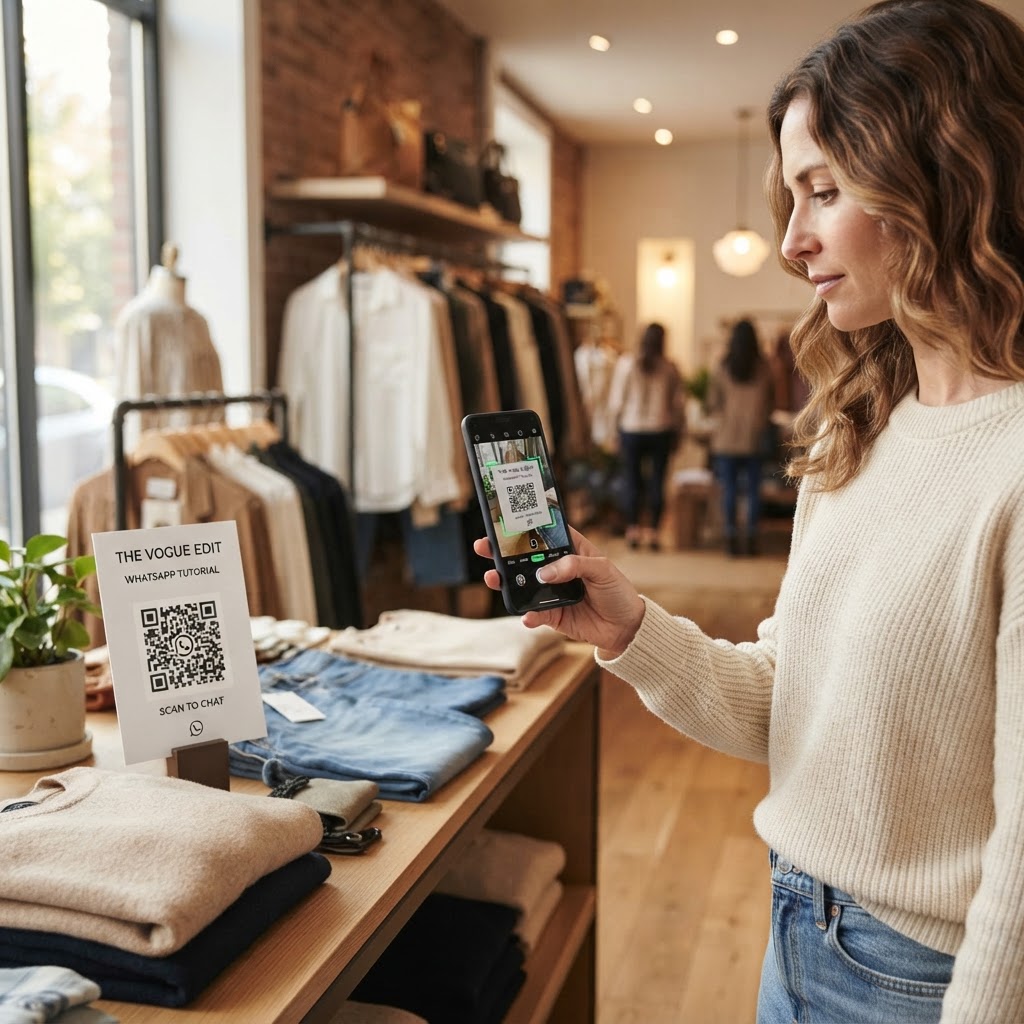
Why a WhatsApp QR code for clothing store engagement matters
Imagine a customer holding a high-end jacket, hesitating because they are unsure if the material is machine washable. Instead of putting the item back and walking away, they scan a sleek, branded sticker on your display shelf and initiate a chat with your staff.
This level of accessibility reduces friction in the buyer's journey significantly. By choosing to generate yours in seconds, you ensure that potential sales are captured rather than lost to simple, unanswered questions.
What you need before you start
Before you begin, ensure you have your business WhatsApp account details ready. You need the specific phone number linked to your professional account, as this will ensure all customer messages land in the correct inbox.
It is also helpful to have your pre-written welcome message ready to copy and paste. This allows you to provide a warm, professional greeting the moment a customer clicks through to your chat interface.
How to create a WhatsApp QR code for clothing store usage — step by step
- Prepare your contact details: Identify the mobile number associated with your business account. Make sure it is formatted with the correct country code to avoid connection errors.
- Access the tool: Open our free WhatsApp QR Code Generator to begin the setup process. This platform is designed for simplicity, making it ideal for busy shop owners.
- Enter your information: Input your business phone number carefully into the designated field. Double-check for typos, as even a single incorrect digit will break the link.
- Compose your automated message: Craft a helpful default message for your customers, such as 'Hi! I have a question about a product in your store.' This template helps the customer initiate the conversation instantly.
- Generate the code: Click the generate button to produce your unique visual asset. The Blue QR Code Generator processes your request immediately, providing a high-quality file ready for download.
- Save your file: Download the QR code in a high-resolution format like PNG or SVG. These formats ensure your code remains scannable even if you print it on a small clothing tag or a large window display.
How to test and deploy it
Always test your code with multiple devices before printing it on expensive marketing materials. Use the Blue QR Code Generator to view a preview, then scan it with your personal phone to ensure it routes directly to the correct WhatsApp chat.
Strategically place your code where shoppers actually stop and look. Effective spots include the inside of fitting room doors, near point-of-sale systems, or directly on the individual clothing display shelves.
Common mistakes that ruin results
- Poor contrast: Placing a light-colored code on a light background makes it impossible for mobile cameras to focus.
- Size constraints: Making the code too small for a customer to scan from a distance limits your engagement potential.
- Lack of call to action: Forgetting to add a short note like 'Scan for size help' leaves shoppers wondering why they should interact with the code.
- Old link destinations: Failing to update your phone number if your staff changes their contact point, resulting in dead-end messages.
Real examples of implementation
A boutique store owner might print the code on a small sign in the fitting room that reads, 'Need a different size brought to you? Scan to message us!' This empowers the customer to get assistance without leaving the room.
Another example is an outdoor apparel retailer using these codes on waterproof window decals. Customers walking by after hours can use Blue QR Code Generator's WhatsApp QR codes tool to leave an inquiry about inventory, which staff can answer the next morning.
Using the Blue QR Code Generator to manage these touchpoints allows your clothing store to maintain a modern, tech-forward image. If you are ready to modernize your retail space, click below to our free WhatsApp QR Code Generator and get started today.