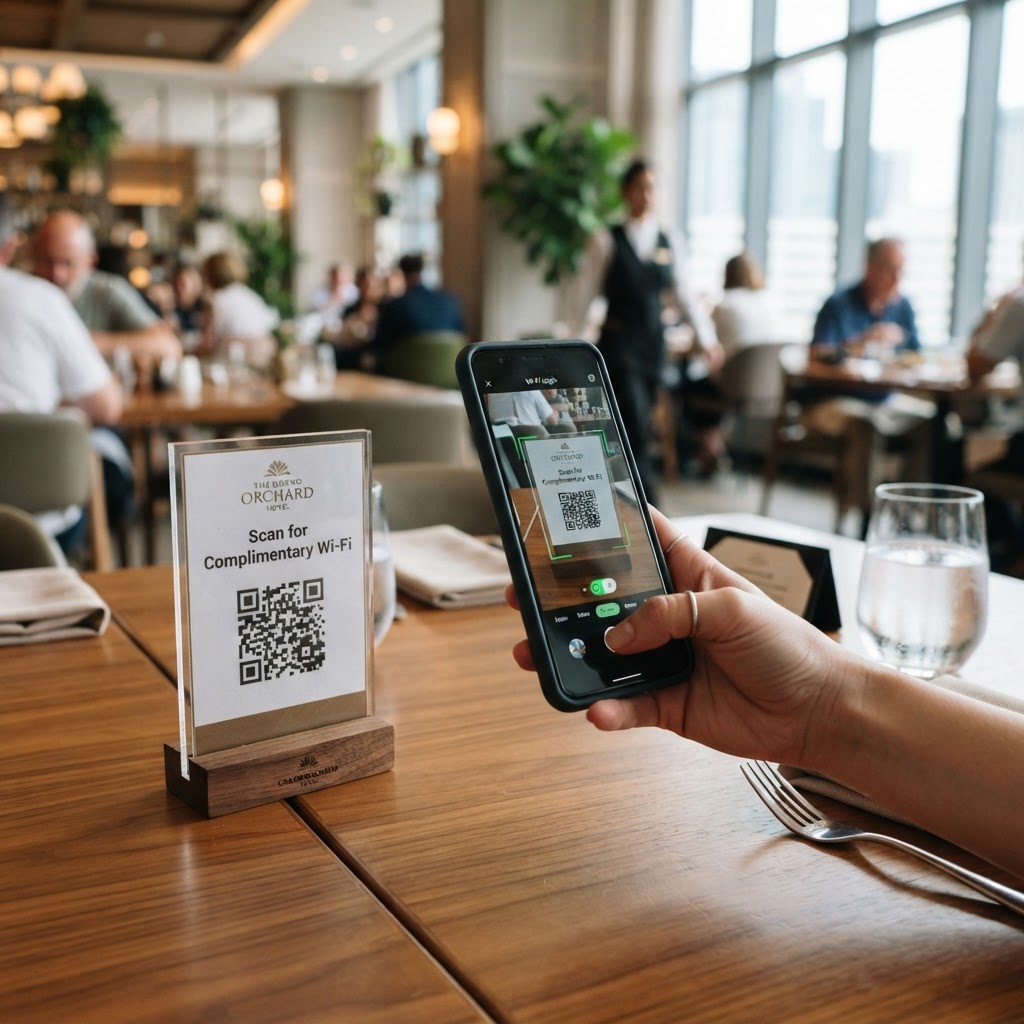
Why a wifi qr code for hotel restaurant guests matters
Imagine a busy Saturday morning rush where staff are trying to manage seating while simultaneously reciting complicated WiFi passwords to every third patron. This creates friction for the guest and unnecessary overhead for your employees, potentially leading to errors and slow service.
By deploying a dedicated QR code, you eliminate the manual entry bottleneck entirely. Guests scan the code and are online in seconds, allowing your team to focus on serving food and managing reservations instead of acting as tech support. You can generate yours here to streamline your guest connectivity today.
What you need before you start
Before using Blue QR Code Generator, you need to gather a few technical details to ensure the connection works flawlessly on the first try. You should have your exact SSID (the name of your network) and your password readily available.
- Exact SSID: Ensure you know the precise spelling, including capitalization and special characters, for your guest network.
- Network Type: Identify your security protocol, which is usually WPA/WPA2, to ensure compatibility.
- WiFi Password: Have the current password copied or written down to avoid typos during the setup phase.
- Graphic Placement: Consider where the final code will live, such as menu covers, table tents, or front desk signage.
How to set up your connection — step by step
The process is straightforward when you use a reliable tool like Blue QR Code Generator to handle the data encoding. Follow these steps to build your custom guest access point.
- Access the tool: Open our free WiFi QR Code Generator in your browser to begin the configuration process.
- Enter Network Name: Input your hotel or restaurant WiFi SSID exactly as it appears in your network settings.
- Select Security: Choose the appropriate security protocol (typically WPA or WPA2) from the provided dropdown menu.
- Input Credentials: Paste your network password carefully into the password field provided by the interface.
- Generate Code: Click the generate button to see a preview of your custom code appearing on your screen.
- Customize Design: Adjust the colors or add a frame if you want the code to match your specific hotel branding or restaurant decor.
- Download and Print: Save the high-resolution file to your device so you can print it for your guest tables or lobby displays.
How to test and deploy it
Testing is the final bridge between a digital file and a functional guest experience. After you generate the code, take a smartphone—ideally one that has never connected to your network before—and scan the image using the default camera app.
If the device connects immediately, you are ready for deployment. Place the printed QR codes in high-traffic areas, such as the bottom of your menus or on small table tents, ensuring they are at eye level for easy scanning. When you use Blue QR Code Generator, you ensure high-contrast codes that are easy for modern smartphones to read instantly, even in low-light dining environments.
Common mistakes that ruin results
- Typos in SSID: Even a single missing space or incorrect capital letter will prevent the device from finding your network.
- Wrong Security Protocol: Selecting 'None' when your network requires WPA2 will cause the connection attempt to fail repeatedly.
- Low Contrast Printing: Printing light-colored QR codes on light backgrounds makes it impossible for cameras to focus on the pattern.
- Small Size Prints: Designing a code smaller than one inch often prevents scanners from picking up the data points at a normal distance.
Real examples of success
A boutique hotel manager recently updated their lobby experience by placing a branded QR code at the check-in desk, which reduced guest inquiries about WiFi by nearly 40% during the first week. Similarly, a busy city restaurant utilized our service to place a code on the back of their physical menus, allowing diners to check emails or upload photos of their meal without ever bothering the busy waitstaff for login credentials.
By leveraging our free WiFi QR Code Generator, businesses of all sizes provide a seamless digital welcome. This simple addition to your physical marketing assets shows your customers that you value their convenience and time.