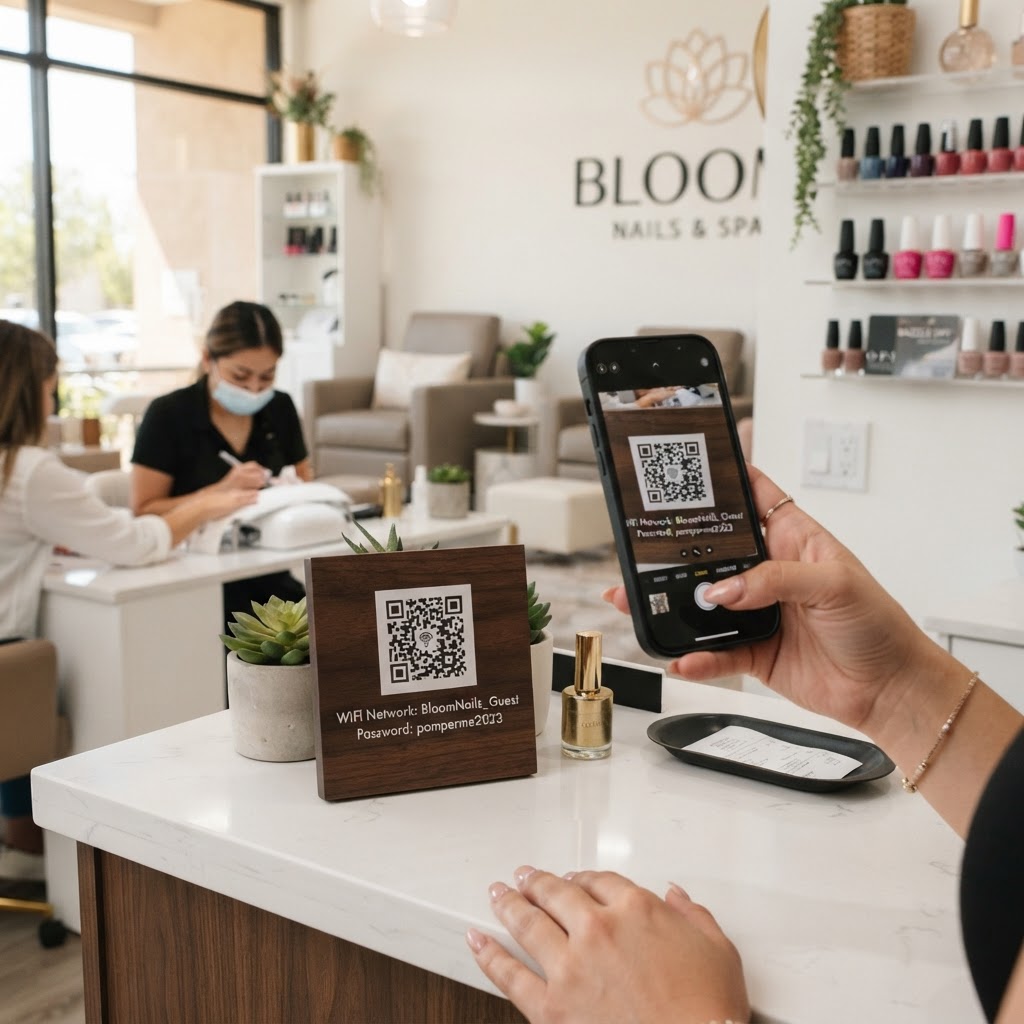
Why a wifi qr code for nail salon businesses matters
Running a busy salon requires efficiency, and nothing kills your flow like stopping to recite complex WiFi passwords to clients. When a customer spends an hour or more in your chair, they expect seamless connectivity to check emails or browse social media.
By displaying a clean, professional QR code at your front desk or on station mirrors, you eliminate the friction of manual logins. This simple upgrade enhances the client experience and frees your staff to focus on providing top-tier service rather than playing IT support. If you're ready to modernize your guest experience, you can generate yours here to get started today.
What you need before you start
Before you begin, gather the specific technical details of your network to ensure the resulting code works on the first try. You should know your network name (SSID) exactly as it appears in your device settings, including capitalization.
Additionally, keep your WiFi password handy. If your network is hidden or uses specific security protocols like WPA3, ensure those settings are confirmed on your router. Having these details ready allows you to use Blue QR Code Generator to produce a perfect, scan-ready image without frustration.
How to create a WiFi QR code for your salon — step by step
- Open the tool: Navigate to our free WiFi QR Code Generator to start your setup.
- Enter your SSID: Type your exact network name into the designated field, being mindful of spacing and special characters.
- Input your password: Carefully enter your WiFi password to ensure guests can connect without error messages.
- Select encryption: Choose the security type that matches your router, which is typically WPA/WPA2/WPA3 for most modern setups.
- Generate the code: Click the generate button to see your unique QR code appear on the screen.
- Download your file: Save the high-resolution image to your computer or mobile device for easy printing and design integration.
How to test and deploy it
Once you have created your code, perform a live test using a smartphone or tablet. Open your camera app, point it at the screen, and verify that the prompt to join your network appears immediately.
Consider printing the code on high-quality cardstock or acrylic stands to match your shop's aesthetic. Placing these near your payment counter or in the waiting area ensures visibility. As Blue QR Code Generator provides a clean output, you can easily incorporate your salon logo into the design if you choose to frame it.
Common mistakes that ruin results
- Typos in the SSID: Even a single misplaced capital letter will prevent devices from identifying your network.
- Wrong encryption type: Mismatching your router's security protocol is the most frequent cause of connection failures.
- Low-contrast printing: Printing your code on colored paper that lacks contrast can make it impossible for some cameras to scan.
- Ignoring network limits: Ensure your router can handle the increased volume of devices by checking your guest network isolation settings.
Real examples
A local boutique salon uses a small, minimalist 4x6 frame at their reception desk that simply says "Scan for Salon WiFi." This strategy reduces their front-desk workload by roughly 10 interactions per day during peak weekend hours.
Another high-end spa uses Blue QR Code Generator's WiFi QR codes tool to print stickers placed discreetly on the underside of their manicure tables. Clients find the convenience delightful, and it reinforces the salon's reputation for modern, seamless service. Remember, you can always visit the site to generate yours in seconds to improve your own salon operations.