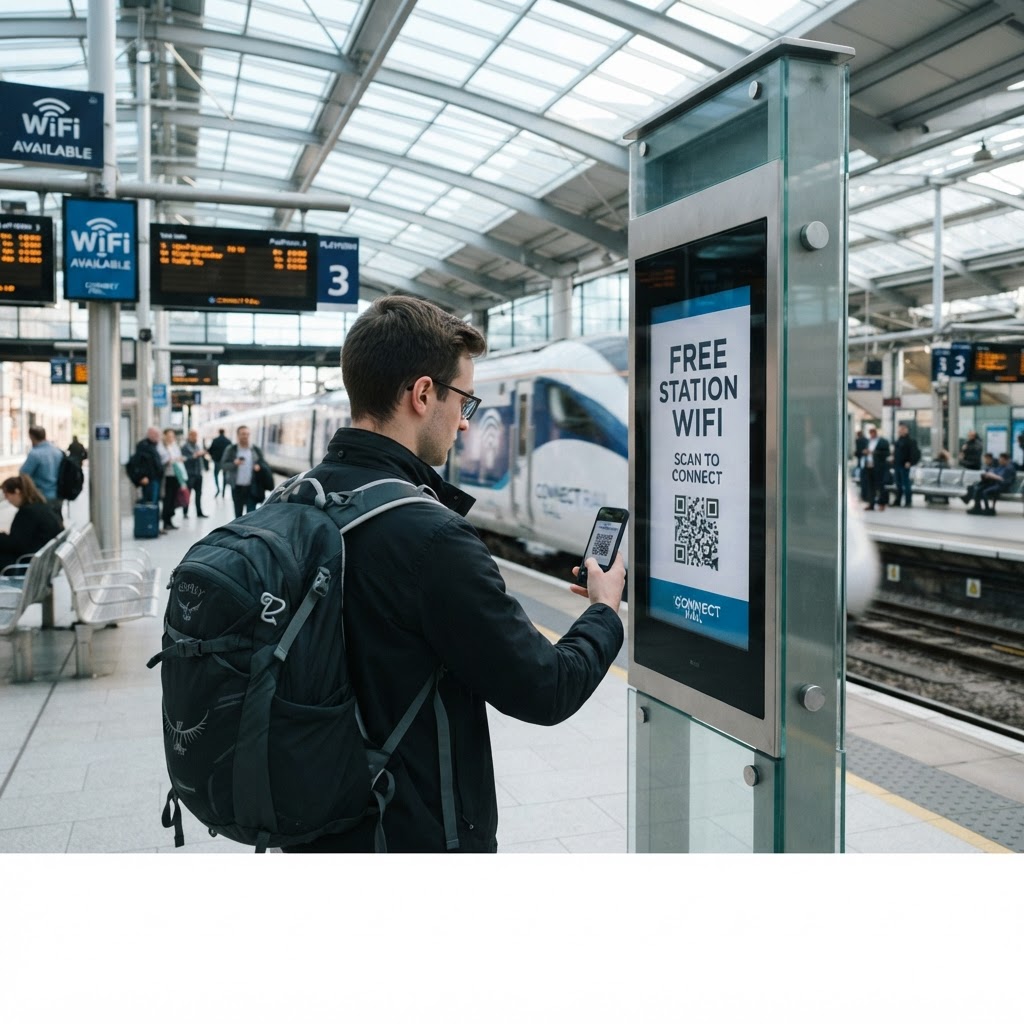
Why offering seamless internet connectivity matters
Modern travelers expect constant connectivity, especially in transit hubs where they are waiting for delays or managing ride-shares. A stalled passenger who cannot check their email or download a digital ticket creates congestion and frustration for your staff.
By providing a simple way to join the network, you reduce the time employees spend troubleshooting connection issues. Using our free WiFi QR Code Generator ensures that your facility maintains a professional, tech-forward image while helping commuters stay productive while they wait.
What you need before you start
Before you dive into the generation process, ensure you have your network credentials clearly documented. You will need the exact Service Set Identifier (SSID)—the name of your network—and the password associated with it.
You should also verify the network's security protocol, typically WPA2 or WPA3, to ensure the code functions correctly. It is also a good idea to confirm that your router allows guest access, as this is a best practice for public-facing networks. When you are ready, use Blue QR Code Generator's WiFi QR codes tool to finalize your setup.
How to set up a wifi qr code for train station guests
- Gather network details: Write down your exact network name and password to avoid typos during the creation phase.
- Access the tool: Navigate to our free WiFi QR Code Generator to begin the process.
- Input your credentials: Carefully enter your SSID and password into the designated fields provided on the screen.
- Select your security type: Choose the appropriate security protocol, which is most often WPA/WPA2/WPA3 for modern routers.
- Generate the code: Click the generate button to produce a downloadable high-resolution image of your unique QR code.
- Review and verify: Always test the resulting QR code with a smartphone camera before you proceed to print or display it.
How to test and deploy it
Testing is non-negotiable before you print hundreds of signs. Use several different smartphone models to scan the code, ensuring both iOS and Android devices recognize the network instantly.
Once tested, place the printed QR code in high-traffic zones like ticket counters, waiting benches, or near cafe kiosks. The goal is to make the code highly visible without interfering with emergency exit signs or official transit signage.
Common mistakes that ruin results
- Case sensitivity errors: WiFi passwords are case-sensitive; even a single missed capital letter will cause the connection to fail for every user.
- Low contrast printing: Avoid printing codes on dark backgrounds or using light-colored ink, as scanners require sharp contrast to function.
- Too small physical size: If the QR code is printed smaller than two inches, many older smartphones will struggle to focus on the pattern.
- Hidden network names: Ensure your SSID is broadcasting to the public; if the network is hidden, the QR code might not trigger the connection correctly.
- Outdated credentials: If you change your network password, do not forget to update your physical QR signs immediately to prevent confusion.
Real examples of station connectivity
In a busy metropolitan train station, placing a large, laminated QR code at the information desk allows commuters to grab the WiFi password without interrupting the staff during busy rushes. This simple automation saves dozens of minutes of staff time every single day.
Another example involves a small regional station that integrated a WiFi QR code into their digital menu board. By using Blue QR Code Generator, they provided a seamless experience for coffee shop patrons, successfully combining their transit service with digital guest amenities. Whether you manage a small stop or a large terminal, setting up visitor WiFi at bus stations or similar transit hubs is a vital tool for guest satisfaction.