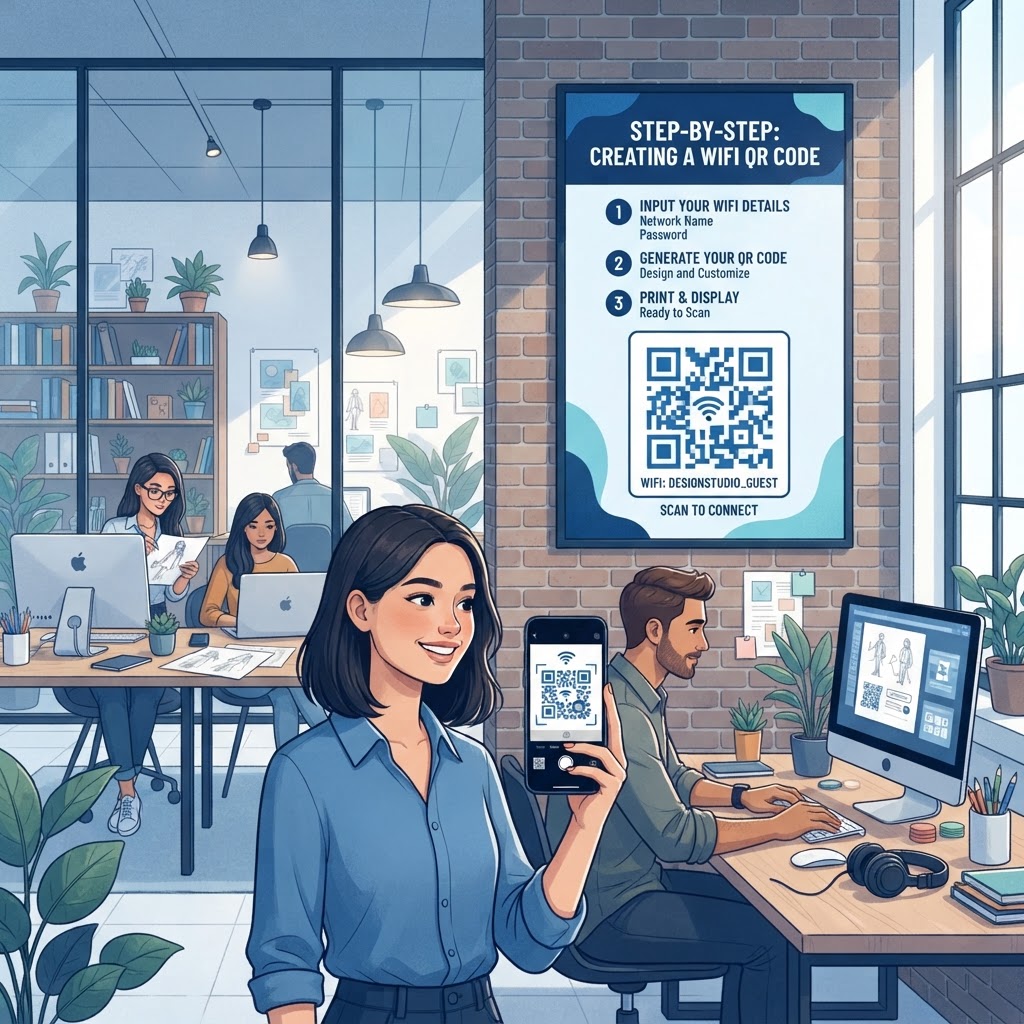
Why a WiFi QR code for design studio efficiency matters
In a bustling creative agency, time is money and every minute spent troubleshooting guest network access is a distraction from the task at hand. When a client arrives for a high-stakes branding pitch or a freelancer drops by for a collaborative project, you want their transition into your network to be completely invisible. In the design world, where visual communication is the primary language, the process of manually typing in an alphanumeric string of characters—often prone to errors, case-sensitivity issues, and confusion—feels archaic and disruptive to the client experience.
By using our free WiFi QR Code Generator, you eliminate the constant requests for "what is the guest password?" that interrupt your designers during their creative flow. A static, professional printout on your reception desk or in the conference room signals a tech-forward studio that values efficiency and high-level UX design. When a guest can scan a code and gain instant, secure access, they perceive your agency as organized, modern, and attentive to detail. This small friction-reducing intervention acts as a silent assistant, handling basic network logistics so your team can remain fully engaged in the creative work that drives your agency’s revenue.
Consider the scenario where you are mid-presentation and the client needs to pull up a reference image from the cloud. Instead of fumbling through post-it notes or shouting out a complex WPA2 password, you simply point to a stylized frame on your wall. This single addition elevates the professional atmosphere of your workspace instantly. Furthermore, it creates a robust security layer; you can isolate your guest network more effectively, keeping visitors off your internal production servers while still providing the high-speed connectivity they require for collaborative feedback sessions or real-time review of design prototypes.
What you need before you start
Before you dive into the technical side of your project, ensure you have your network credentials clearly defined. You do not need expensive hardware or specialized networking software; just a few basic details are enough to get started. The accuracy of this data is paramount; even a single missed capital letter will render the entire effort useless, forcing your guests to revert to manual input.
- Exact SSID: This is the precise name of your wireless network as it appears on your devices. Ensure you check for leading or trailing spaces, which are common culprits for connectivity errors.
- Password: Your current WiFi password, keeping in mind that these are case-sensitive. Check for confusing characters like '0' versus 'O' or 'I' versus 'l'.
- Encryption Type: Most modern studios use WPA/WPA2/WPA3 security; verify this in your router settings. WPA2-AES is the industry standard for both security and broad device compatibility.
- Brand Assets: A high-resolution logo or specific brand colors if you plan to customize your output. Using your studio’s brand identity within the design of the QR code helps reinforce trust, proving the code belongs to your legitimate network.
- Device access: A smartphone or tablet to verify the generated code immediately after creation. Always test on both iOS and Android platforms to ensure native compatibility.
- Network Accessibility: Ensure your guest network is broadcasting its SSID. If your network is "hidden," some mobile devices may fail to associate with the network even when the QR code provides the credentials.
Once you have these items prepared, the process to generate yours in seconds using our platform becomes a seamless task. Having these details handy avoids unnecessary back-and-forth between your IT closet and your desktop, allowing you to complete the entire setup in less than five minutes.
How to create your WiFi QR code — step by step
Follow these steps to generate a functional and professional access point for your agency. Precision during these steps ensures that the resulting digital asset is both aesthetically pleasing and functional across all hardware.
- Navigate to the Generator: Open your browser and go to the official Blue QR Code Generator site. Ensure you have a stable internet connection to prevent timeouts during the rendering process.
- Select WiFi Option: Click on the WiFi network icon to open the specific input fields required for network connection strings. This tool automatically formats the data into the complex protocol required for mobile devices to handle auto-connection.
- Enter Network Name: Input your studio’s SSID exactly as it appears; be careful with spaces or hidden characters. If your SSID has non-standard characters, ensure you verify that your router handles these characters correctly in a standard string.
- Input Password: Type your network password clearly in the designated field. Double-check your keyboard for accidental auto-corrections which might modify the intended password.
- Select Security Protocol: Choose the appropriate protocol, typically WPA/WPA2, to ensure compatibility with all guest devices. Choosing the wrong setting here is the most common reason a scan succeeds but the connection fails.
- Generate and Customize: Click the generate button and use the provided tools to adjust colors or add a frame. For a design studio, consider using your primary brand color for the foreground modules, provided the background remains high-contrast white.
- Download High-Res File: Once satisfied, download your file as a PNG or SVG to maintain clarity when printing. Vector formats like SVG are preferred if you are scaling the QR code for large signage or vinyl wall decals.
The Blue QR Code Generator provides high-quality outputs that ensure your brand identity remains intact even in small utility graphics. You can easily use Blue QR Code Generator's WiFi QR codes tool to align the design with your agency's visual style guide. When customization is applied, ensure that the "quiet zone"—the white border around the QR code—is preserved, as this is vital for the scanner to distinguish the QR matrix from the surrounding design elements.
How to test and deploy it
Deployment is just as important as creation. After generating your file, print a test copy and scan it with both an iOS and an Android device to confirm the handshake works seamlessly. Modern smartphones are capable of reading these codes via their default camera apps. However, testing on multiple generations of hardware ensures your visitors with slightly older devices are not left in the dark. Many design studios prefer to mount these codes in laser-cut acrylic frames that match their office decor, keeping the aesthetic clean and intentional.
Placement is crucial for adoption. The ideal spot is usually at eye level near the entrance, on the side of a meeting room monitor, or integrated into your printed welcome packets for guests. By placing the QR code near the physical space where guests will spend the most time, you remove the mental load of asking for credentials. Avoid placing the code in direct, harsh sunlight, as the glare can sometimes interfere with the camera's ability to focus on the contrast of the black and white squares. Additionally, ensure the surface is flat; mounting a QR code on a curved surface like a bottle or a rounded column can cause perspective distortion that makes it impossible for software to interpret the matrix correctly. If you are printing onto glass, ensure there is an opaque backing behind the print, as the transparency of the glass can cause signal noise for the scanning camera.
Common mistakes that ruin results
- Incorrect SSID Spelling: Even a minor typo in the network name will prevent the device from ever finding the router. Always use the "Copy/Paste" method from your router's administrative dashboard if possible.
- Using Low-Contrast Colors: QR codes require high contrast to be readable; never use light-colored foregrounds on white backgrounds. The software looks for the luminance difference between the data squares and the background.
- Over-complicating the Design: While customization is great, don't add too many logos or complex shapes that obscure the essential data patterns. Keep your brand logo small and placed in the center, and ensure it does not cover more than 15-20% of the code area to avoid breaking the Reed-Solomon error correction.
- Ignoring Size Requirements: Printing a code too small for a distance makes it impossible for a phone camera to resolve the pixels accurately. As a rule of thumb, for a distance of one foot, the code should be at least 2cm wide. If it’s on a wall five feet away, it needs to be significantly larger to maintain scanability.
- Outdated Encryption Settings: If your network uses an obscure protocol, older smartphones might fail to authenticate even with the right code. Ensure you stick to standard WPA2-AES for maximum compatibility across various guest device ages.
- Over-padding: While the "quiet zone" is necessary, excessive whitespace around the code can lead users to misidentify the scan area. Keep the design tight and focused.
Real examples of usage in creative spaces
A branding agency in New York currently uses a minimalistic black-on-white QR code printed on a matte cardstock placed on every meeting room table. Clients no longer ask for passwords; they simply scan the card, tap join, and are immediately ready to review the project prototypes. This agency went a step further by including the guest network SSID name right below the QR code in a clean, sans-serif font, so that even if a device fails to auto-connect, the manual entry is still clearly visible to the user.
Another architecture firm in London integrates the code into their reception welcome screen which rotates between project highlights and the connection instructions. By making the WiFi QR code for design studio access part of the environment, they have reduced their reception staff's administrative load by hours per week. This digital implementation allows for instant updates; whenever the network password is changed for security reasons, they simply regenerate the QR code and update the slide deck. Using our tool, they were able to generate yours in seconds during a brief downtime interval, demonstrating that high-tech solutions don't have to be time-consuming. These real-world applications show that when the friction of connectivity is removed, the focus shifts entirely to the creative collaboration, allowing the agency to maintain the aura of competence and precision that they promise their clients from the moment they walk through the door.
In summary, integrating a WiFi QR code is not just a utility, but a reflection of your agency’s maturity. By standardizing guest access, you demonstrate that you respect your clients' time and that your operational processes are as carefully curated as your design portfolio. Whether you are a small boutique studio or a large agency, the implementation of this tool creates a measurable improvement in office workflow, lowers the burden on your administrative staff, and leaves a lasting impression of professional excellence on every visitor who enters your studio space.