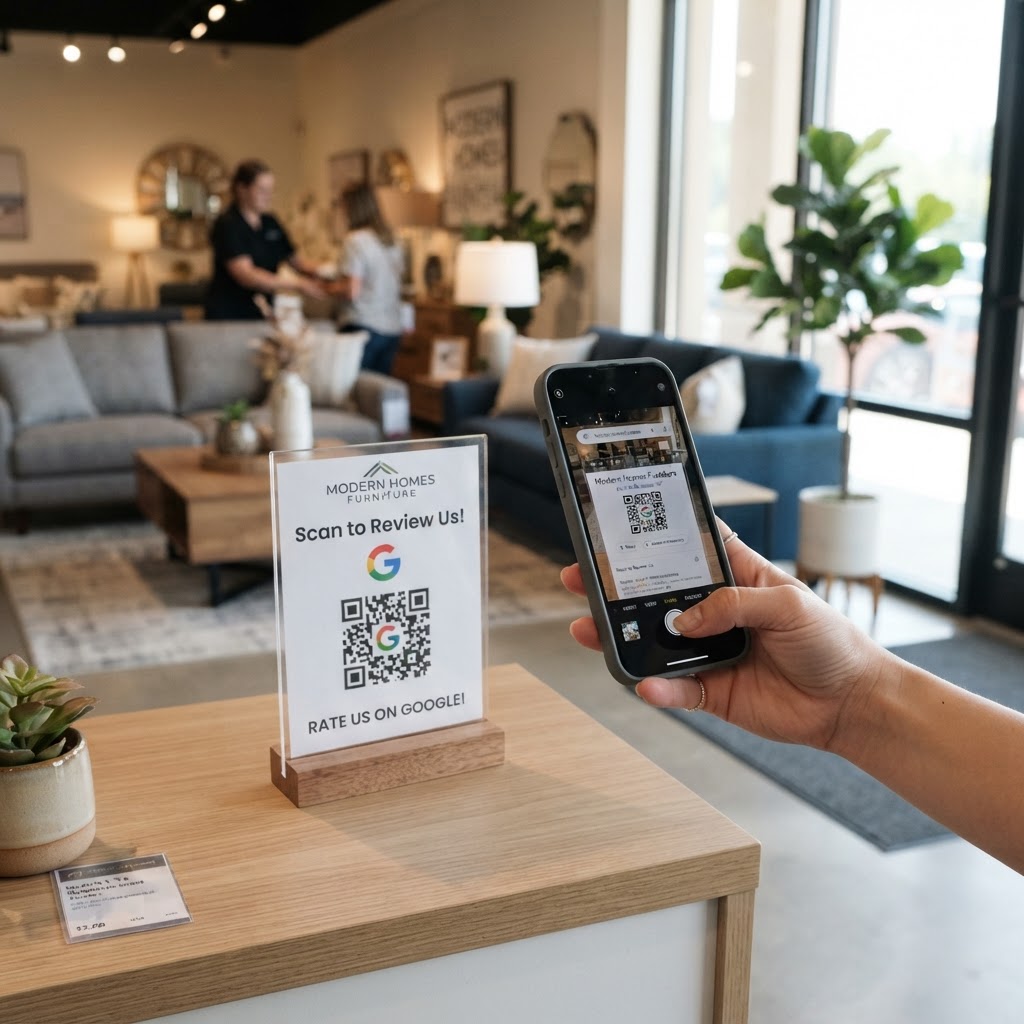
Why your showroom needs more customer reviews
When customers spend thousands on a sectional sofa or a custom dining set, they need reassurance that they are making the right choice. A potential buyer searching for high-quality furniture will almost always look at your Google business profile before making a trip to your showroom. If you are ready to start gathering this feedback, you can generate yours here to get started today.
If your profile lacks recent, detailed feedback, you are likely losing foot traffic to competitors with more social proof. Implementing a Google review QR code for furniture store gives your satisfied clients an effortless way to share their experience while the excitement of their new purchase is still fresh.
What you need before you start
Before you jump into the process, make sure you have the basics ready to go. You will need your Google Business Profile URL, which you can find by searching your business name on Google Maps and selecting the 'Share' or 'Get more reviews' option.
It is also helpful to have your store’s logo saved as a high-quality PNG or JPG file if you want to customize your code. Having your company branding ready allows you to use Blue QR Code Generator to create a professional, trustworthy design that fits your brand aesthetic perfectly.
How to create a Google review QR code for furniture store — step by step
- Get your review link: Go to your Google Business Profile manager and copy the direct review URL to your clipboard.
- Visit our tool: Open our free Google Review QR Code Generator to begin the creation process.
- Paste your URL: Simply paste your copied review link into the input box provided on the page.
- Add branding: Upload your store’s logo to the center of the code to make it look professional and recognizable.
- Customize the design: Use the style settings in the Blue QR Code Generator to match your furniture store’s primary color palette.
- Download your file: Click the generate button and save the final image as a high-resolution file to your computer or phone.
How to test and deploy it
Before you print hundreds of copies for your delivery tags or showroom signage, you must test the scan. Point your smartphone camera at the code and ensure it opens the specific review submission window, not just your general business homepage.
Consider placing your new QR codes on checkout counters, thank-you cards sent with furniture deliveries, or even small adhesive stickers on the bottom of new tables. You can use Blue QR Code Generator's Google review QR codes tool to ensure your link is always fast and reliable.
Common mistakes that ruin results
- Poor placement: Hiding the code in a dark corner of the warehouse or on the back of a large armoire makes it invisible to shoppers.
- Broken links: Always verify your URL after an update to your Google profile to ensure the link hasn't expired.
- Lack of incentive: Simply putting out a code isn't enough; make sure you politely ask customers to share their feedback after a purchase.
- Low contrast designs: Using colors that blend into the background makes the code difficult for smartphone cameras to recognize quickly.
Real examples for your store
One local store owner started placing a small, elegant QR code sticker on the underside of their hand-crafted chairs. This simple addition led to a 30% increase in weekly reviews as people discovered the link while setting up their new living room.
Another business attached a physical thank-you note to every sofa delivery containing the QR code. This strategy helps you capture feedback from customers who might otherwise forget to leave a review once they are settled in at home. If you are exploring how this works for other niches, you might find our guide for garden centers helpful as well.