What Is PDF To QR Code and Why It Matters in 2026
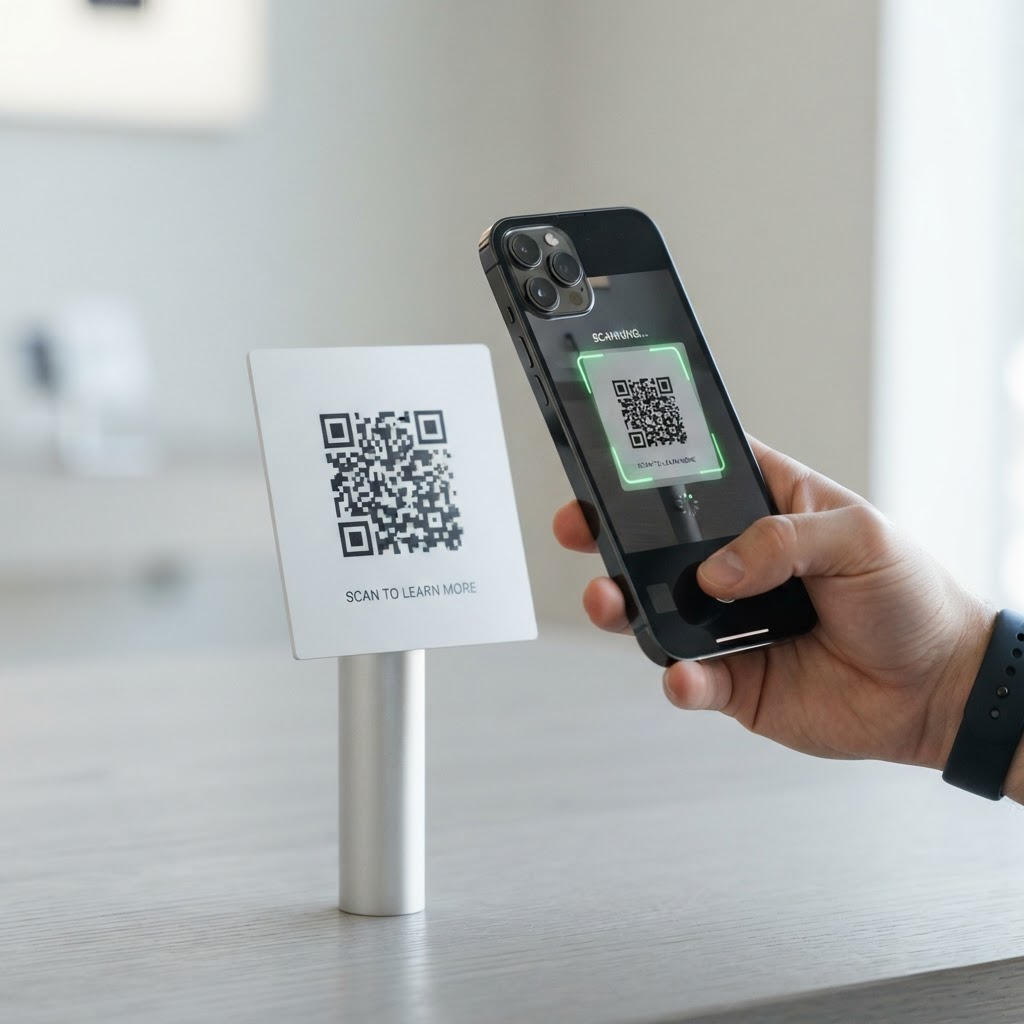
A PDF to QR code is exactly what it sounds like: a scannable QR code that, when read by a smartphone camera, instantly opens or downloads a PDF document. Instead of handing someone a bulky printed manual, a multi-page brochure, or a lengthy report, you encode a link to that document into a compact, square matrix code that fits on a business card, a wall poster, a product label, or virtually any physical surface.
The relevance of this approach has only grown stronger heading into 2026. Print costs continue to rise, audiences expect instant digital access, and the habit of scanning QR codes is now firmly embedded in everyday behavior.
Key Points
- PDF to QR code gives instant access to hosted PDF documents via a scannable link.
- QR codes typically encode a URL pointing to the PDF; the PDF is not embedded in the code.
- Using PDF QR codes reduces printing costs and environmental waste while improving accessibility.
How PDF To QR Code Works — The Technical Foundation
Understanding the mechanics behind a PDF QR code helps you make smarter decisions about how you create and deploy it. Let's walk through the process from the ground up.
A QR code (Quick Response code) is a two-dimensional matrix barcode that encodes data — text, URLs, contact information, and more — into a pattern of black and white modules. For a PDF QR code, the encoded data is typically a URL pointing to the hosted PDF file.
This is an important technical distinction: the PDF itself is not embedded inside the QR code. Embedding an entire PDF document in a QR code is not feasible because QR codes have a strict data capacity limit. Instead, you host the PDF somewhere accessible and the QR code encodes the direct link to that file.
The QR code produced is generally a static QR code, meaning the URL encoded inside it is fixed at creation and does not change. blueqrcode.com generates PDF QR codes in PNG and SVG formats and supports up to Level H (30%) error correction to preserve scanability even if part of the code is obscured.
Step-by-Step: Create Your PDF To QR Code on blueqrcode.com
Creating a PDF QR code on blueqrcode.com takes under two minutes and requires no registration. Here is a clear, step-by-step walkthrough of the entire process.
- Step 1: Prepare your PDF link. Host the PDF at a publicly accessible URL (your website, Google Drive with "Anyone with the link", Dropbox direct link, etc.) and verify it opens in a browser.
- Step 2: Open the PDF QR code generator by navigating to blueqrcode.com/pdf-qr-code-generator. The tool loads instantly with no login required.
- Step 3: Enter your PDF URL. Paste the full, correct URL (including https://) into the input field and double-check it to avoid broken links.
- Step 4: Customize the appearance (optional). Adjust visual style but maintain high contrast—dark modules on a light background—to maximize scanability.
- Step 5: Generate and preview. Click generate, then test-scan the on-screen preview with a smartphone to confirm it navigates to the correct PDF.
- Step 6: Download in your preferred format. Choose PNG for standard print and digital uses, or SVG for scalable, large-format printing.
The downloaded file carries no watermark and is immediately ready for deployment. No account required. No expiration date attached. The entire process is free.
Try it now: Generate a free Pdf To Qr Code →
Deployment Best Practices for PDF To QR Code
Generating the QR code is only half of the equation. How you deploy it determines whether people actually use it. Follow these best practices to maximize scan rates and avoid common pitfalls.
- Respect the minimum size rule: print at least 2.5 cm × 2.5 cm; for high-traffic signage aim for 4–6 cm or larger.
- Maintain high contrast: prefer dark modules on a light background; avoid light-on-dark unless thoroughly tested.
- Add a clear call-to-action label explaining what users will get when they scan the code.
- Choose placement thoughtfully: use locations where users can pause and scan (tabletop displays, posters, packaging).
- Test before mass deployment: print a sample at the intended size and scan with multiple devices.
- Keep the PDF URL stable: host where you control the link and set up redirects if the location must change.
Common Mistakes to Avoid With PDF To QR Code
Even a technically correct QR code can fail in practice if certain avoidable errors are made during planning or deployment. Here are the most frequent mistakes and how to sidestep them.
- Using a broken or private PDF link — ensure sharing permissions allow "Anyone with the link" and verify in an incognito browser.
- Printing too small — below the 2.5 cm × 2.5 cm minimum will often cause scan failures.
- Linking to an oversized PDF — large files (20MB+) are slow on mobile networks; compress to under 5MB when possible.
- No call-to-action text — codes without context are frequently ignored; always explain what users will receive.
- Placing codes in poor scanning environments — avoid low contrast, glare, curved surfaces, and poor lighting.
- Forgetting to re-test after updating the PDF — verify the link still works if the file is replaced or updated.
Real-World Use Cases: PDF To QR Code Across Industries
The versatility of PDF QR codes is one of their most compelling qualities. Across virtually every industry, there are practical, immediate applications that save time, reduce printing costs, and improve the user experience.
Restaurants and hospitality. Link a QR code to a full PDF menu, wine list, allergen information, or room service guide and update the hosted PDF without reprinting the code.
Education and training. Attach QR codes to syllabi, enrollment forms, or classroom posters to give students and employees instant access to full PDF study guides or policy documents.
Healthcare. Place QR codes on inserts, posters, or discharge paperwork linking to patient information leaflets or medication guides so patients can revisit materials on their device.
Real estate. Put QR codes on yard signs or flyers to deliver full property PDFs with photos, floor plans, and pricing directly to prospective buyers' phones.
Events and conferences. Print QR codes on programs, lanyards, or tickets to provide agendas, speaker bios, and venue maps without a bulky booklet.
Small business marketing. As explored in our guide on QR code for small business marketing, use PDF QR codes for catalogs, brochures, and pricing sheets to avoid recurring print costs.
Manufacturing and logistics. Affix QR codes to equipment or packaging to give technicians instant access to manuals, safety data sheets, and assembly instructions.
For a broader look at how QR codes compare to traditional print distribution, our article on PDF QR code vs printed brochure walks through the practical tradeoffs in detail.
Frequently Asked Questions
Does the PDF QR code expire if I use blueqrcode.com?
No. QR codes generated on blueqrcode.com are static QR codes, and static QR codes never expire. The longevity of the code depends on the stability of the PDF hosting, not on the QR code generator itself.
Can I update the PDF content after the QR code is already printed?
You can update the PDF content without reprinting the QR code provided you replace the file at the exact same URL. If the URL changes when you update the file, you will need to generate a new QR code.
What is the best file format to download my QR code for printing?
For standard print materials, a PNG file at maximum resolution works well. For large-format printing, download the SVG format, which scales without loss of clarity.
Do users need a special app to scan a PDF QR code?
No. blueqrcode.com generates standard QR codes that are natively readable by the built-in camera apps on most modern smartphones. Users simply open their camera, point it at the code, and tap the notification that appears.
Is there a limit on how large the PDF file can be that I link to?
The QR code itself has no file size restriction since it only encodes a URL. From a user-experience perspective, very large PDFs can be slow to load on mobile networks; aim for under 5MB for mobile-focused documents.
Ready? Generate free at blueqrcode.com — no account, no watermark.
Related Guides
- PDF QR Code Vs Printed Brochure
- QR Code For Small Business Marketing
- Free QR Code Generator No Sign Up No Watermark
Conclusion
PDF to QR code is a simple, cost-effective way to deliver digital documents instantly and sustainably. Use stable hosting, test at the intended print size, and include a clear call-to-action to maximize adoption.
No watermark · No expiry · Works on all phones
Your QR code is ready in under 30 seconds.
Generate Free QR Code →