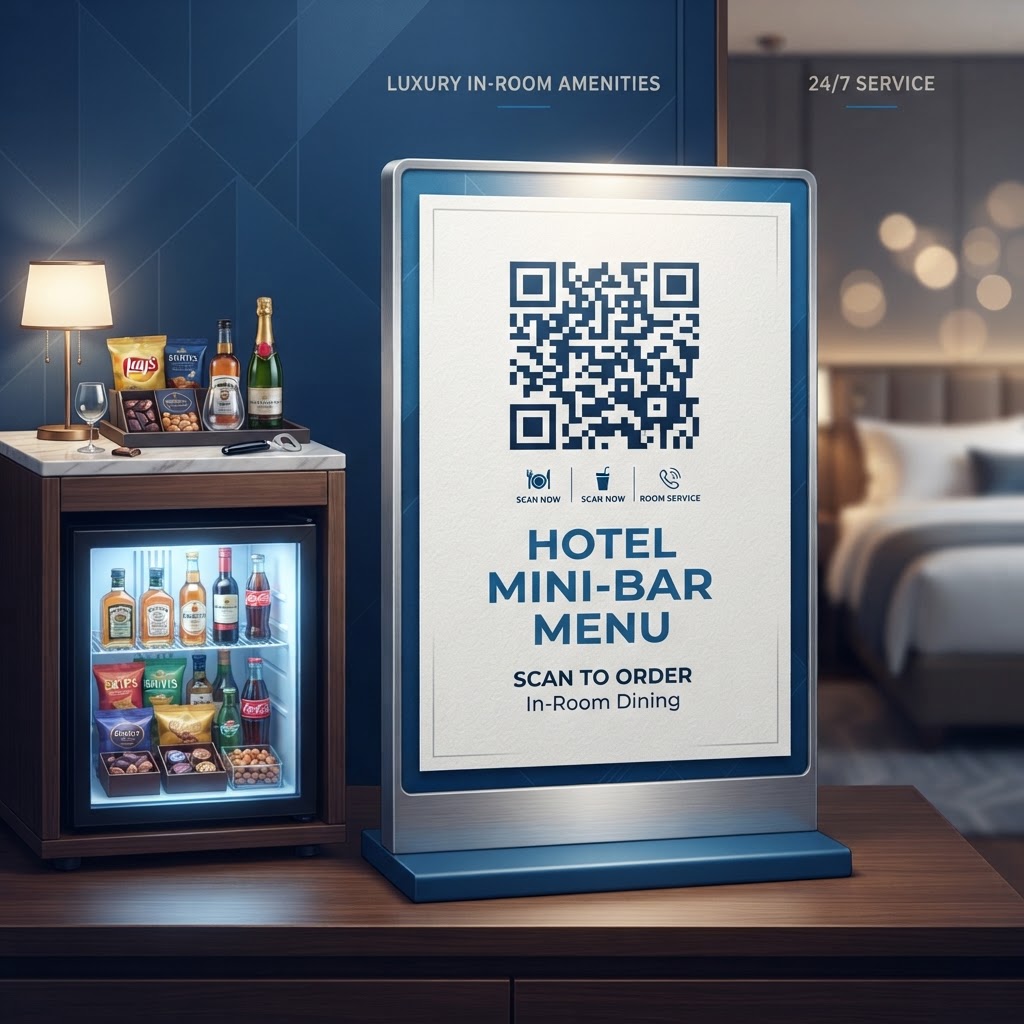
Why Integrating a QR Code for Hotel Mini Bar Menus Matters in 2026
In the hospitality industry of 2026, the concept of a static, printed mini bar menu is increasingly viewed as a limitation rather than a convenience. Guests now expect seamless digital interactions that mirror the technology they use in their daily lives. By transitioning to a digital interface accessible via a QR code, hotels can provide real-time updates regarding product availability, pricing, and allergen information. This adaptability is crucial in a supply chain environment where costs fluctuate frequently. When a hotel utilizes a digital menu, they eliminate the need for costly reprints every time an item is swapped or a price is adjusted, representing a significant reduction in operational overhead over the long term. Beyond cost savings, the digital format allows for sophisticated data collection; hoteliers can track which items are scanned most frequently, allowing them to optimize their mini bar inventory based on actual guest demand rather than intuition. This data-driven approach significantly improves profitability and reduces waste, as hotels can stock their refrigerators with popular items rather than perishable goods that go unpurchased. Furthermore, the cleanliness aspect remains a priority for many travelers who prefer to minimize physical contact with high-touch items like laminated menus, which are notoriously difficult to sanitize effectively. By using a secure free QR code generator no sign up no watermark, businesses can immediately upgrade the professional appearance of their rooms. The adoption of digital menus is a testament to a hotel’s commitment to innovation and guest safety, providing a professional, sleek, and highly convenient solution that enhances the overall perceived value of the room stay while simultaneously streamlining housekeeping and inventory management logistics.
How QR Code Technology Works for Hotel Inventory Management
Understanding the technical framework of a QR code is essential for any hotelier looking to digitize their services. At its core, a QR code functions as a visual bridge between a physical location—in this case, the mini bar—and a digital destination, such as a responsive web page or a PDF document. When a guest scans the QR code using their smartphone’s built-in camera, the device translates the visual data matrix into a URL. This URL then directs the guest’s browser to a specific destination. Technically, these codes are incredibly robust; even if a portion of the code is obscured or damaged by a water ring from a glass, the error correction capabilities built into the matrix ensure that the data remains readable. For hotel mini bars, the QR code usually links to a mobile-optimized webpage that hosts the menu and potentially an integrated ordering system. This backend technology allows hotels to manage multiple rooms simultaneously. By utilizing dynamic QR codes, the underlying URL destination can be changed without needing to replace the physical print of the QR code itself. This is a critical technical advantage, as it means the physical signage on the mini bar or the room desk remains consistent, even if the menu structure, pricing, or product images change on the server side. To ensure these systems function flawlessly, it is important to integrate them with robust, fast-loading web hosting that guarantees minimal latency when a guest scans the code. The integration of such technology into the guest experience requires a stable internet environment, and for hotels, this often pairs well with efforts to simplify guest access to internet services, as explored in our guide on how to make a QR code for wifi.
Step-by-Step Guide to Creating Your Menu QR Code with BlueQRCode
Creating a professional QR code for your hotel mini bar is a straightforward process when using the intuitive tools available at blueqrcode.com. The platform is designed to provide maximum utility without requiring advanced technical skills. First, you must finalize your menu content. Whether you are using a simple image, a well-formatted PDF, or a dedicated landing page, ensure your content is optimized for mobile viewing—avoid tiny fonts or complex layouts that require constant zooming. Once your digital content is hosted online, copy the URL to your clipboard. Next, navigate to the BlueQRCode dashboard. Select the 'URL' option as your code type. Paste your destination link into the input field provided. The platform will automatically generate a preview of your QR code. At this stage, you have the opportunity to customize the design. While a standard black-and-white code is functional, you can adjust the foreground and background colors to match your hotel’s branding, or even insert a central logo to build brand recognition. After finalizing the design, download the QR code in a high-resolution format, such as PNG or SVG, which ensures that it remains crisp and readable even if you decide to print it on various materials like acrylic, metal, or adhesive vinyl. Once downloaded, perform a test scan with multiple devices—iPhone, Android, and tablets—to ensure that the redirect process is instantaneous and that the menu displays correctly across different screen sizes. Keeping track of your digital assets is a best practice, and you can always consult other resources on our platform, such as qr code restaurant menu, to see how similar concepts are applied in food and beverage settings, ensuring your implementation remains at the cutting edge of industry standards.
Best Practices for Deployment: Size, Placement, and Format
The efficacy of a QR code in a hotel room is highly dependent on its physical implementation. Simply placing a code on the desk is insufficient; you must consider the guest's perspective. The optimal placement is directly on the mini bar unit itself or on a small, elegant stand placed on the bedside table. The QR code should be sized appropriately—usually no smaller than 2cm by 2cm—to ensure that even older smartphones with less sophisticated cameras can scan it without frustration. Lighting is another critical factor; ensure that the area where the code is placed is well-lit so the contrast between the dark and light modules of the code is high. When selecting the material for the QR code display, consider the environment. Hotel rooms are high-moisture areas, particularly near refrigerators; therefore, use durable, moisture-resistant materials like matte-finished vinyl stickers or high-quality acrylic blocks. Avoid glossy finishes that cause reflections, as these can interfere with a smartphone's ability to interpret the code. Furthermore, the digital content linked to the code must be fully responsive. If a guest scans the code and is greeted by a desktop-formatted menu that requires horizontal scrolling, they are likely to abandon the experience. Use large, legible typography and high-resolution images that load quickly on mobile data or hotel WiFi. Finally, always include a small text cue next to the QR code, such as 'Scan to View Mini Bar Menu.' This simple instruction reduces friction and sets clear expectations for the guest, encouraging higher engagement rates and ensuring that even guests who are unfamiliar with QR code technology understand exactly what the visual element is intended for.
100% Free — No signup required
Create your QR Code for Hotel Mini Bar Menu in seconds
Create Free QR Code →Common Mistakes to Avoid When Implementing Digital Menus
Many businesses fall into common traps when digitizing their hotel mini bar offerings. One of the most significant errors is linking to a PDF file that is too large, leading to long loading times that frustrate guests. In the hospitality sector, speed is synonymous with luxury; if a menu takes more than three seconds to load, you risk losing the guest's interest. Instead of a massive, uncompressed file, use optimized web pages or compressed PDFs. Another mistake is failing to update the digital content. A QR code that leads to an 'out of stock' or '404 error' page is a major deterrent that reflects poorly on your brand. Establish a strict routine where the mini bar manager audits the link every time inventory is restocked. Furthermore, some hotels fail to provide an alternative for guests without functional smartphones or those who are uncomfortable with digital interfaces. Always maintain a small stock of physical, printed menus available upon request to ensure universal accessibility. A lack of branding within the digital interface is also a missed opportunity. If the landing page looks like a generic system, it breaks the continuity of the guest experience. Ensure your digital menu features your hotel's color palette and fonts. Finally, avoid overcomplicating the QR code design. While artistic patterns and colors can be fun, they often sacrifice scanability. Stick to high-contrast color combinations—such as dark blue on white or black on gold—to ensure that the code works reliably under all room lighting conditions. By avoiding these pitfalls, your hotel can maintain a professional image that is both high-tech and incredibly user-friendly, setting the stage for repeat visits and positive reviews.
Concrete Use Cases by Industry and Sector Applications
Beyond the standard hotel room, the implementation of menu QR codes has broad applications across various hospitality sectors. In boutique hotels, the QR code can be linked to a curated selection of locally sourced, artisanal mini bar items, complete with a 'story' about the local producer for each item, which enhances the guest's connection to the destination. In conference hotels, the mini bar menu QR code can be integrated with the event’s mobile app, allowing attendees to view and order refreshments directly to their rooms during breaks, effectively reducing the pressure on physical room service staff. For luxury suites, the QR code can serve as a concierge link, where the mini bar menu is just one tab within a larger digital room manual that includes controls for climate, lighting, and entertainment, creating an 'all-in-one' guest experience portal. In the realm of shared accommodation or high-end hostels, a QR code can be used to manage shared kitchen resources or vending machines, providing instant access to payment portals via Stripe or other digital wallets, which significantly reduces the need for onsite cash handling. Even in corporate lodging, companies can use these codes to provide customized amenity menus based on the specific corporate agreement, ensuring that executives see only the items pre-approved by their travel department. By tailoring the content delivered via the QR code to the specific needs of the guest—whether they are a leisure traveler seeking comfort or a business professional seeking efficiency—hotels can significantly increase the conversion rates of their mini bar programs, turning an often-overlooked profit center into a highly active, valued service that enhances the overall stay experience.
Summary and Next Steps for Your Hotel
Transitioning to a QR code-driven mini bar menu is a practical, cost-effective, and highly impactful way to modernize your hotel's operation. As we have explored, the benefits extend far beyond the initial technological adoption; they include real-time inventory agility, reduced environmental impact from paper waste, improved data insights, and a cleaner, safer interaction for your guests. The transition to digital is not about replacing the human touch, but rather enhancing it by providing tools that make the guest experience faster, more intuitive, and more aligned with the expectations of the 2026 traveler. To begin your journey, evaluate your current inventory management processes and identify the items that would benefit most from digital representation. Once your content is ready, use a reliable generator to create your code, prioritizing durability and clear visual instructions for your guests. Remember to perform regular maintenance checks on your links to ensure consistency, and view this implementation as a starting point for further digital guest services. As you become more comfortable with this technology, you will find that it opens doors to other forms of guest engagement, from digital check-in processes to interactive room service ordering. The future of hospitality is undeniably digital, and by starting with your mini bar menu, you are taking a definitive step toward a more efficient and guest-centric future. Do not let your operations lag; visit blueqrcode.com today to generate your codes, and begin the process of transforming your hotel room into a state-of-the-art environment that delights guests and streamlines your bottom line. The path to modernization is simpler than you think—start today and experience the difference immediately.
No watermark · No expiry · Works on all phones
Your QR code is ready in under 30 seconds.
Generate Free QR Code →