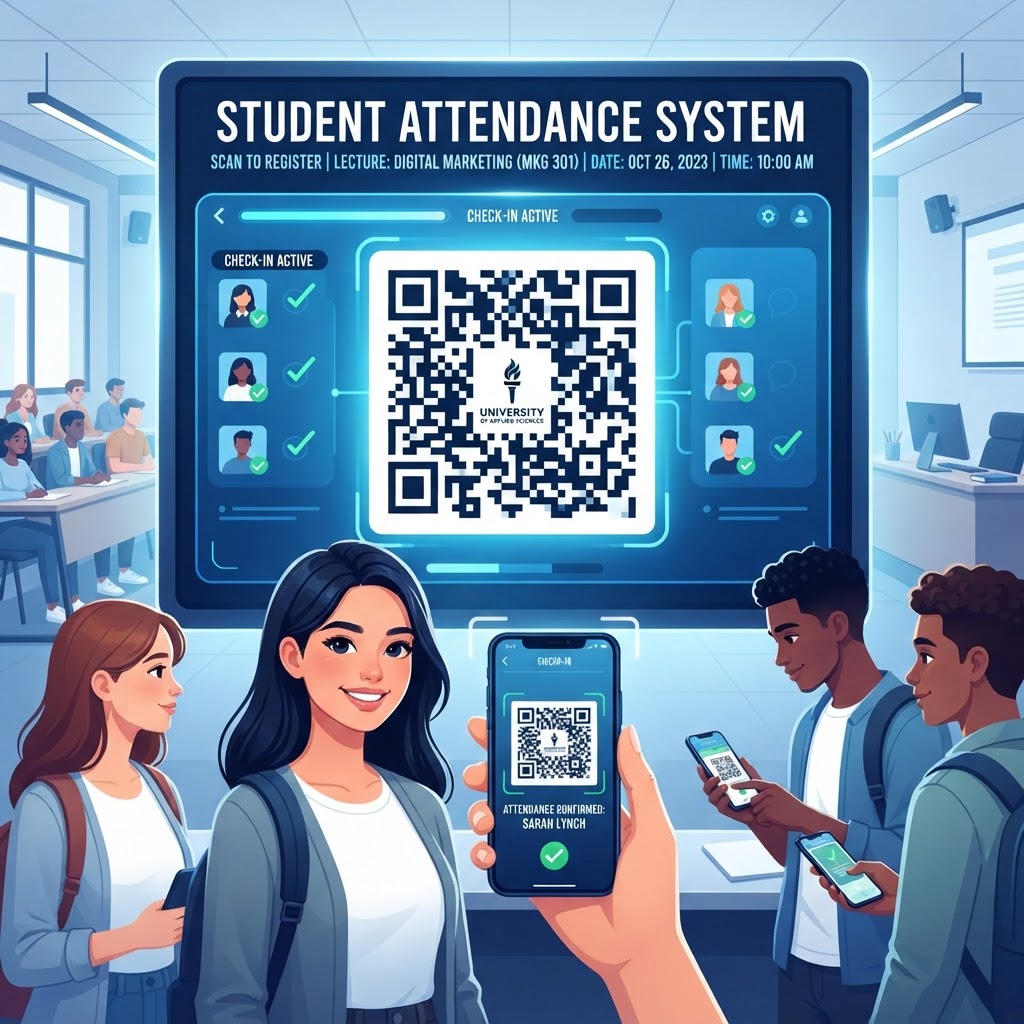
Why This Matters in 2026
In the modern academic landscape of 2026, the intersection of technology and pedagogy is more critical than ever. Teachers are constantly seeking ways to reduce administrative overhead to focus on personalized learning, and the traditional roll call is one of the most significant bottlenecks in daily classroom operations. When a teacher spends five to ten minutes manually calling names and marking physical registers, they lose precious time that could be dedicated to lesson delivery or one-on-one student support. A QR code for student attendance serves as an elegant, non-intrusive solution that addresses this inefficiency directly by decentralizing the attendance process.
Furthermore, most smartphones are now equipped with native camera applications capable of instant scanning, meaning that the barrier to entry for this technology is virtually non-existent. Students are comfortable and adept at interacting with QR technology in their daily lives, making the transition to academic attendance tracking seamless. Beyond the time-saving benefits, the transition to digital attendance promotes organizational consistency. Physical sign-in sheets are easily lost, damaged, or suffer from illegible handwriting, which complicates end-of-semester auditing. A digital record, facilitated by a direct URL linked to a secure form or spreadsheet, ensures that data is captured clearly and stored in a format that is easy to manage, filter, and export for long-term tracking purposes.
The shift toward digital literacy in classrooms also benefits from the implementation of these small, technical habits. By integrating technology into the very start of the lesson, educators normalize the use of digital tools for routine tasks. It is important to emphasize that this system is not about invasive surveillance, but rather about creating a predictable environment where student engagement is prioritized. When administrative tasks move to the background, the classroom becomes a space that feels more focused and intentional, allowing for a better learning experience for every student involved.
How It Works Technically
At its core, a static QR code is a visual representation of a specific URL. When you generate a QR code for student attendance, you are encoding the web address of an attendance form—such as a Google Form or a dedicated digital log—into a grid of black and white squares. When a student points their smartphone camera at this square, the device interprets the visual pattern and immediately identifies the URL, prompting the user to visit the site. Once the student clicks the link, they are directed to the destination where they can enter their credentials or verify their presence. Because this process happens on the user's device, it effectively offloads the manual work from the teacher to the student, ensuring that the teacher simply needs to manage the resulting data log.
Technically, the QR code functions as a bridge. It replaces the need for students to type a long, complex web address into a browser, which is where most human errors occur. Typing a URL involves potential mistakes with punctuation, casing, or character omission; conversely, scanning a QR code is instantaneous and error-proof. Once the student completes the form, the data is pushed directly to a centralized spreadsheet or database associated with the attendance URL. This creates an automated flow where attendance is recorded in real-time as students enter the room. For those interested in broader digital applications, learning how to make a QR code for wifi follows an identical logic, demonstrating the versatility of the technology for shared connectivity in schools.
Try it now: Generate a free QR Code for Student Attendance →
The system relies heavily on the stability of the destination URL. A static QR code from blueqrcode.com permanently encodes that specific string of text. Because the QR code acts strictly as a delivery mechanism for the URL, the underlying infrastructure of the attendance system must be reliable. If you are using a spreadsheet or a web form, ensuring that the link permissions are set correctly—for example, allowing public access or restricting it to domain-specific logins—is the only additional technical requirement. Once the grid is generated, it serves as a persistent gateway that students can scan every single day without the teacher needing to update, change, or rotate the code, provided the destination page remains active.
Step-by-Step Guide Using Blueqrcode.com
Creating your attendance QR code on blueqrcode.com is a streamlined process designed for efficiency and ease of use. First, identify the URL you intend to use for your attendance tracking. This could be a link to a secure, institutional sign-in form or even a shared document where students register their presence. Once you have this URL copied to your clipboard, navigate to the blueqrcode.com homepage. You will find a clear interface designed to handle various URL formats, ensuring that you can get your code generated in mere seconds. If you find the process intuitive, you might also be interested in our guide on free QR code generator no sign-up no watermark, which highlights how we maintain a user-focused experience for all educators.
Paste your attendance URL into the designated field. After inputting the URL, you may choose to customize the appearance of your code if your platform allows, ensuring it matches your classroom's visual branding or departmental style. However, for a standard student attendance sheet, a simple, high-contrast black-on-white code is usually the most effective for rapid scanning. Click the generate button to produce your visual asset. Once the code is ready, you will be able to download it in a standard image format. From here, you can print the code on a heavy piece of cardstock, laminate it for durability, or project it onto a whiteboard at the start of class.
It is vital to test the code immediately after generation. Before deploying it to your students, take your own mobile device, scan the code, and ensure it directs you exactly to the attendance log you intended. If the link opens correctly and you are able to access the input fields, your setup is complete. By keeping the digital link consistent and the physical code displayed in a high-traffic area, such as near the classroom entrance, you establish a reliable routine that students can follow the moment they walk through the door. This simple setup removes the need for recurring digital maintenance and keeps the focus on classroom operations rather than software management.
Best Practices for Deployment (Size, Placement, Format)
The success of your attendance system depends heavily on how the QR code is deployed in the physical classroom. While a QR code is a robust technology, it can fail if placed in an environment where it cannot be scanned easily. Size is the most important factor; a code that is too small requires a user to stand very close to the wall or door, which can create a "bottleneck" effect as students line up to scan. A good rule of thumb is to print the QR code at a minimum of 4x4 inches to ensure that standard phone cameras can pick up the pattern from a distance of several feet. Larger is almost always better, especially in busy hallways or crowded classrooms where many students are checking in at once.
Placement also determines the flow of traffic. Do not place the QR code on a wall where students have to stop and block the door. Instead, consider putting it on a stand-alone easel near the front desk or on a side wall where students can walk past and scan while proceeding to their seats. Furthermore, contrast is essential. A black-on-white code is standard for a reason; it provides the highest possible contrast for camera sensors to differentiate between the modules of the code. Avoid printing codes on reflective or glossy surfaces, as the overhead fluorescent lighting in many classrooms can create glare, which prevents the camera from reading the pattern effectively. For those interested in optimal presentation strategies, we recommend reviewing our advice on qr code placement best practices to ensure your classroom setup is perfectly optimized for maximum efficiency.
100% Free — No signup required
Create your QR Code for Student Attendance in seconds
Create Free QR Code →Finally, consider the durability of the format. A paper sheet taped to a wall will eventually tear or fade. Lamination is a highly recommended practice to protect the code from smudges, dust, and physical wear. If you choose to display the code on a digital screen, ensure the monitor brightness is set high and that there are no major reflective sources directed at the screen. By treating the QR code as a permanent piece of classroom infrastructure rather than a temporary sign, you ensure that the system works every day without requiring you to replace or re-print materials throughout the term.
Common Mistakes to Avoid
Even a well-intentioned system can face issues if certain pitfalls are not managed correctly. The most frequent mistake is using a URL that is not mobile-optimized. If your attendance form or spreadsheet is not built to scale correctly on a smartphone screen, students will have to pinch-to-zoom and scroll horizontally to enter their information. This is frustrating and discourages compliance. Always test the form on your own phone to ensure the input boxes are large and the buttons are easy to tap. If a student has to struggle with a desktop-sized interface on a small screen, they are more likely to make typos or abandon the process altogether, which defeats the purpose of an automated system.
Another significant error involves permission settings. Many educators create a document or form but forget to set the sharing permissions to "anyone with the link can edit" or "anyone with the link can respond." If the form is locked, students will arrive at the destination only to be greeted by a request-access screen, leading to a surge of emails to the teacher at the start of every class. Check your form settings in private mode or via a guest account to confirm that access is public and frictionless. Additionally, avoid overcrowding the area around the QR code with too much visual noise. If you have posters, fliers, or other signs right next to the code, the camera might struggle to isolate the QR pattern, especially if there are other similar graphics nearby.
Finally, do not assume every student knows how to scan a code without instruction. While most students are tech-savvy, a quick verbal reminder or a small, clear instruction sign like "Scan to Sign In" placed above the code can significantly reduce confusion. By anticipating these common hurdles—poor UI, locked permissions, and lack of visual clarity—you can ensure that the transition to digital attendance is smooth and avoids the common stressors associated with new technology implementation.
3-4 Concrete Use Cases by Industry/Sector
While the focus here is on student attendance, the utility of this technology extends across various educational and training sectors. In the context of a large university lecture hall, a QR code can be placed on the main screen during the first five minutes of the class. Since hundreds of students may be present, having them scan the code to sign in is significantly faster than any manual method, and it creates a time-stamped digital record that helps professors verify enrollment levels for large courses. This prevents the administrative headache of paper sheets being passed around a room, which rarely makes it to the back rows and can be easily lost or modified by students on behalf of their peers.
In vocational or technical training centers, where attendance often needs to be linked to specific safety protocols or certification logs, a QR code provides a formal mechanism for tracking. Instructors can require students to scan into the workshop, and the resulting digital file can serve as a verified audit log for accreditation purposes. This is especially useful in environments where students rotate between different stations or labs throughout the day. By placing a unique QR code at each lab station, instructors can track not only who is present but also which students have engaged with specific equipment, creating a comprehensive digital paper trail for safety and compliance reporting.
Finally, for supplemental educational programs like after-school clubs or tutoring sessions, a QR code is an excellent way to track participation without requiring a dedicated registration desk. Because these programs are often less formal, the simplicity of a quick scan allows students to drop in and out without interrupting the flow of the session. It provides the program coordinator with a clean list of participants that can be used for budget reporting or donor tracking, proving the impact of the program without forcing staff to spend hours on manual clerical work. In all these cases, the core functionality remains the same, proving that simple tools can support highly complex environments.
Summary and Next Steps
Implementing a QR code for student attendance is an accessible, efficient, and highly effective way to modernize your classroom management. By removing the manual labor of roll calls and replacing it with a quick, student-led digital check-in, you reclaim valuable instructional time and create cleaner, more organized attendance records. With blueqrcode.com, you have the tools to generate professional, reliable static codes that will serve your classroom needs without the complexity of paid subscriptions or difficult software interfaces. The path forward is straightforward: identify your destination form, test your link, generate your code, and deploy it in a visible, durable format.
As you begin to use this system, pay attention to the feedback from your students and the ease with which the data arrives in your inbox or spreadsheet. You will likely find that after just one week, the process becomes second nature for your class, and you can focus entirely on teaching. Remember that technology is meant to support the human element of education, not replace it. By automating the routine administrative tasks, you are not just saving time; you are creating more space for the interactions that truly matter in a learning environment. If you feel inspired to expand your use of QR codes, explore our other resources on optimizing your classroom or office technology to further enhance your daily operations. Start today by visiting blueqrcode.com and taking the first step toward a more efficient classroom.
No watermark · No expiry · Works on all phones
Your QR code is ready in under 30 seconds.
Generate Free QR Code →