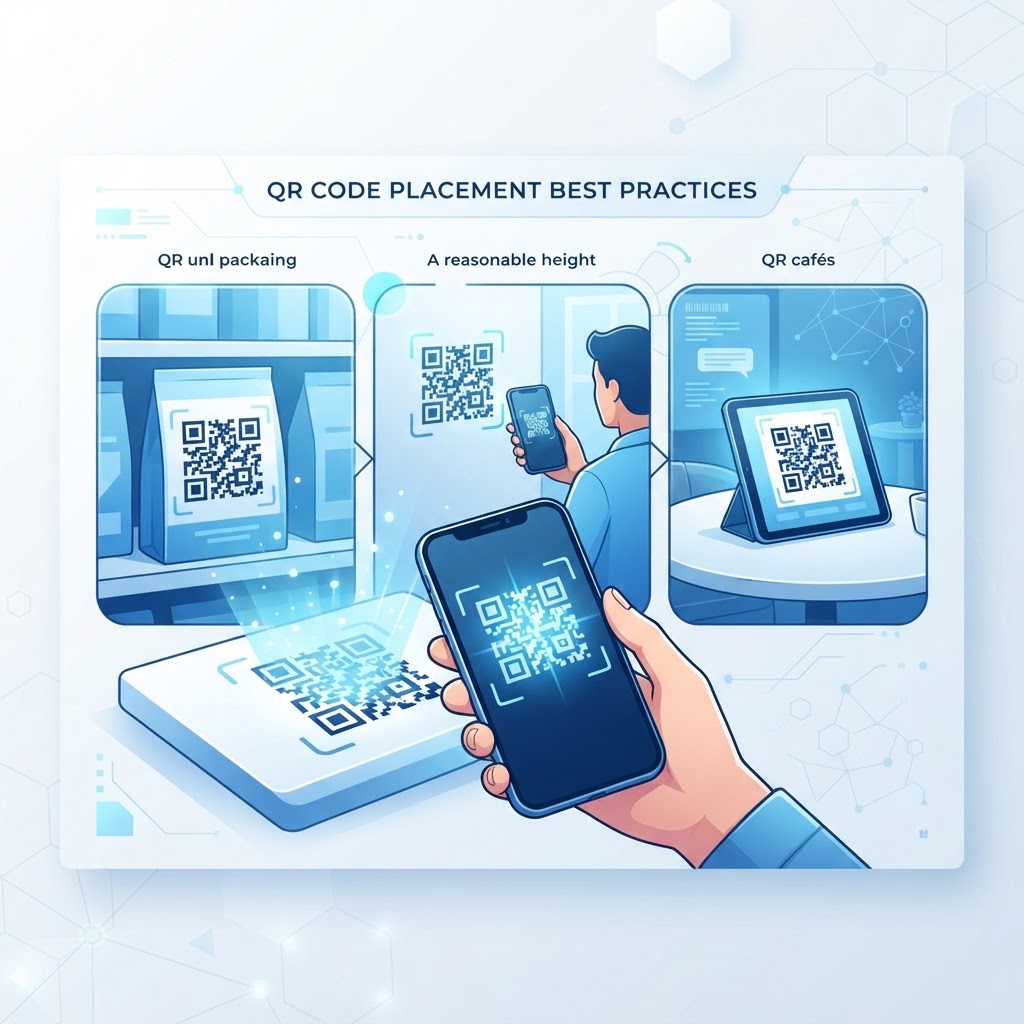
Why qr code placement best practices matters
Imagine a customer standing at a busy trade show booth, struggling to get their phone camera to focus on a code tucked away in a dark, bottom corner of a banner. They will likely give up after three seconds, costing you a potential lead or sale. Strategic placement ensures your digital bridge is accessible, visible, and convenient for the end-user, directly impacting your ROI.
What you need before you start
Before you commit to a print layout, gather your essential assets to ensure success. You need high-resolution versions of your QR codes, which you can easily generate yours in seconds using our platform. Additionally, keep a digital mockup of your physical media to test sizing and placement relative to other design elements.
How to implement placement strategies — step by step
- Assess eye-level visibility: Place your code where the average human eye naturally scans, typically between 4 and 5 feet off the ground.
- Analyze lighting conditions: Ensure your code is in a well-lit area to avoid shadows or glare that interfere with the camera sensor.
- Maintain clear buffer zones: Keep at least a one-inch clear margin around the QR code, free from text, images, or busy backgrounds.
- Prioritize surface flatness: Avoid placing codes on curved objects like bottles or bent posters, which cause distortion and scanning failures.
- Use our tool for quality: Access our free QR Code Generator to ensure you download high-contrast, high-resolution formats.
- Consider the user reach: Make sure the user can comfortably hold their phone at the required distance without overextending or getting too close.
How to test and deploy it
Before sending your designs to the printer, print a test version on standard paper. Walk up to the placement area and attempt to scan the code from different angles and distances. If the scanner struggles, adjust the contrast or increase the size of the QR code immediately.
100% Free — No signup required
Create your Qr Code Placement Best Practices in seconds
Create Free QR Code →Common mistakes that ruin results
- Low contrast: Placing a light-colored code on a busy, light background makes it impossible for the camera to isolate the pattern.
- Too small: Shrinking the code to fit in a tiny space leads to scanning errors, so always maintain a minimum of 1x1 inch.
- Busy backgrounds: Never place a code over a photograph or intricate texture that hides the finder patterns.
- Poor traffic areas: Placing codes in spots where people are walking too fast to stop, such as high-speed traffic zones, will result in near-zero scans.
- Broken links: Always verify your URL is active and mobile-responsive before finalizing the Blue QR Code Generator outputs.
Real examples
For a restaurant menu, the code should be placed on a table tent or the front of the physical menu, never on the side or the back. This provides immediate access when the guest sits down. If you are promoting a product at a retail display, place the code at chest height on the display shelf so the shopper does not have to bend down. You can use Blue QR Code Generator's QR codes tool to create distinct codes for each location to track which display performs best.
No watermark · No expiry · Works on all phones
Your QR code is ready in under 30 seconds.
Generate Free QR Code →Step-by-Step Guide: How to Create a qr code placement best practices on BlueQRCode
-
Step 1 — Choose the right QR type and content.
Start at BlueQRCode by selecting the QR code type that matches your goal (URL, vCard, PDF, Wi-Fi, etc.). For placement planning, choose a dynamic URL when possible so you can update the destination without reprinting. Think about the user journey before you generate the code — what action do you want people to take once they scan?
-
Step 2 — Customize for contrast and size.
Use BlueQRCode’s color and contrast options to ensure high readability. Keep dark foreground on a light background for best results. Set an initial size that matches your intended placement: for handheld materials, select a compact size; for posters or outdoor ads, choose a larger version. Always keep the required quiet zone (clear margin) around the code.
-
Step 3 — Download in the right format.
Download your code in a scalable format (SVG or high-resolution PNG) so you can resize without losing clarity. Vector formats are ideal for printing at large sizes like banners and billboards; PNG works for web and small print. BlueQRCode lets you generate clean files with no watermark and no sign-up.
-
Step 4 — Plan placement and mockups.
Before final production, create mockups showing the QR code in its intended environment. Simulate the real-life viewing distance and angle. Ensure the code has a clear line of sight, is within reach or view of the target audience, and is accompanied by a short call-to-action (e.g., “Scan to view menu”). This step is crucial for applying qr code placement best practices.
-
Step 5 — Test live and iterate.
Print a proof or display the code in situ and test with multiple devices and apps. Check scanning speed in different lighting and at various distances. If scanning is slow or fails, adjust size, contrast, or placement and re-test. Use a dynamic code to update the URL later if you want to refine content or track scans.
Best Practices for qr code placement best practices
-
Keep the code highly visible and reachable. Place codes at natural sightlines and reachable heights. For wall-mounted codes, aim for 1.2–1.6 meters (about chest to eye level). For retail shelves or product packaging, place the code where customers will naturally pick up or examine the item.
-
Match size to scanning distance. Make codes larger when they will be scanned from farther away. Handheld materials like flyers can use a smaller code (minimum ~2–2.5 cm), while posters and banners require much larger codes. When in doubt, print a few sizes and test at the actual distance.
-
Ensure strong contrast and a clear quiet zone. Dark code on a light background is most reliable. Maintain an unobstructed margin around the code (quiet zone) to prevent interference from nearby graphics, text, or logos. Avoid putting the code over busy patterns or photos.
-
Avoid glare and distortion. Use matte finishes or anti-glare coatings for printed codes. Don’t place QR codes across folds, curved surfaces, or areas prone to creasing. If you must place a code on a rounded object, increase the size to compensate for distortion.
-
Include a clear call-to-action and context. Tell people why they should scan: “Scan to save 10%,” “Scan for menu,” or “Scan to watch product demo.” Placement works best when the CTA is directly adjacent to the code and easy to read at a glance.
Common Mistakes to Avoid
-
Placing the code too small for the viewing distance. A code that is readable in desktop view may not scan when printed tiny on a poster or billboard. Always test at the real-world distance and increase size as needed.
-
Putting codes in low-contrast areas or over images. Fancy backgrounds, gradients, or patterns can break scanning. Decorative colors are fine if contrast remains high — otherwise stick to simple, high-contrast pairings.
-
Ignoring reflections, glare, or surface curvature. Laminated menus or glossy posters can cause scan failures under harsh lighting. Avoid placing codes where sunlight or spotlights hit directly, and use matte materials where practical.
-
Not providing direction or failing to test accessibility. Codes without clear CTAs or instructions (e.g., “Open camera and point at code”) leave users uncertain. Also consider accessibility: provide alternative ways to access the same content for users who cannot scan (short URLs, NFC tags, or visible phone numbers).
Real-World Use Cases
-
Retail product packaging. Place a QR code on the back or side of a product where shoppers can easily pick it up. Use placement that avoids printer bleed and keeps the quiet zone intact. Offer product details, user manuals, or video demos — and use a dynamic code so you can update product information without changing packaging.
-
Restaurant menus and tabletop promos. Put codes on tabletops, table tents, or menu covers at reachable heights for diners. Position codes away from drink rings and direct lights, and include a clear CTA like “Scan for contactless menu.” For outdoor seating, consider weatherproof, matte-printed codes.
-
Transit and out-of-home advertising. For posters on buses, billboards, and train stations, increase code size and position them where passengers or pedestrians can pause and scan. Ensure codes aren’t obstructed by ad frames or torn edges, and place CTAs that match commuter behavior (e.g., “Scan to get schedule updates”).
-
Museums and exhibits. Place QR codes next to exhibits at comfortable reading height and on an uncluttered plaque. Use codes to deliver audio guides, videos, or additional background — and test in low-light gallery conditions to ensure reliable scanning.
Create Your Free qr code placement best practices
No sign-up. No watermark. Never expires.
Generate Free QR Code →