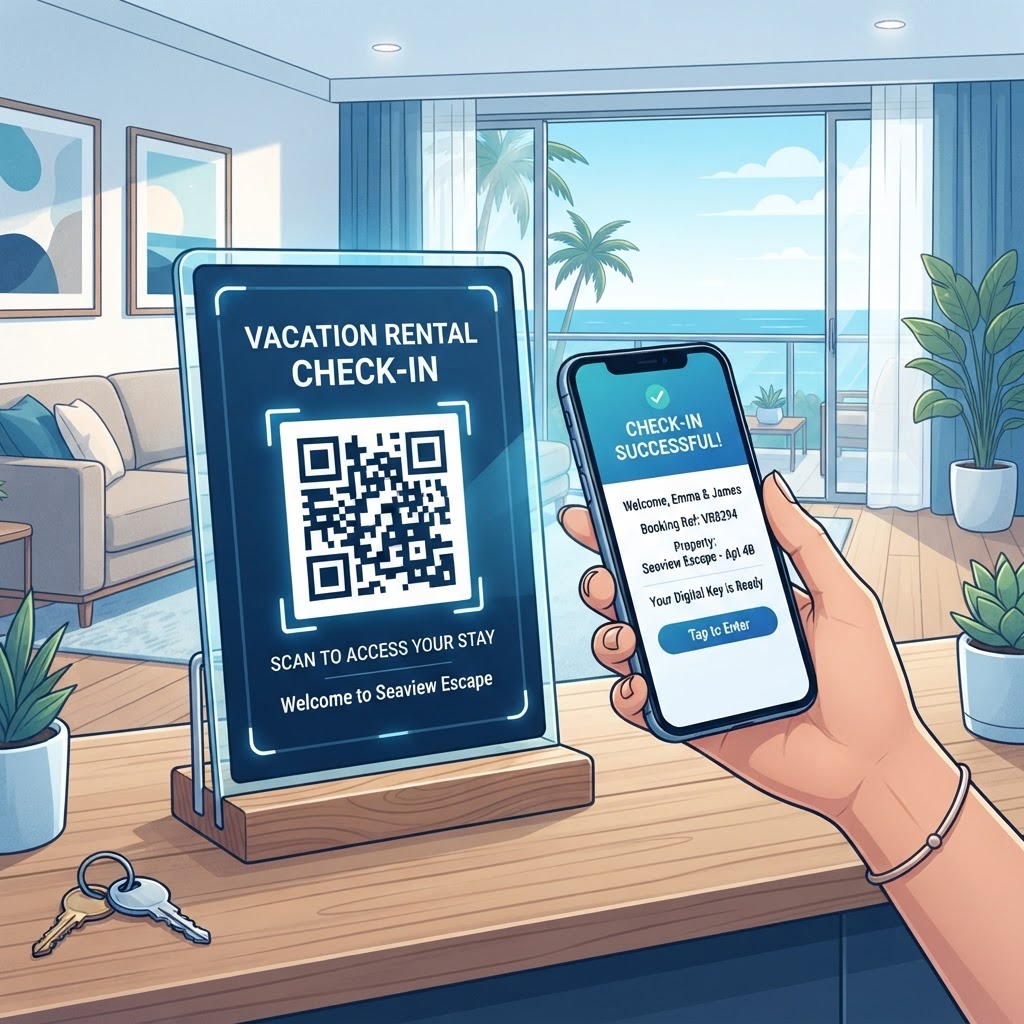
Why Implementing a QR Code for Vacation Rental Check-In Matters in 2026
In 2026, the travel industry has shifted decisively toward self-service models. Guests expect autonomy, and the traditional method of meeting in person for a key exchange or searching through cluttered physical binders for information is quickly becoming obsolete. A QR code for vacation rental check-in acts as the modern gateway to a property, providing a centralized hub for all necessary guest information. When guests arrive at a property, they are often tired from travel and anxious to get settled. The friction caused by complex lockbox instructions, unclear parking directions, or misplaced Wi-Fi codes can immediately dampen the guest experience. By utilizing a QR code, you provide a clear, instant, and mobile-friendly solution that minimizes stress and sets a positive tone for the remainder of their visit.
Furthermore, the efficiency gains for property managers are immense. By hosting your digital welcome book or check-in instructions behind a QR code, you reduce the volume of repeat messages regarding how to operate the thermostat, how to connect to the network, or what the local waste management policies are. This allows you to scale your operations more effectively, managing more properties without the need to be physically present at every check-in. The technology facilitates a professional, high-tech image that encourages five-star reviews and repeat bookings. In an era where information transparency is vital, using digital pathways like those provided by blueqrcode.com demonstrates a commitment to modern hospitality standards. As guest behavior continues to evolve, these digital touchpoints provide essential analytics and structure, ensuring that your property remains competitive in a crowded marketplace where convenience is the ultimate differentiator for travelers booking their next stay.
How It Works Technically: From Scan to Arrival
At its core, a QR code acts as a visual bridge between the physical space of your rental property and the digital resources hosted on the web. Technically, the QR code stores a specific URL that points to a landing page, a digital document, or an automated app workflow. When a guest points their smartphone camera at the code, the device decodes the visual pattern and immediately triggers a request to the server, directing the guest to your configured destination. This process is seamless because most smartphones today have built-in native scanners that require no third-party applications to function, lowering the barrier to entry for even the least tech-savvy travelers. This technology is incredibly robust, as the error correction algorithms built into the QR code standard allow for partial damage or poor lighting while still remaining readable, making it highly reliable for both indoor and outdoor placements.
To make the check-in process truly effective, the underlying URL must lead to content that is optimized for mobile viewing. This involves ensuring your digital welcome book or check-in dashboard is responsive, loads quickly, and is structured with clear navigational headers. Behind the scenes, when you generate a code via blueqrcode.com, you are creating a link that can be updated dynamically. This means that if you change your Wi-Fi password or update a local restaurant recommendation, you do not need to print new physical signs. You simply update the content at the destination URL, and the code remains functional. This flexibility is a significant technical advantage for short-term rental hosts who need to maintain up-to-date information without the recurring costs of printing. Understanding these technical foundations allows you to leverage the full utility of the tool, moving beyond simple static links toward an integrated guest management ecosystem that relies on high-speed connectivity and optimized mobile UX design.
Step-by-Step Guide Using BlueQRCode.com
Setting up your system using blueqrcode.com is a straightforward process designed for maximum efficiency. Start by gathering all the information you want to share with your guests, such as front door codes, local contact numbers, house rules, and instructions on how to use appliances like the coffee machine or hot tub. If you haven't already, ensure your Wi-Fi details are clearly documented, and perhaps review our guide on how to make a QR code for wifi to provide a secondary, dedicated access point for your guests. Once your content is ready, navigate to the generator, select the 'URL' option, and input the link to your digital welcome document or hosted check-in portal. You can customize the look of the code to match your brand colors, ensuring it feels like an integrated part of your property’s aesthetic rather than an intrusive advertisement.
After generating the code, perform a test scan to ensure it routes correctly to the intended destination. You may want to consult our qr code placement best practices to guarantee that your code is positioned where it will be most easily seen—typically on a welcome table, by the entryway, or attached to a house manual. Next, download the code in a high-resolution format, such as PNG or SVG, to ensure that printing quality remains sharp at various sizes. If you are dealing with a larger portfolio, consider creating specific landing pages for different units so that your check-in instructions remain personalized. After deployment, monitor the guest feedback regarding the scan process. If you find the traffic is high, you can even link to additional surveys or local booking pages. The user-friendly interface at blueqrcode.com handles the heavy lifting, allowing you to focus on the hospitality side while the technology ensures your guests have everything they need upon arrival.
Best Practices for Deployment: Size, Placement, and Format
The success of your check-in system depends almost entirely on visibility and usability. If a guest cannot find the QR code or the code is printed too small, the system fails to serve its purpose. For indoor placement, a standard 2x2 inch QR code is usually sufficient, provided it is printed on non-reflective material. Avoid placing codes behind thick glass or in dark corners where the camera might struggle to achieve focus. The best location is often a printed sign in a dedicated frame on the foyer console or a custom-designed card stuck to the front of the refrigerator. Consider the lighting conditions at the time of arrival; if your property is a cabin that guests reach late at night, ensure the area where the code is displayed is well-lit so the smartphone camera can resolve the high-contrast patterns accurately and swiftly.
Format matters as much as placement. Always export your QR code from blueqrcode.com in a vector format (like SVG) if you intend to scale it up for posters or signs, as this prevents pixelation. If you are creating a digital check-in packet, embed the code clearly within the document so it is unmistakable. Additionally, think about the physical material used to display the code. A laminated sheet can become scratched and reflective, leading to glare that prevents scanning. High-quality matte cardstock is often the best choice for indoor signage. Furthermore, if your property has an outdoor entry area, consider weatherproofing your display to prevent moisture damage. By adhering to these deployment standards, you ensure that the interaction is swift and successful every time, which reinforces the guest’s perception of your property as organized and well-managed. Remember that a QR code is not just a link; it is a point of physical-to-digital interaction that reflects the quality of your overall management, so treat it with the same care you would any other piece of guest-facing signage.
100% Free — No signup required
Create your QR Code for Vacation Rental Check in in seconds
Create Free QR Code →Common Mistakes to Avoid
Many hosts fall into traps that can frustrate guests and render the technology ineffective. One of the most common mistakes is failing to test the landing page on multiple device types. A page that looks perfect on a desktop browser may be impossible to navigate on a small, older smartphone. Always ensure that the destination page for your QR code is mobile-responsive and uses a simple, intuitive UI. Another frequent error is linking to a file that is too large or requires a special app to view, such as a massive PDF that takes minutes to download on a weak cellular connection. Always optimize your file sizes. If you need to distribute large documents, it is often better to use a lightweight landing page or a simplified summary that allows guests to access the full details as needed. To learn about creating professional, accessible documents for your guests, see the insights in pdf qr code for portfolio step by step.
Furthermore, avoid the mistake of creating a 'dead' link. If you decide to change your website structure or move your documents to a new cloud folder, your QR code will break unless it is a dynamic URL. Always double-check your links before printing your physical signage. Additionally, never rely solely on a QR code. Always provide a physical 'backup' set of printed instructions for guests who might have a broken camera, a dead phone battery, or general discomfort with QR technology. Being inclusive of all guest comfort levels is the hallmark of excellent service. Finally, avoid overwhelming the guest with too many QR codes at the entryway. One clear, central code that points to a comprehensive 'Welcome Hub' is much more effective than a wall of five different codes for various services, which can lead to decision fatigue and confusion. Keep it simple, test everything, and always maintain a physical redundancy for safety.
Concrete Use Cases by Industry and Sector
While vacation rentals are the primary focus, the application of QR-based check-in systems is widely applicable across several related industries. In the boutique hotel sector, QR codes are used to bypass the front desk entirely, allowing guests to verify their identity and receive a mobile key directly to their digital wallet. This is particularly useful for hotels with limited staff, as it allows guests to arrive at any time of the night without requiring a human presence. In the co-living or long-term rental market, landlords use QR codes at the property entrance to provide residents with ongoing access to maintenance request forms, utility usage statistics, and community calendars, fostering a sense of organization and constant communication that improves retention rates.
Another significant sector is the event-based rental industry, such as wedding venues or conference spaces. Here, QR codes are placed at registration tables to facilitate instant check-in for guests or attendees, pulling up their schedule or seating assignment immediately upon scanning. This reduces the bottleneck of people waiting to speak with a representative and allows for a much smoother flow of movement. Similarly, short-term health retreat centers or wellness centers utilize these codes to provide guests with daily activity schedules, meal menus, or room-specific exercise programs, ensuring that the guest experience is tailored and highly structured. By using a consistent platform like blueqrcode.com, these businesses can manage all their various check-in needs from a single, centralized dashboard. Each of these use cases illustrates that the core technology is essentially a tool for information delivery. Whether you are managing a single mountain cabin or a large network of boutique urban apartments, the ability to deliver relevant information instantly via a simple scan remains one of the most powerful ways to improve operational efficiency and elevate the professional standard of your guest communication protocols.
Summary and Next Steps
The transition toward a fully digital guest experience is an inevitability in the modern hospitality landscape. By utilizing a QR code for your vacation rental check-in, you are positioning your business as a leader in efficiency, convenience, and guest satisfaction. We have explored the technical underpinnings, the strategic implementation, and the common pitfalls that hosts must navigate to be successful. From the ease of setting up your codes on blueqrcode.com to the essential best practices for printing and placement, you now possess the knowledge required to modernize your property’s arrival process. The ultimate goal is to remove friction from the guest's transition from traveler to resident, and by deploying this technology effectively, you do exactly that.
To move forward, start by identifying the specific pain points in your current check-in routine. Are guests constantly texting you about the Wi-Fi? Is your physical house manual outdated or torn? Choose one aspect to digitize first, generate your code, and monitor the results over the next several bookings. Once you are comfortable with the process, expand the use of your QR codes to cover more areas, such as providing links to local tours, grocery delivery services, or emergency contacts. Continuous improvement is the key to maintaining a high-rated property. As the technology continues to evolve, stay tuned for further updates on how you can leverage digital tools to enhance the guest journey. Your next step is to head over to blueqrcode.com, generate your first professional-grade QR code, and take the first step toward a smoother, smarter, and more profitable rental experience for years to come.
No watermark · No expiry · Works on all phones
Your QR code is ready in under 30 seconds.
Generate Free QR Code →