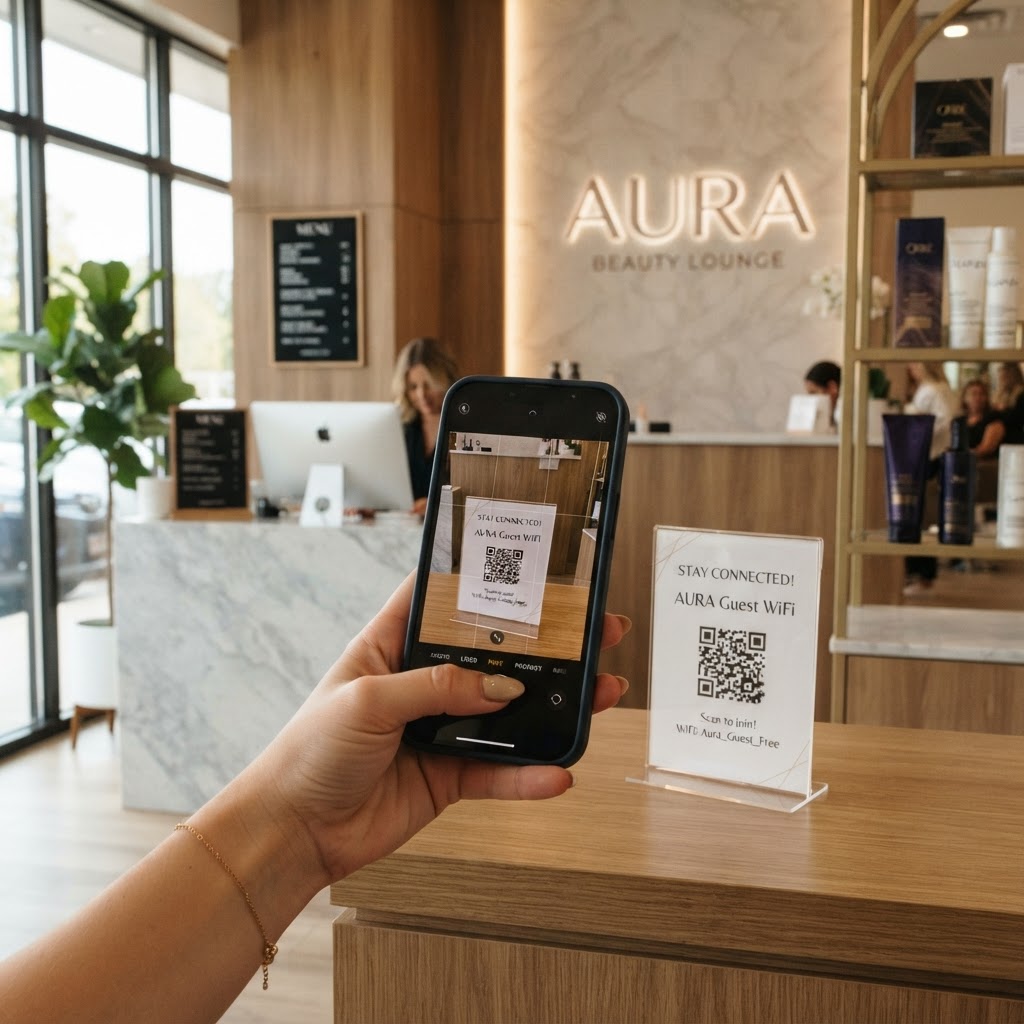
Why a wifi qr code for beauty salon visitors matters
In a service-heavy environment like a beauty salon, your staff is often busy working on complex treatments. When a client asks for the password, it forces your stylists to pause their work to read out a complex string of characters. This disrupts the flow of your service and creates unnecessary friction during a relaxing experience.
Implementing a contactless connection method eliminates this interaction entirely. When you provide a scannable code at the front desk or on mirrors, you empower guests to connect without bothering your busy team. This professional touch elevates the premium feel of your brand and allows your clients to enjoy their experience uninterrupted. If you are ready to streamline your salon's guest experience, you can generate yours here in just a few clicks.
What you need before you start
Before you use our free WiFi QR Code Generator, make sure you have your network credentials handy. You will need your exact network name (SSID), which is case-sensitive, and your current password.
It is also helpful to know your encryption type, usually WPA/WPA2, though most modern systems are detected automatically. Once you have these three details, you can generate yours in seconds using our streamlined interface.
How to create a WiFi QR code for beauty salon ease — step by step
- Visit the generator page: Go to the official Blue QR Code Generator to access the WiFi configuration tool.
- Enter your Network Name: Type your WiFi SSID exactly as it appears in your router settings.
- Input your Password: Carefully type the password for your beauty salon network, ensuring there are no extra spaces.
- Select Security Protocol: Choose the encryption type from the dropdown menu, typically WPA2 or WPA3 for modern routers.
- Customization: Select your desired colors or add a frame to ensure the design matches your salon's aesthetic.
- Download the file: Click the generate button and save the high-resolution image file to your device.
How to test and deploy it
Before you print multiple copies for your mirrors or reception desk, perform a live test. Open your phone's camera, scan the newly created image, and verify that it automatically prompts your device to join the network.
You can use Blue QR Code Generator's WiFi QR codes tool to print these on small cards placed at every station. Keeping the QR code near the point of sale or on the main waiting area mirror ensures that clients see it exactly when they are settling in for their appointment. To learn more about the broader benefits of this technology, check out our guide on how to share WiFi without a password using a QR code.
Common mistakes that ruin results
- Typos in the SSID: Small errors in capitalization or punctuation prevent the phone from recognizing your network.
- Wrong encryption setting: Selecting the incorrect protocol like WPA instead of WPA2 causes the scanning device to timeout during the connection handshake.
- Low contrast design: Using light yellow or pale pink colors on a white background makes the code impossible for some cameras to scan.
- Small print size: Printing the code too small on a sign forces clients to get too close, which can be awkward for staff and guests.
Real examples of usage
Imagine a high-end salon where the QR code is printed on a sleek, matte acrylic stand sitting on the welcome desk. This provides a clean, modern look that suggests your business values technology and client convenience.
Alternatively, consider placing a small sticker with the code on the back of your hair salon chairs or on the vanity mirror. This allows guests to connect privately without needing to stand up or interact with the receptionist while they are already midway through a blowout or manicure.
Using the Blue QR Code Generator helps you maintain this polished look across all your touchpoints. Always ensure your signage is clear, professional, and accessible to maximize usage by your daily clientele.