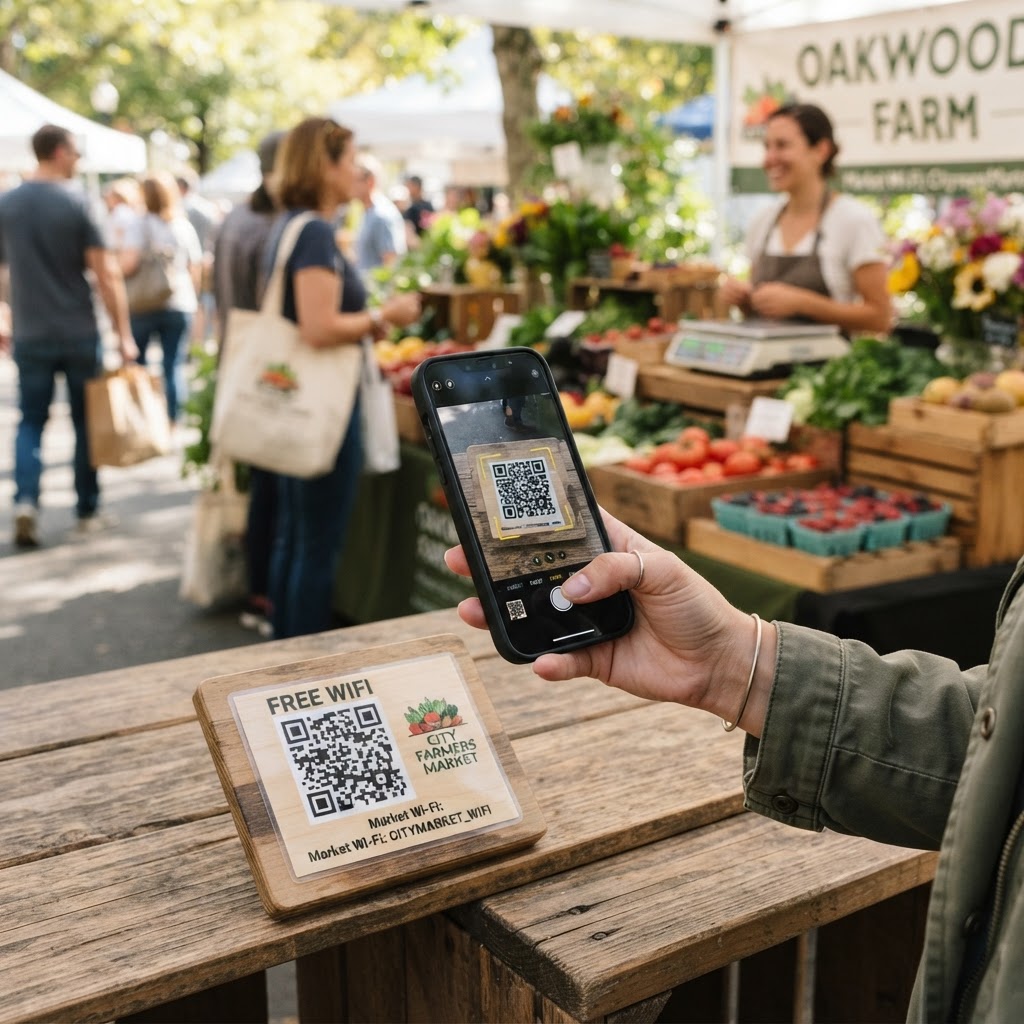
Why a wifi qr code for farmers market events matters
Modern consumers expect digital access everywhere, even while shopping for fresh produce. If your market offers public internet, a simple QR code removes the friction of manual password entry, which often results in frustrated shoppers or abandoned connectivity attempts. You can generate yours here to streamline this experience.
Consider a busy weekend morning where dozens of people are trying to upload photos of their finds or process digital payments. By providing a scan-to-connect solution, you minimize support queries and help maintain a professional environment that encourages people to stay longer and share their location on social media.
What you need before you start
Before you begin, ensure you have your network credentials ready. You will need the exact Service Set Identifier (SSID)—the name of your network—and the password, if one is required.
It is also helpful to have your encryption type handy, which is usually WPA/WPA2 for most routers. Finally, have a reliable internet-connected device ready to use our free WiFi QR Code Generator to build your code in under a minute.
How to create a WiFi QR code for farmers market guests — step by step
Follow these steps to ensure your network is easily accessible to all your visitors.
- Open the generator: Navigate to our free WiFi QR Code Generator to begin the setup process.
- Enter your SSID: Type your exact WiFi network name into the designated field, paying close attention to capital letters and special symbols.
- Select your security type: Choose WPA/WPA2 from the security dropdown menu, as this is the standard for most modern routers and hotspots.
- Input your password: Carefully enter the password for your network to ensure that guests can connect without repeated errors.
- Customize the design: Select a clear frame and color scheme that fits your brand aesthetic; Blue QR Code Generator provides several options to make your code stand out.
- Generate and download: Once finished, click the button to generate the image, then save it to your device so you can print it for your event space.
How to test and deploy it
After you generate yours in seconds, print a test copy on standard printer paper. Use your own smartphone to scan the code; if the phone prompts you to join the network immediately, you have successfully configured the settings.
When deploying, place the printed QR code at high-traffic areas like info booths, vendor stalls, or main entry points. You can use Blue QR Code Generator's WiFi QR codes tool to ensure the printed size is large enough to be scanned from a distance of 2-3 feet without glare interference.
Common mistakes that ruin results
- Incorrect SSID: A single typo in the network name will cause the device to attempt a connection to a non-existent network.
- Low contrast prints: Printing your code in light colors on a light background makes it impossible for most cameras to detect the pattern.
- Blocking the code: Placing the QR code behind thick glass or reflective lamination can cause glare that prevents successful scanning.
- Outdated network info: Changing your WiFi password without updating the QR code is a common oversight that leads to connection errors.
Real examples
A community market manager might use a QR code to provide internet access to vendors who need it for processing credit card payments via mobile apps. This setup acts as a secondary layer of support, ensuring that business operations remain smooth throughout the morning.
Another example is an outdoor cafe section within a market. By displaying a QR code on table tents, the manager allows diners to check emails while enjoying their food, which adds significant value to the overall hospitality experience at the venue. If you manage other spaces, we also offer specific guides for food hall guests as well.
Before you print, make sure you use Blue QR Code Generator to create a clean, professional file that reflects your brand. Always test at the physical location under the specific lighting conditions where the sign will be mounted.