1. Why This Matters in 2026
As we navigate 2026, the intersection of physical presence and digital utility has become the standard for successful event orchestration. Gone are the days when event organizers could rely on printed brochures or manual registration lines without frustrating attendees who prioritize speed and convenience. Most smartphones are now inherently designed to identify and process QR codes without the need for additional third-party applications, making this technology the most frictionless way to guide users to specific digital destinations. In a high-stakes event environment, the speed of access is directly correlated to the level of attendee satisfaction. If a guest has to wait in line to find information that could have been accessed via a scan, they perceive the event as poorly organized.
Furthermore, the shift toward sustainable event management is heavily supported by the use of QR codes. Many businesses are successfully reducing their carbon footprint by moving away from printed signage and physical event programs. A single high-quality QR code displayed on a central pedestal can direct hundreds of attendees to a live-updating schedule, interactive map, or speaker bio page. This dynamic utility is essential in 2026, where schedules and room assignments often shift at the last minute. By adopting the best practices outlined in this guide, organizers gain the ability to pivot their messaging in real-time without the nightmare of reprinting collateral. This level of agility is exactly what defines a modern, professional event. Beyond logistics, the integration of QR codes provides actionable data. You gain visibility into peak traffic times, popular sessions, and specific user interests—all of which are invaluable for post-event analysis. Failing to integrate these tools effectively leaves both event performance and attendee experience lagging behind current industry standards.
2. How It Works Technically
At their core, QR codes are two-dimensional barcodes consisting of black modules arranged in a square pattern on a white background. This geometric structure allows for the encoding of significantly more data than traditional one-dimensional barcodes, which rely on linear stripes. When a smartphone camera or a dedicated scanner targets a QR code, the device interprets the binary data hidden within the arrangement of those modules. The technical magic lies in the Reed-Solomon error correction algorithm, which allows the code to be partially obscured, damaged, or slightly distorted while remaining perfectly readable. This robustness is the primary reason why QR codes have survived and thrived for decades, and why they remain the gold standard for mobile interaction in 2026.
Technically, when you generate a code using free-qr-code-generator-no-sign-up-no-watermark technology, the URL or data string you input is converted into a specific matrix. The density of this matrix depends on the length of the URL; longer, complex URLs result in a more intricate pixel pattern, which can sometimes be harder for older hardware to scan quickly. This is why using URL shorteners or clean, optimized redirection links is a fundamental best practice. When an attendee scans the code, the device initiates a handshake with the server hosting the URL. This process must be optimized for speed, as high-latency connections in crowded event venues—where hundreds of devices might be competing for bandwidth—can cause scanning timeouts. A properly generated code points to a lightweight, mobile-optimized landing page, ensuring that the transition from a physical sign to a digital experience is instantaneous. Understanding these technical nuances allows you to provide a seamless interaction, preventing the dreaded 'scan fail' that occurs when codes are too complex or the destination site is non-responsive.
3. Step-by-Step Guide Using BlueQRCode.com
Creating an effective QR code begins with selecting the right generator. BlueQRCode.com offers a streamlined, professional-grade interface designed to minimize technical overhead. To start, navigate to the platform and select the type of content you intend to share. For event organizers, this is often a qr-code-for-conference-registration, a digital agenda, or a direct link to a speaker profile. Begin by inputting your URL. Once entered, the system will instantly process the link and generate the graphical QR matrix. It is essential here to test the code using various devices before finalizing your print materials; a common pitfall is printing a code that points to a dead link or a redirect that is blocked by browser security settings.
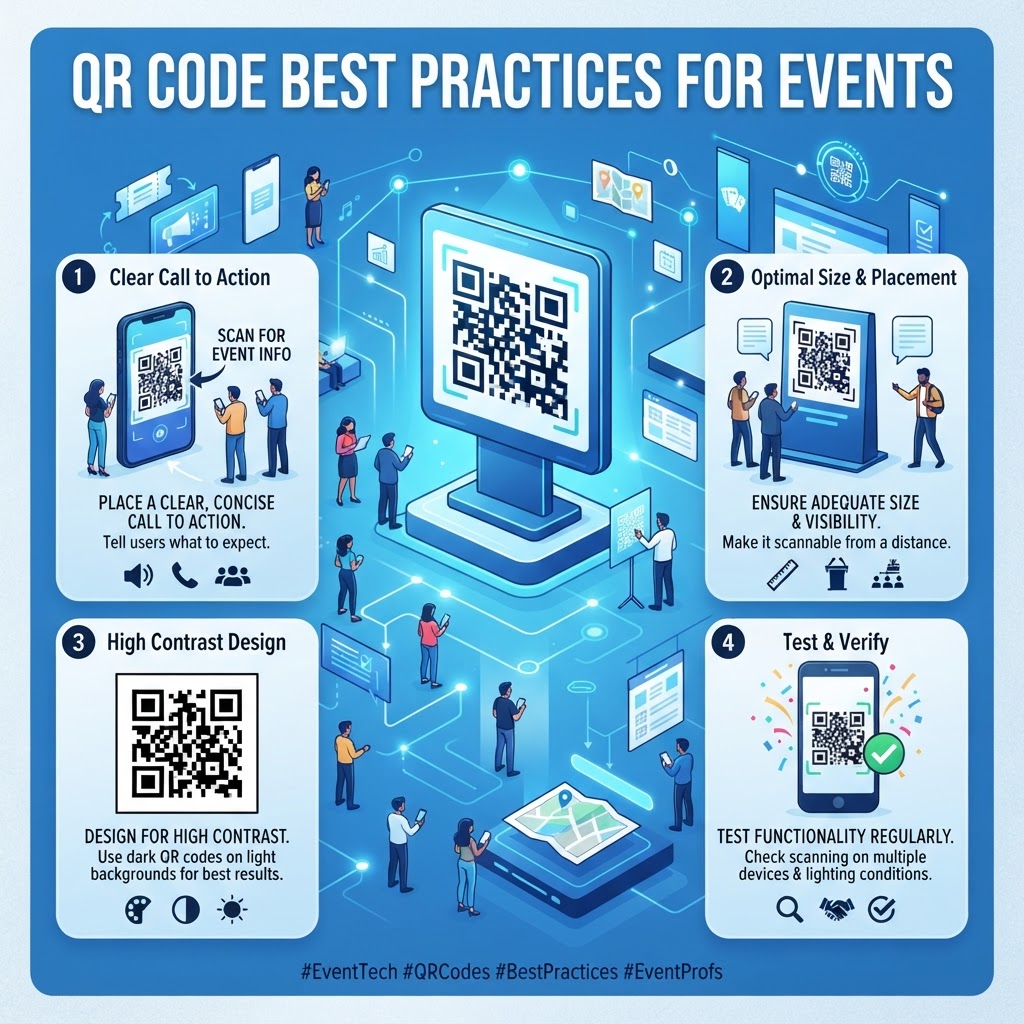
Next, focus on customization. While standard black-and-white codes are the most reliable, adding subtle brand colors can improve the aesthetic appeal if done carefully. Ensure there is enough contrast between the foreground color and the background—if the contrast is insufficient, most cameras will not be able to identify the boundaries of the modules. Once the design is set, download the image in a high-resolution format, such as SVG or high-DPI PNG. Vector formats like SVG are preferred for large signage because they can be scaled infinitely without losing quality. After downloading, perform a series of real-world stress tests. Use an Android device, an iOS device, and perhaps a tablet to verify that the scan speed is acceptable under different lighting conditions. Place the code on the actual substrate—or a mockup of the substrate—you intend to use at the event to ensure that surface glare or material texture doesn't hinder the scanning process. Consistent testing through this cycle ensures that you are delivering a tool that actually serves your attendees rather than becoming a source of frustration.
4. Best Practices for Deployment (Size, Placement, Format)
Deployment is where many events succeed or fail. The size of your QR code must be proportional to the distance from which you expect attendees to scan it. A code on a table tent can be as small as 2x2 centimeters, but a code on a banner hanging from a ceiling or placed on a wall at the back of a room needs to be significantly larger—often 20x20 centimeters or more. A safe rule of thumb is the 10-to-1 ratio: the scan distance should be approximately ten times the width of the QR code. Placing a small code in a high-traffic area where people must stand back will result in poor engagement because the hardware simply cannot resolve the pixels at that distance.
Placement logic is equally important. Never place a QR code at knee level or in dark, shadowed corners where lighting is insufficient for camera sensors to work properly. Ideally, place codes at eye level, roughly 1.5 meters from the ground, on flat, non-reflective surfaces. If you are printing on glossy material, the reflection can wash out the black modules, rendering the code unreadable. Consider matte finishes whenever possible. Furthermore, ensure there is a 'quiet zone' around the QR code—a clear margin of whitespace that keeps the code isolated from other graphic elements. If you clutter the area around the QR code with logos, text, or decorative graphics, the scanner might become confused and fail to recognize the object as a valid code. Additionally, always refer to professional guidelines like qr-code-placement-best-practices to ensure your signage follows the industry standards that attendees instinctively understand and trust during their journey through your venue.
100% Free — No signup required
Create your QR Code Best Practices for Events in seconds
Create Free QR Code →5. Common Mistakes to Avoid
One of the most frequent mistakes is the use of dynamic codes that rely on unstable redirect servers. If your QR code platform experiences downtime, every single piece of print material you have distributed becomes a useless piece of paper. Always choose a reliable generator and ensure that your links are permanent. Another common error is failing to provide a call-to-action (CTA) next to the code. A lone QR code hanging in the middle of a wall creates confusion; attendees won't know if the scan will lead to a menu, a signup form, or a Wi-Fi login. Always include a short, punchy instruction, such as 'Scan for Full Agenda' or 'Scan to Register,' to manage expectations and increase scan rates.
Over-designing the QR code is another significant pitfall. While many platforms allow for complex logos in the center, rounded edges, or multi-colored modules, these stylistic choices can drastically reduce readability. The more 'creative' you get, the more you sacrifice the structural integrity of the code. In an event setting where time is limited, clarity should always take precedence over branding. Stick to standard patterns unless you are absolutely sure that your design doesn't impede scanning. Furthermore, avoid printing QR codes on highly textured materials like rough fabric or deep-groove wood, as the distortion of the pattern will prevent successful scanning. Finally, avoid placing multiple QR codes in close proximity to one another. If a camera sees two codes at once, it may not know which one to select, or it may fail to focus entirely. Space your codes out to ensure that each one has a dedicated, clear scanning 'focal point' for the user.
6. 3-4 Concrete Use Cases by Industry/Sector
In the events industry, specific use cases are essential for driving efficiency. For large-scale conferences, QR codes are the lifeblood of registration. By assigning each attendee a unique, personalized QR code sent via email, organizers can streamline the badge-printing process. When an attendee arrives, they scan their personal code, and the printer produces a badge in seconds, eliminating manual data entry. This is far more professional than searching through spreadsheets or physical guest lists. Similarly, for trade shows, QR codes on exhibitor booths allow visitors to instantly save contact information, download product brochures, or sign up for follow-up emails, effectively replacing the obsolete business card bowl.
The hospitality and gala sector also benefits immensely. During charity events or auctions, placing a QR code on each table allows guests to bid in real-time on their smartphones, increasing participation and total revenue. In educational workshops or academic conferences, QR codes serve as the perfect bridge to supplemental materials. By placing a code next to a poster or on a presentation screen, the speaker can allow attendees to download a PDF of the slides or access a library of white papers immediately, turning a passive talk into an active, resource-rich session. This approach significantly elevates the value of the presentation. These examples demonstrate that the QR code is not just a link; it is a functional tool that changes how information flows within a room. When you strategically deploy these codes, you demonstrate a level of sophistication and foresight that attendees associate with high-quality event planning and professional operation.
7. Summary and Next Steps
As we have explored, the effective use of QR codes at events is a blend of technical preparation and thoughtful physical design. By understanding the hardware requirements, adhering to clear placement strategies, and avoiding the common pitfalls of over-design or poor link management, you can create an event experience that feels modern, fast, and highly professional. Remember that the ultimate goal is to facilitate an easier path for your attendees, not to force them into a complex digital interaction. Every scan should result in a quick, satisfying payoff, whether it is getting access to a secure Wi-Fi network or reaching the checkout page for a donation.
For your next steps, begin by reviewing your event collateral and identifying every touchpoint where a digital transition could improve the user journey. Once you have identified these spots, use a reliable tool like blueqrcode.com to generate your codes, ensuring you have tested them on multiple devices under actual event lighting conditions. If you need inspiration or specific technical assistance for different event types, explore our guides on creating specific types of assets, such as how to implement a qr-code-for-table-reservation for your next gala dinner. Consistent, iterative improvement is the key to mastering this technology. Stay updated with these best practices, keep your digital infrastructure clean and simple, and you will undoubtedly see an increase in engagement and attendee satisfaction at every event you host moving forward.
No watermark · No expiry · Works on all phones
Your QR code is ready in under 30 seconds.
Generate Free QR Code →