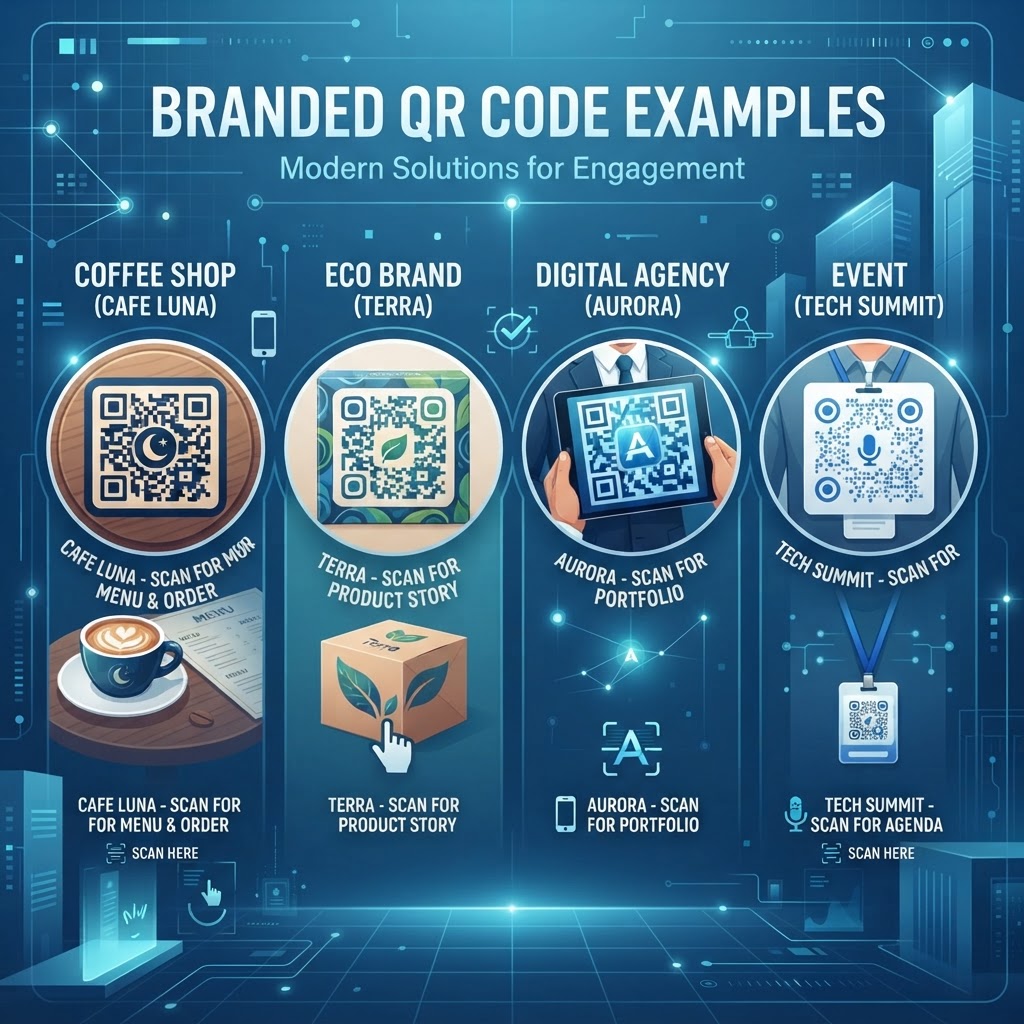
Why Branded QR Code Examples Matter in 2026
In the digital-first environment of 2026, the visual consistency of marketing collateral is paramount. Standard black-and-white QR codes, while functional, often clash with carefully curated brand aesthetics, appearing as jarring interruptions on otherwise polished designs. Branded QR code examples demonstrate how design-forward businesses are moving away from the generic utility look in favor of customized solutions that blend seamlessly into posters, product packaging, and digital advertisements. By incorporating brand logos, specific brand color gradients, and stylized corner elements, businesses can turn a routine scan into a cohesive extension of their marketing campaign. This visual integration increases the perceived value of the information stored within the code, making users more comfortable with the interaction because the branding provides an implicit signal of safety and authority.
Furthermore, as consumer skepticism toward unidentified links grows, branded codes act as a security signal. When a user sees a QR code that shares the same color scheme and icon as the product they are holding, they are statistically more likely to trust the destination URL. Many businesses find that customization leads to higher scan-to-action conversion rates compared to generic counterparts. This is especially true when codes are embedded into complex visual compositions. By using the tools available at blueqrcode.com, organizations can maintain a professional appearance that keeps the user journey consistent from the first touchpoint. Whether you are using a PDF QR code for portfolio step-by-step integration or a simple URL redirect, the psychological impact of a well-designed, branded asset cannot be overstated in today's saturated attention economy.
How It Works Technically
The technical architecture of a QR code relies on its ability to store data within a matrix of black and white modules. Despite common misconceptions, these codes possess an inherent level of error correction—a feature known as Reed-Solomon error correction. This is the secret behind the ability to create branded QR code examples without breaking the functionality of the code. Technically, a QR code can withstand a certain percentage of its data being obscured, covered, or replaced by a logo or color element while still remaining readable by most smartphones. At blueqrcode.com, our generation process calculates these error correction levels automatically, ensuring that even if you apply heavy branding or overlay a logo, the code maintains its integrity.
Beyond error correction, the creation of branded codes involves manipulating the color contrast and module shapes. The camera on a mobile device works by detecting the contrast between the modules and the background. By choosing high-contrast colors—such as a deep navy logo on a light grey background—we maintain the necessary threshold for the scanner to interpret the data correctly. If the contrast is too low, the device will struggle to identify the grid. This is why our platform guides users through color selections, preventing them from choosing color pairings that would make the code unscannable. Furthermore, modern generation techniques allow us to adjust the shape of the 'dots' or pixels within the code, enabling soft rounded corners or specific shapes that reflect a brand’s personality. When you combine these adjustments with a secure link, the result is a functional, branded, and highly readable asset that serves the modern digital business perfectly.
Try it now: Generate a free Branded QR Code Examples →
Step-by-Step Guide Using blueqrcode.com
Creating professional branded QR code examples is a straightforward process when utilizing the tools at blueqrcode.com. To begin, first identify the specific destination you wish to link to, whether it is a URL, a contact vCard, or a specific file download. Once you have navigated to our interface, you will select the appropriate category for your code. If you are looking to simplify your networking, you might start with a vCard business card digital creation. After inputting your target data, you move to the customization stage, which is the heart of the branding process. Here, you can upload your corporate logo, which will be centered on the code. Our software automatically determines the optimal placement and size for this logo to ensure the QR code remains scannable.
Next, you will customize the colors and patterns. You can select your primary brand colors to customize the foreground and background of the modules. It is important to remember to keep the foreground darker than the background to maintain accessibility. You can also change the shapes of the eye frames (the three large squares in the corners) to match your brand's unique aesthetic—some companies prefer standard square frames, while others opt for rounded or circular designs to appear more approachable. After finalizing your design, perform a quick scan test with your smartphone to ensure compatibility. Once you are satisfied with the look and functionality, you can download the code in high-resolution formats like PNG or SVG, which allow for high-quality printing on anything from business cards to massive billboards. This streamlined process ensures that your brand remains consistent across all physical and digital channels.
Best Practices for Deployment
Proper deployment is just as vital as the design process itself. Even the most aesthetically pleasing branded QR code examples will fail if they are not positioned or sized correctly for their environment. The primary rule of thumb is to ensure that the code is physically large enough to be scanned comfortably from the intended distance. For example, a code on a business card can be as small as one inch by one inch, whereas a code on a large outdoor poster must be significantly larger, often 10 to 12 inches or more, to account for the distance from which a potential scanner will be standing. Always conduct a field test to see if the code can be easily scanned under various lighting conditions, as glare from sunlight or harsh overhead lights can significantly impact the success rate.
Placement is equally critical to user experience. Never place a code in an area where users might feel uncomfortable or unsafe reaching, such as high-traffic physical areas where standing still to scan might block others. Furthermore, ensure the code is placed at eye level. Many businesses make the mistake of placing codes too low on a wall, forcing users to bend down, which decreases conversion. Additionally, always provide a clear, concise call to action (CTA) next to the code. A plain code by itself is often ignored; a code accompanied by a CTA like "Scan to view our menu" or "Scan for a discount" provides the necessary incentive for the user to interact. Finally, keep the area surrounding the code clear of clutter. A 'quiet zone' of empty space around the border is required for most scanners to define the boundaries of the code correctly.
Common Mistakes to Avoid
When businesses embark on the journey of creating branded QR code examples, several pitfalls often arise that can hinder campaign performance. The most common mistake is over-customization. While it is tempting to use intricate brand patterns or very bright, low-contrast colors, these choices often make the code unreadable to standard smartphone cameras. We frequently see users attempt to apply extremely complex graphics that distort the data modules. While blueqrcode.com is designed to handle a high degree of customization, it is essential to prioritize functionality above all else. Another frequent error is failing to test the code after changing the background or foreground colors. A color combination that looks good on a computer screen may look very different when printed on a specific substrate like textured paper or matte vinyl.
Furthermore, many businesses ignore the importance of a mobile-optimized destination. Even if the branded QR code is beautiful, if the link leads to a slow-loading, non-responsive, or poorly formatted website, the user will drop off immediately. This is particularly problematic for qr-code-restaurant-menu deployments where the page must load instantly. You must ensure that the URL behind the code is active and updated. Another critical oversight is failing to track performance. If you are not using a dynamic code that allows for tracking metrics, you are flying blind regarding your campaign effectiveness. Always use dynamic options when available so you can change the target URL if necessary without needing to reprint the physical marketing collateral. Finally, avoid printing codes on materials that are overly reflective, like glossy plastic, as this can create a 'hot spot' of glare that prevents the scanner from recognizing the image.
Concrete Use Cases by Industry
Branded QR code examples have practical applications across numerous sectors, proving their versatility in modern commerce. In the restaurant industry, for instance, a restaurant can use a branded code to direct diners to a mobile-friendly menu, which not only updates in real-time but can be branded with the establishment's logo and color scheme to maintain atmosphere. In retail, branded codes are being used to provide 'endless aisle' experiences; a customer can scan a code on a clothing tag to see the item in other colors or read detailed reviews before making a purchase. This integration of digital content into the physical shopping experience helps bridge the gap between offline and online retail, driving higher sales and increasing customer satisfaction through added transparency.
The healthcare and professional services sectors also benefit greatly from this technology. For example, an accounting firm can place a branded QR code on their brochure that leads directly to a secure vCard-qr-code-for-accountant-tutorial-inspired contact page, allowing prospective clients to add the firm's contact details to their phones in one tap. In the event industry, organizers use branded codes on tickets and signage to streamline conference registration or share digital schedules, eliminating the need for paper programs that are often discarded. Even in the nonprofit sector, organizations use branded codes on collection boxes to make donations quick and friction-free. Each of these examples demonstrates how branding the code makes the technology feel like a seamless part of the organization's professional identity, rather than an afterthought, ultimately creating a more polished brand presence that resonates with the target audience at every single point of contact.
Summary and Next Steps
In conclusion, the strategic use of branded QR code examples is a fundamental aspect of modern marketing. By transforming a basic functional tool into a visually engaging, brand-consistent asset, you can significantly enhance your engagement levels and ensure that your digital and physical marketing efforts are working in tandem. Throughout this article, we have explored the technical mechanisms that allow for such customization, the importance of maintaining high-contrast and readability, and the common pitfalls that can undermine your success. Remember that the primary goal is always to provide value to the user while reinforcing your brand identity; when done correctly, these codes serve as a bridge that simplifies the user journey and strengthens your market presence.
As you move forward, the next step is to evaluate your current marketing assets and identify where a branded QR code could improve the customer experience. Whether you are adding a code to your business cards, your product packaging, or your printed brochures, start small and test thoroughly. Utilize the professional tools at blueqrcode.com to experiment with different design elements, logo placements, and color schemes until you find the perfect balance for your brand. Once you have a template that works, roll it out across your materials to create a unified experience that your customers will recognize and trust. As the technology continues to evolve, stay vigilant about monitoring your scan performance and keeping your links up to date. Start your journey toward better branded engagement today by generating your first custom, high-impact QR code on our platform and watch how it elevates your brand interaction across all your touchpoints.
No watermark · No expiry · Works on all phones
Your QR code is ready in under 30 seconds.
Generate Free QR Code →