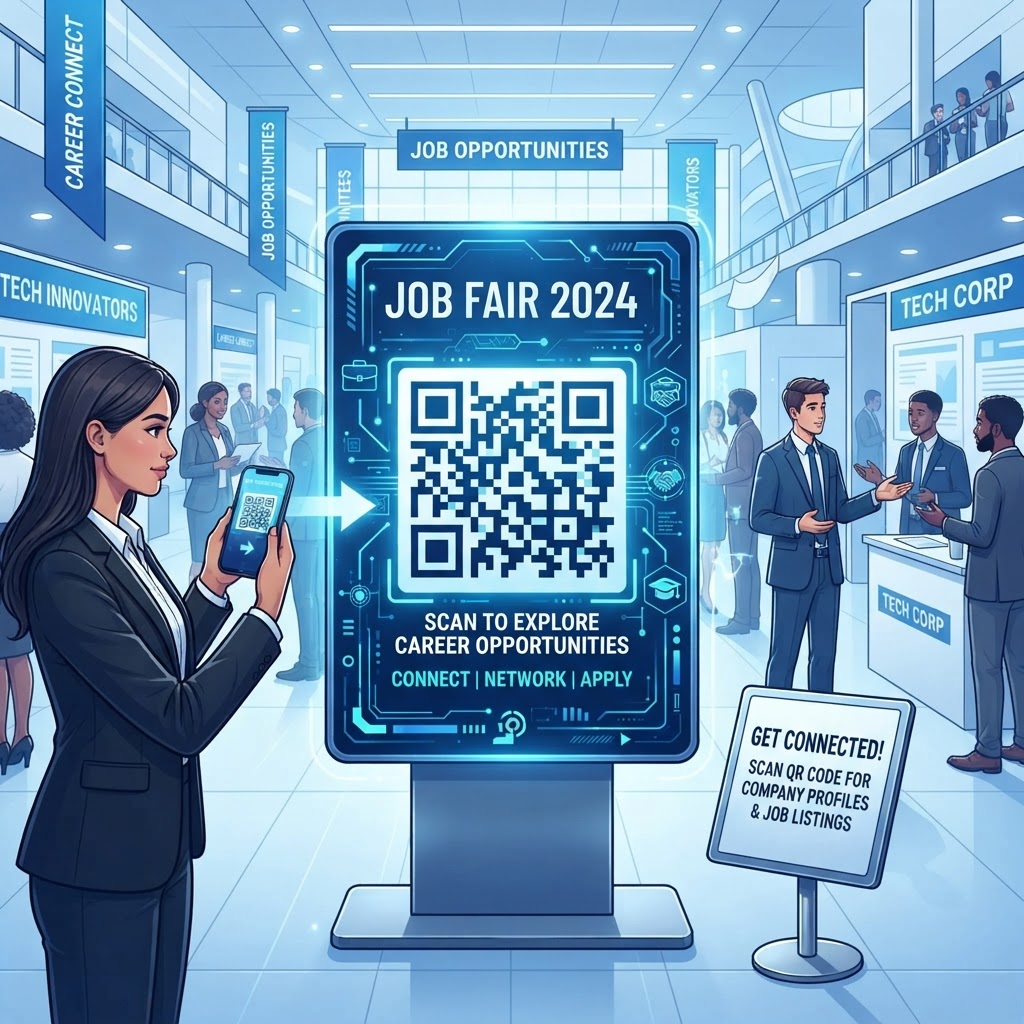
Why Using a QR Code for Job Fair Recruitment Matters in 2026
In 2026, the expectations for professional networking have shifted toward instant gratification and environmental consciousness. Attendees at career fairs are no longer interested in carrying folders of physical resumes that often get lost or damaged before they even reach a hiring manager’s desk. By deploying a strategically placed QR code for job fair booths, recruiters can instantly direct candidates to optimized mobile landing pages where they can submit resumes, view current openings, or sign up for newsletters. This immediacy reduces the friction inherent in the application process, allowing for a higher volume of qualified leads to be processed in real-time. Furthermore, a single digital link keeps every candidate on the same, current application page instead of a stack of paper resumes that can be lost or misread. Many businesses now treat that digital touchpoint as the core of their booth engagement, because it turns a short conversation into a candidate record that is already in a usable format. This shift not only saves time but also projects a modern, tech-forward employer brand that attracts top-tier talent who value efficiency and innovation in their potential workplace. As companies compete for talent in a globalized market, the ability to collect candidate information with a single, frictionless scan at the point of interaction is a critical competitive advantage that separates leaders from laggards in the fast-moving economy of 2026.
How QR Code Technology Works for Modern Recruitment
At its core, a QR code functions as a two-dimensional bridge between the physical world and a specific digital destination. When a candidate uses their smartphone camera to scan a QR code at a job fair, the device decodes the visual pattern into a standard URL or digital asset. For recruiters, this means that a printed sign on a banner or a display table becomes a gateway to an applicant tracking system or a digital portfolio. Technically, the QR code stores data in a matrix of small dots, which are optimized for rapid scanning by most smartphones, regardless of ambient lighting conditions or slight distortions caused by physical printing. When selecting a generator like free-qr-code-generator-no-sign-up-no-watermark, users leverage a system that ensures the encoded data is properly formatted for universal compatibility. This ensures that every attendee, whether they are using the latest flagship phone or an entry-level mobile device, can successfully reach your company’s landing page. The process happens in milliseconds, removing the need for manual typing or long email forms. By understanding the underlying architecture of these codes, recruiters can ensure that the destinations are mobile-responsive and load within seconds. Reliability is key; when a candidate scans a code, they expect an immediate payoff. If the link is broken or the page is slow, you risk losing that interaction forever. Reliable infrastructure ensures that the digital link remains stable throughout the high-traffic environment of a career event.
Try it now: Generate a free QR Code for Job Fair →
Step-by-Step Guide to Creating Your QR Code via BlueQR
Creating a functional and attractive QR code is a straightforward process when you utilize the tools available at blueqrcode.com. The first step involves determining the destination link for your recruitment needs. This could be a PDF QR Code for Portfolio Step by Step upload, a link to your career portal, or a digital contact card. Once you have the destination URL, navigate to the BlueQR generator interface. You will need to select the type of content you are encoding, such as a URL or a specific file type. We recommend testing your destination link on a mobile device beforehand to ensure that the user experience is optimized for a smaller screen. After inputting your link, you can customize the appearance of the QR code to match your company’s branding. This includes adjusting colors, adding a logo to the center of the code, and selecting a pattern that aligns with your professional aesthetic. While adding design elements, always prioritize contrast to ensure that the code remains scannable. Once you are satisfied with the design, generate the code and download it in a high-resolution format like PNG or SVG, which are suitable for printing on large-scale banners or brochures. Before finalizing your print materials, perform a quick Test QR Code scan to confirm that everything functions as intended. This simple verification step at the QR Code Placement Best Practices stage is essential to avoid printing hundreds of flyers that might otherwise lead to a dead link or a 404 error page.
Best Practices for Deployment at Career Fairs
The success of your recruitment QR code depends heavily on its physical deployment. It is not enough to simply print a code; it must be placed where it is most likely to catch the eye of a passing candidate. A common mistake is placing the code too low on a table or in a cluttered corner of a booth. Instead, mount your QR code at eye level on pop-up banners or incorporate it into a dedicated display stand on your reception desk. Size is also a critical factor; ensure that your code is at least 4 inches by 4 inches for distant viewing. If you are printing it on small business cards, ensure the code itself is at least 1 inch across so it can be scanned easily without the need for the camera to be held at an awkward distance. Lighting in convention centers can be inconsistent, so avoid placing your code behind glass or in areas with high glare, as this can confuse a phone’s autofocus mechanism. Furthermore, provide a clear call to action (CTA) alongside the code, such as "Scan to Apply Now" or "View Open Positions." This informs the candidate exactly what will happen when they scan, which increases the likelihood of engagement. By integrating these practices into your booth design, you transform the QR code from a static graphic into an active participant in your recruitment strategy, creating a seamless flow from initial interest to formal application without the need for manual data entry or paper-based record keeping.
Common Mistakes to Avoid During Your Event
Even with the right intentions, common errors can diminish the effectiveness of your recruitment strategy. One of the most prevalent issues is failing to optimize the landing page for mobile devices. If a candidate scans your code and is redirected to a desktop-only website that requires excessive zooming and scrolling, they will likely abandon the process. Ensure your destination is fully responsive. Another mistake involves using a URL that is overly long and complex; while the QR code will process it, it is best practice to use a shortened URL that allows for quicker load times. Additionally, avoid overcrowding the area around the QR code with competing visual information. The code should stand out; if it is buried under brochures, stickers, and informational pamphlets, candidates may not notice it at all. Furthermore, do not assume that all event participants have access to high-speed cellular data. Convention centers are notoriously crowded, and network congestion can lead to slow loading pages. Test your landing page to ensure it is lightweight and loads efficiently even on lower bandwidths. Finally, never send a QR code to the printer without testing the destination link first. A printed code always points to the exact URL it encodes, so the safest approach is to host that destination on a page you control: when the content changes, you update the page at the same address and the printed code keeps working. Avoiding these pitfalls ensures that your recruitment efforts run smoothly, professionalizing your approach and leaving a positive impression on every candidate who visits your station during the fair.
Use Cases by Industry for Enhanced Recruitment
Different industries can adapt the QR code for job fair strategy to suit their specific hiring needs. For technology and software companies, a QR code can link to a coding challenge or an interactive virtual tour of the office environment, which gives applicants a taste of the company culture. This is a powerful way to filter for talent early on. In the healthcare sector, organizations can use a QR code to link to a vCard QR Code for Accountant Tutorial (or for medical recruiters, a personalized contact card) to allow candidates to easily save the recruiter’s information directly to their phone contacts for follow-up. This is especially helpful for roles that require ongoing relationship building. For the hospitality and service sector, where high-volume hiring is the norm, a QR code can link directly to a simple, mobile-friendly application form that collects name, contact info, and availability, bypassing the need for a full resume upload on the spot. Retail organizations often use these codes to lead candidates to a list of local store locations with active openings. By tailoring the content of the landing page to the specific sector, you provide value to the candidate while simultaneously collecting the most relevant data for your HR team. Regardless of the industry, the goal remains the same: reducing the barrier to application. When the candidate can interact with your organization's digital ecosystem before they even speak to a recruiter, they arrive at your booth more prepared and better informed, leading to higher-quality conversations and more efficient hiring decisions for your organization.
Summary and Next Steps for Your Recruitment Strategy
As we have explored throughout this guide, utilizing a QR code for job fair events is a sophisticated and highly effective strategy for recruitment in 2026. By bridging the physical and digital divide, you empower candidates to engage with your brand on their own terms, while providing your recruiting team with the efficiency of digital data collection. From the initial setup on blueqrcode.com to the strategic placement on your booth, every step of the process is designed to save time and increase the volume of high-quality applicants. Remember that the key is simplicity: create a clear CTA, ensure the destination is mobile-ready, and always test your deployment before the event starts. As you prepare for your next recruitment drive, consider how these tools can be integrated into your broader talent acquisition strategy. Whether you are aiming to reduce paper waste, capture lead data more accurately, or simply provide a better candidate experience, our platform offers the robust features needed to succeed. Start by creating your first professional-grade QR code today and experience the difference that optimized digital engagement makes in your hiring pipeline. The future of recruiting is here, and it is accessible with a single scan. Don't let your next career fair opportunity pass by without having a digital-first strategy in place to capture, nurture, and hire the top talent you deserve. Take the step toward modernization and transform your booth into a hub of digital recruitment excellence starting now.
No watermark · No expiry · Works on all phones
Your QR code is ready in under 30 seconds.
Generate Free QR Code →